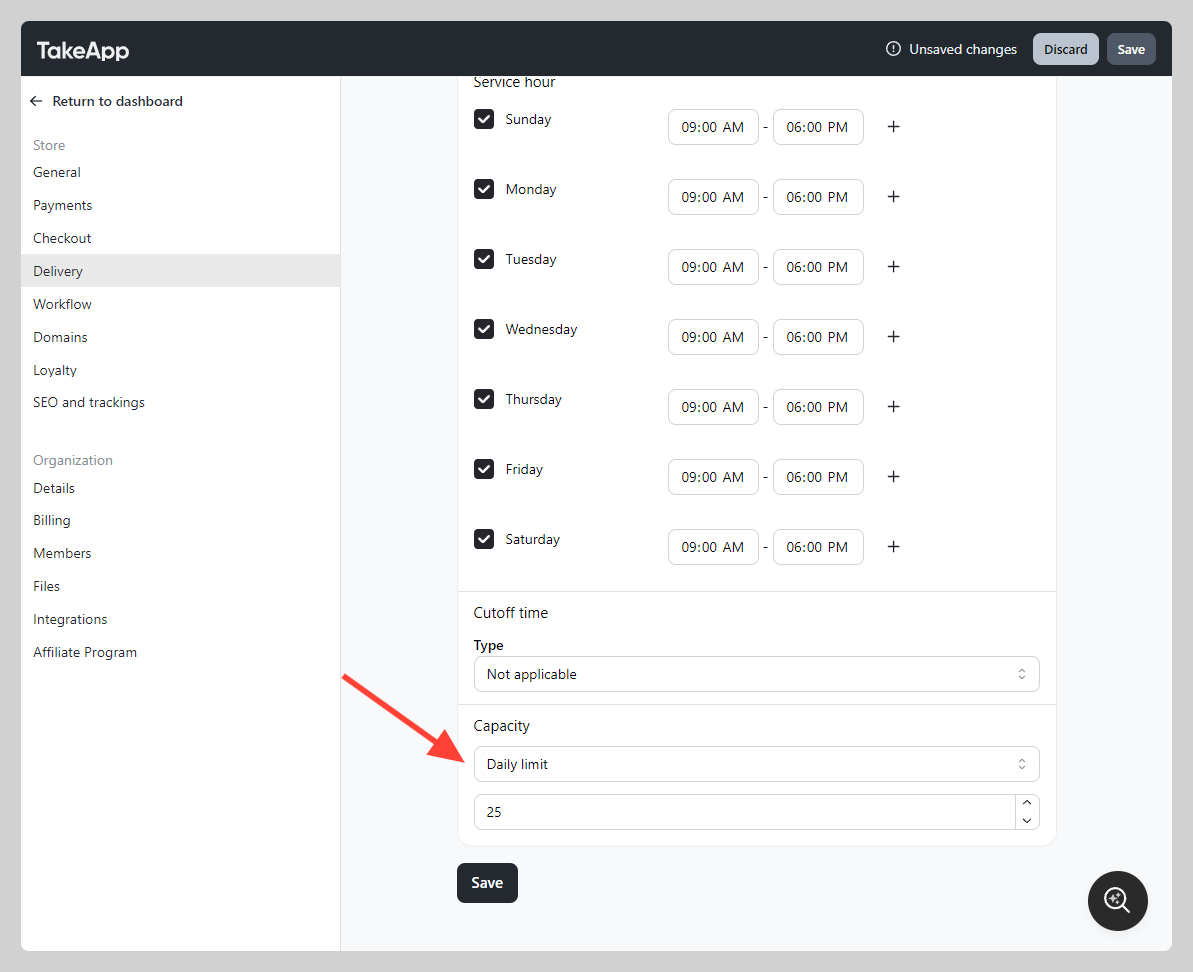
You may want to limit the number of orders per day to avoid receiving orders more than your daily capacity.
How to add daily order limit for specific delivery
-
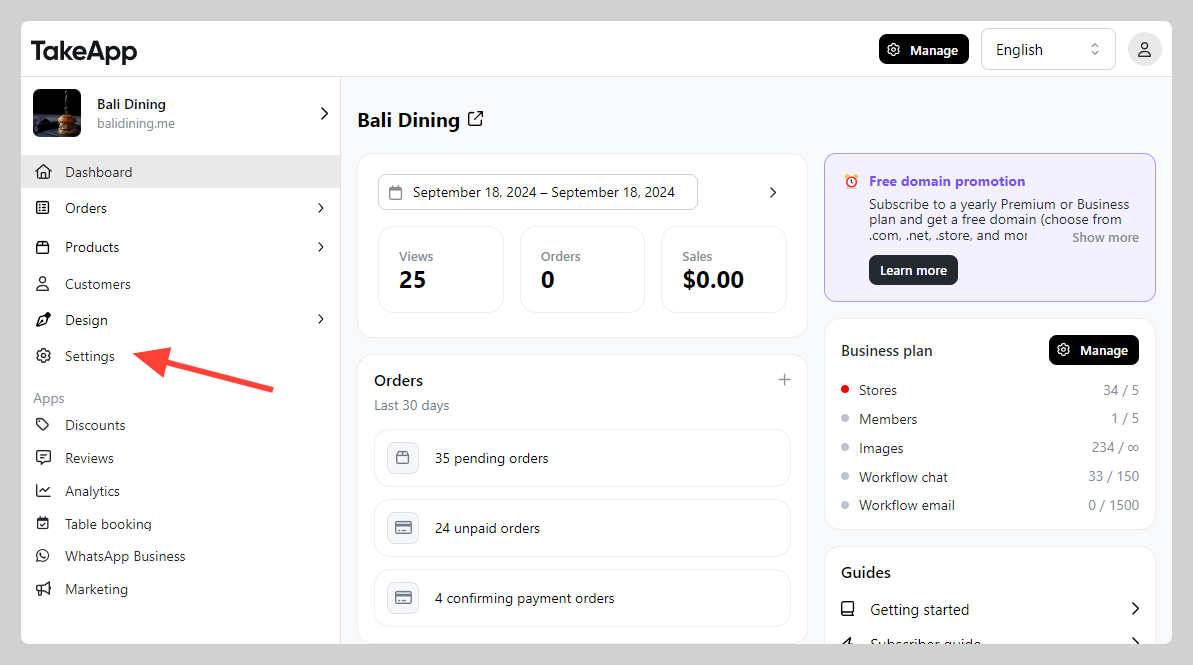
1. Go to Admin > Settings
-
Navigate to Delivery and click
Add delivery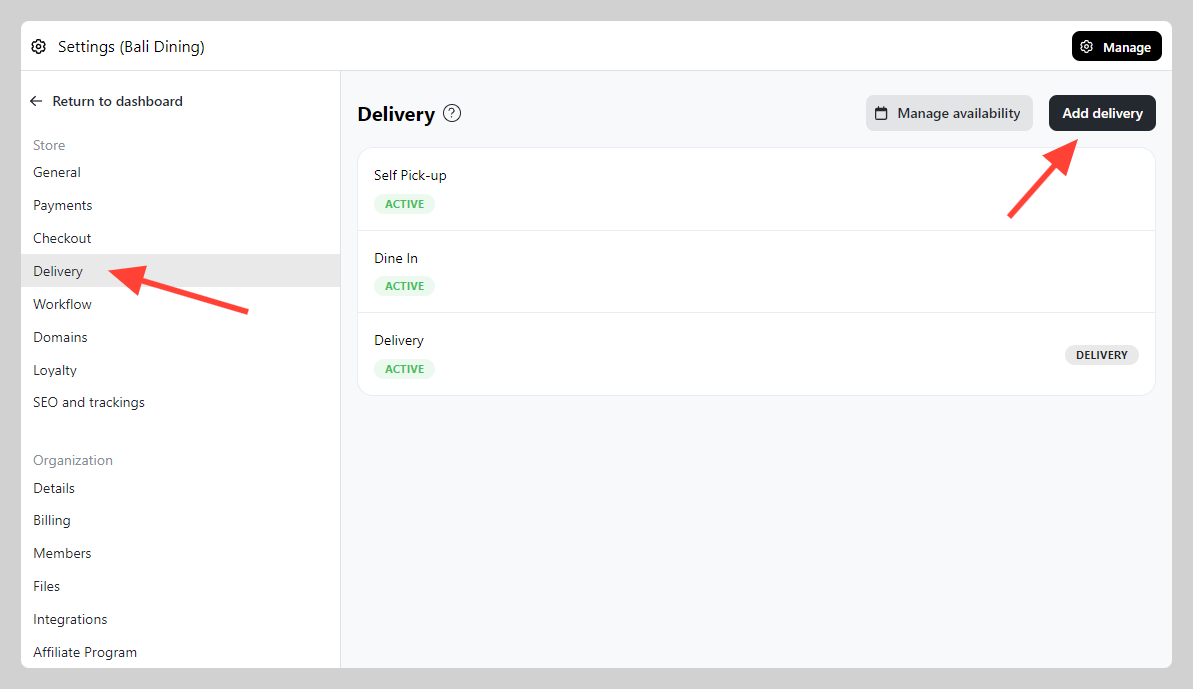
-
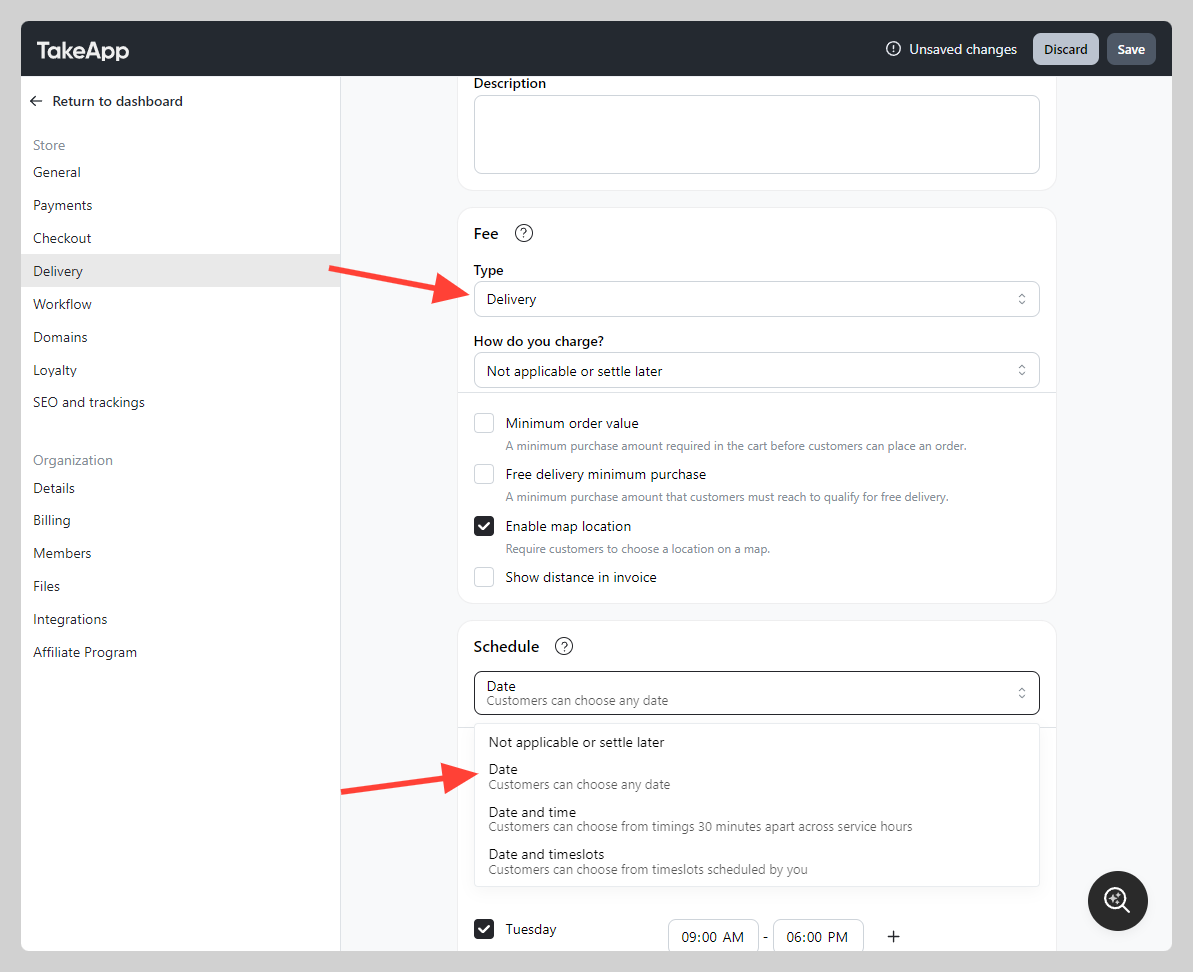
Create a delivery with Type: Delivery and activate Schedule as Date
-
In Capacity, you can set daily maximum order volumes. Once the order volume reached, customers cannot choose the date anymore in checkout page.