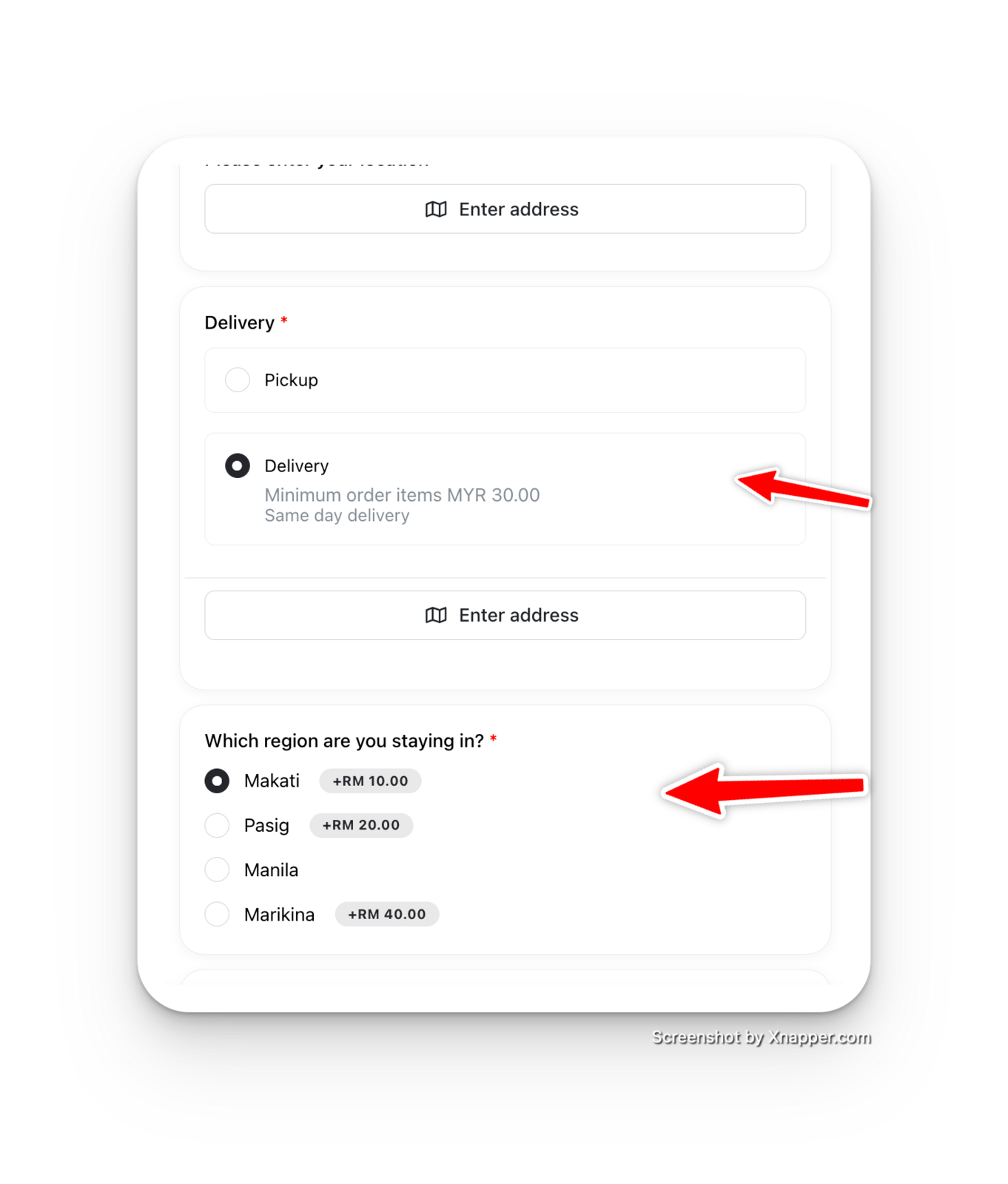
You can now add Questions under each Delivery option to ask specific question based on respective delivery type.
How to add question for specific delivery
-
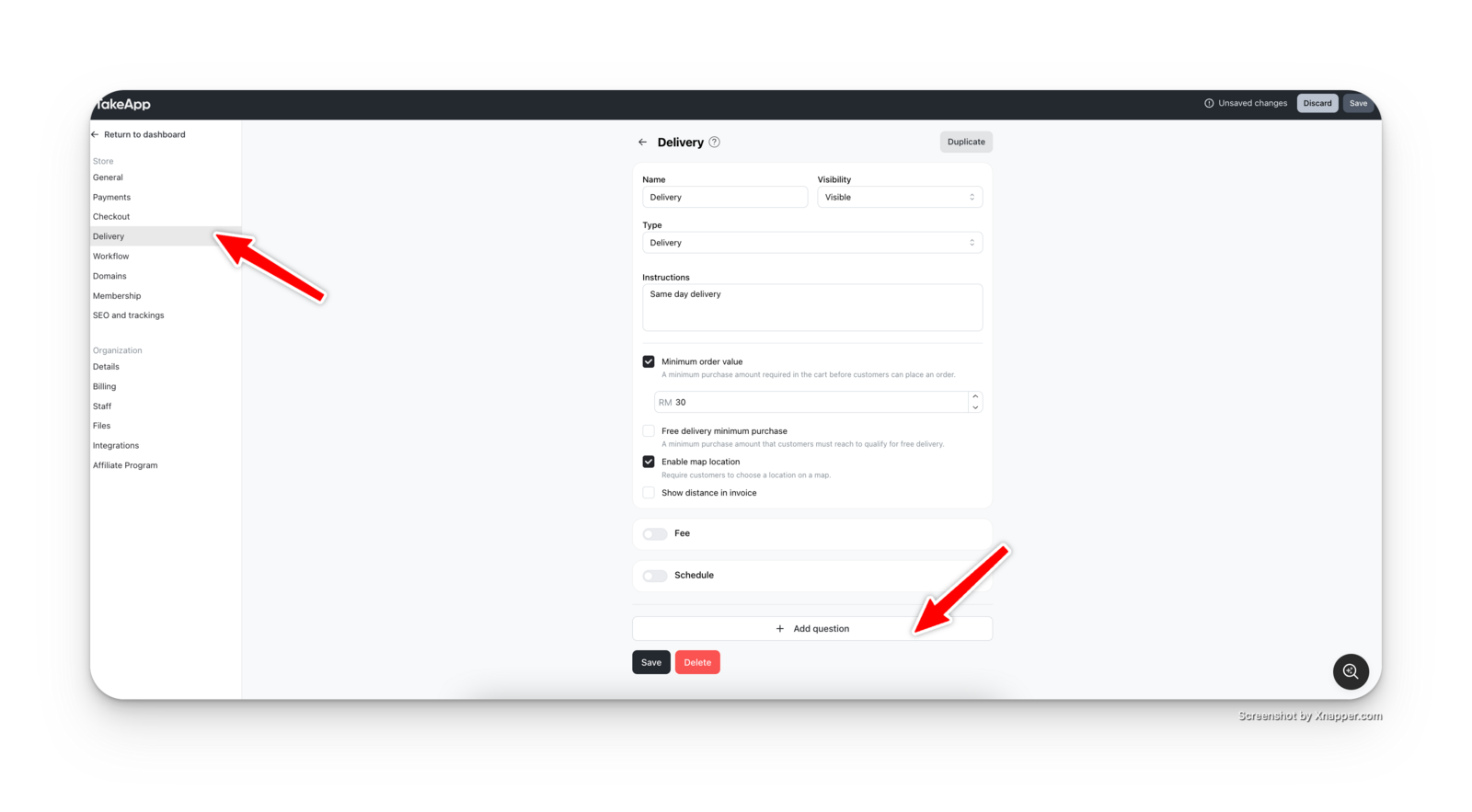
Go to "Delivery" inside Settings Panel
-
Fill in the necessary details for this delivery service, such as name, description, and map enabling, etc.
-
Click on "Add question" below the line.
-
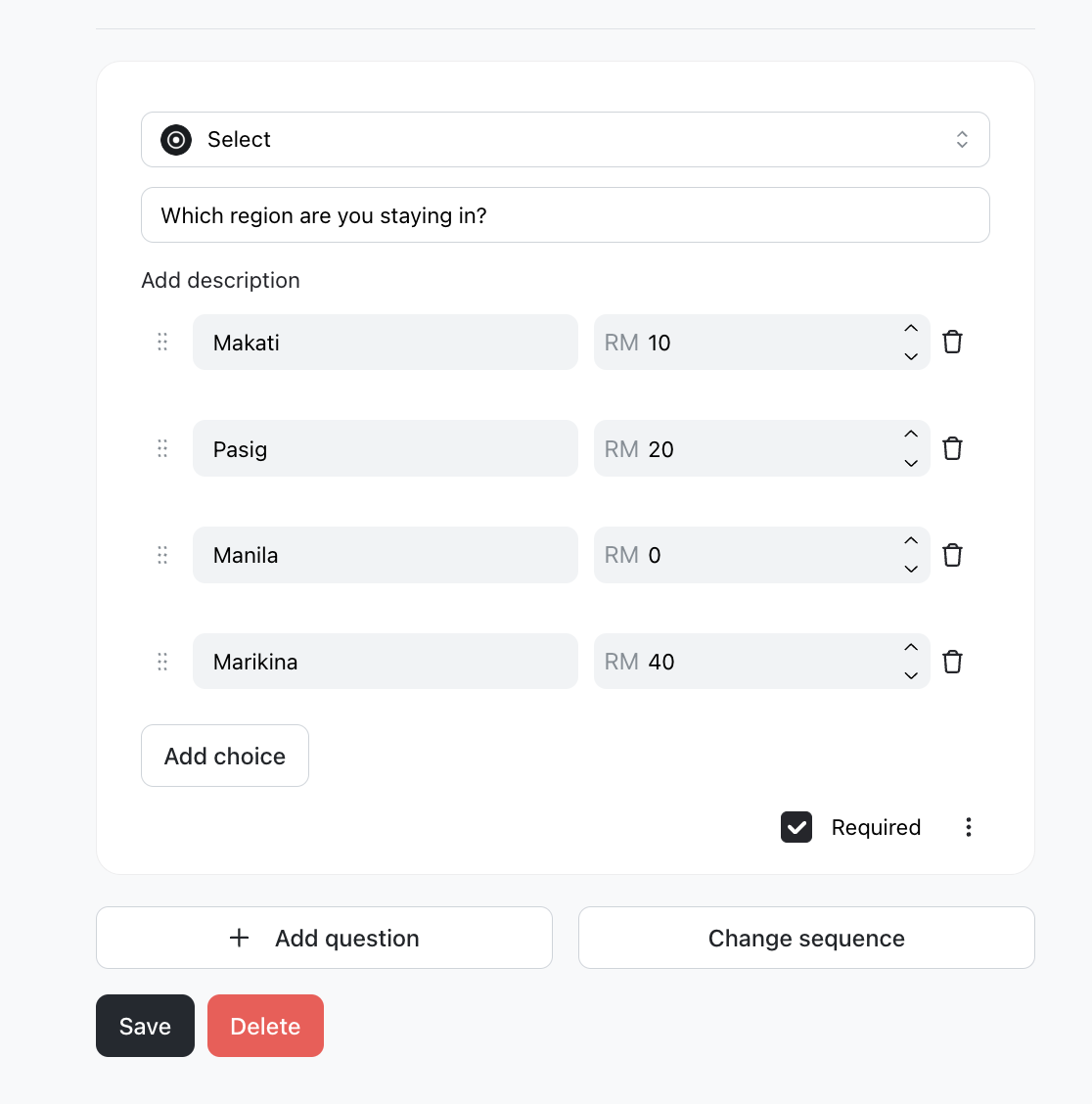
You can select various types of questions to ask, such as Short Answer, Time, Date, Upload, Location, Checkbox, or Selection.
-
Click on "Save" to save your question
Delivery questions on checkout page
Notice that your question only shows up if you choose "Delivery", and not pickup. This is how you can ask questions that are specific to your delivery method.