
Your prepaid balance holds credit on your Take App account. It is used first whenever Take App bills you, before your card is charged.
It fills up two ways:
- From a downgrade. If you switch to a lower-priced plan, the unused portion of what you already paid is credited to your prepaid balance instead of being lost.
- From a top-up. You can add money in advance and let your subscription draw from it. This is especially helpful in countries where recurring card payments do not always work reliably.
Top-ups support a variety of payment methods, including card payments, Apple/Google Pay and WeChat. In Singapore, Malaysia, Indonesia, the Philippines and India you can also pay with your local QR — see Top up with a QR code.
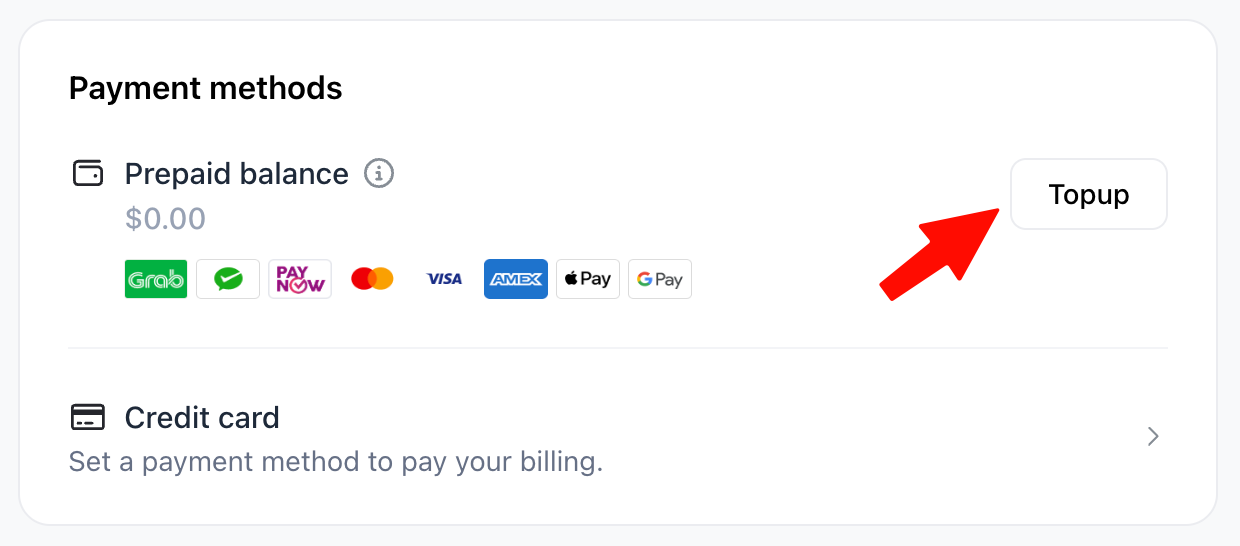
To see your prepaid balance
- Go to your Dashboard > Settings > Billing and scroll down to the Prepaid balance section.
How to top up
- Go to Dashboard > Settings > Billing
- Scroll down to the Prepaid balance section
- Click
Topup - Enter the amount you want to add in USD — the minimum is $10 — then continue to the payment page
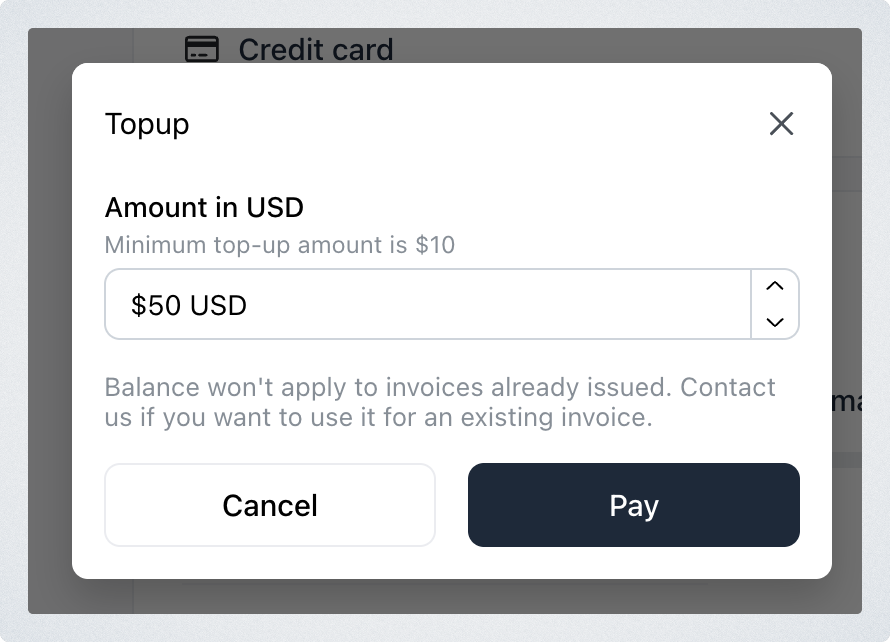
The amount is a free-text field, so you can top up whatever suits you rather than picking from fixed packages.
Top up with a QR code
If your store is in one of these countries, the Topup window offers your local QR alongside Card or other methods:
| Store country | QR | You pay in |
|---|---|---|
| Singapore | PayNow | SGD |
| Malaysia | DuitNow | MYR |
| Indonesia | QRIS | IDR |
| Philippines | QRPH | PHP |
| India | UPI | SGD |
- Go to Dashboard > Settings > Billing and click
Topupunder Prepaid balance - Enter the amount in USD — $10 minimum — and choose your QR under Payment method. You'll be charged shows the amount in your currency
- Scan the Payment QR code with your banking or payment app
The balance goes up on its own once the payment lands — you'll see Payment complete. Leave the window before paying and Take App asks you to confirm first; a QR you didn't pay simply expires.
Your balance is in USD and pays your next Take App invoices, including your plan and the WhatsApp messages you use. It doesn't apply to an invoice that has already been issued — contact us if you want it to. Only organisation admins can top up.