
Your admin dashboard language is a personal preference. It changes what you see while you work, and has no effect on your storefront — for that, see Storefront language.
Change your admin dashboard language
-
Log in to Take App admin from take.app
-
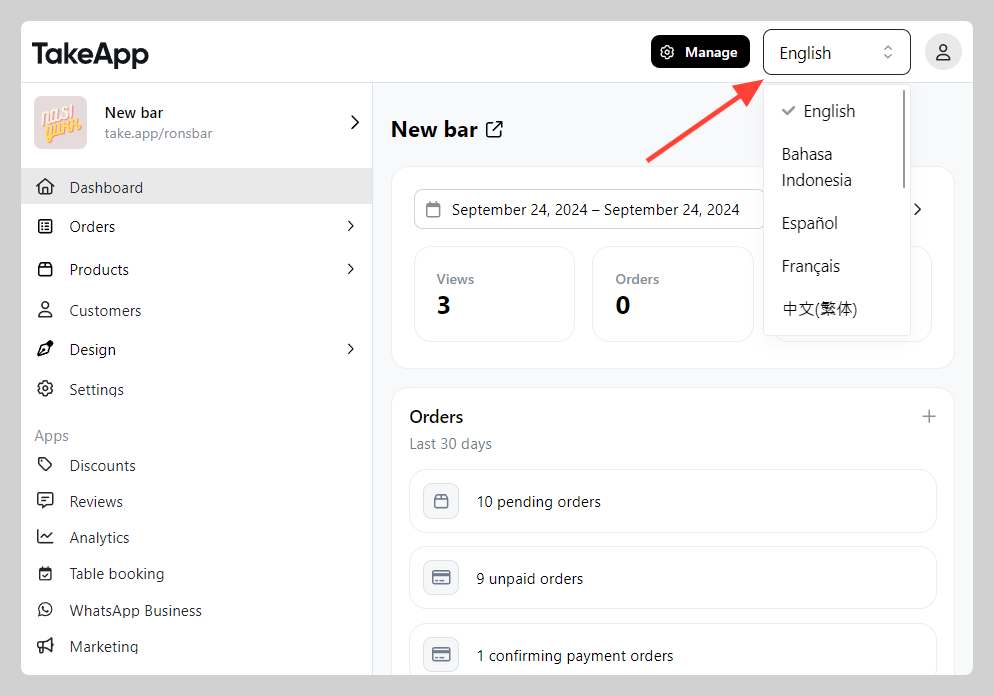
On the admin dashboard, open the language selector at the top right corner and choose your preferred language.
Note: to jump straight back to the English admin, open take.app/en/admin.
Not seeing your language, or want to improve a translation? See Contributing translations.