
Take App vs Cococart
Cococart and Take App both started with the same idea: a small shop should be able to sell online without a developer. Where they part is the bill. Cococart charges for each piece separately, and its order lands on a storefront page rather than in the chat the customer opened.
All comparisons



 PayNow
 PayPal
Short answer
Take App is the better fit if the pieces you need are the ordinary ones — a store, QR ordering at the table, a POS, WhatsApp automation — because they are all in one plan at $50 a month instead of $19 plus $39 plus $39. Cococart is the better fit if you want bookings with deposits, loyalty points and email marketing under one login, and you are happy paying per module for them.
Why businesses pick Take App
One plan, not eight. Free to start, then $50 a month with QR ordering, POS, automation and delivery already in it.
The order happens in WhatsApp: the form, the confirmation and the delivery update are all in the same thread.
Bank transfer with a receipt the customer uploads and you approve — the way most orders in this region actually get paid.
Feature by feature
The rows are what chat-first businesses ask us about most. Where Cococart covers something through a paid add-on, or only in some countries, the cell says so instead of a cross.
| The monthly bill | Take App | Cococart |
|---|---|---|
| Starts at | Free, then $50 / month | $19 / monthOnline Store, monthly. Online Store Pro is $59; QR Code Ordering, Kitchen Display and Loyalty are $39 each, Bookings $29, Email Marketing and CRM $19 each. The bundles are $99, $199 and $249 a month. |
| Free plan | Yes | The store is a 7-day trial; only the POS module starts free |
| Add-ons you also pay for | None — everything in the table below is included | Every extra module is its own subscription — QR ordering, kitchen display, bookings, loyalty |
| Commission on orders | None | None — Cococart takes no cut of sales |
| Feature | Take App | Cococart |
|---|---|---|
| Selling in the chat | ||
| Order form inside the WhatsApp chat | Yes | Share the store link in chat; checkout is on the page |
| Automatic order & payment messages | Yes | Abandoned-cart and email flows, not chat |
| Broadcast to past customers | Yes | Email marketing, a $19-a-month module |
| Support & delivery updates in the same chat | Yes | No |
| Getting paid locally | ||
| Local wallets & bank transfer | Yes | Yes |
| Transfer receipt upload & confirmation | Yes | Manual payment methods |
| Cash on delivery | Yes | Yes |
| Card payments | Yes | Yes |
| Orders, delivery & counter | ||
| Dine-in QR ordering | Yes | QR Code Ordering, $39 a month |
| Delivery & pickup scheduling | Yes | Yes |
| Local courier integrations | Yes | Lalamove in Singapore and the Philippines |
| Point of sale | Yes | Free tier; POS Pro is $59 a month |
| Online store with custom domain | Yes | Yes |
| Cost & getting started | ||
| Multiple stores & staff accounts | Yes5 stores & 5 staff | Partly |
| Live without a developer or agency | Yes | Yes |
How we compared
Cococart plan prices and features were checked on August 29, 2026 against the pages linked below. Prices change and vary by country, so confirm with Cococart before deciding. Take App's own plan details come from our pricing page.
Sources: cococart.co/pricing, cococart.co
Built for the market you actually sell in
100+ payment methods and local couriers across 180+ countries — the wallets, bank transfers, and cash on delivery your customers already use, not just cards.
Where Cococart draws the line
Cococart knows Southeast Asia: it sells in Singapore, Malaysia and the Philippines, takes local payment methods, and books Lalamove deliveries from the dashboard in Singapore and the Philippines. Take App covers the same ground — 100+ payment methods across 180+ countries — with the order arriving as a WhatsApp message rather than a storefront checkout.
Why WhatsApp, and not email
Across Southeast Asia, Latin America, Africa and the Middle East, a customer messages a shop long before they would open an email. Take App puts the order form, the payment reminder, the delivery update and the follow-up in that same thread — so nothing waits on an inbox nobody checks.
What you get on day one
No add-ons to install, no theme to build — every plan starts with the whole ordering flow.
Local Payment Options
Offer transfers, e-wallets, or COD. Make checkout easy for all buyers.
Learn more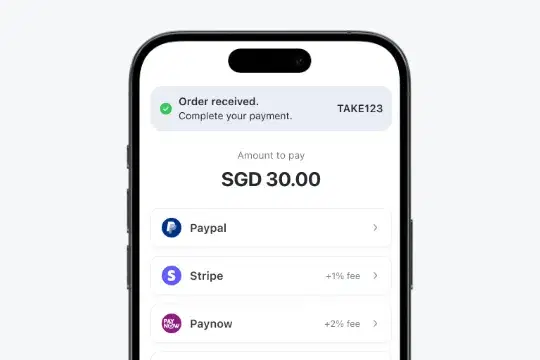
Payment Proof Management
BusinessCustomers upload payment screenshots. Confirm orders fast, all in one place.
Learn more
WhatsApp auto reply
Automatically send greeting or away messages on WhatsApp, including your store link so customers can start shopping instantly.
Learn more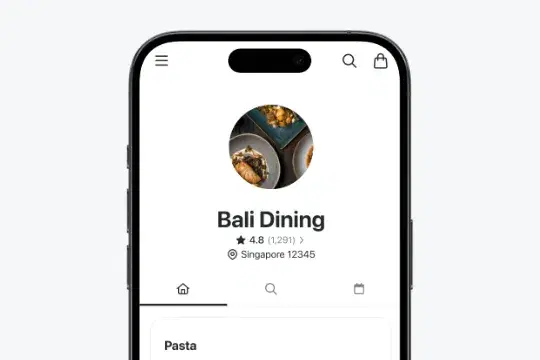
Quick Online Store Setup
Set up your store in minutes—no coding needed. Start selling quickly and hassle-free.
Learn more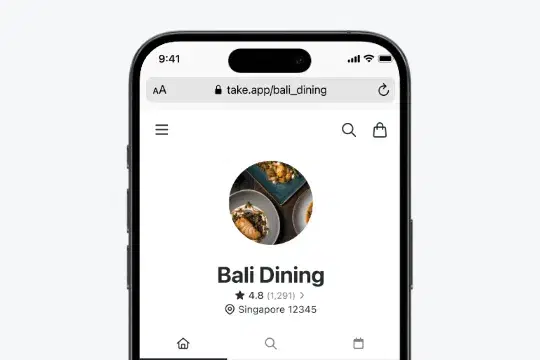
Connect your own domain
BusinessUse your own branded URL. Look professional and earn customer confidence.
Learn moreWhen Cococart is the better choice
No tool wins everywhere. Choose Cococart if this sounds like your business.
- You take reservations or appointments and want deposits, reminders and a calendar built in.
- Loyalty points and email campaigns are how you bring customers back.
- You want a card terminal and a customer-facing display at the counter.
- A polished storefront page, not a chat thread, is where you want people to browse.
What Customers Are Saying
Small businesses in 180+ countries run on Take App.
Compare in your market
Local payment methods and prices differ by country. See how Take App works in yours.
Other comparisons
Common questions
Something out of date or unfair? Tell us and we'll fix it