
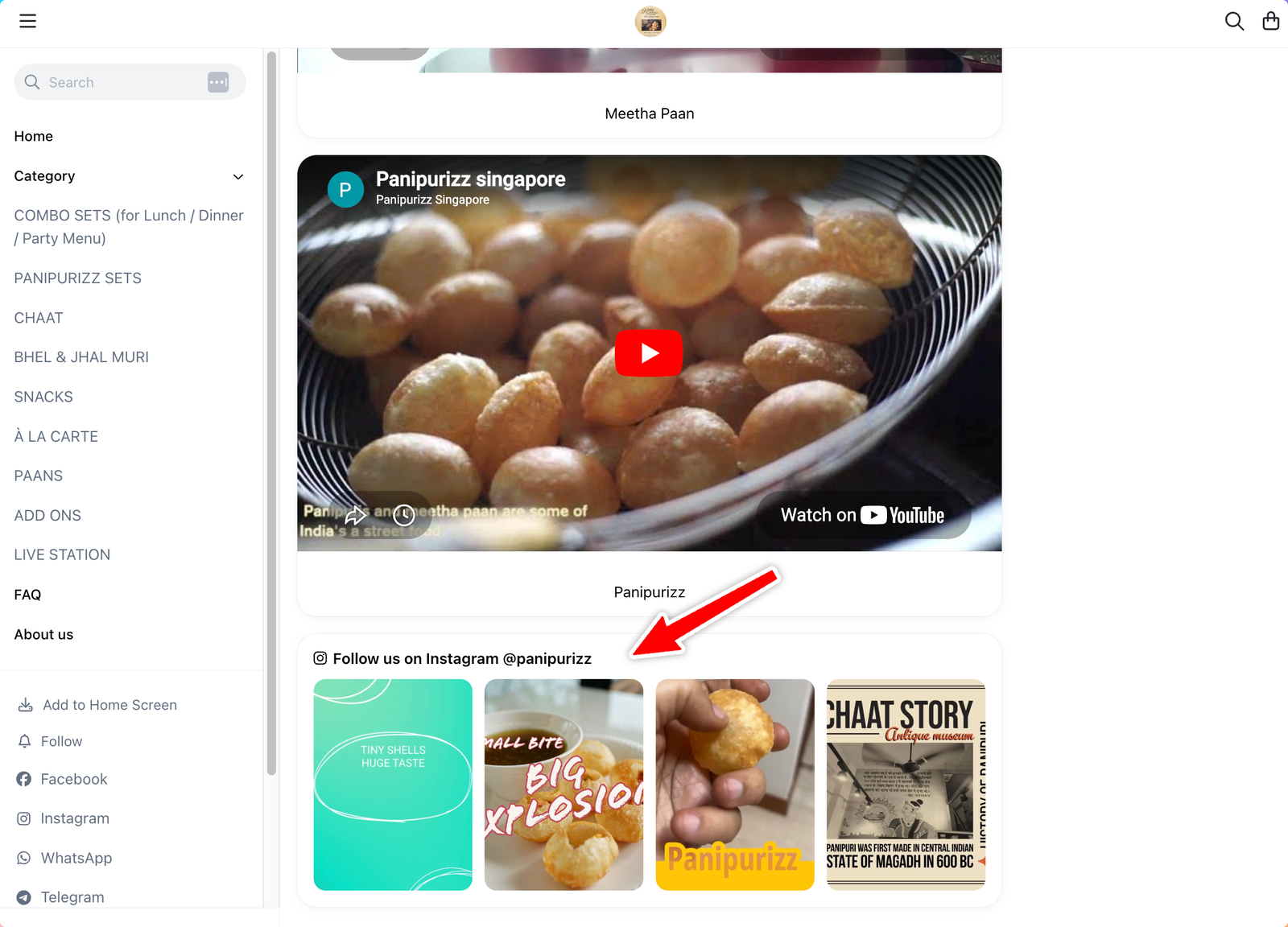
When you connect your Instagram Business account to Take App, your store automatically displays an Instagram card showing your latest posts. Customers can see your recent feed and tap through to your Instagram profile — directly from your store page.
How it works
Once Instagram is connected, the card appears automatically as the last card on your store. It pulls your most recent posts and updates whenever you publish new content.
- Shows your latest Instagram posts in a scrollable card
- Always appears as the last card in your store layout
- Updates automatically — no extra setup needed
Connecting Instagram
To show the Instagram card, you need to connect an Instagram Business account. Personal accounts are not supported.
- Go to Admin → Sales Channels → Instagram in your Take App dashboard
- Click Connect Instagram and follow the prompts
- Make sure your account is set up as an Instagram Business or Creator account — this is required for the integration to work
Removing the Instagram card
The Instagram card cannot be hidden individually. To remove it from your store, disconnect your Instagram account under Admin → Sales Channels → Instagram.