
You can create a banner to show important announcements on the top of your storefront.
How to create a banner
-
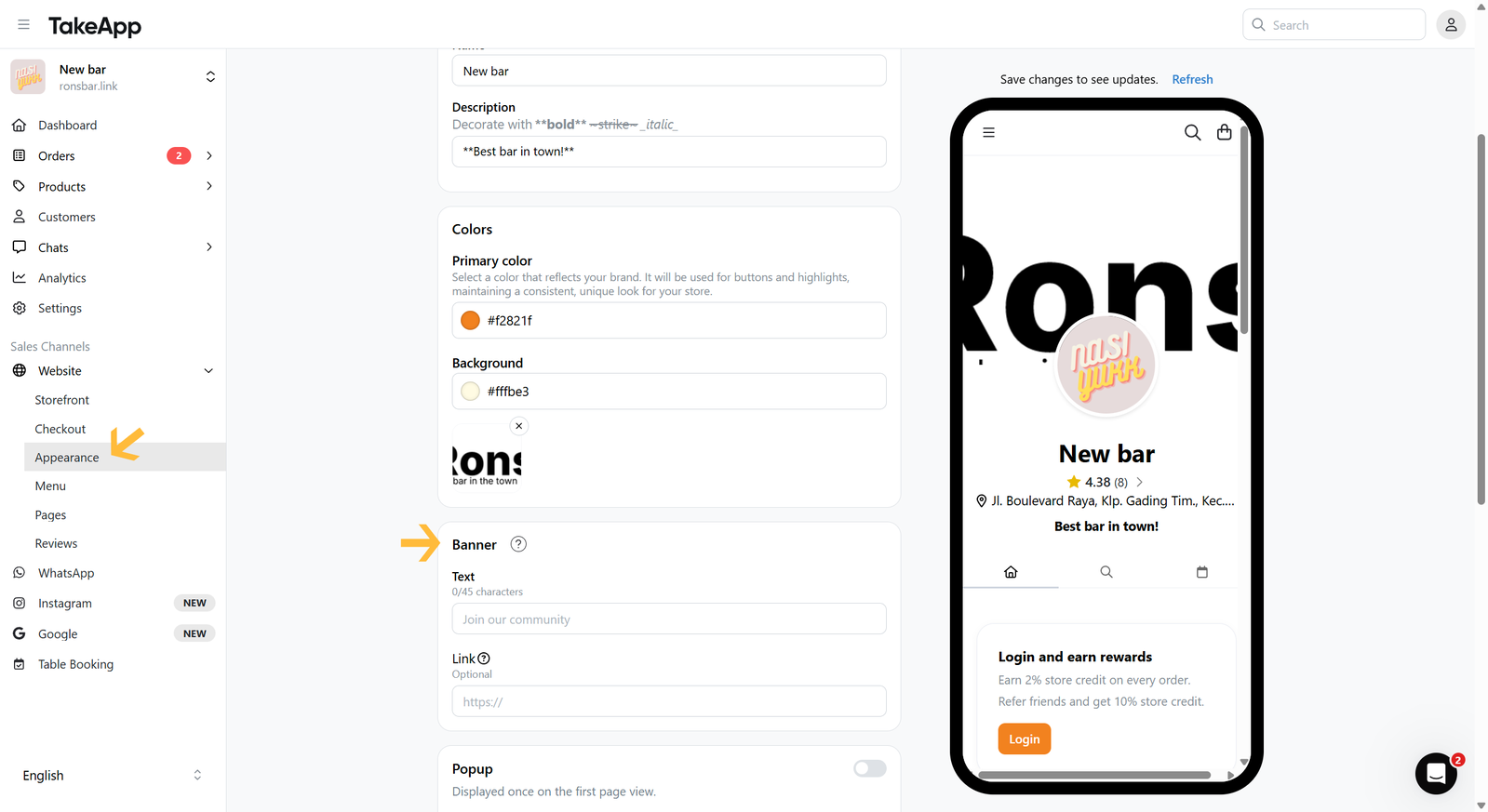
Go to Admin > Website > Appearance, then navigate to the "Banner" section
-
Fill in the Banner text and link (optional). Click
Save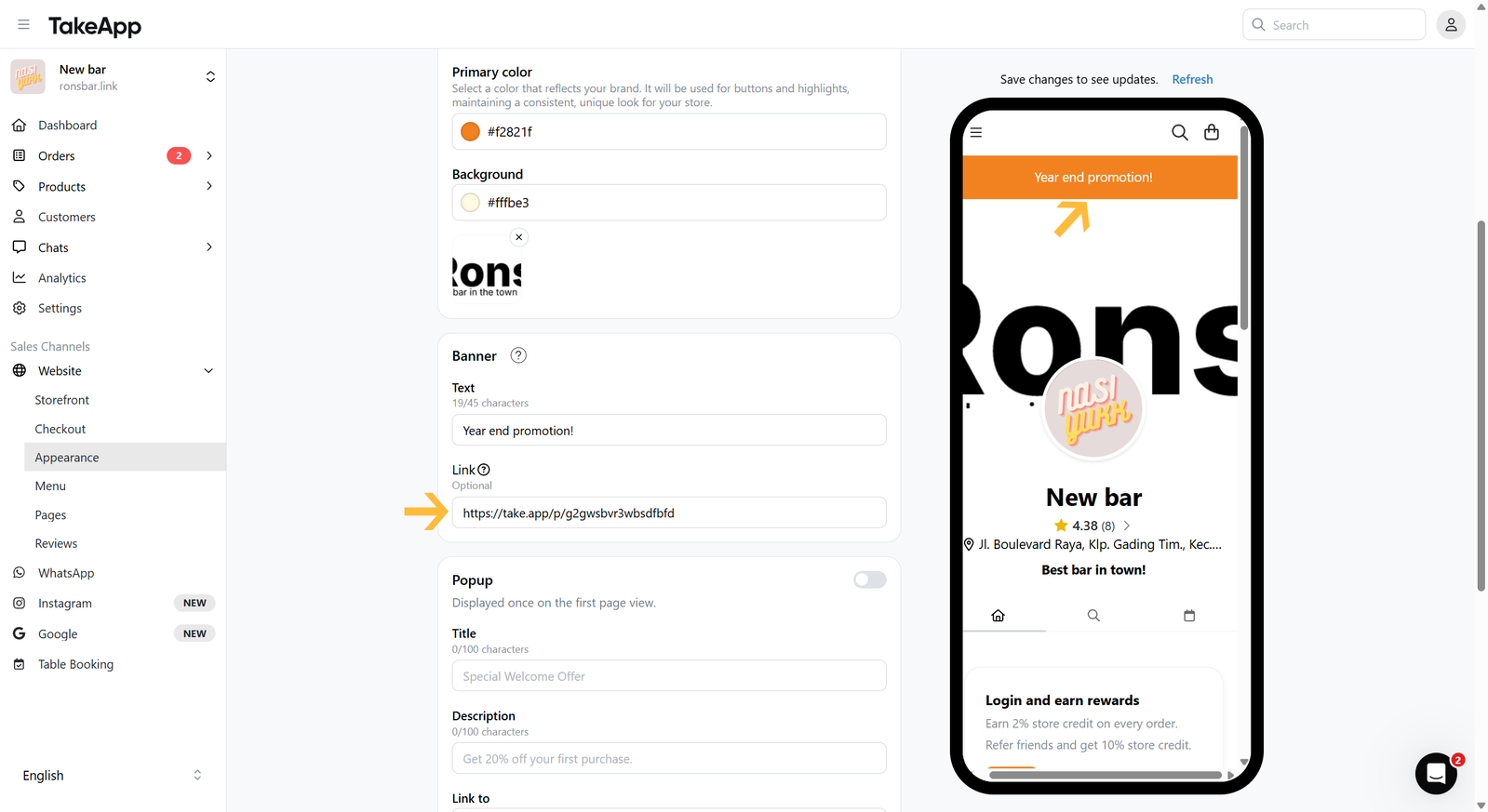
You can create a banner to show important announcements on the top of your storefront.
Go to Admin > Website > Appearance, then navigate to the "Banner" section
Fill in the Banner text and link (optional). Click Save
질문을 남기시면 바로 답변해 드립니다. 팀과 대화하셔도 됩니다.