
With Paymob, you can start accepting payments from Egypt and other MENA countries, and have the payment mark as paid automatically in Take App.
Please follow the settings carefully.
How to add Paymob as payment method?
-
Go to Settings > Integrations
-
Choose Paymob
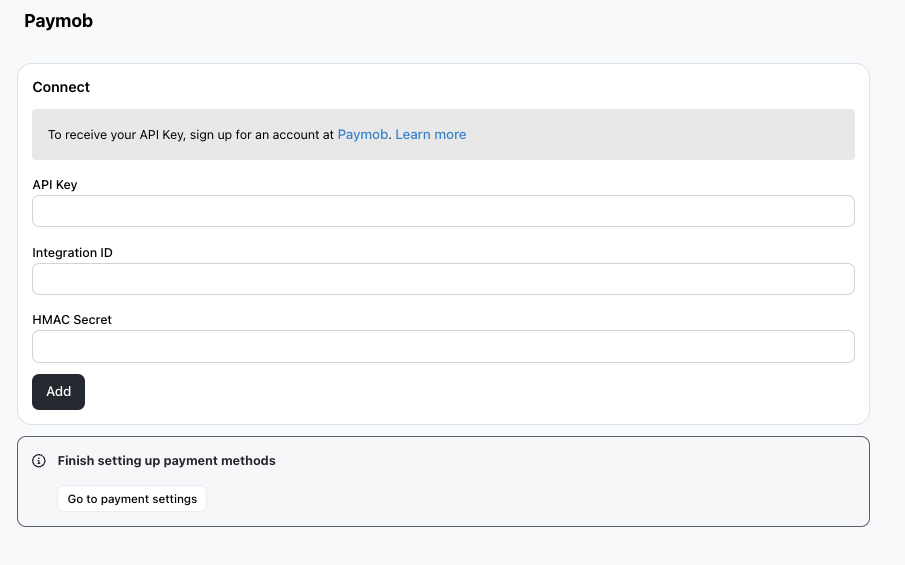
-
Complete the setup by keying in your Paymob API Key, and HMAC Key and Integration Credentials (See below on how to complete Integration)
-
Now go to Settings > Payments
-
Add Paymob
-
Choose your integration credentials from the dropdown
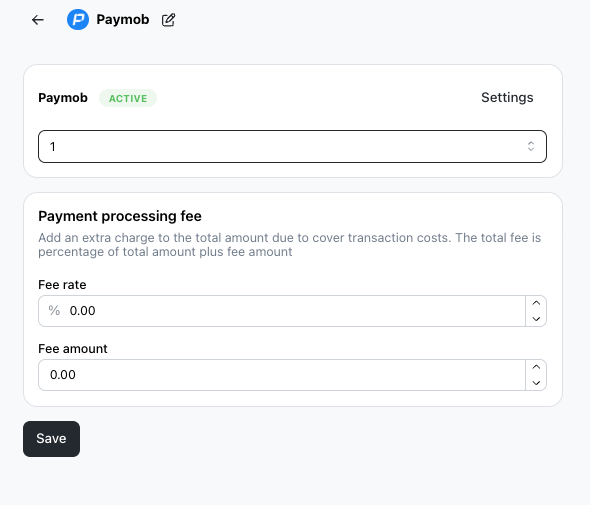
-
Hit Save
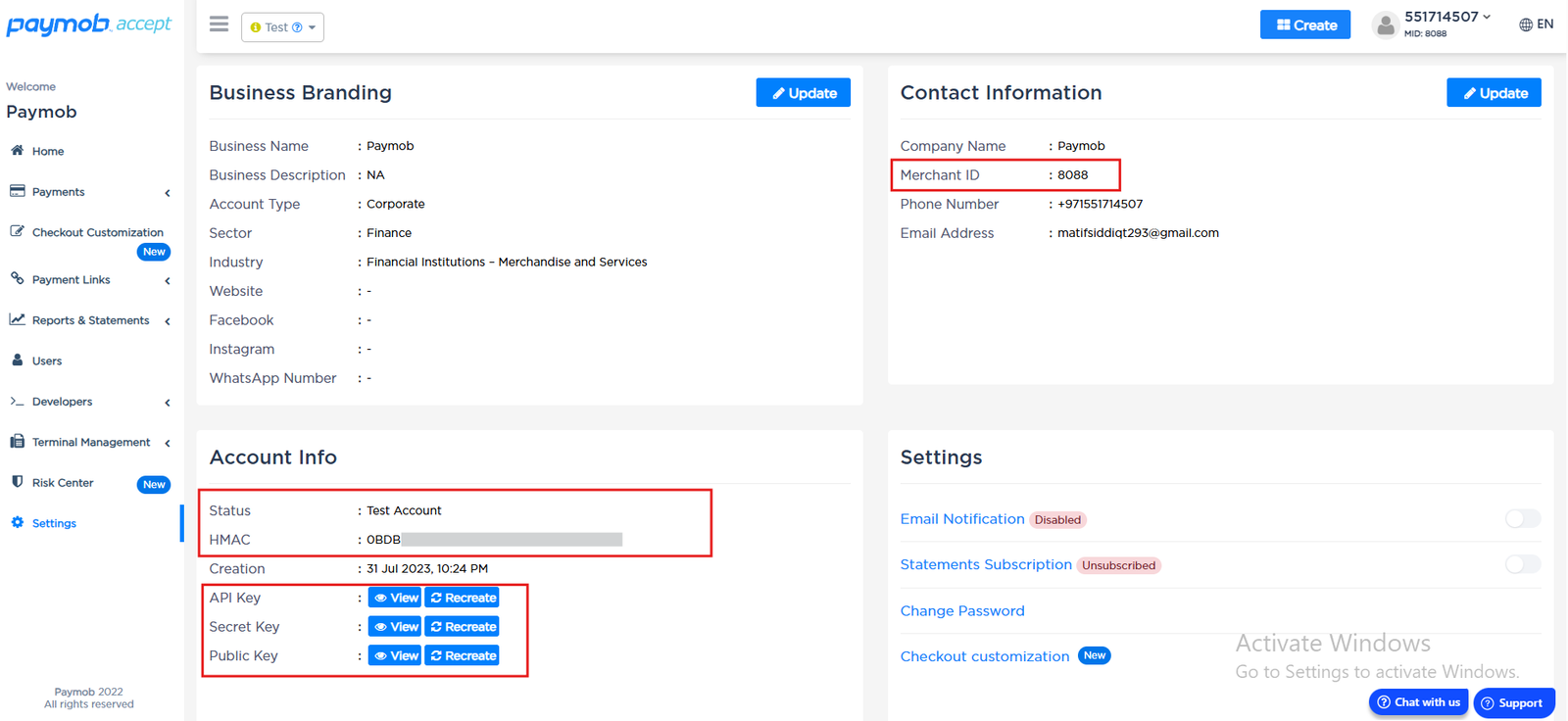
How to find your Paymob API Key and HMAC Secret?
- Please scroll down to Settings to update your profile settings on the Dashboard.
How to create Integration?
- Go to Developers on the left-hand-side menu.
-
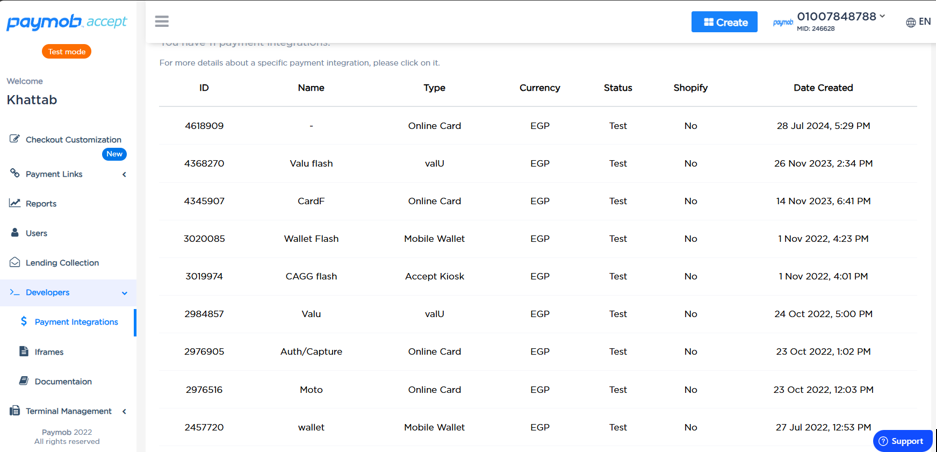
- Type this into Transaction Processed Callback URL
https://take.app/api/webhooks/paymob - Type this into Transaction Response Callback URL
https://take.app/<your-store-alias>/paymob - Click on the Submit button to collect your integration ID.