
Pagadito is a simple and safe way to receive online payments in Central and South America, accepting mobile wallets and credit cards. you can automatically be notified when your customers have paid.
How to add Pagadito as payment method
- Ensure your store currency is one of the following:
USD,GTQ,HNLNIO,CRC,PAB,DOP. You can change store currency by visiting Settings > General. - Go to Admin > Settings > Payments and click
Add payment method. - Choose Pagadito and make sure to hit
Save. - Click Pagadito
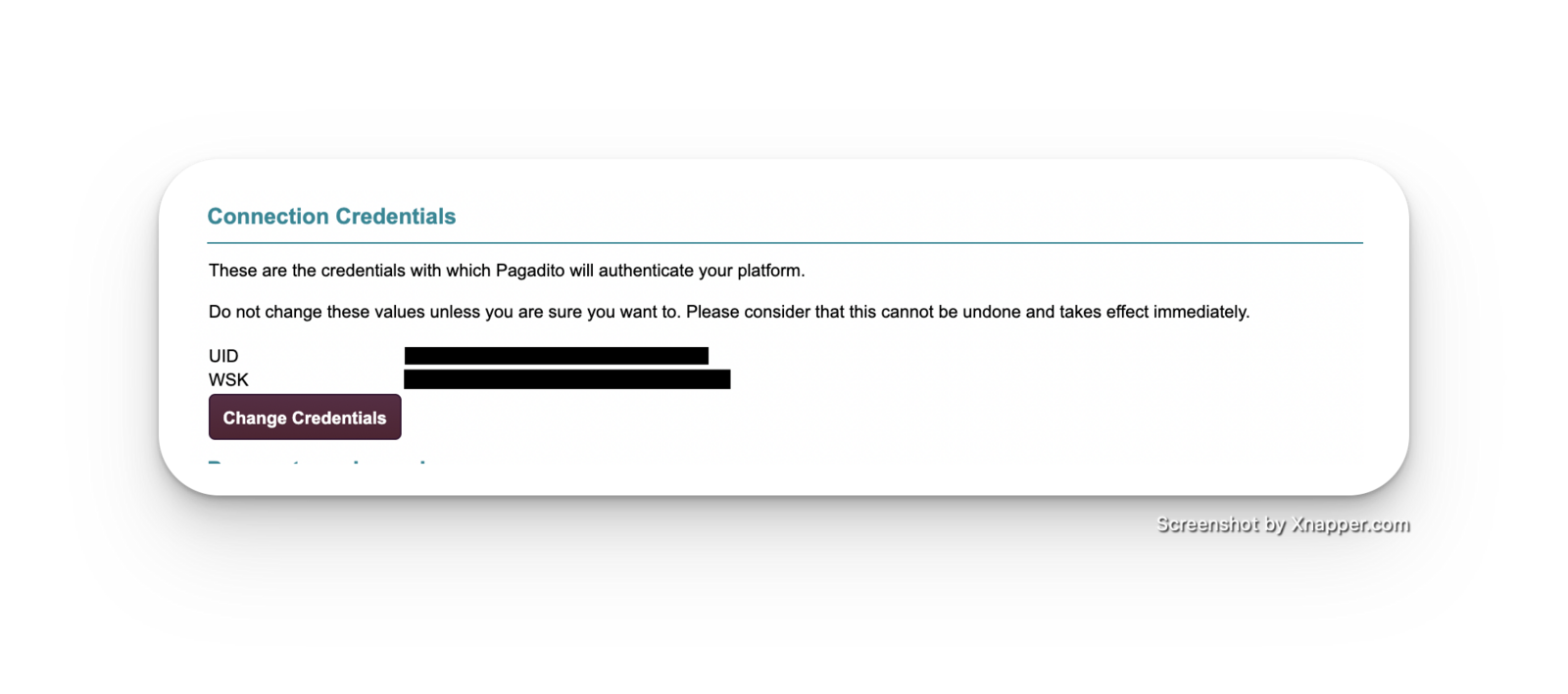
Settingsto complete the setup by keying in your UID and WSK. See guide below. - Add
https://take.app/api/payments/pagadito?ern_value={ern_value}&value={value}as your Pagadito return URL. See guide below. - Add
https://take.app/api/webhooks/pagaditoas your Pagadito webhook. See guide below. - After following these steps, your Pagadito integration should be up and running.
How to find your Pagadito UID and WSK?
- Log in to your Pagadito dashboard
- Under
Technical Configuration, chooseIntegration Parameters - Under
Connection Credentials, find your UID and WSK
How to add Pagadito return URL?
-
Log in to your Pagadito dashboard
-
Under
Technical Configuration, chooseIntegration Parameters -
Under
Return URL, fill inhttps://take.app/api/payments/pagadito?ern_value={ern_value}&value={value}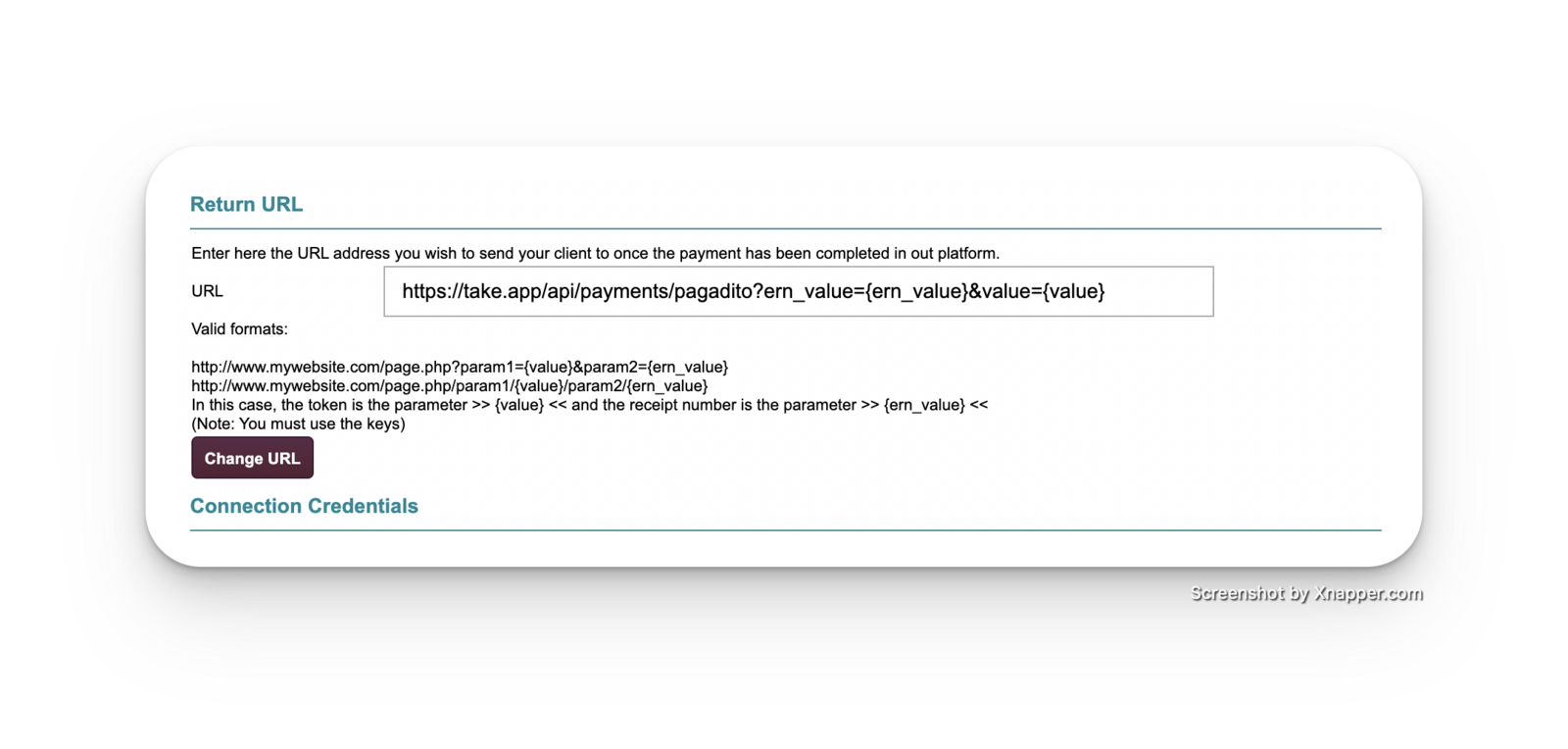
-
Click on
Change URL
How to add Pagadito webhook?
-
Log in to your Pagadito dashboard
-
Under
Technical Configuration, chooseWebhooks -
Under
Webhooks, fill inhttps://take.app/api/webhooks/pagadito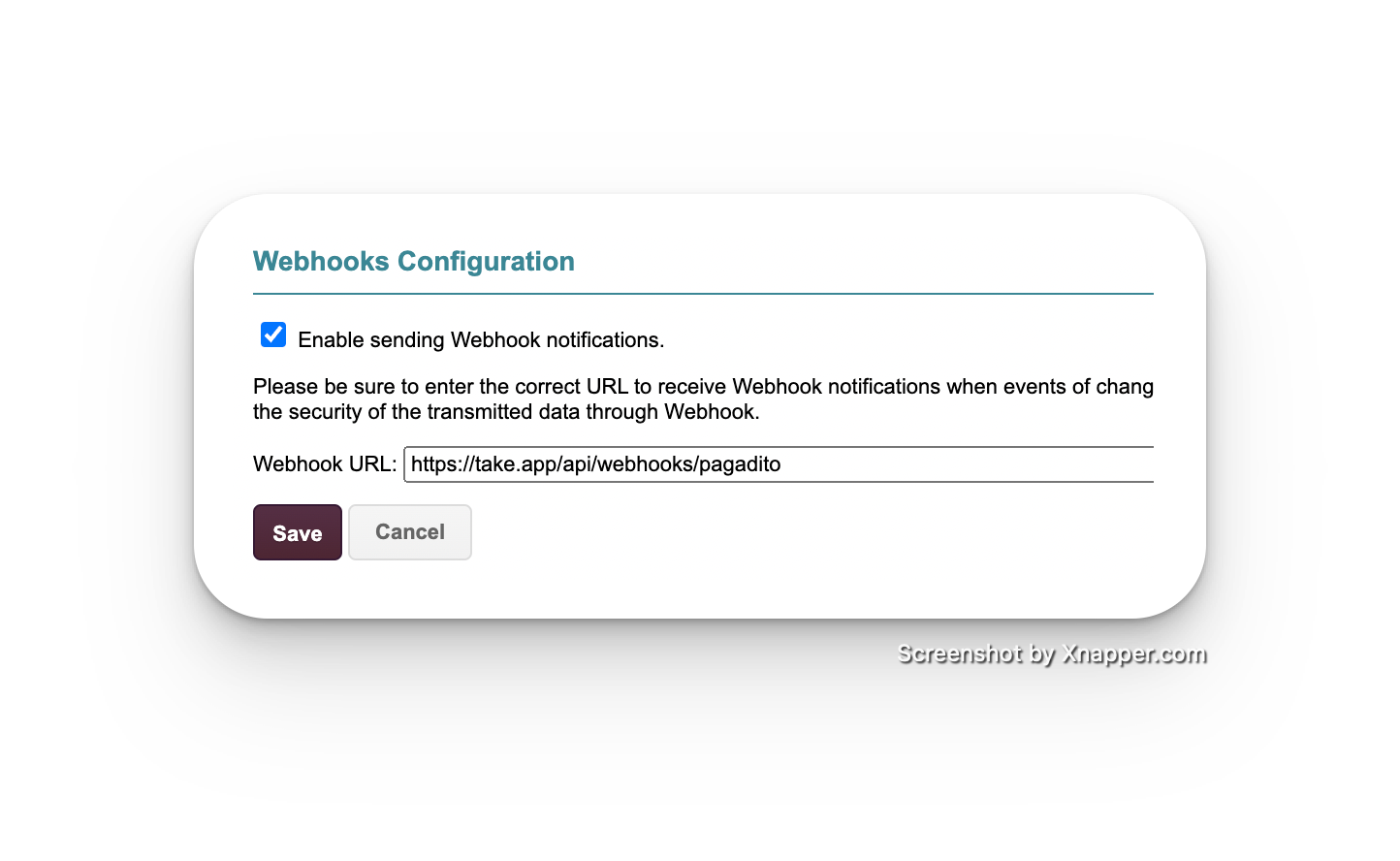
-
Click on
Save.