
Mercado Pago is a popular payment method for South America. You now can connect your Mercado Pago payment link to Take App.
How to add Mercado Pago (Link payment)
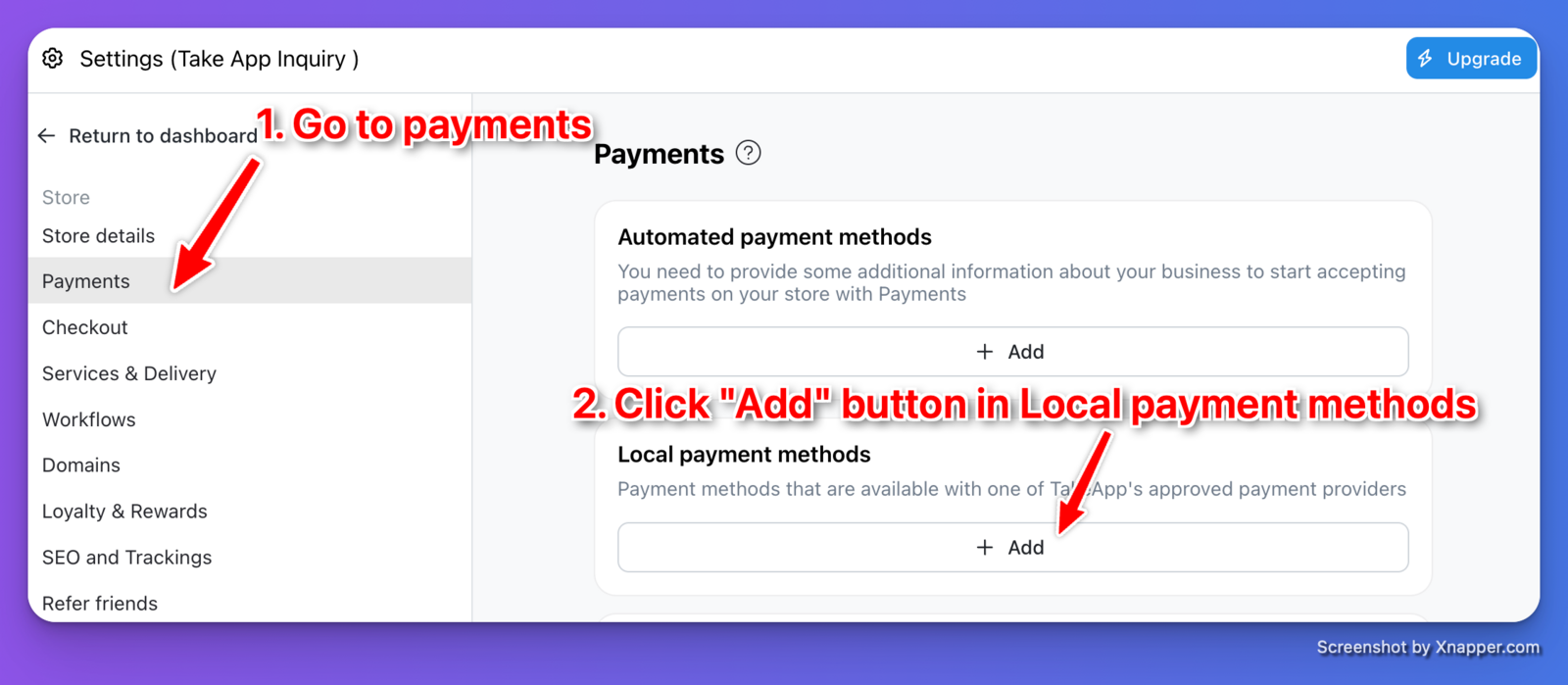
- Go to Admin > Settings > Payments > Local payments and click
Add.
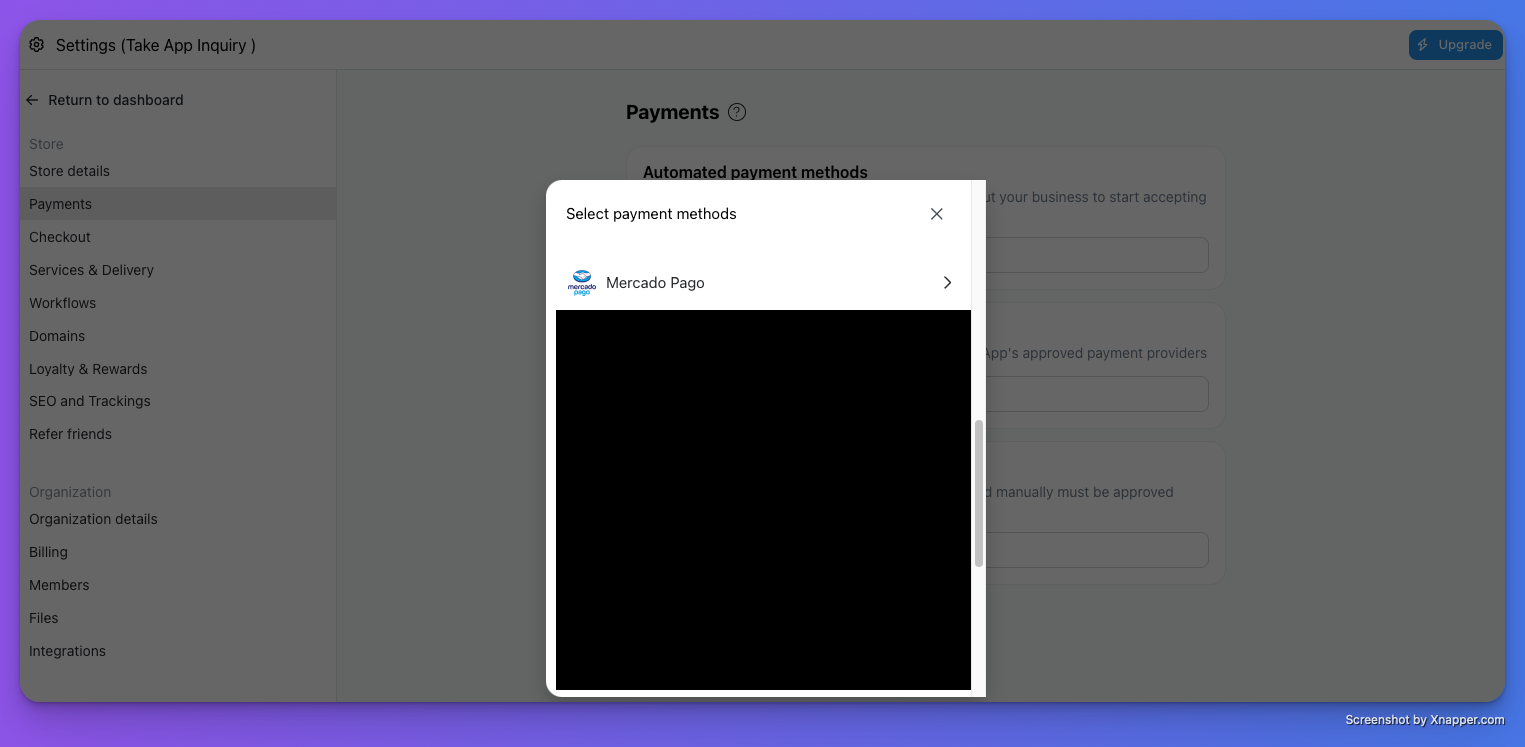
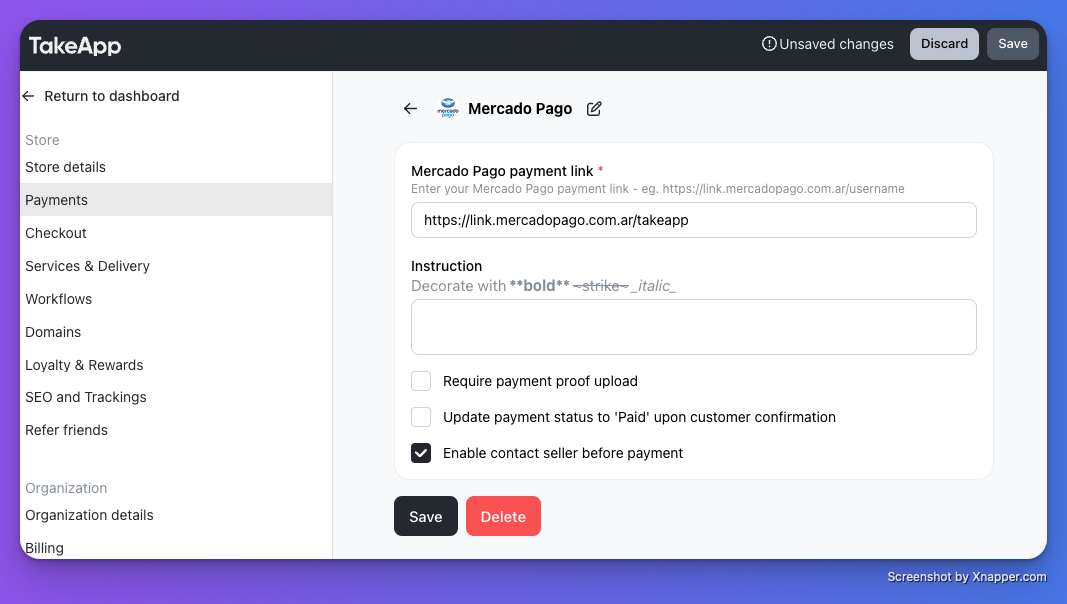
 2. Choose payment with "Mercado Pago". Enter your payment link (e.g. [link.mercadopago.com.ar](https://link.mercadopago.com.ar/username)) then click `Save`.
 3. Make a test order and check if your Mercado Pago payment page shows properly.