
You can efficiently retrieve a summary of all unpaid invoices by using our order filter function.
How to filter unpaid invoices or order
-
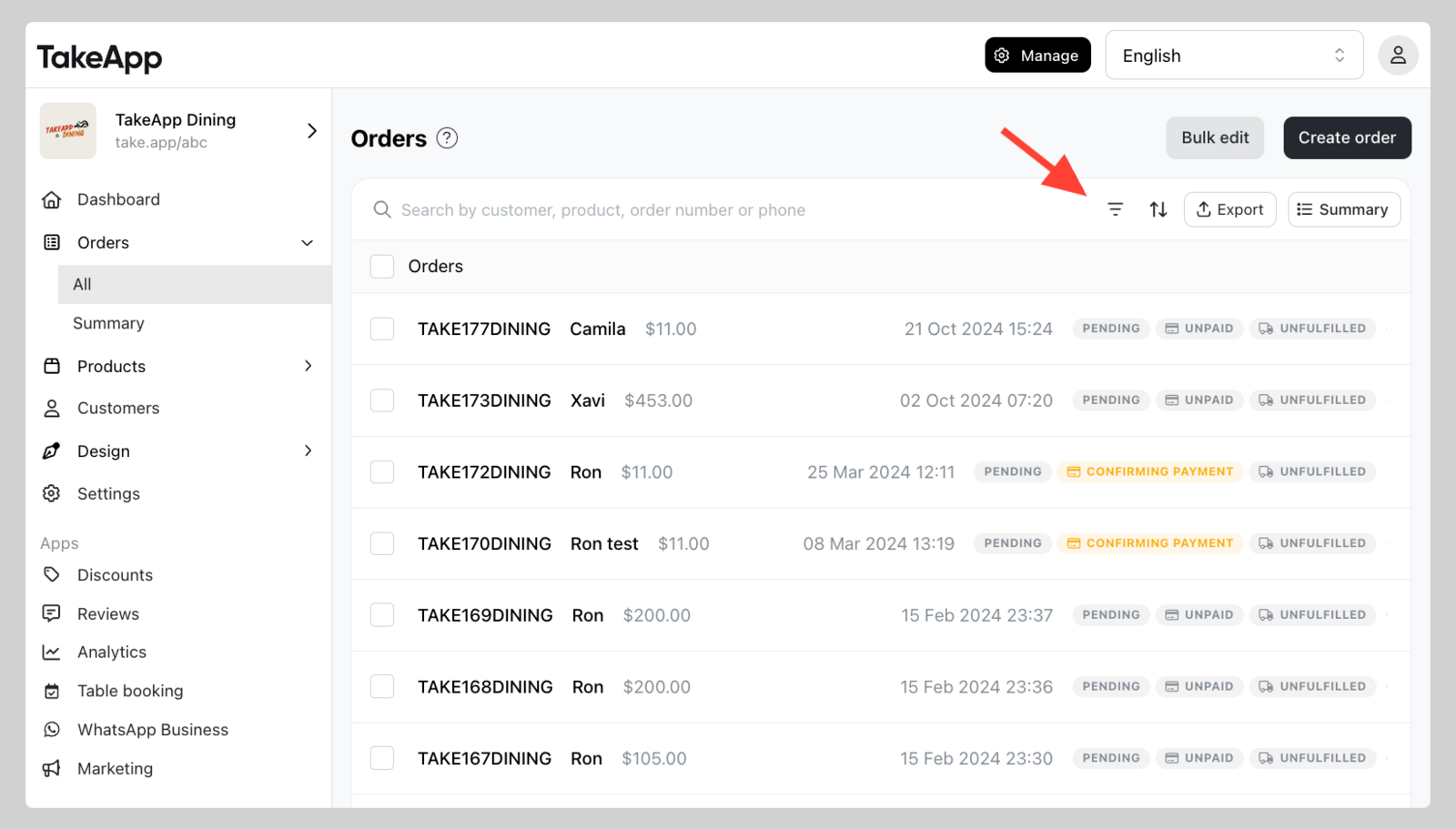
Go to Admin > Orders and click on the filter button (three lines) at the top-right of the orders list.
-
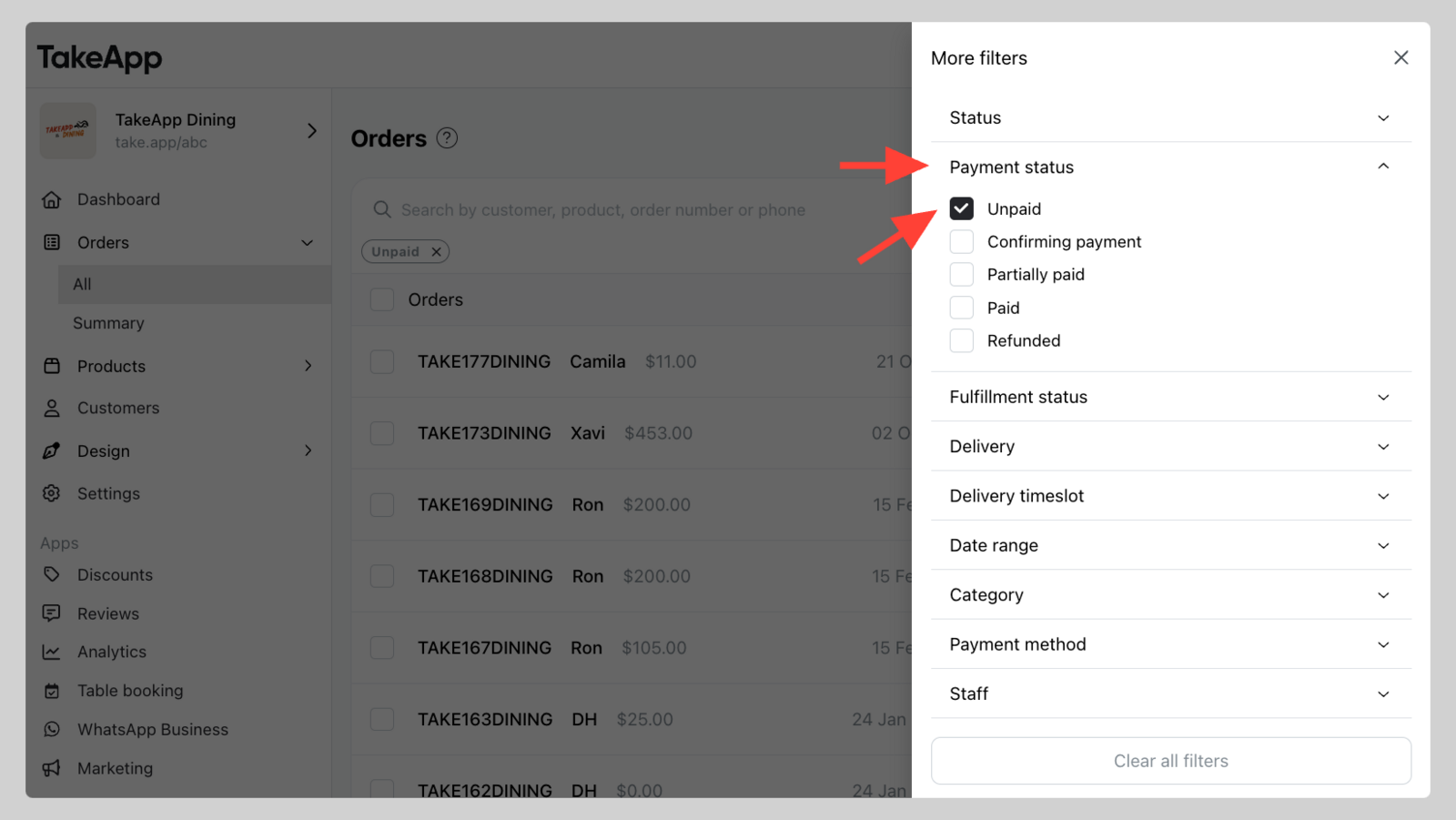
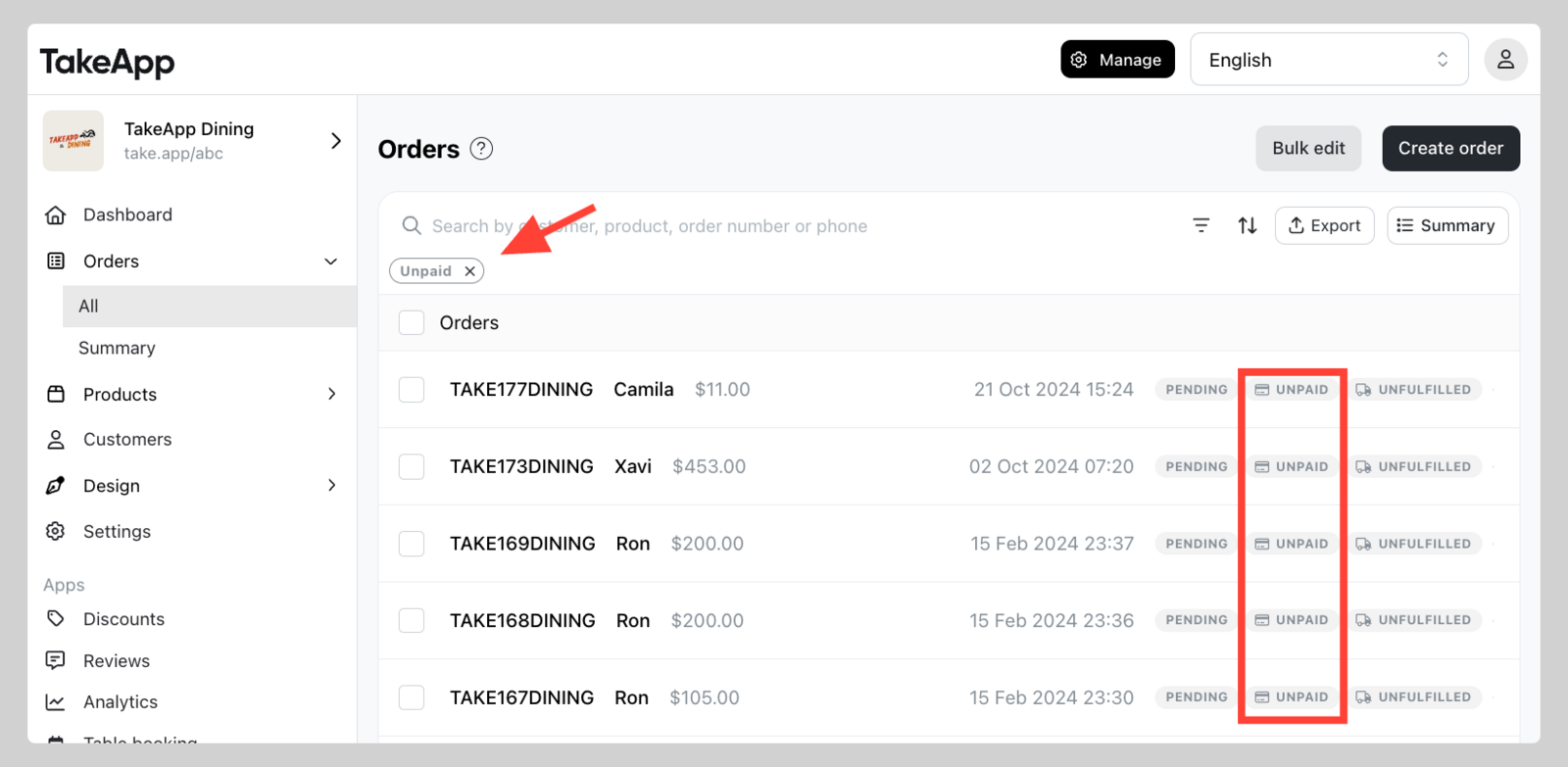
Click `Payment Status` and choose `Unpaid`. Now, you'll have a clear view of all unpaid invoices.
Additionally, you can also combine it with other Filters such as Order date