
You can understand various metrics and measurements provided by our analytics view, and gain valuable insights to improve your store performance.
How to check analytics
To access Analytics, click Analytics in the admin sidebar. It has three sub-pages: Explore, for the metrics described below; Reports, for saved reports such as the cash collected report; and Daily closing, a paid-basis Z report of money collected (see Daily closing).
Payment-level figures live separately, under Orders > Payments, where you can reconcile individual transactions against your bank.
How to open a report
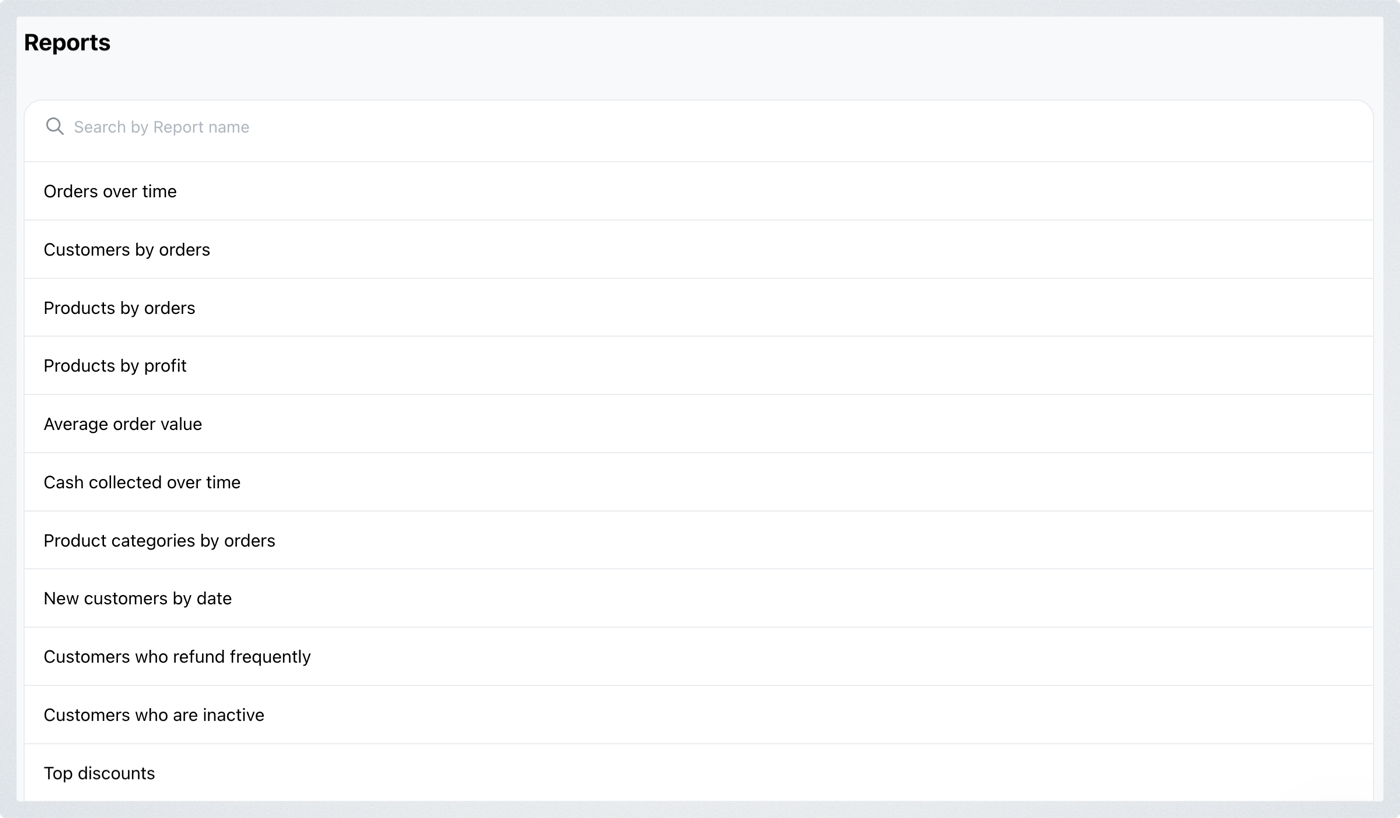
Click Reports to see every report you can run, grouped under Sales, Customers, Products and Marketing, each with a short description. Search at the top matches report names and descriptions. Can't find the report you need? Click Message us at the bottom of the list to ask for one.
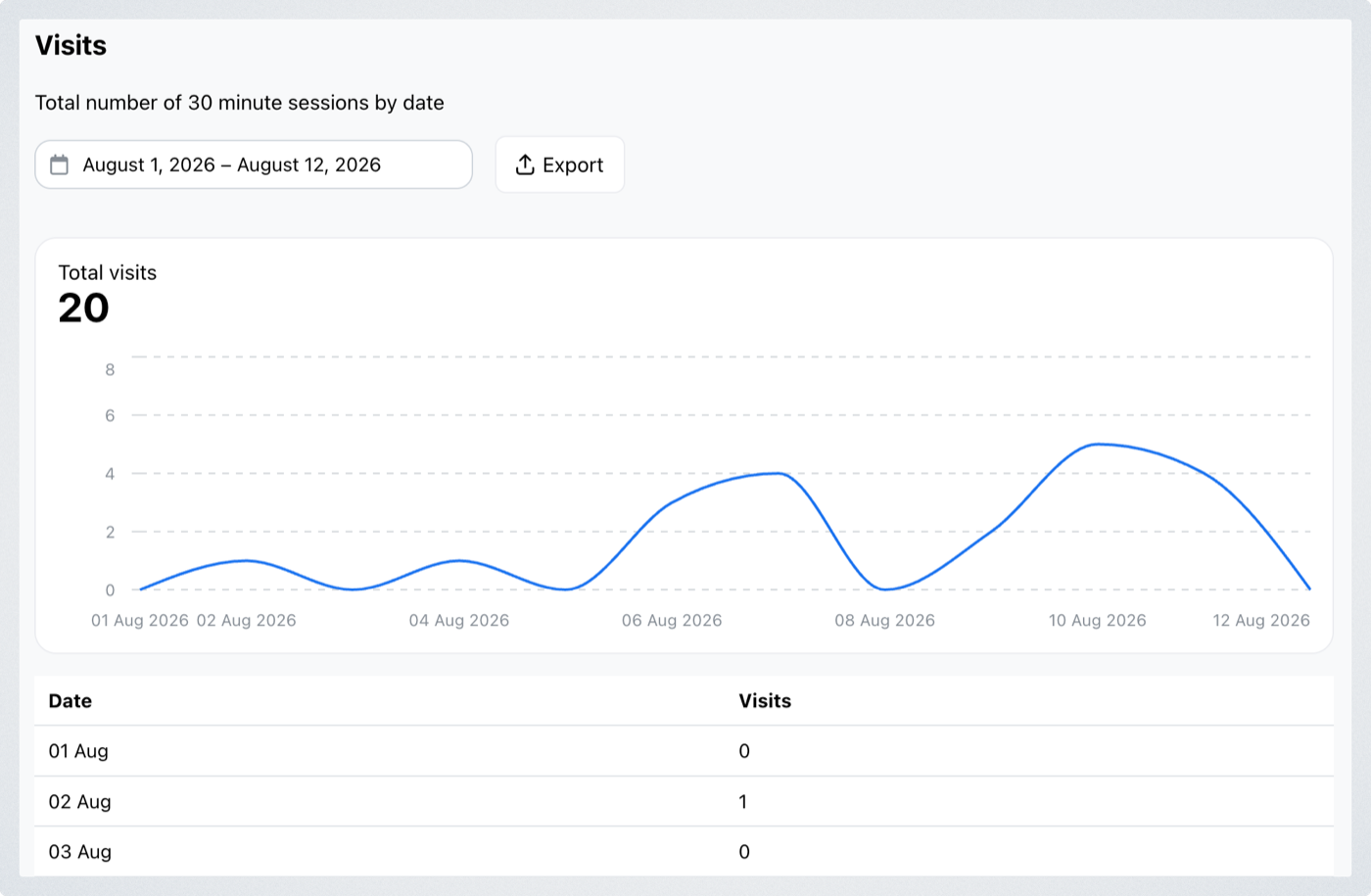
Click a report to open it in full — the chart, a date range you can change, an Export button, and the figures behind it listed underneath.
Understanding your analytic metrics
Some reports — Orders over time, Customer orders, Product performance and Product profit — open in Explore with the right grouping already set. See Analytics Explore.
Sales
- Orders over time: Order counts and amounts by day, week or month.
- Cash collected: Payments received by date. Excludes payments made using store credit; store credit top-ups are included.
- Average order value: The average amount per order each day.
- Payment methods: Orders by payment method, based on order date. This helps understand customer preferences for payment options.
- Discount usage: Discounts ranked by number of uses in the selected period. This helps measure the effectiveness of your promotions.
- Delivery methods: Orders by delivery method, based on order date. This helps analyze customer preferences for shipping options.
- Popular delivery times: Orders by scheduled weekday and time, based on order date.
Customers
- Customer orders: Compare order counts and amounts by customer. It helps identify loyal or repeat customers.
- New customers: Customers placing their first order each day. This is helpful for tracking customer growth over time.
- Inactive customers: Top-spending customers with no orders in over a month, with their last order date. This helps identify opportunities for re-engagement.
- Customer refunds: Customers ranked by number of refunds.
- Store credit balances: Customers ranked by their current store credit balance.
- Repeat customers: Top customers with two or more orders in the selected period, excluding drafts and cancelled orders.
Products
- Product performance: Compare order counts and amounts by product. This helps identify your top-selling products.
- Product profit: Product sales minus item costs, for paid and partially paid orders.
- Category performance: Categories ranked by quantity sold, based on order date.
- Stock levels: Current stock by product and variant, lowest first.
- Inventory value: What your stock is worth right now. For each product or variant it multiplies the available quantity by the unit cost (Value at cost) and by the selling price (Value at selling price), and shows the difference as Potential profit, with totals. Products without a cost are left out of cost and profit.
Marketing
- Page views: Storefront page views by date, counted from February 6, 2025.
- Visits: Storefront visits by date, counted as 30-minute sessions.
- Traffic sources: Referring sites ranked by storefront page views in the selected period.
- Monthly usage: Monthly order, WhatsApp and email counts. Select a count to see the details.