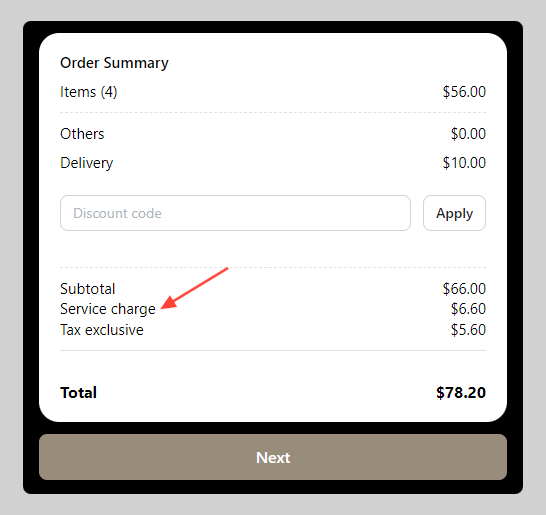
You can add the service charge at the end of the customer billing or invoice.
How to set service charge
-
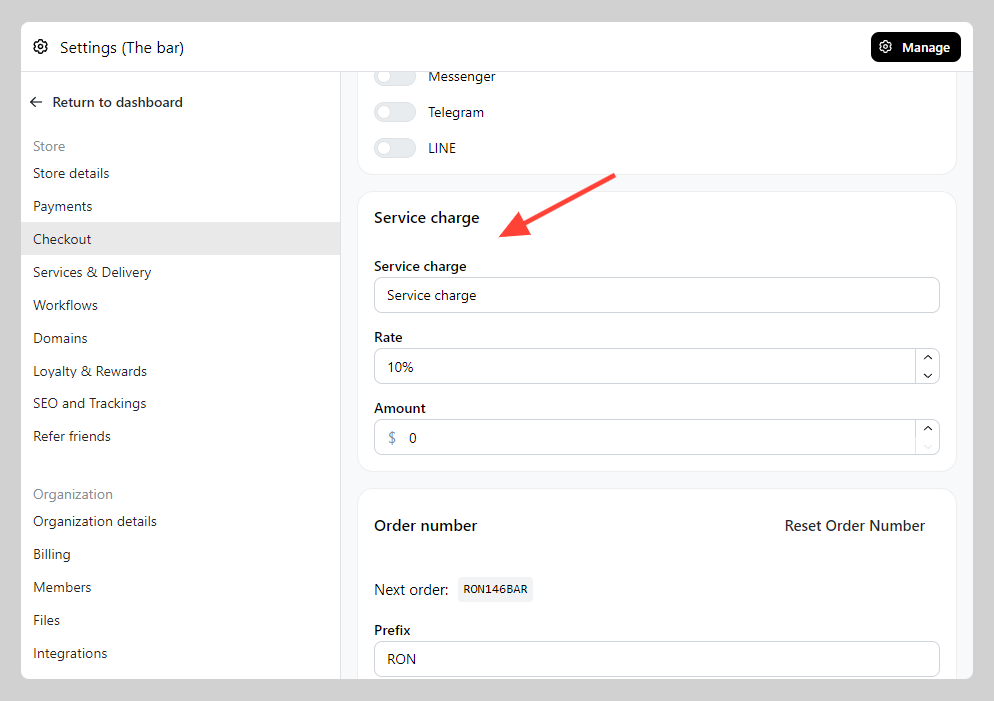
Go to Admin > Settings > Checkout > Navigate to "Service charge" section and setup your preferred rate.
-
Verify if the service charge has been applied to your checkout form.