
Rewards give customers a percentage of what they spend back as store credit, so there's a reason to come back and order again. You set the rate once, and Take App credits each customer as their orders are completed.
Set up rewards
- Go to Settings > Membership and scroll down to the Rewards section.
- Turn on Enable rewards and set the percentage of each order the customer earns back.
- Click Save.
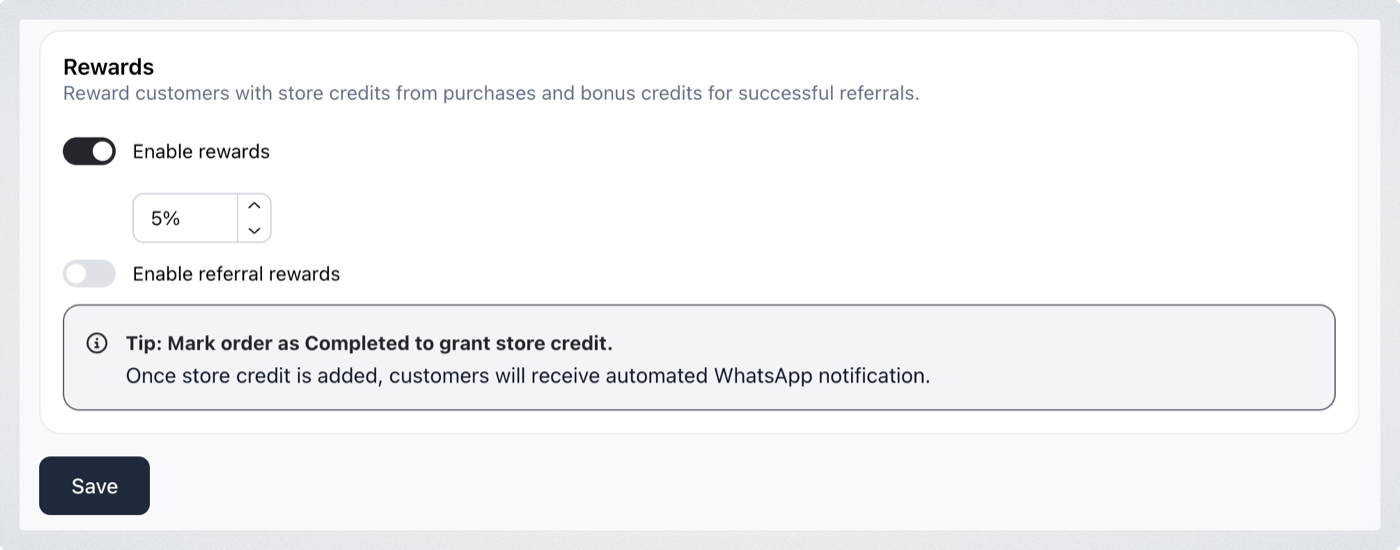
To reward customers for bringing in new ones as well, turn on Enable referral rewards — see Referral rewards.
Rewards are only granted once an order is marked Completed. Change the order status to Completed and the credit lands in the customer's balance; leave it at any other status and no reward is given. Customers get an automated WhatsApp message when the credit arrives.
Add or deduct credit yourself
You don't have to wait for an order. You can top a customer up, or take credit back, at any time.
- Go to Customers > All and click the customer.
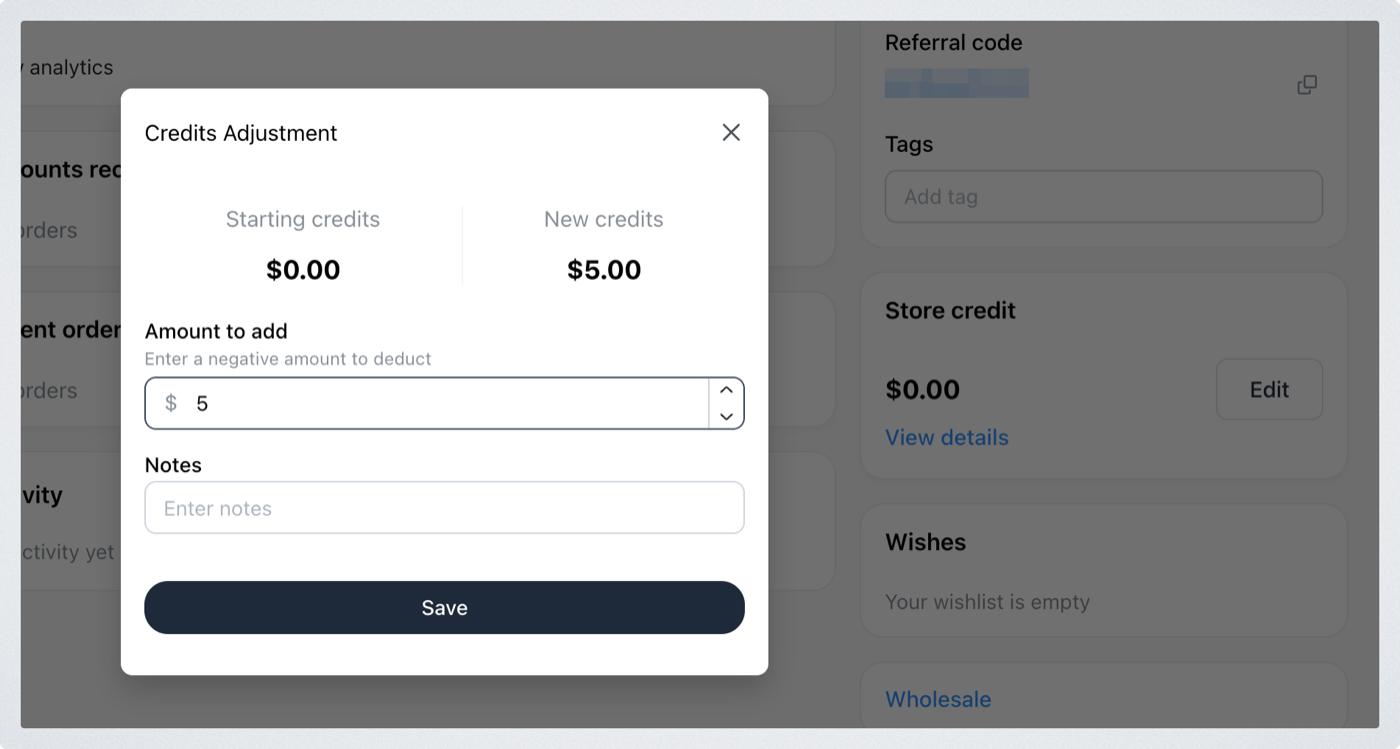
- In the Store credit section, click Edit.
- Enter the amount to add — or a negative amount to deduct — and click Save. Add a note if you want a record of why.
Where customers see their credit
Customers check their own balance on their customer account page, and spend it at checkout once Store credit is switched on as a payment method — see Store credit.