
Social media is where people find you. These are the two ways to send them from a profile or a story into your store, ready to order.
You'll need your store link first — see Share your store and products for the two ways to copy it.
Add your store link to your bio
A link in your bio is a clickable URL on your social media profile that sends visitors to your Take App store. It's a simple way to turn social media engagement into orders — on Instagram, TikTok, and Facebook alike.
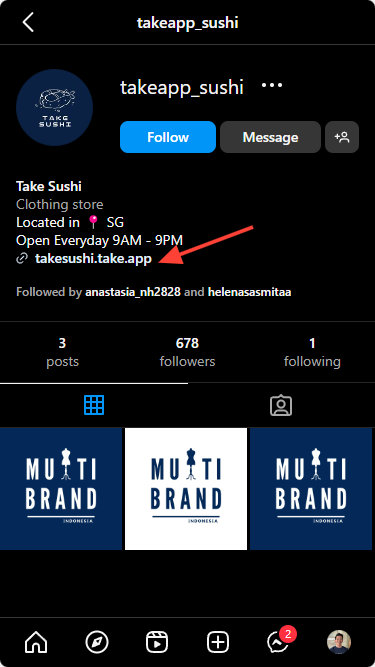
Instagram's own instructions differ by device:
- Android → check guide
- iOS → check guide
TikTok
Share a product in an Instagram story
You can share a product or promotion in an Instagram story, and let buyers check out directly from it.
Sell in Instagram's shopping tabs
To list your products in Instagram Shopping as well, see Add Take App to Instagram Shopping.