
Manage products from the mobile app
You can now create, edit, hide, mark as sold out, and delete products from the Take App mobile app. Update product names, prices, descriptions, and photos without opening the desktop Admin.
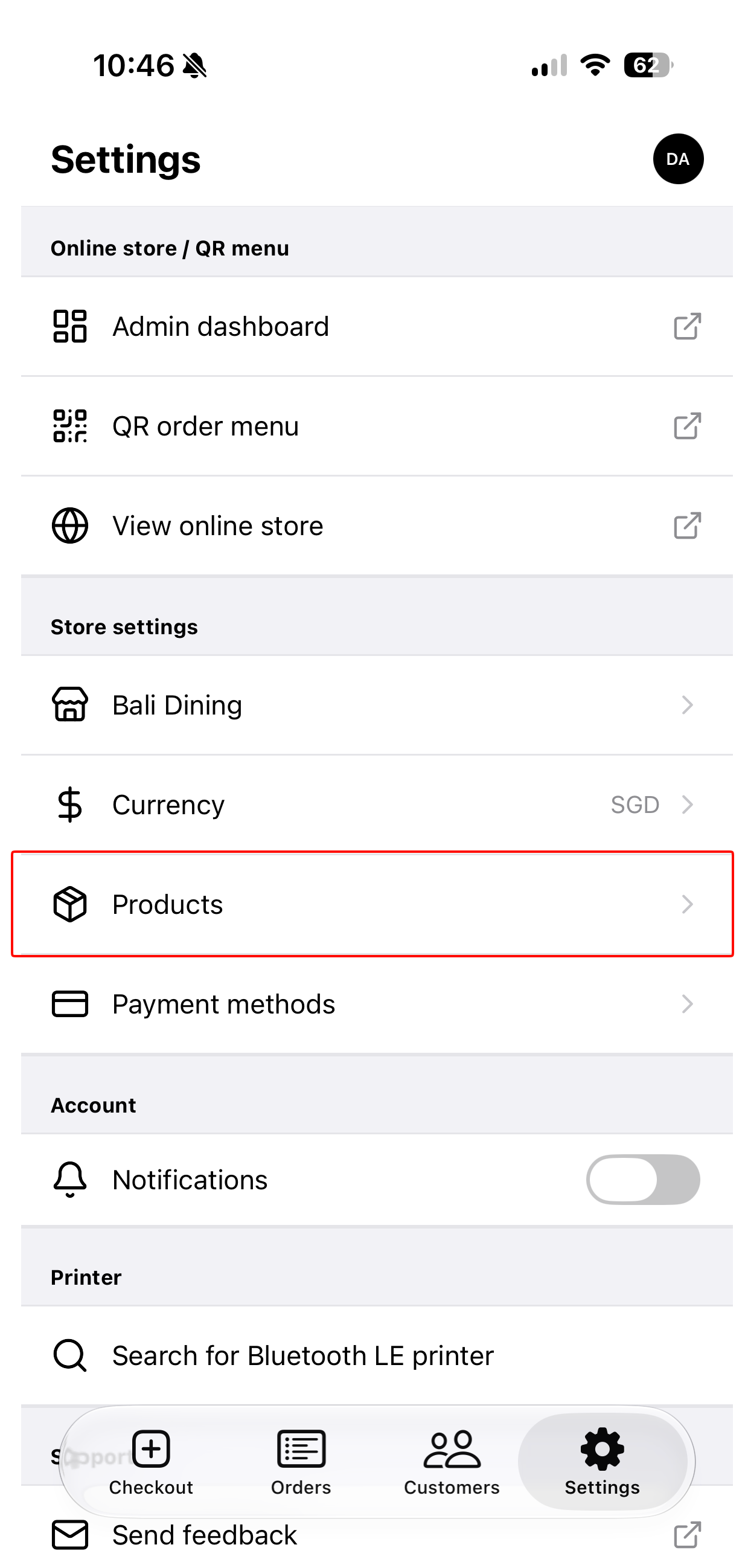
Open Products from the mobile app's Settings to manage your catalog wherever you are.
Run dine-in tables from Mobile POS
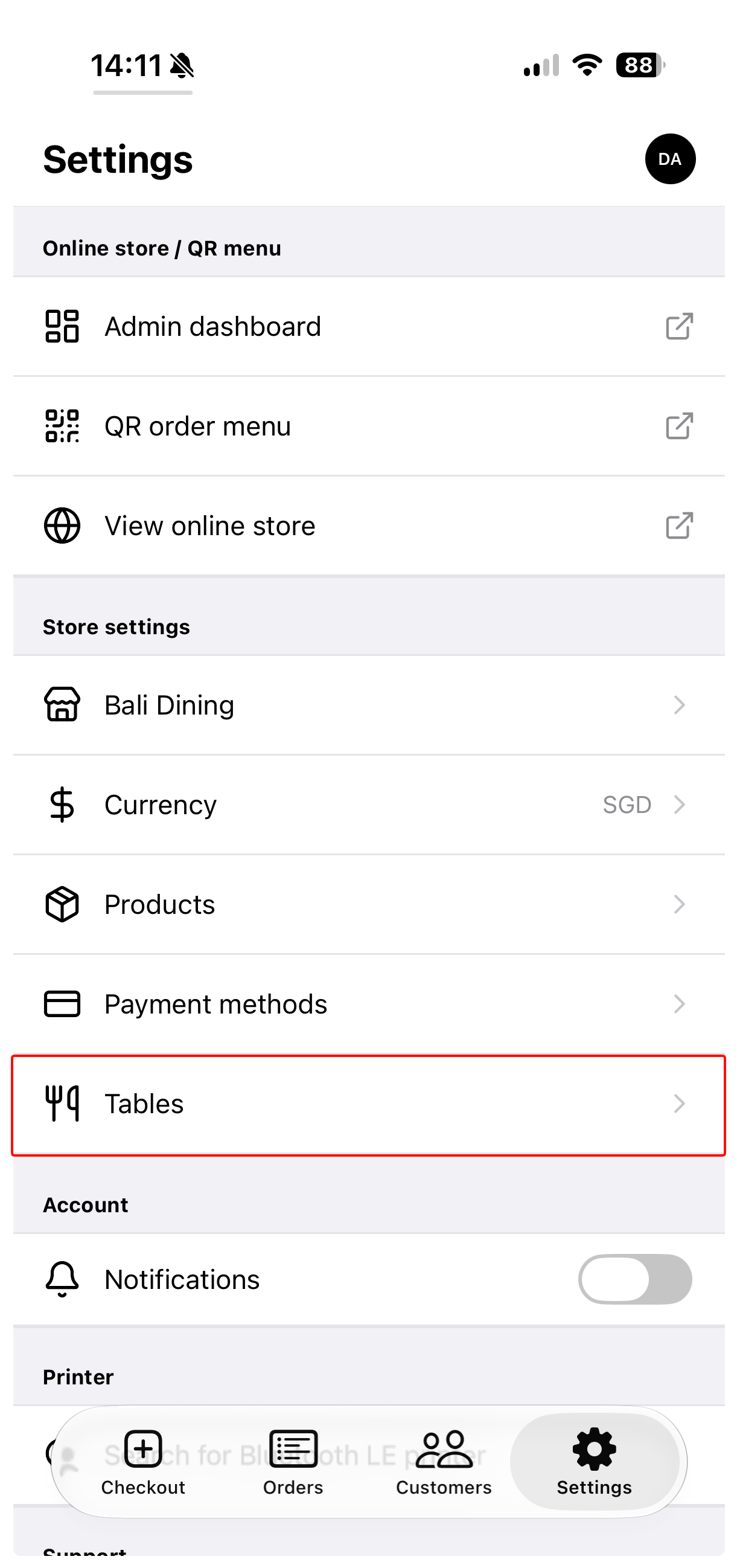
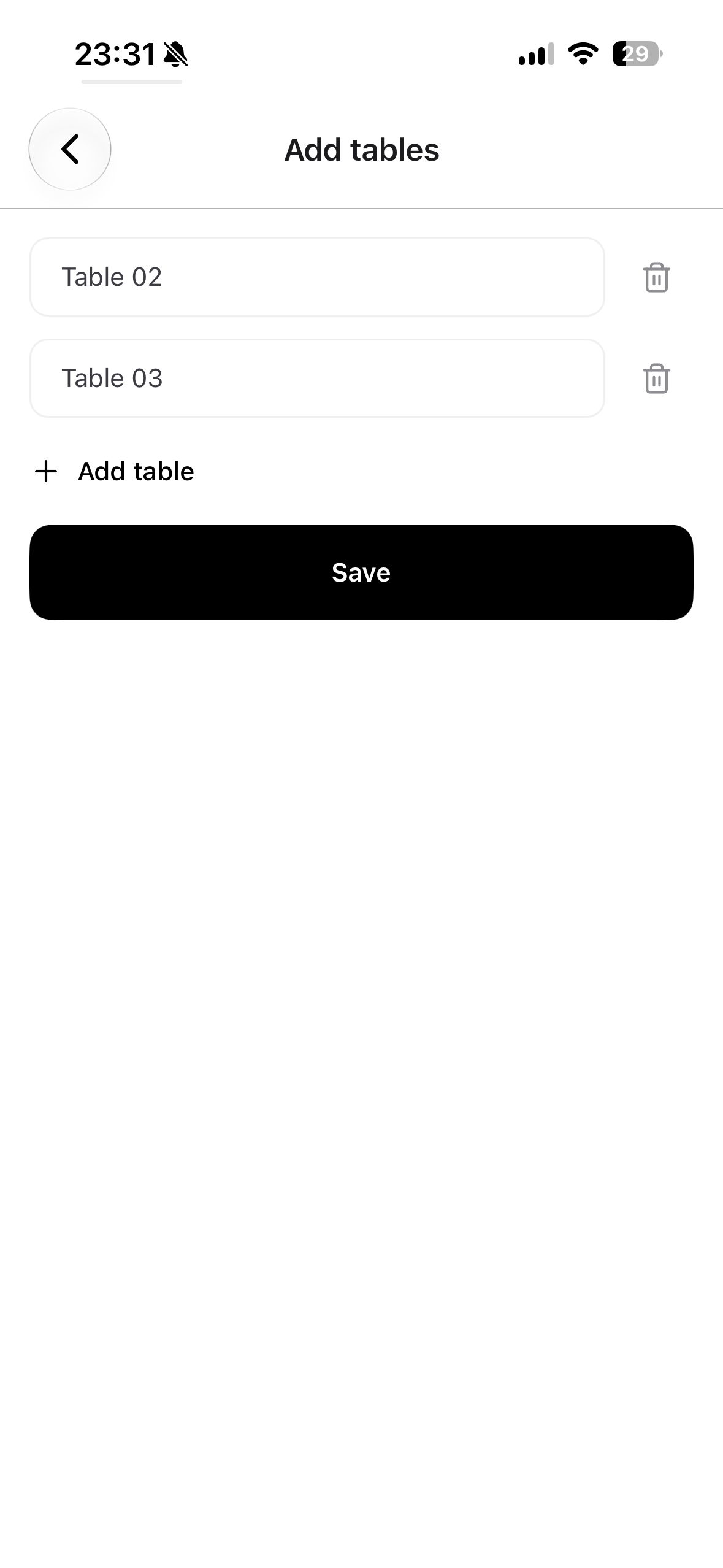
Mobile Settings now includes a Tables screen. View your tables, add several at once, or swipe to remove tables directly from your phone.
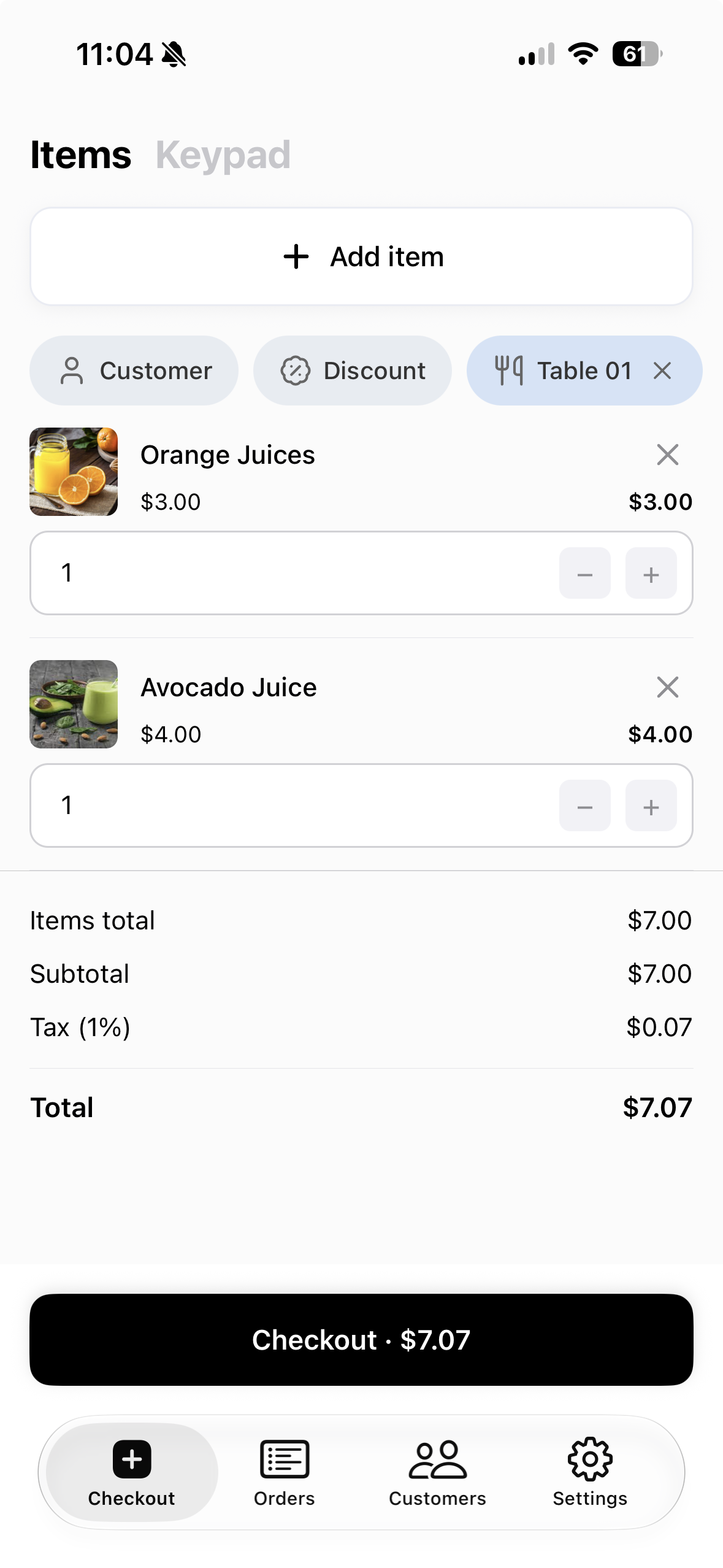
When creating a POS order, use the new Table option to link the order to a dine-in table. The table name also appears on the mobile order list, making dine-in orders easier to identify.
Send orders with Uber Direct
Eligible merchants can now use Uber Direct as a beta delivery integration. From an order, request a delivery quote, create the delivery, and keep the Uber tracking link attached to the order.
Uber Direct currently supports a limited beta rollout. Availability depends on your account and Uber Direct coverage.
A simpler customer login and sign-up flow
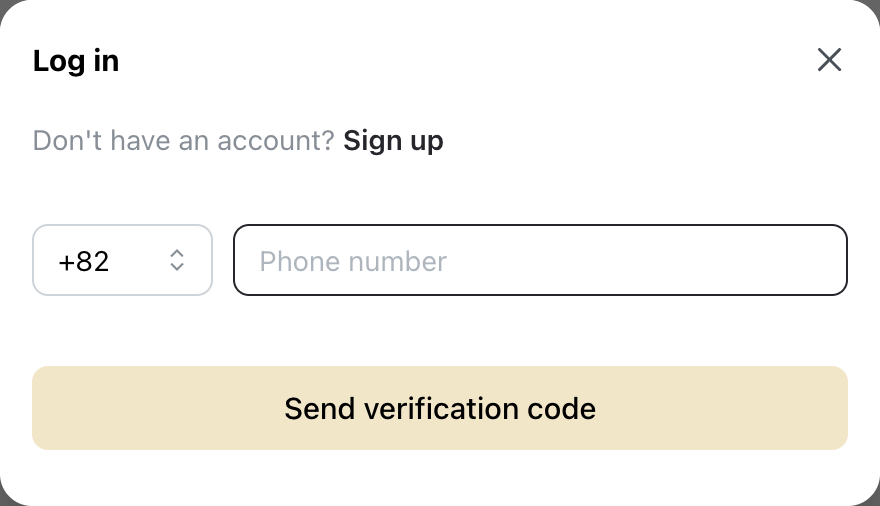
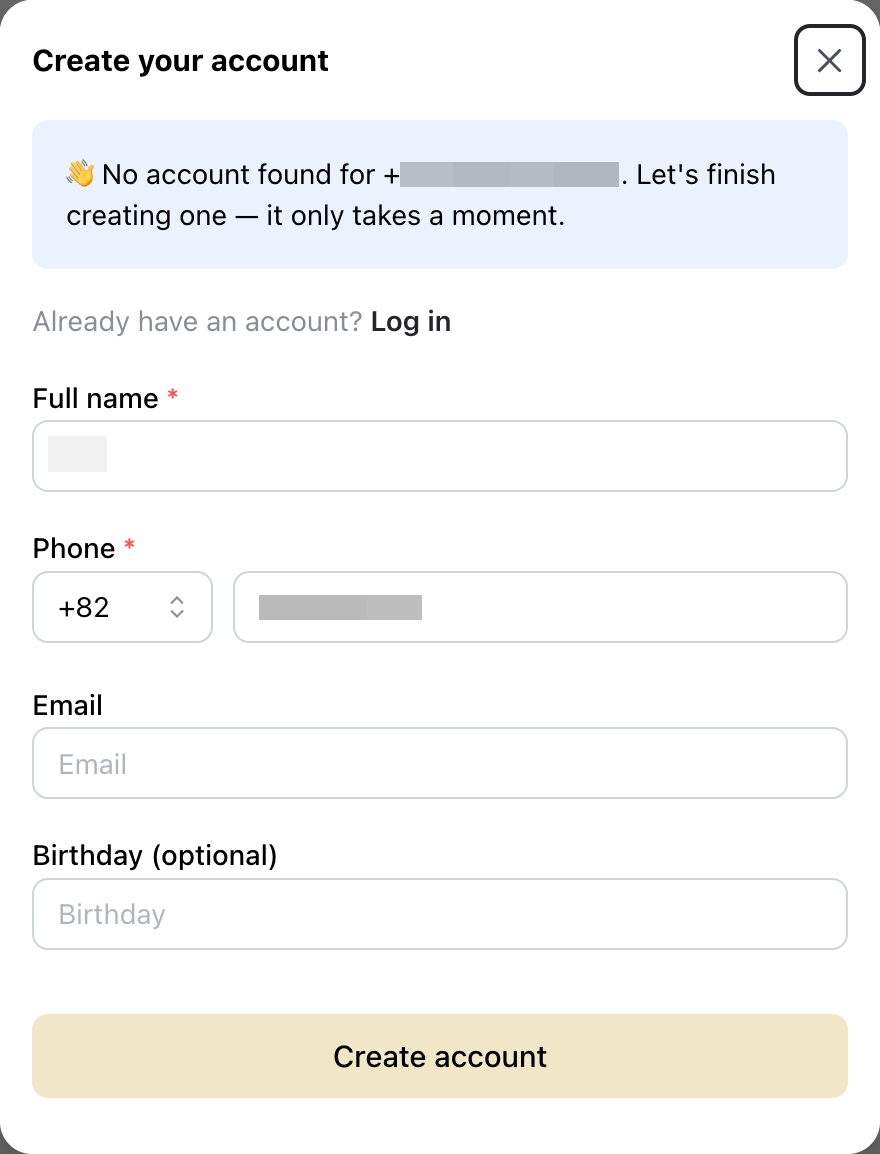
Customer login and account creation are now separate, clearer steps. Shoppers without an account go directly to sign-up instead of receiving an unnecessary verification code first.
Existing customers continue to log in with a single verification code. We also added clearer account-created, resend-code, and change-number actions.
Learn more about customer accounts
DANA direct transfers in Indonesia
Indonesian merchants can now add DANA as a built-in manual payment method. Customers can pay by transferring to a phone number or opening the DANA app.
Payment phone numbers are also copied in a cleaner local format across supported local payment methods. QRIS remains available as a separate QR-based option.
Show Google Maps on product pages
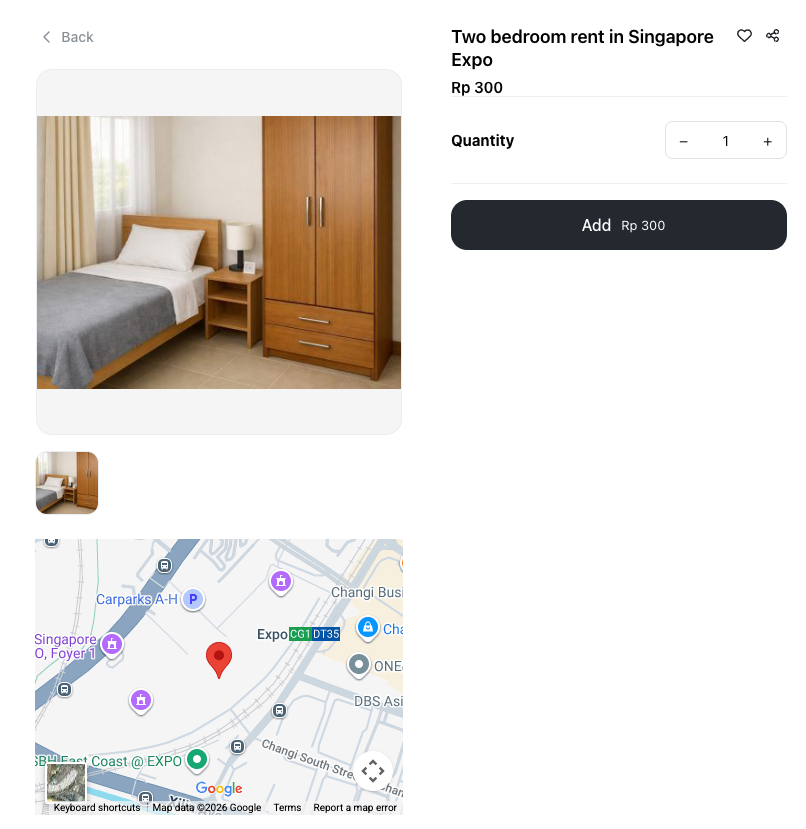
Paste a full Google Maps URL into a product's Useful links section to show an embedded map on the product page. This is useful for property listings, venues, pickup points, and other location-based products.
Short Google Maps share links remain regular clickable links. Use the full URL from your browser when you want the map to appear directly on the page.
Learn more about product links
Product update webhooks
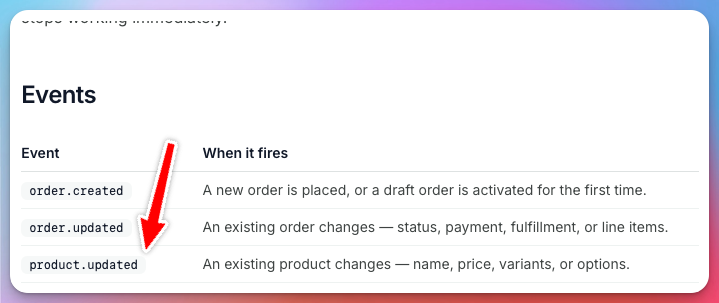
Merchant API V2 now supports the product.updated event. Integrations can receive real-time updates when product names, prices, variants, or options change instead of repeatedly checking for changes.
Configure events for each endpoint from Settings → Apps → Webhooks. Product events use the same product format as Merchant API V2.
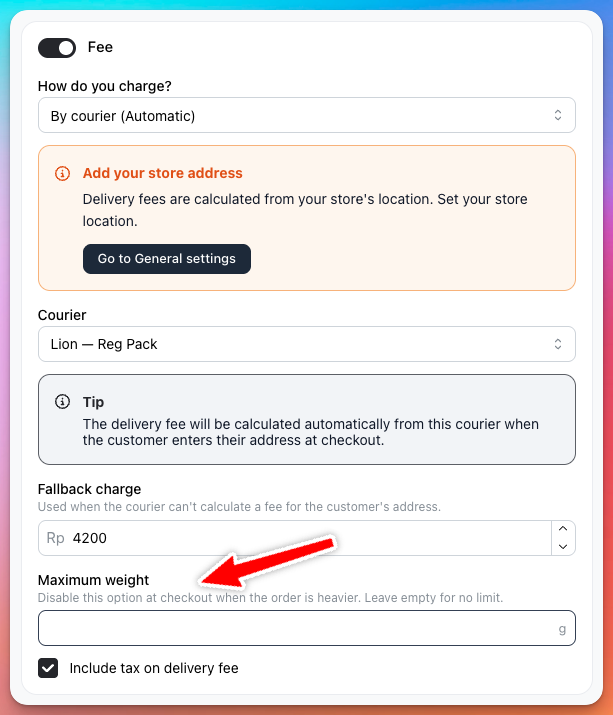
Set weight limits for courier delivery
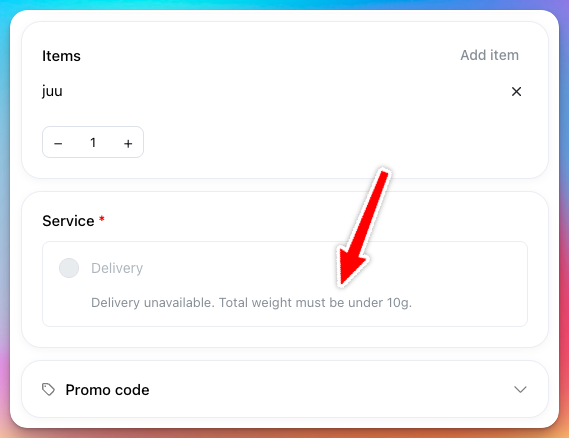
Courier delivery methods can now have an optional maximum weight. When an order is over the limit, checkout disables that method and tells the customer why.
This is useful for small-parcel courier services with strict weight limits.
Others
- Repeated identical WhatsApp template messages are now suppressed more reliably, while failed sends can still be retried.
- Instagram settings can load older posts, making older product-page embeds easier to find and remove.