
Table reservations, live in the mobile app
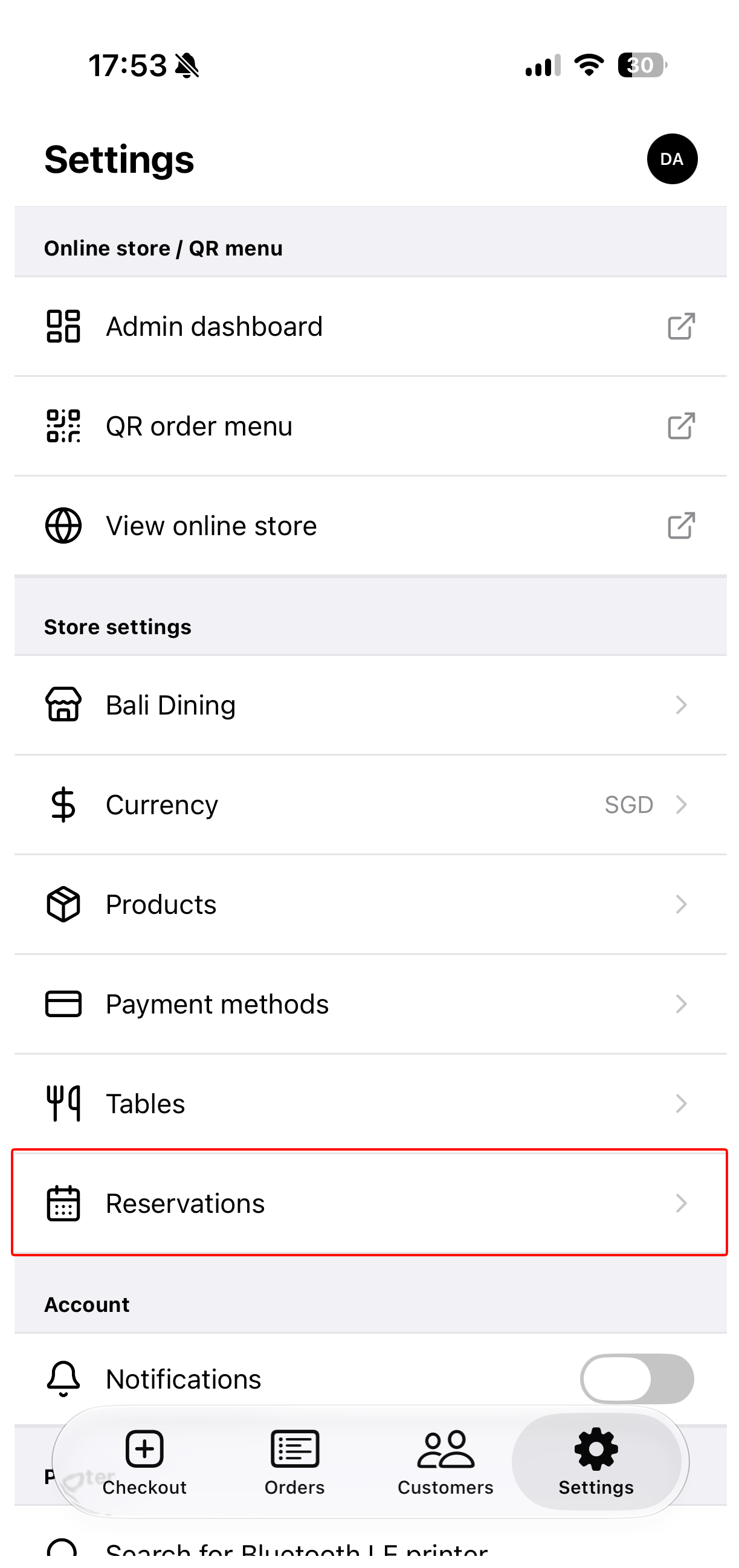
Restaurants and cafés can now take and run reservations from a phone. Open Settings > Reservations in the Take App mobile app. Set up your tables first — a reservation needs a table to seat guests.
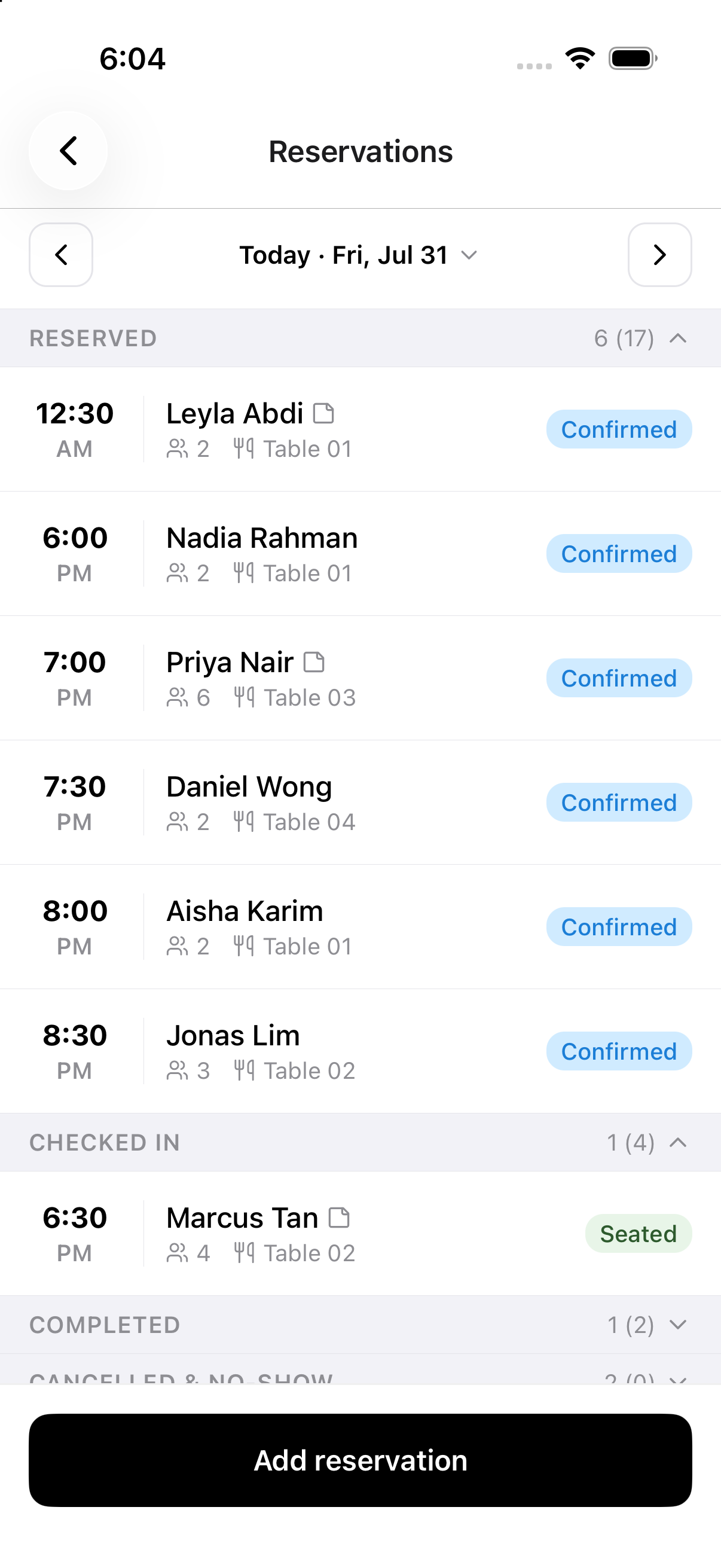
Each day shows every booking grouped by status — reserved, checked in, completed, cancelled, and no-show — and the calendar dots the days that already have bookings, so a quiet Tuesday or a full Saturday is obvious at a glance.
Adding a booking takes a few taps: party size, time, table, guest name, phone, and a note for the birthday cake or the window seat. Tables now carry a seat count, so the picker offers the next free table the party actually fits, strikes out the ones already booked, and flags any table that's too small. Double-book a table on purpose and the app warns you but still saves — your staff keep control of the floor.
Run the service from the same list: confirm, check in, complete, or mark a no-show or cancellation. Every step can be undone, so a wrong tap during a rush is easy to fix. You can also call or WhatsApp a guest straight from their booking when a table is running late.
Connect your store to Claude or ChatGPT
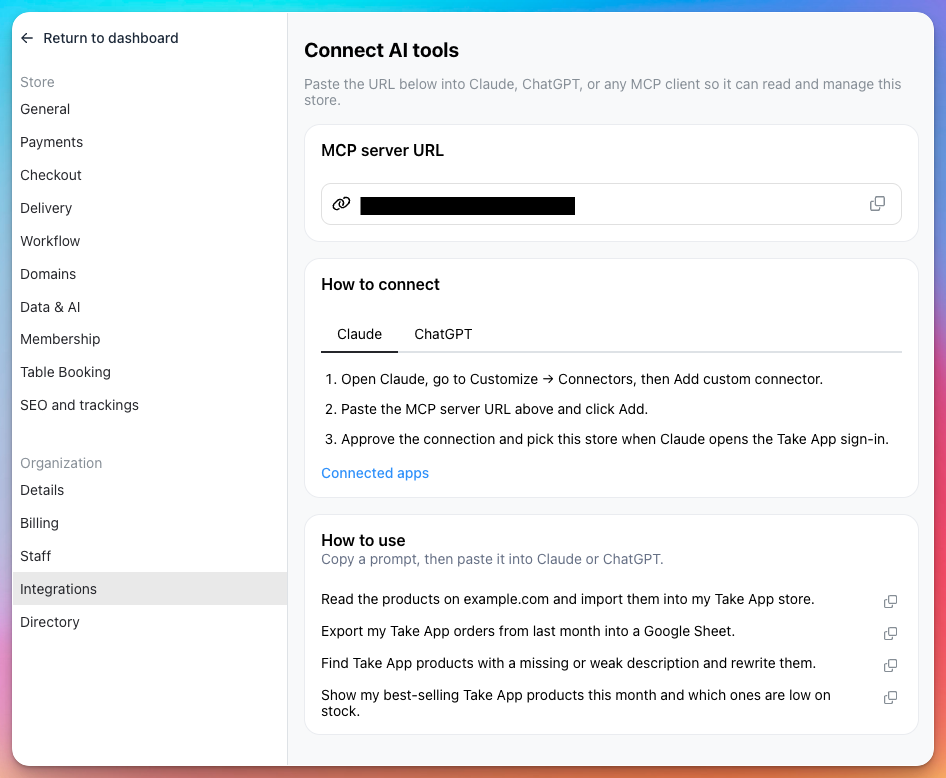
You can now connect a store to Claude, ChatGPT, or any other MCP client and let it work on your shop directly — read and update products, look up customers and orders, check stock, and send messages. There's no key to copy and no config file to edit: you paste one server URL, sign in, and pick the store you're giving access to.
The URL, step-by-step instructions for each app, and example prompts you can copy are all in Settings > Integrations > Connect AI tools.
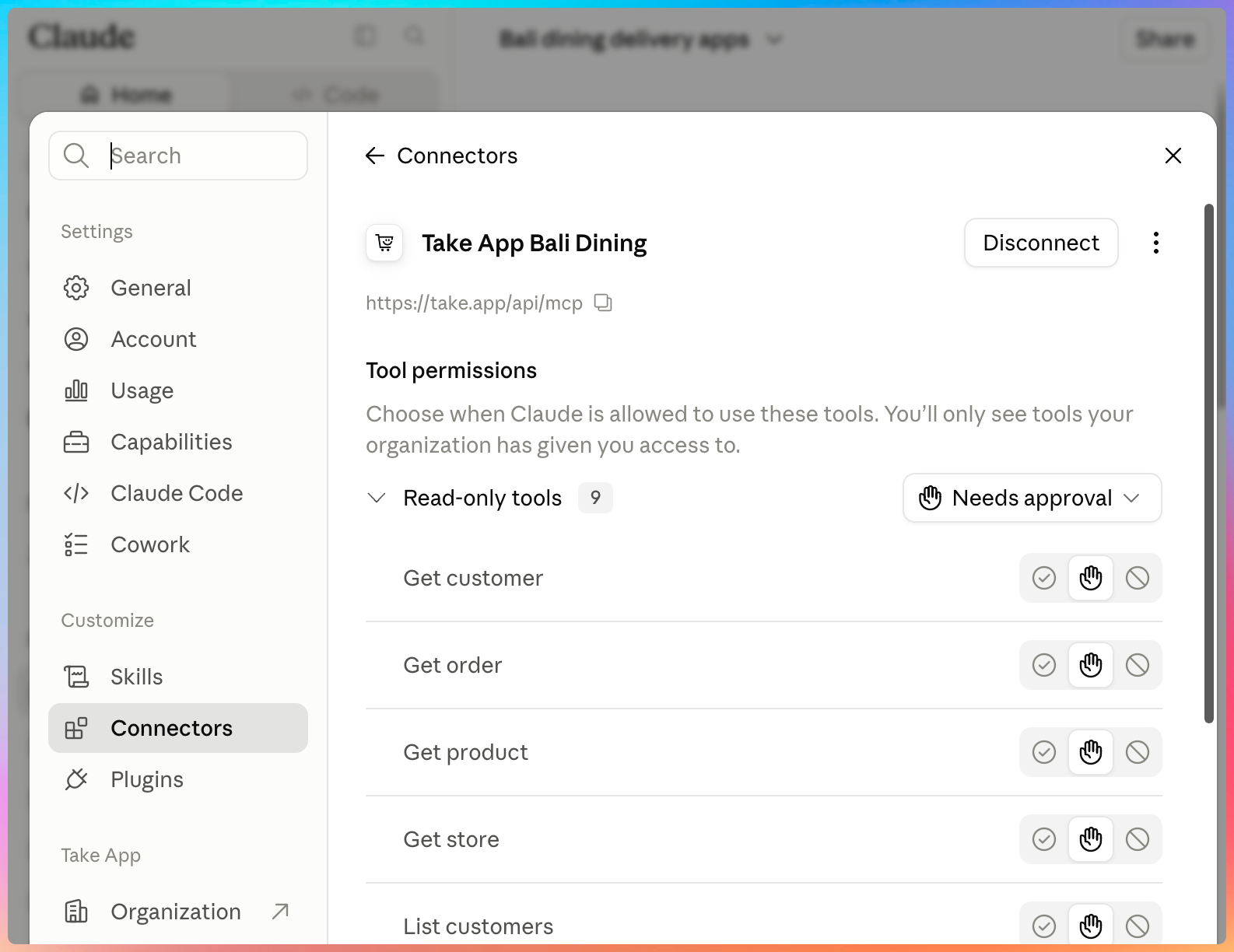
Your store then appears as a connector, where you can see exactly which actions the AI is allowed to take and disconnect it whenever you want.
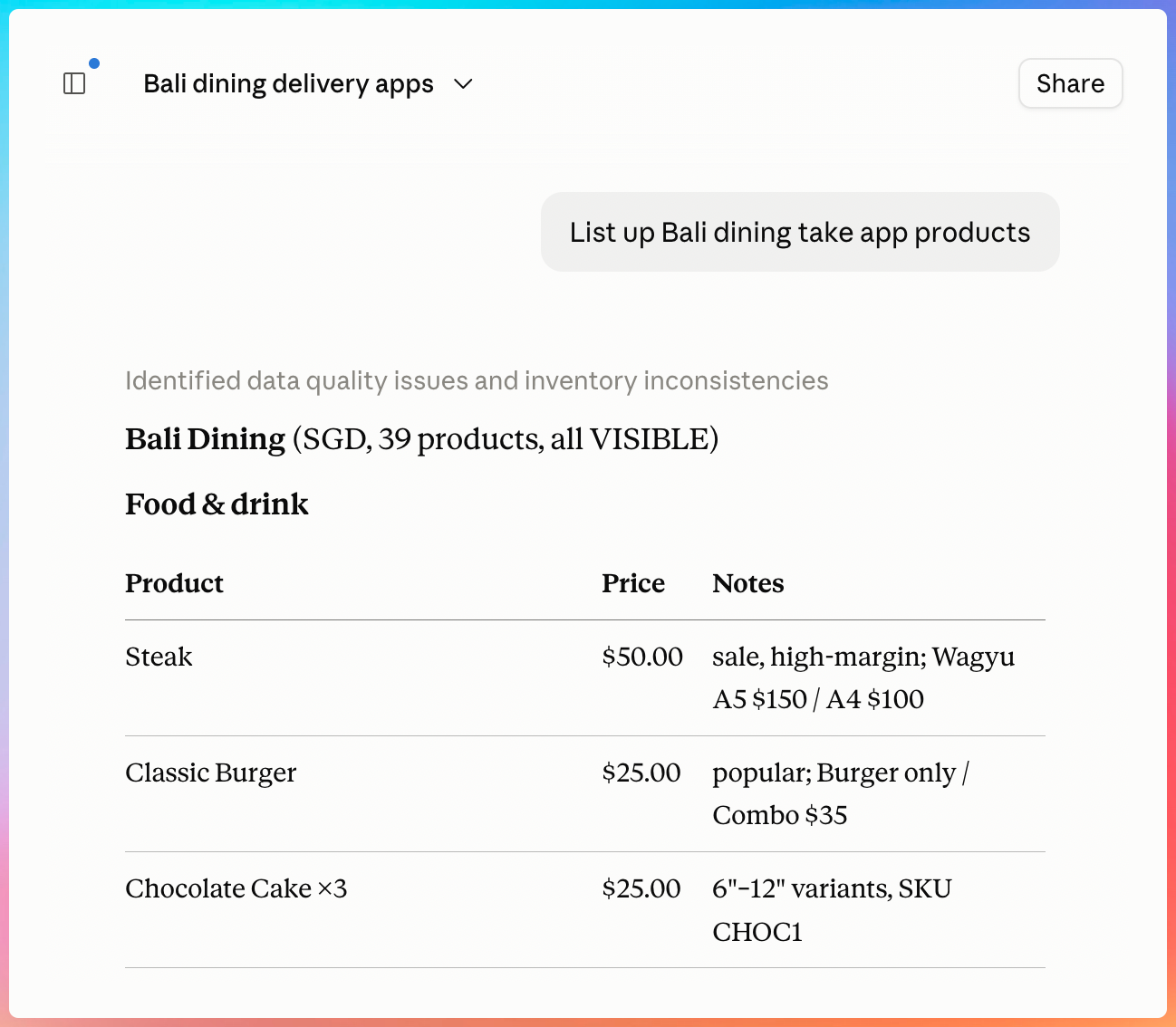
After that, just ask. Pull up your catalog, find products with weak descriptions and rewrite them, check what's selling and what's low on stock, or export last month's orders into a spreadsheet.
Products > Import now offers Import with Claude or ChatGPT, and Orders > Export has the same option for getting orders out. This replaces the older "Import from website (AI)" option, which has been removed.
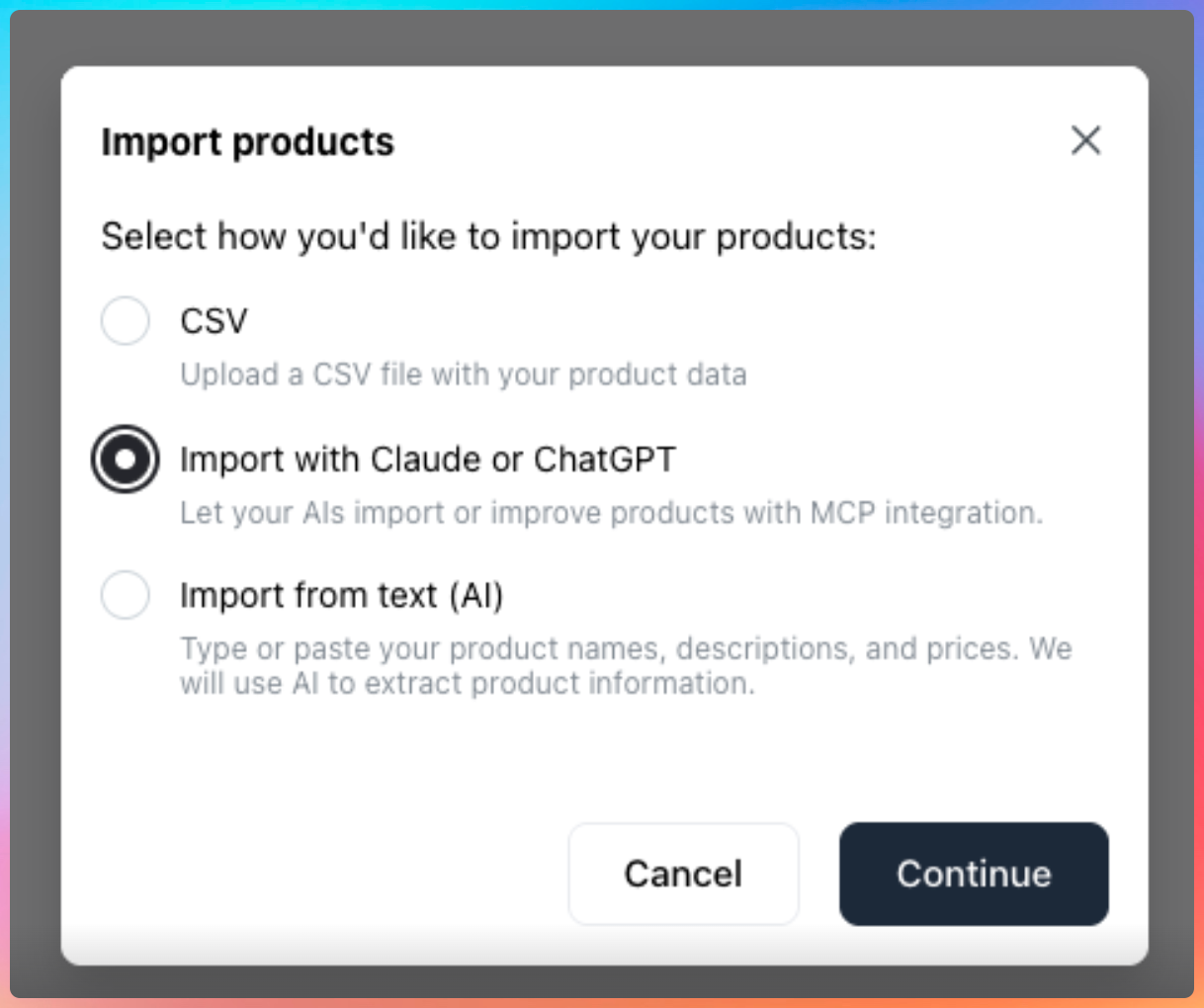
Available on the Business plan. Only the store owner can connect a store.
Learn more about connecting Claude or ChatGPT
Create and revoke your own API keys
Store API tokens now work the way you'd expect. Instead of one token created automatically for the whole store, you create them yourself in Settings > Integrations, give each one a name — "Zapier", "my ERP" — and delete them one at a time. So you can tell your integrations apart, and cut off the one you no longer want without breaking the rest.
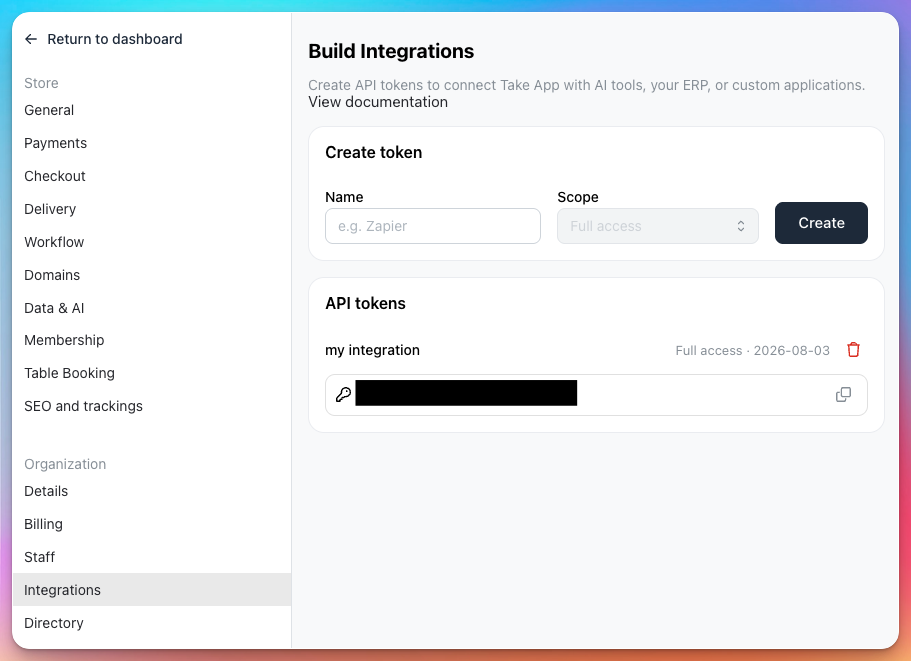
Your Claude and ChatGPT connections are listed on the same screen, so every kind of access to your store data can be reviewed and revoked in one place. Zapier and Google Sheets keep working with the token they already use.
For security, only the store owner can now see and manage API tokens. Staff members no longer have access to them.
New local payment methods
More local ways to get paid, in more markets:
- Tilopay (beta) — Costa Rica, Panama, Guatemala, El Salvador, Honduras, Nicaragua, and the Dominican Republic. Customers pay on Tilopay's secure page with Visa, Mastercard, Amex, Apple Pay, SINPE Móvil in Costa Rica, or Yappy in Panama.
- PixelPay (beta) — Honduras, Nicaragua, Guatemala, and El Salvador. Credit and debit cards on PixelPay's secure page, in USD, HNL, or NIO. Guatemalan stores need to charge in USD for now.
- EVC Plus — Somalia. Customers pay your wallet or merchant number, and you confirm the payment yourself.
- AfriMoney — The Gambia, Sierra Leone, DR Congo, and Angola.
- Wave and QMoney — now available in The Gambia.
Add them from your store's payment settings. The two card gateways are in beta: you'll need your account credentials from Tilopay or PixelPay, and refunds are handled in their dashboard for now.
Better translations in every language
We went through all 16 languages and filled in the text that was still falling back to English, then improved the quality of what was already translated. We also repaired translations that had been quietly broken for a long time — mangled formatting, wrong plurals, and stray spaces that pushed labels out of place — and added automatic checks so new text can't ship untranslated again.
Others
- For Booking products, you can now change the dates from the order edit screen in Admin, even after the invoice has been generated. Covers stay and single-date bookings.
- Storefront category pages are faster: they now load from cache, and the listing keeps loading as customers scroll instead of using page numbers.
- PIX QR codes now include your registered key whichever type it is — email, CPF, CNPJ, or random — not just phone numbers, and show your account holder name. QR codes for non-phone keys previously had no destination.
- New merchants now get a setup flow made for their type of business, with a step to add their first products from the mobile app.
- In the mobile app, the WhatsApp receipt action is hidden with a clear explanation when your message quota is used up.
- The storefront's "Add to Home Screen" install prompt has been removed. Customers who already added the icon keep it.