
-
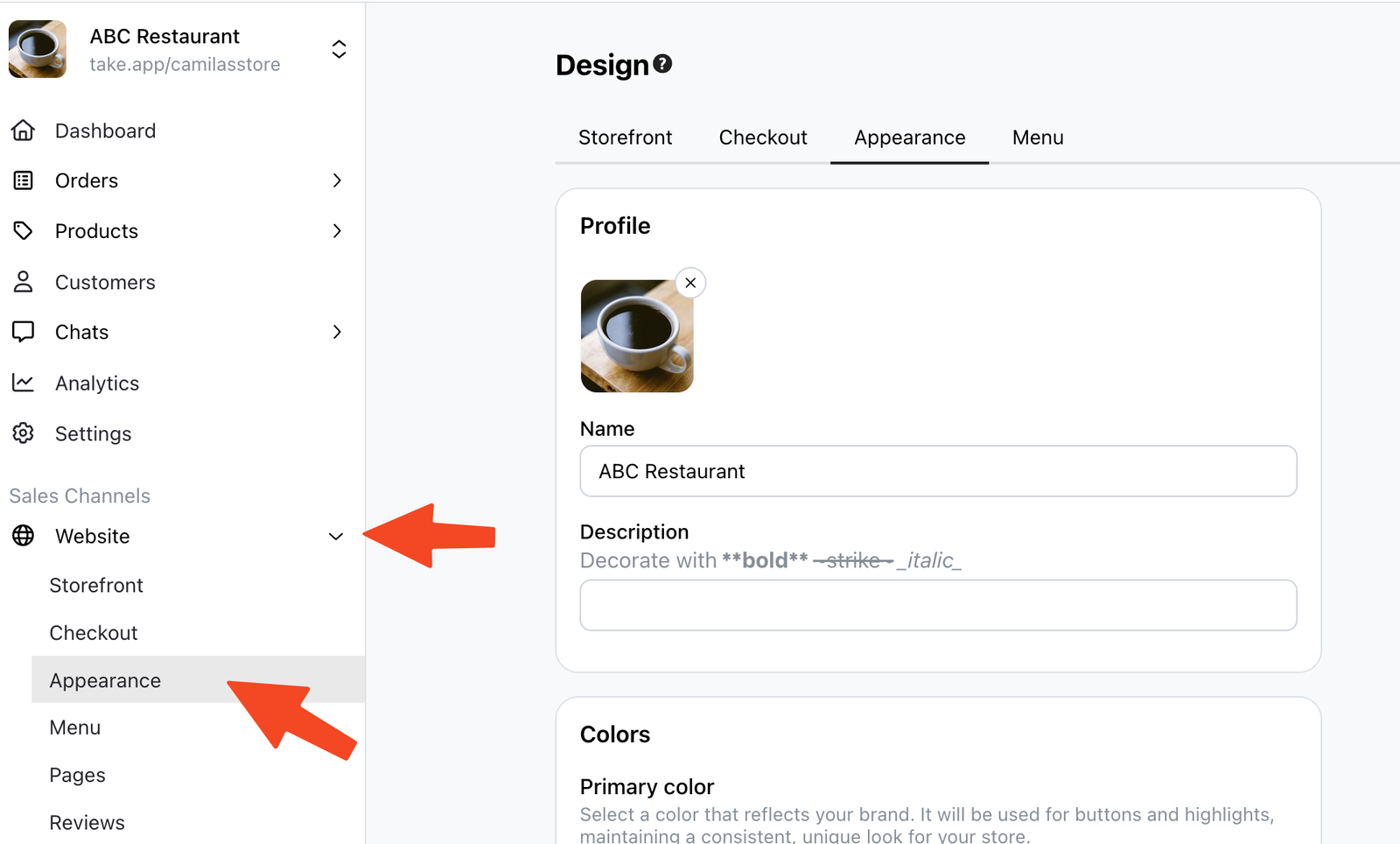
Click on Website, and then click on "Appearance".
-
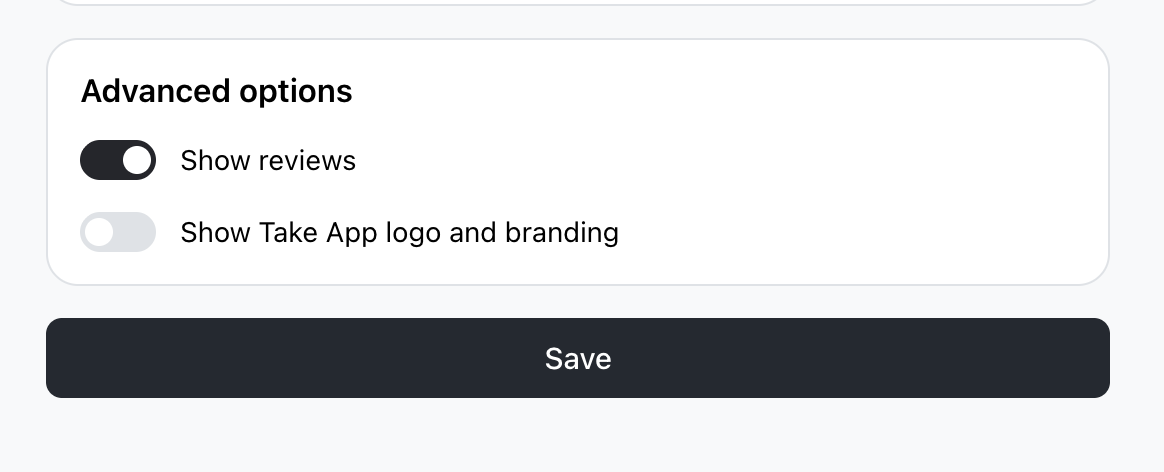
Locate the option that says "Show TakeApp logo and branding". Untick this option to disable it.
-
Finally, click
Saveto apply the changes.
Removing Take App logo
Business 플랜 필요 플랜 비교하기
Business 플랜 필요 플랜 비교하기
Click on Website, and then click on "Appearance".
Locate the option that says "Show TakeApp logo and branding". Untick this option to disable it.
Finally, click Save to apply the changes.
질문을 남기시면 바로 답변해 드립니다. 팀과 대화하셔도 됩니다.