
How to adjust your product category to Grid/list view on Storefront
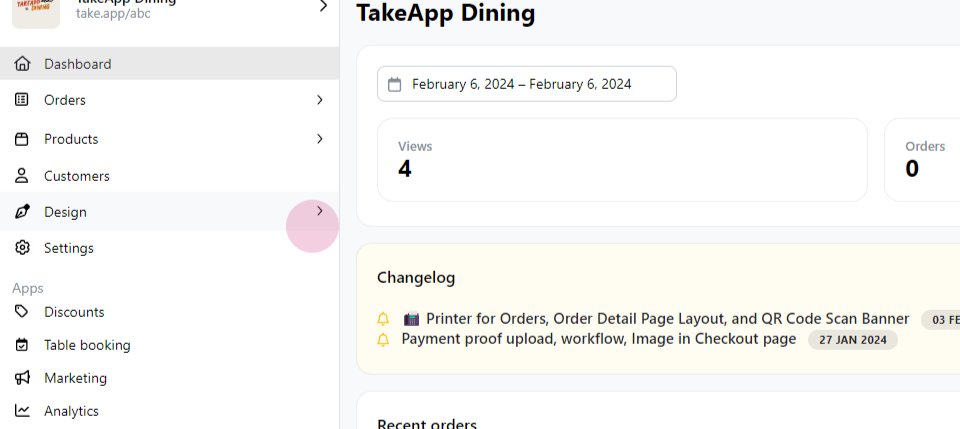
Step 1: Navigate to the "Design" section of your platform.
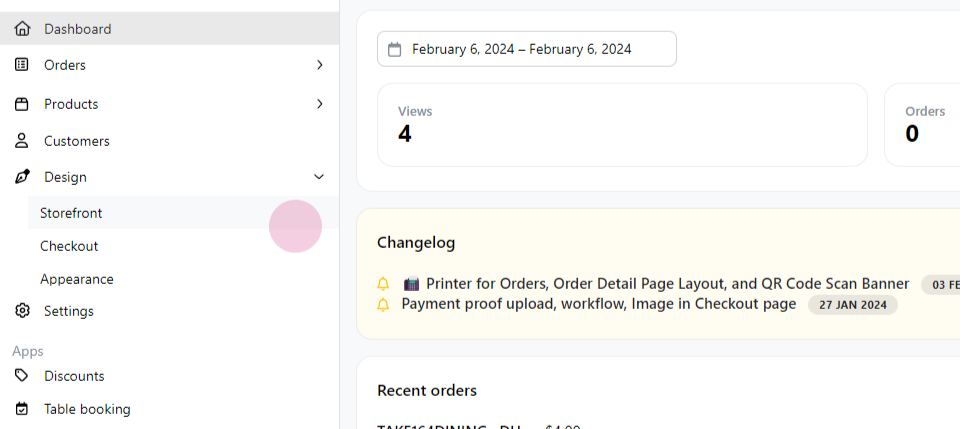
Step 2: Click on the "Storefront" option.
Step 3: Locate a product category and click on the 3-vertical dots symbol.
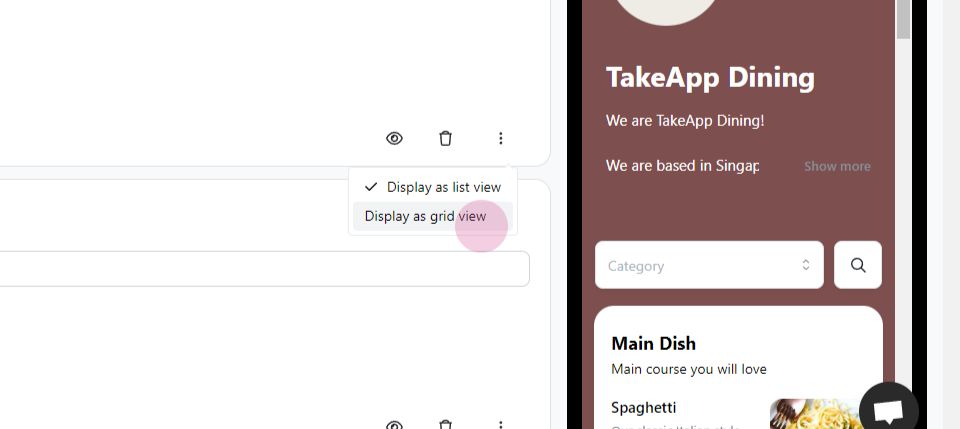
Step 4: Change the display setting to "Grid View".
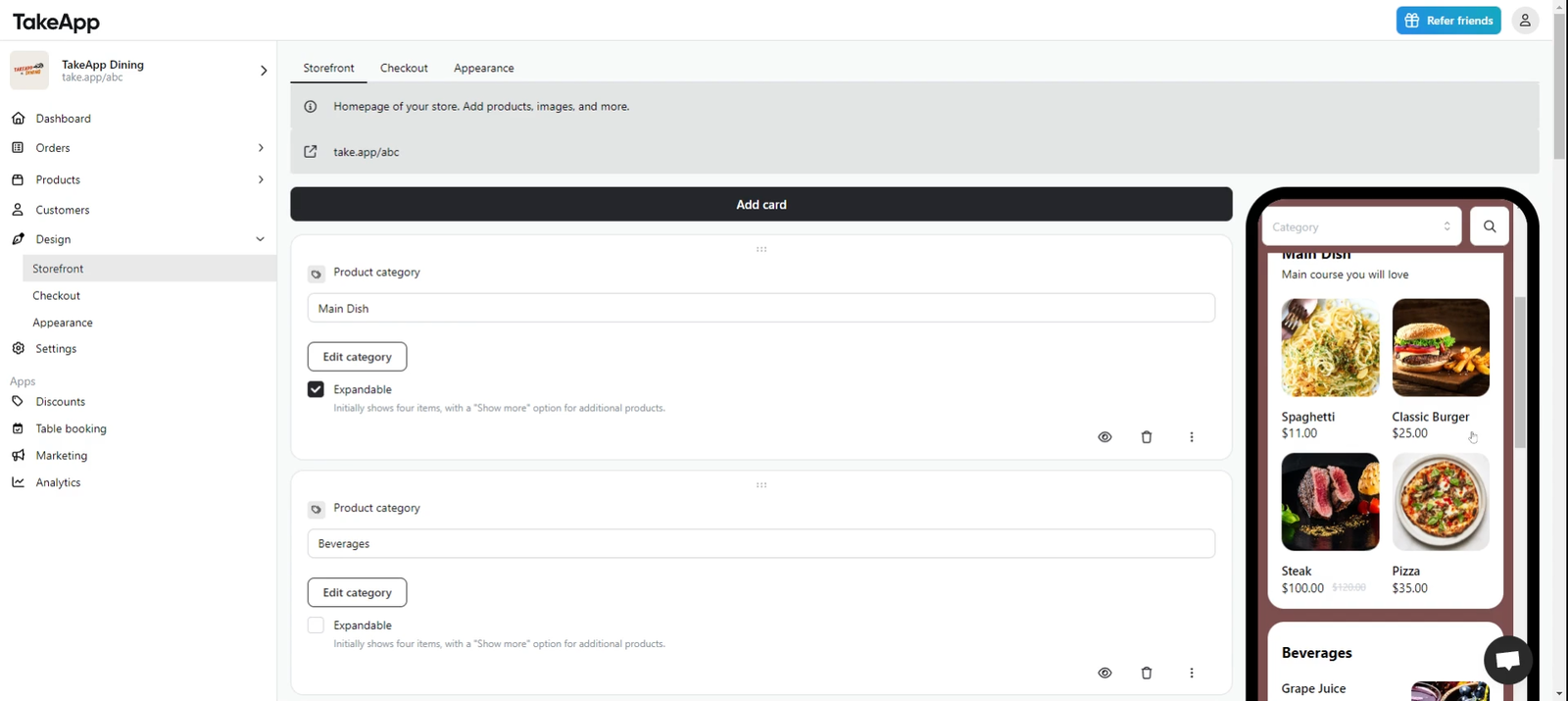
Following these steps will successfully change your product view to a grid layout.