
What is Order Summary Message?
Order Summary Messages contain key details about an order. This includes customer details, service address and schedule, total and service fee, as well as invoice link. This is very helpful if you'd like to forward a team member (e.g. driver), information about the orders that he needs to deliver.
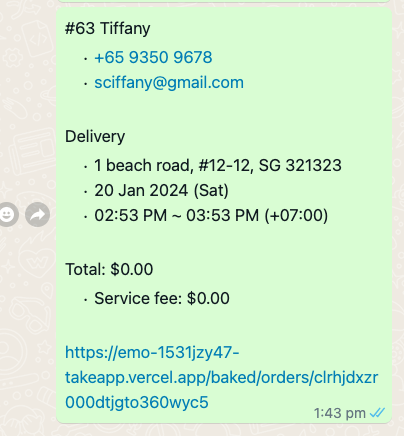
You can forward 1 or more (up to hundreds) of order message summaries at a single time.
How do I forward Order Summary Message?
-
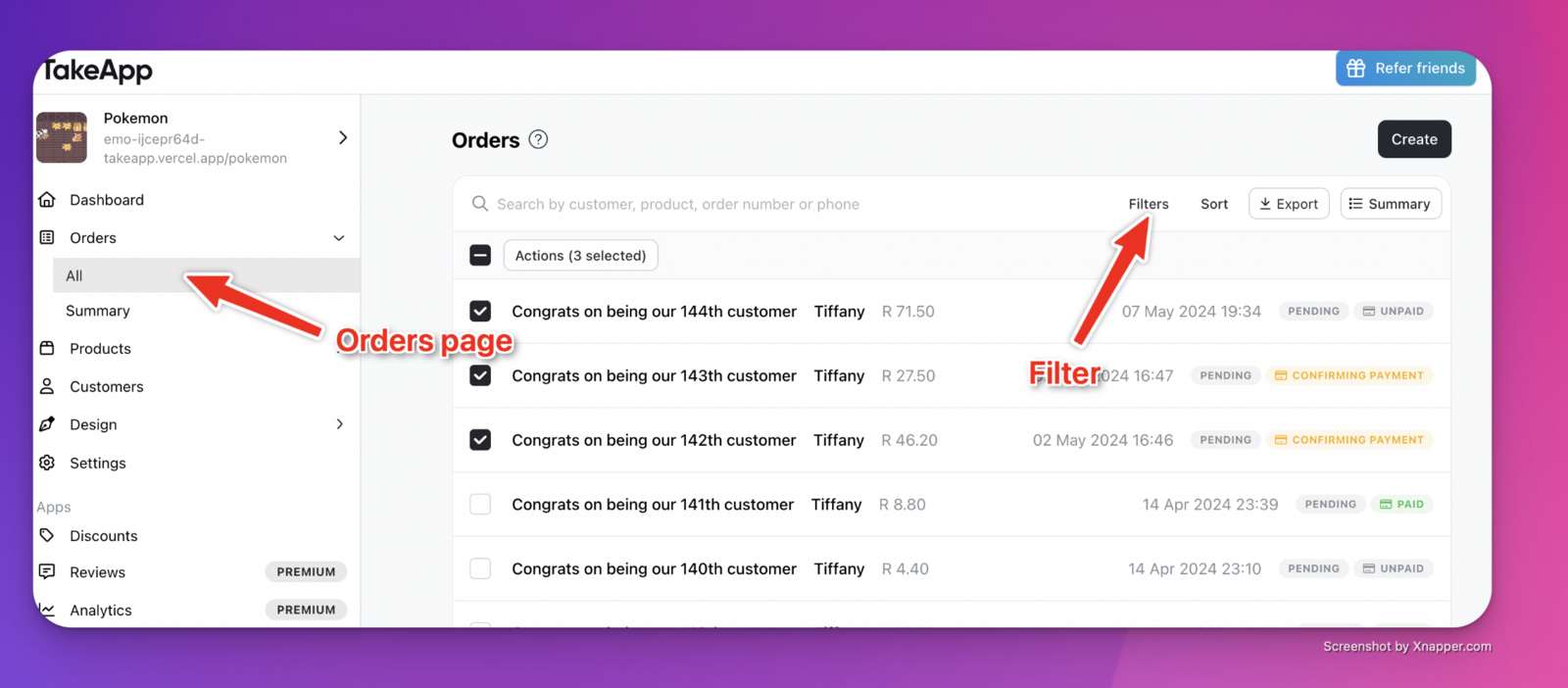
Go to Orders > All to see all your orders
-
(Optional) You can filter orders based on service date/order date/order status, etc. in the Orders page.
-
Select and tick all the orders whose summary you want to forward.
-
Click on
Actions, and thenSend WhatsAppto forward yourself all the order summaries.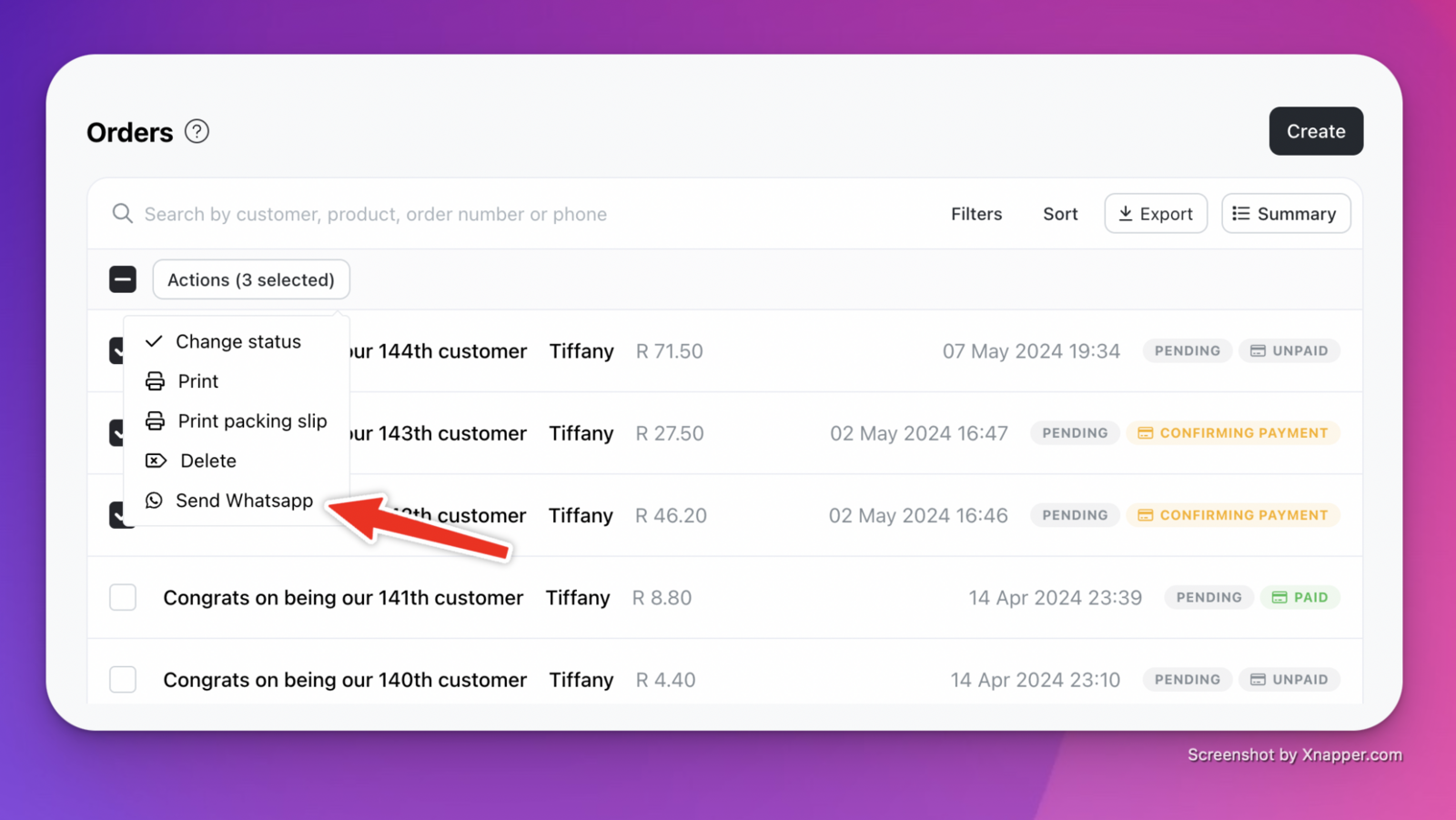
-
You should be redirected to WhatsApp with a conversation with yourself containing the order summaries.