
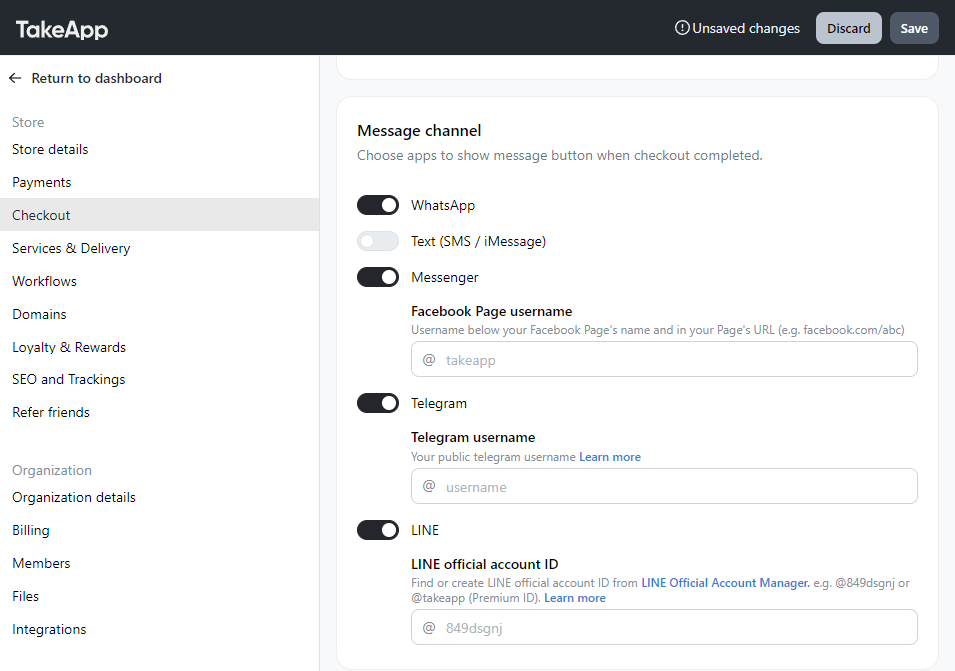
You can receive order messages on other apps aside from WhatsApp. Some of those apps are Messenger, Telegram, and LINE
How to set messages channel
- Go to Admin > Settings > Checkout
- Toggle on your preferred messaging channel and fill in the credentials. Click
save
How customers send the order on Messenger and LINE
Messenger and LINE don't let a link fill in the message, so the customer copies the order message first, taps Open Messenger or Open LINE, and pastes it into your chat.
The apps you turn on here are also offered when customers share your store or contact you from the booking and reservation pages. See Order message buttons.