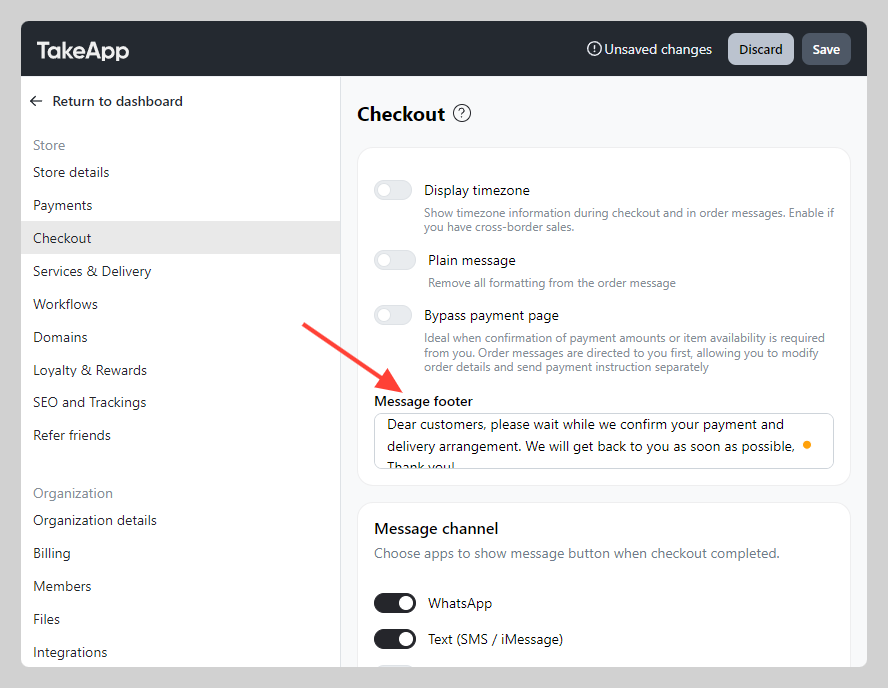
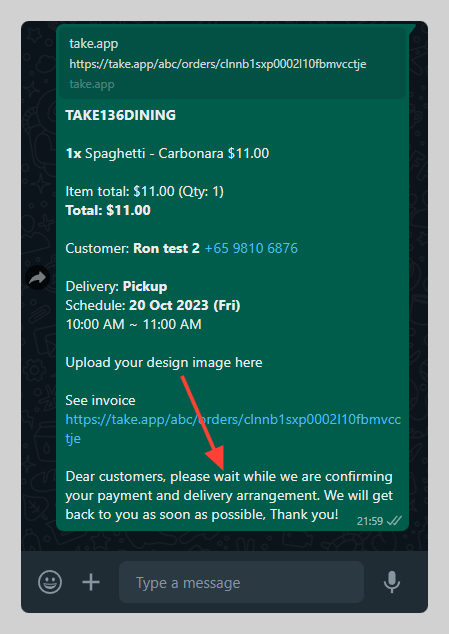
You have the option to include a fixed message in the end of order messages.
For example, you can add:
- Payment instruction
- Delivery instruction
- Confirmation notice
How to modify message footer
-
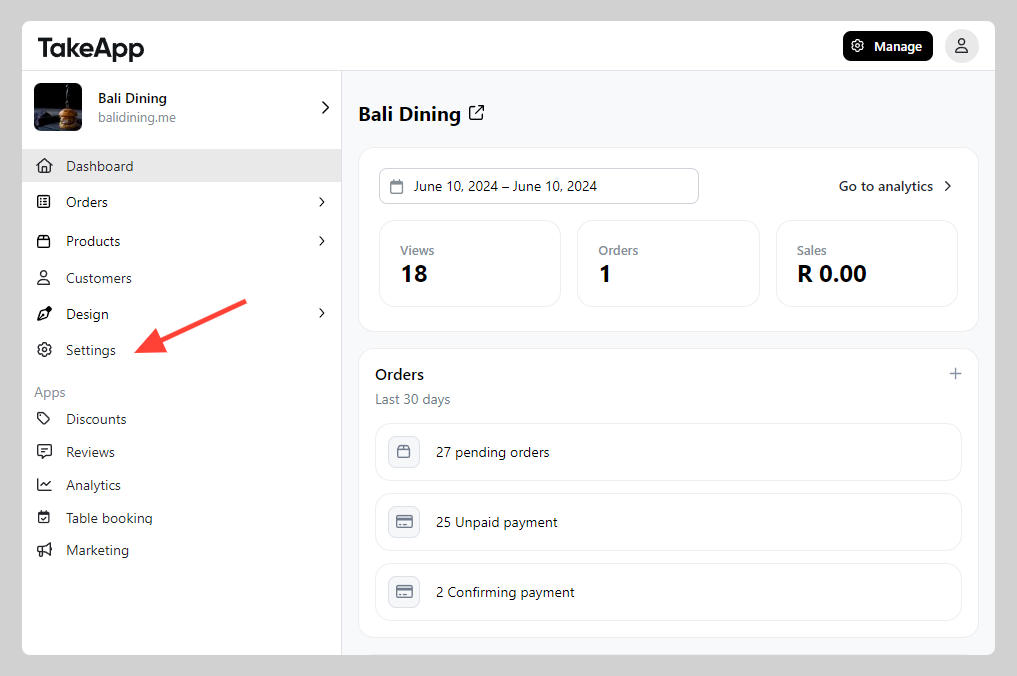
Go to Admin > Settings > Checkout
-
Navigate to "Message" section and type your notes/instruction in the "Message footer". Click
Save.