
Take reservations from your storefront
Set your tables up in Settings > Reservations in the Take App mobile app (iOS, Android) and your store gets a public reservation page at take.app/your-store/reserve. See a live one at take.app/bali_dining/reserve.
Customers pick a party size, date and time, leave their name and phone, and send — no account, no WhatsApp back-and-forth.
They only see times you can actually seat. The form reads your real availability and groups it by service, so lunch and dinner arrive as two blocks. A full day says "Fully booked". A party bigger than any of your tables gets a "message us" button instead. Requests are capped at 10 guests.
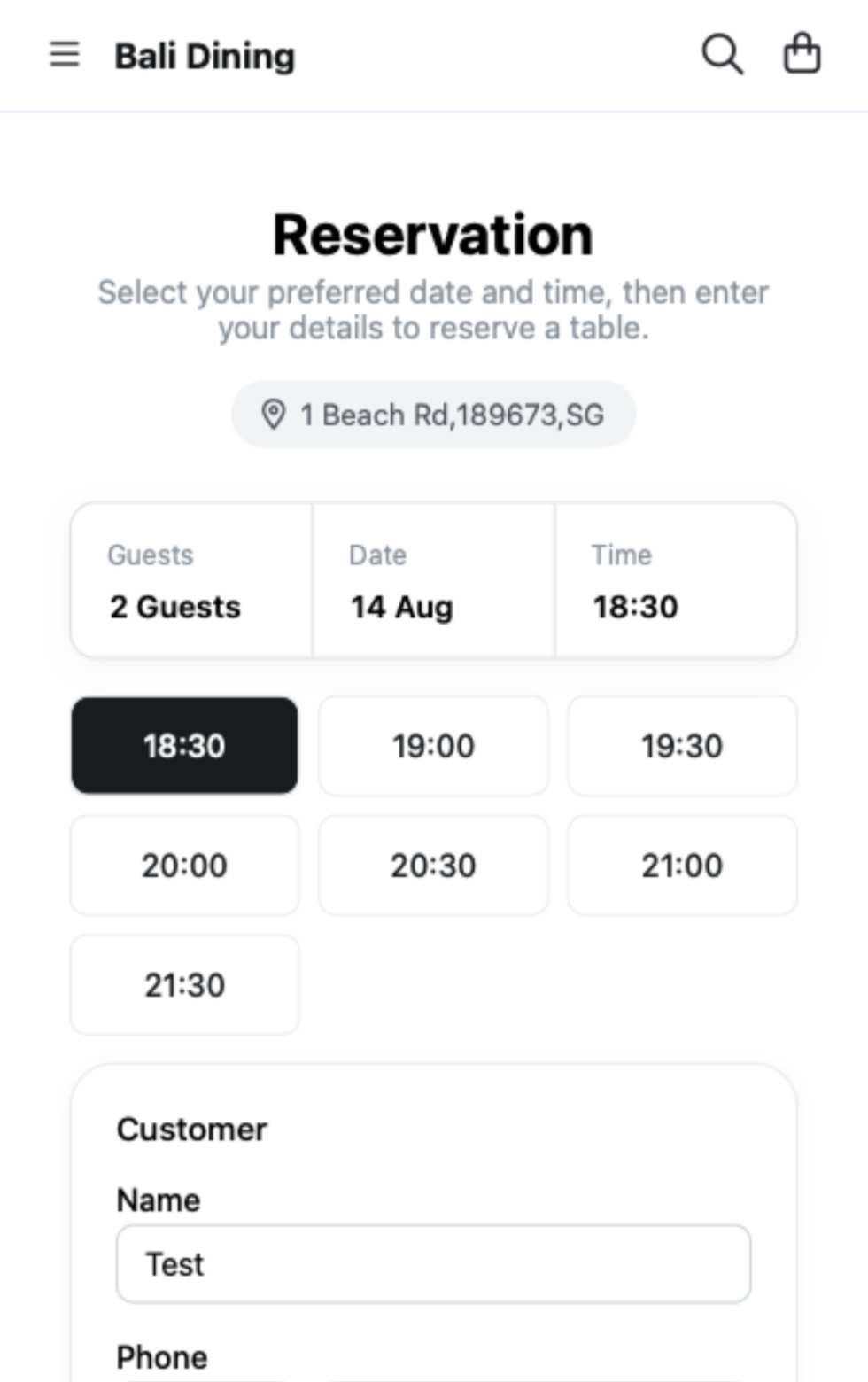
If a free table fits, the booking confirms on the spot with the table assigned. Everything else waits in your pending queue. Nothing double-books.
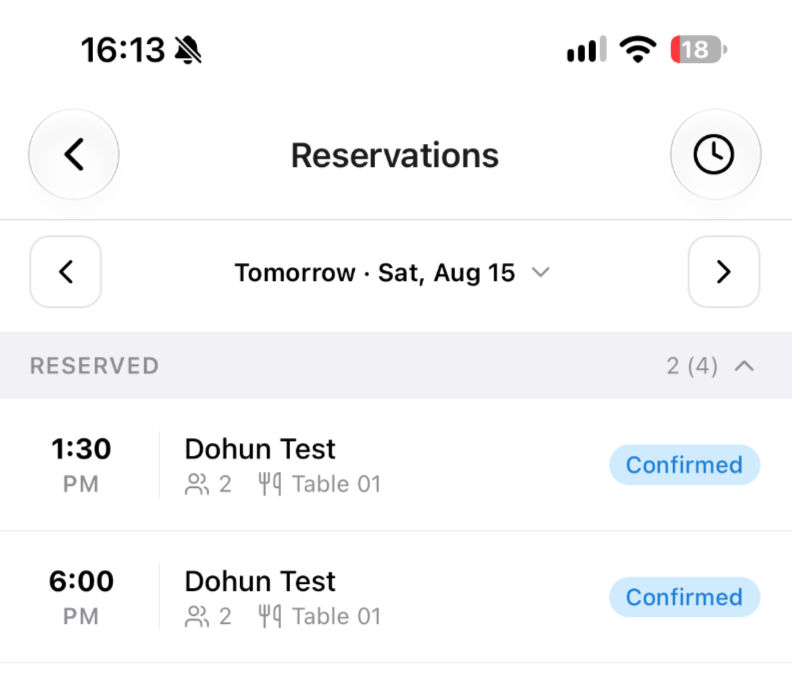
Confirmed guests get a WhatsApp confirmation and a reminder 24 hours before. Both are on by default and toggle separately in Settings > Workflows. In the mobile app, pending requests sit in their own section with a count badge, and you can share your reservation link once you've added a table.
Live Lalamove and Uber Direct rates at checkout
Connect your own Lalamove or Uber Direct account and customers see the courier's real price for their address, not a flat fee you guessed at.
Set it up in Settings > Delivery: charge "By courier (Automatic)", then pick the service. Lalamove offers its vehicle classes, Uber Direct a single option.
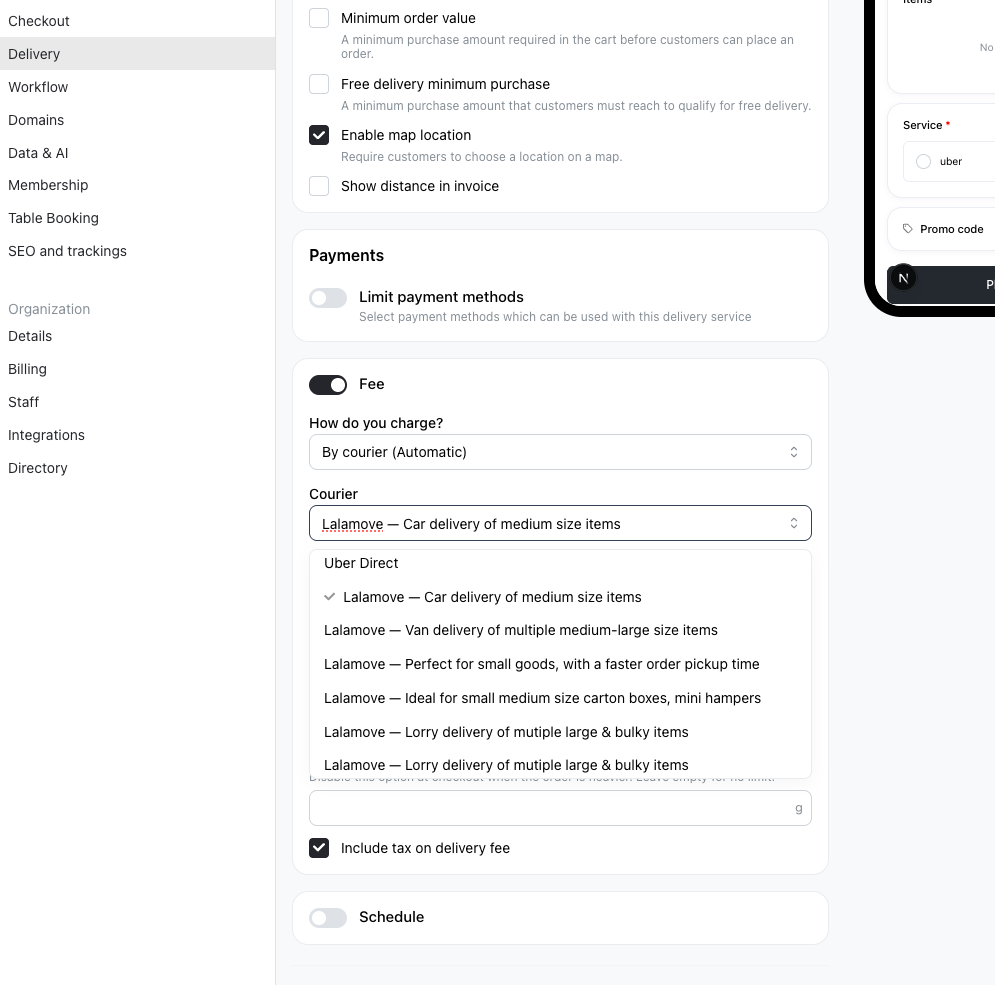
Markets a courier doesn't serve return nothing, so you can't save a method that can't be quoted. At checkout, an unquotable method is blocked instead of quietly charging zero. Delivery coordinates are now kept on orders you create or edit in Admin.
Learn more about the Lalamove integration
Sign out of all devices
Settings > Profile has a new Devices section. One tap ends every session on your account — a lost phone, a shared laptop, a staff device — across the web admin and the mobile app.
Get paid with Payoneer
Payoneer is now a payment method. Create a reusable payment link in Payoneer under Receive > Request a payment, paste it into your payment settings, and checkout sends customers straight to it. You confirm the payment when it arrives.
Offered to stores priced in USD, EUR, GBP, CAD, AUD or JPY — the six currencies a Payoneer link can be created in. Links expire, so replace yours when it stops working, and Payoneer accepts business payers only.
Learn more about adding payment methods
Others
- Order webhooks and the V2 order API now report how many of each option was ordered, for checkbox options with quantities. Older orders report 1.
- Claude and ChatGPT connections are reliable again — requests that used to time out on busy days come back straight away.
- Calendars and date pickers follow your language instead of English.
- Customer search in the admin dashboard is faster.
- The (?) icons and "Learn more" links now open the new help center at take.app/help. Loyalty store access, custom domain DNS records and delivery availability get a (?) icon for the first time.
- Your company name is back in the storefront footer.