
Customers can order as a group
A customer can now start a group order from the cart on your storefront, share one link with friends or colleagues, and check out once. Guests open the link, shop into their own cart, tap Add to group order, and their picks move into the host's cart under their name. The host pays once, to one address.
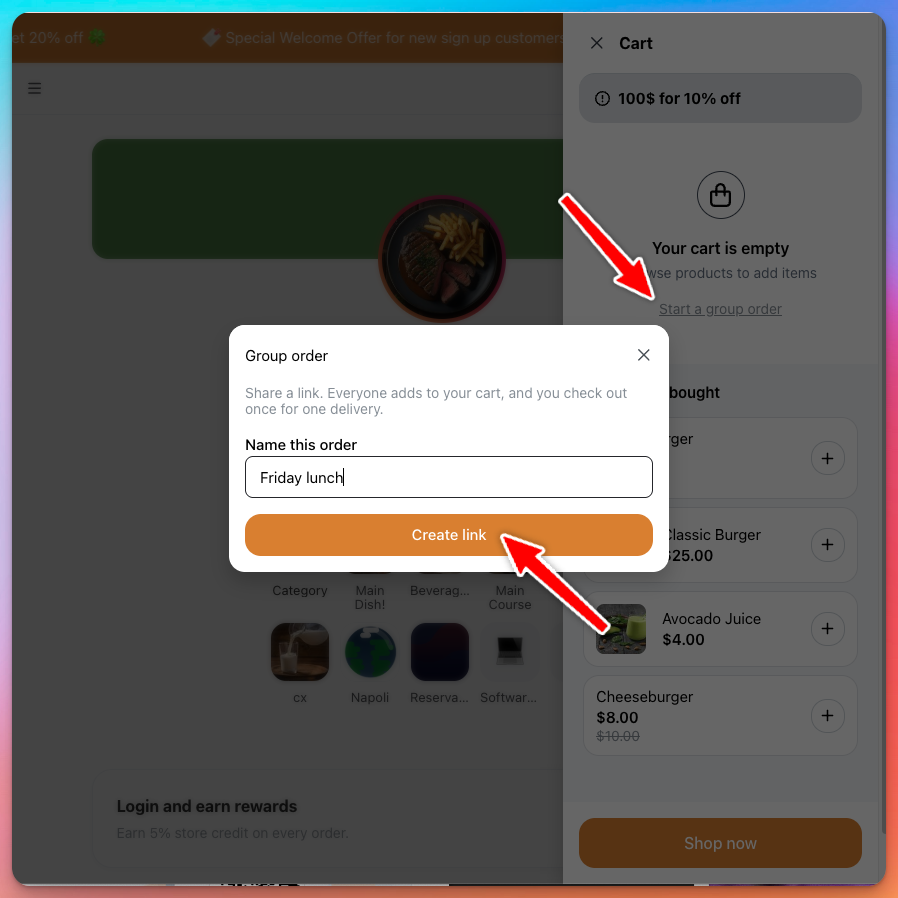
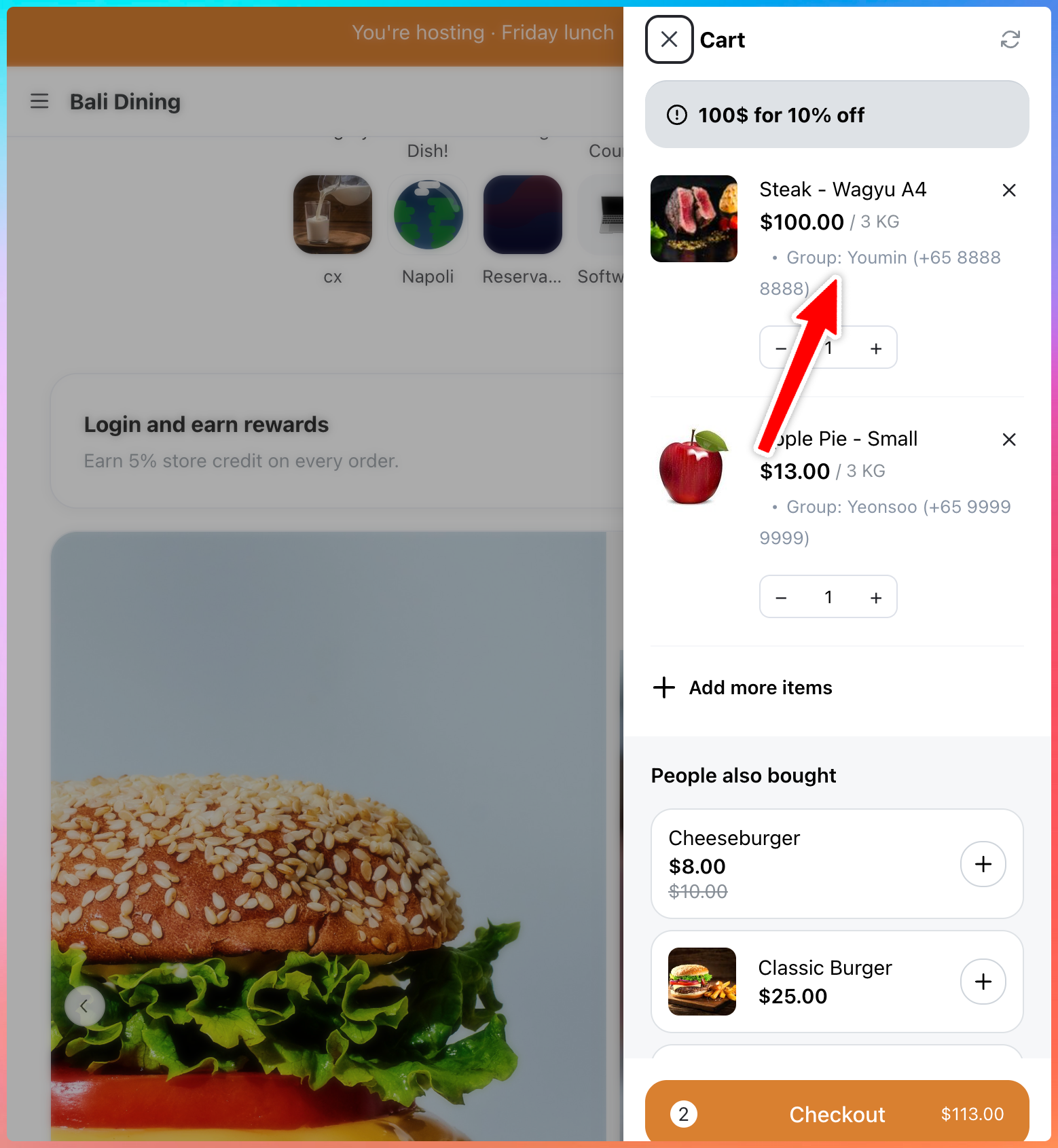
You receive one order. Each guest's items carry a Group: Name (+65 …) label on the cart, the order detail, the receipt and your WhatsApp order message, so you know who ordered what and can reach them.
There's nothing to switch on. It works on every storefront and merged carts cap at 60 items.
Learn more about customer group orders
Turn any TV into a menu board
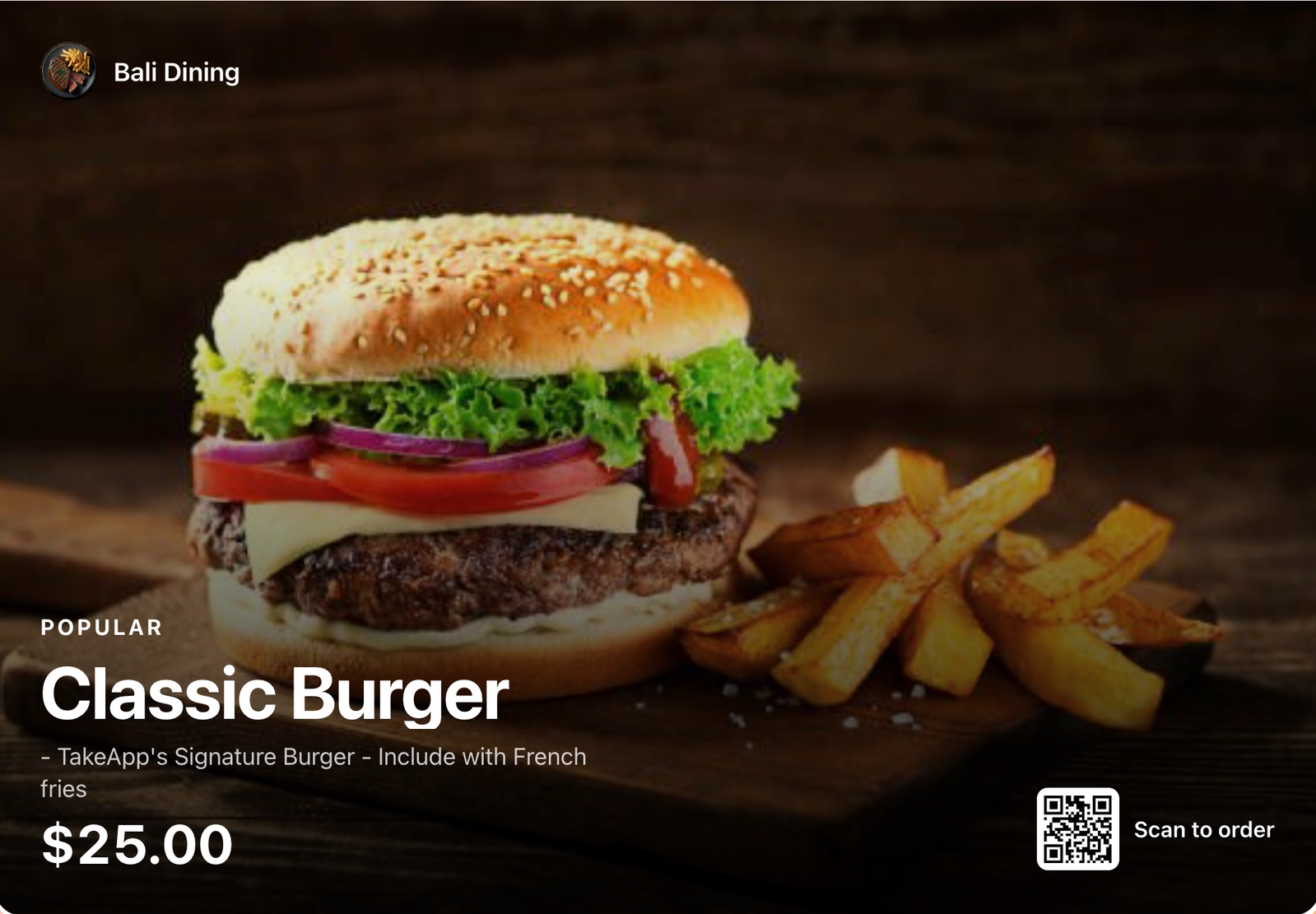
Your store now has a screen at take.app/your-store/tv. It's just a link, so any TV browser or a Chromecast works. Open it, set it to full screen, and leave it: it cycles through your menu category by category, or one product at a time, with a Scan to order QR code, and refreshes itself every 10 minutes so a price change or a sold-out item reaches the screen.
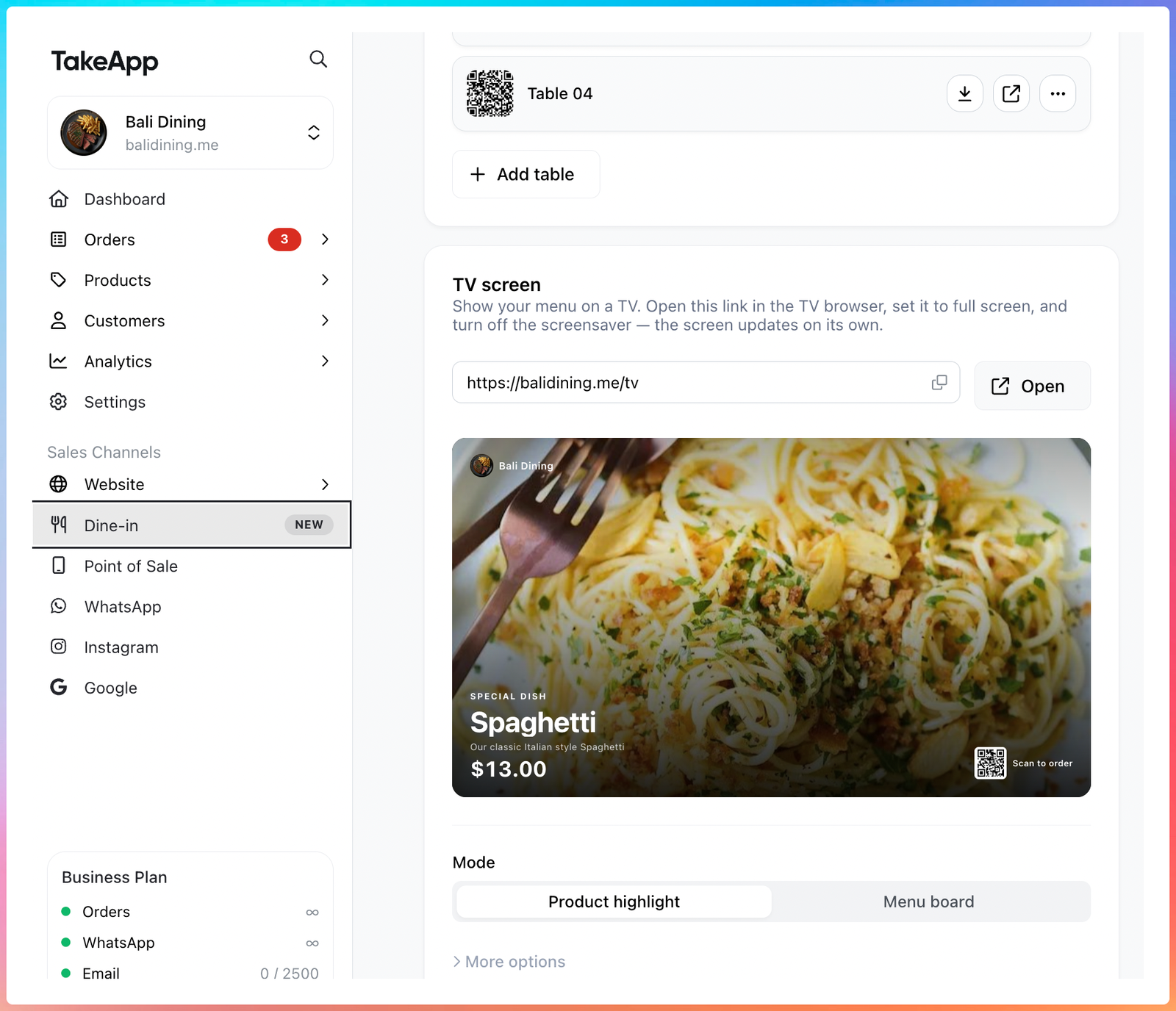
Set it up in Admin > Dine-in under TV screen. Choose Menu board or Product highlight (one product at a time), landscape or portrait, dark or light, photos on or off, and how many seconds each screen stays. The preview updates as you change them and the link carries your choices, so one store can run different boards on different TVs.
Close the day with a daily closing report
Analytics > Daily closing is a paid-basis summary of the money you took in a day, week or month — the Z report a till prints, without the till.
Collected is split into Settled (cash, bank transfer, QR and other methods you marked paid yourself) and In transit (card and gateway takings that reach your bank a few days later), so you can see how much of today you can actually spend. Below it, the total is broken down by the payment methods you've configured and by what was sold — products, delivery, tips, discounts and tax — adding up to Collected. Store credit is listed separately, since it isn't money in.
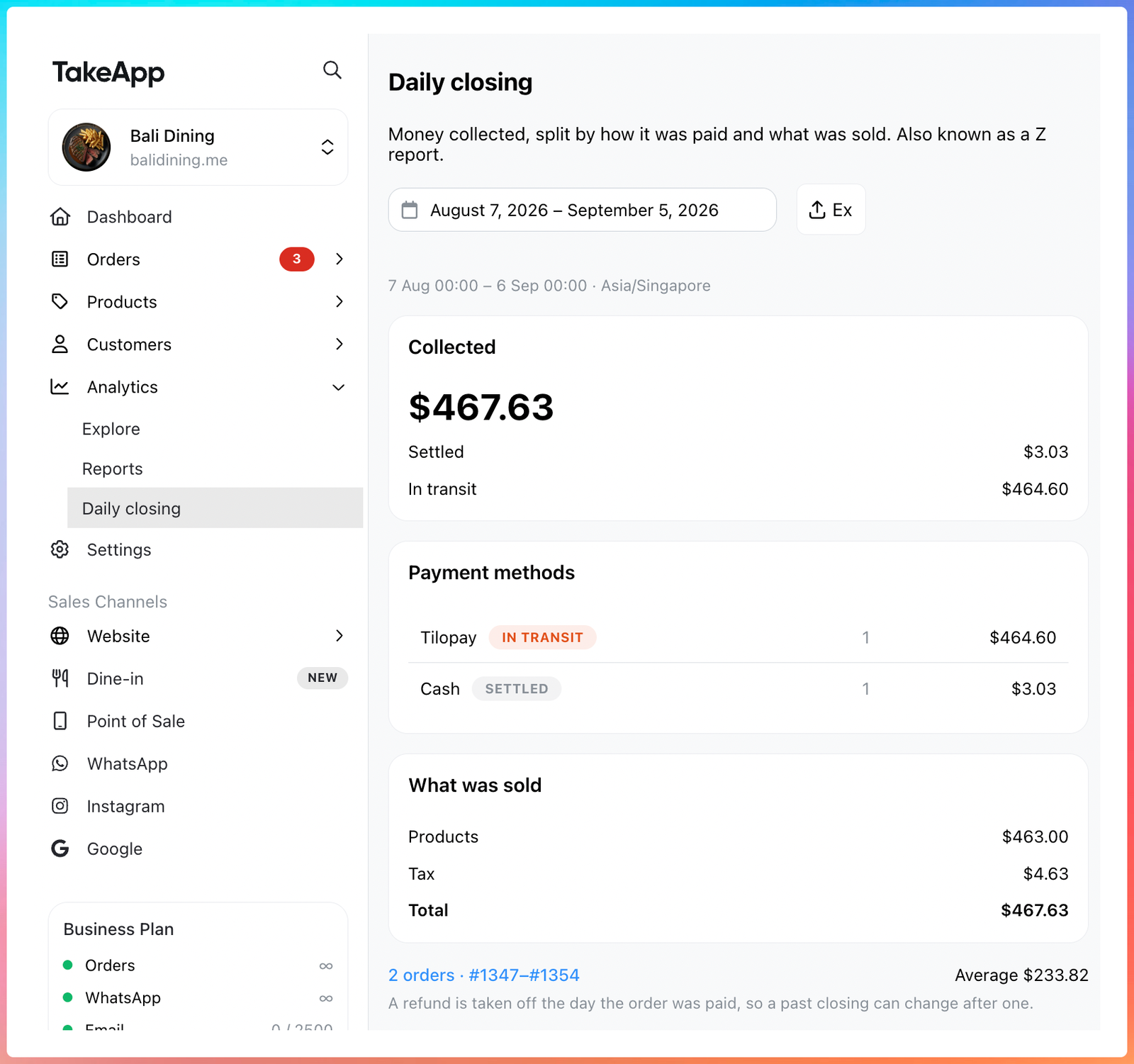
Click the order count at the bottom to open exactly those orders, or Export a CSV for your spreadsheet or accountant. The window follows your store's timezone, and a refund is taken off the day the order was paid, so a past closing can change after one.
Learn more about daily closing
Delivery fee surcharges and discounts by date
You can now raise or lower your delivery fee for a range of dates — a public holiday surcharge, a slow-week discount. Go to Settings > Delivery > Manage availability, click Add availability, and set the type to Delivery fee adjustment. Pick Surcharge or Discount, the amount, the delivery methods it applies to, and the dates.
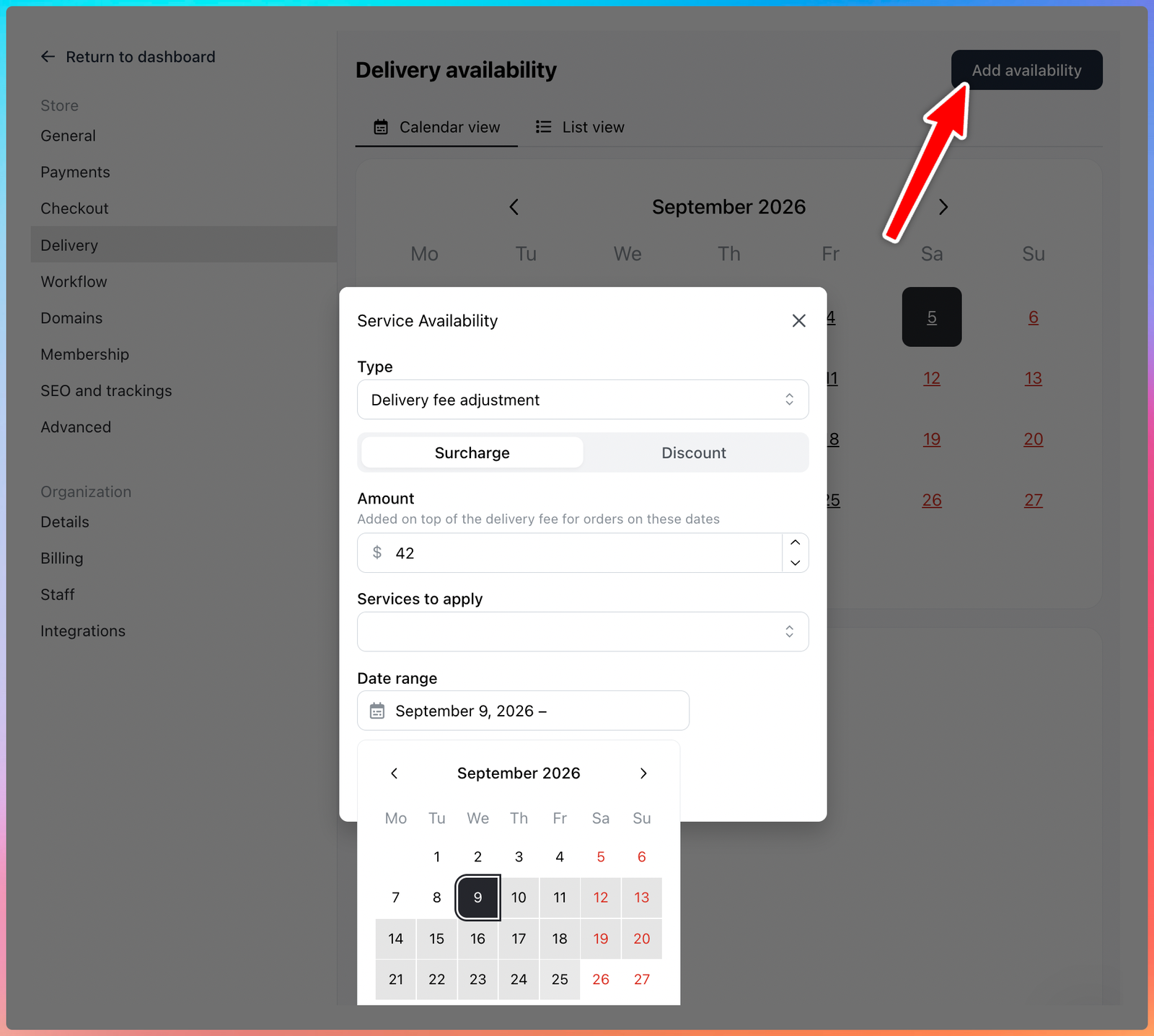
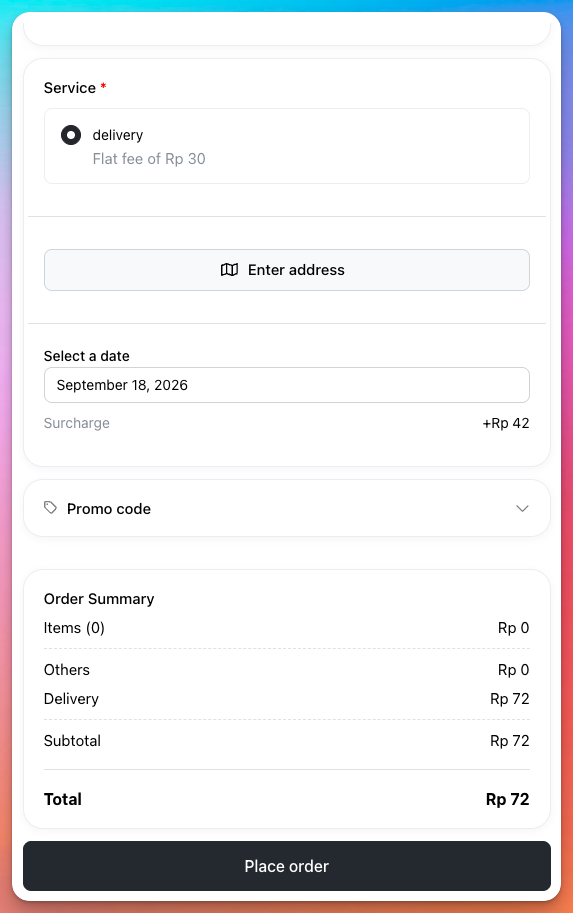
Customers see the surcharge or discount under the date they pick at checkout, so the fee never surprises them. Adjustments that overlap add together.
Learn more about managing delivery availability
New ways to get paid
- CardNET for the Dominican Republic. The country's own card acquirer, as a hosted checkout: customers pay on CardNET's page and the order is marked paid once CardNET confirms it.
- Binance Pay (beta). Accept crypto from Binance users, settled to you in USDT with no gas fee for the buyer. Learn more
- Coinbase Business (beta). Accept USDC on Base, priced in your store currency. Learn more
Add them in Settings > Payments. All three are on the Business plan.
Send delivery details to your driver from the order page
On an order, Message > Open WhatsApp with > Delivery detail opens WhatsApp with the order's delivery details already written: customer, phone, delivery method, address with a Google Maps link, schedule, items, remarks and delivery note — no totals, payment or invoice link. Pick the driver's number and send.
The same menu has a Pickup reminder for pickup orders, a Greeting on a customer's page, and Product details on a product's page.
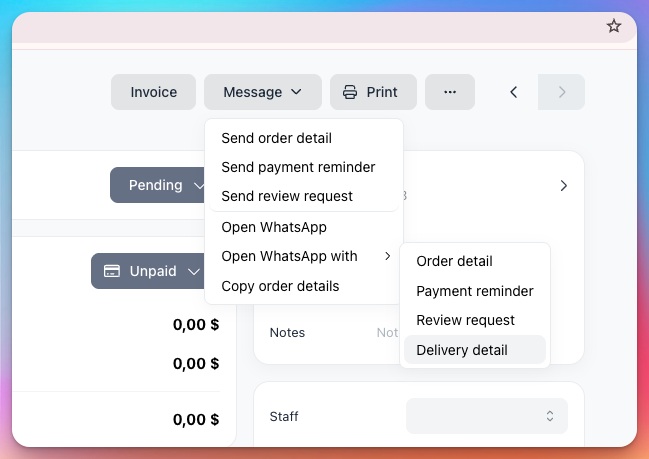
Table Booking is retiring
The older Table Booking channel retires at the end of September 2026, in favour of Reservations, which took online bookings from your storefront last month. Stores already using Booking keep working until then and see a notice on the bookings list and settings. Stores that never set it up are sent to Reservations in the Take App mobile app instead.
If you rely on Booking today, you don't need to do anything yet. We'll share a migration plan soon to keep the change from disrupting your business.
Booking products — stays, rentals and appointments sold as products — are a different feature and are not retiring.
Others
- Boxful (beta) ships parcels in El Salvador, Guatemala, Honduras and Costa Rica. Connect with your Boxful login and arrange a shipment from the order page like any other courier. Checkout in those four countries now offers real province and city lists, so the address a customer picks is one Boxful can route.
- You can now add a sold-out or out-of-stock product to an order you create yourself, in Admin or the mobile app. Customers are still blocked, and back-in-stock notifications still work.
- The Platform API can now finish a product:
PATCHa product's variants, options and images,DELETEa product, and assign categories withcategory_ids— with a new/categoriesresource to list and create them. New products defaultoriginal_priceto 0 instead of the price, so nothing is struck through by mistake, and thesettingsobject on options now rejects unknown fields. - A product you hid can no longer be ordered from a page a customer had already opened or a link they had saved. Checkout tells them the item is no longer available.