
If you are on the Business plan, you can have multiple stores under the same organization. You can quickly switch between your stores directly from the admin dashboard.
How it works
- Go to your admin dashboard
- Hover your mouse over your store name
- You will see a section called "My stores"
- Click on any store to switch
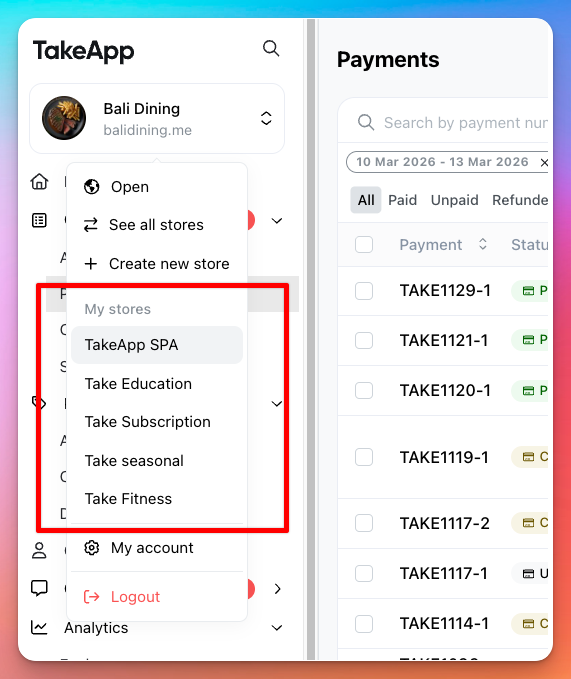
- You can see up to 5 stores in this menu for quick access.
- If you have more than 5 stores, click "See all stores"