
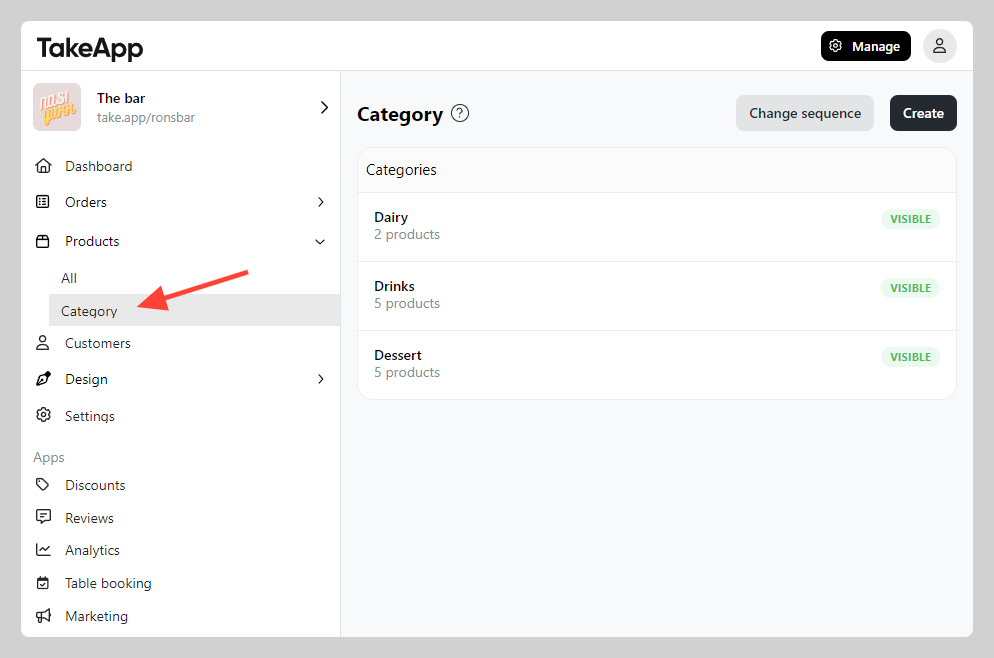
Categories organise your products on the storefront. Go to Admin > Products > Category to manage them.
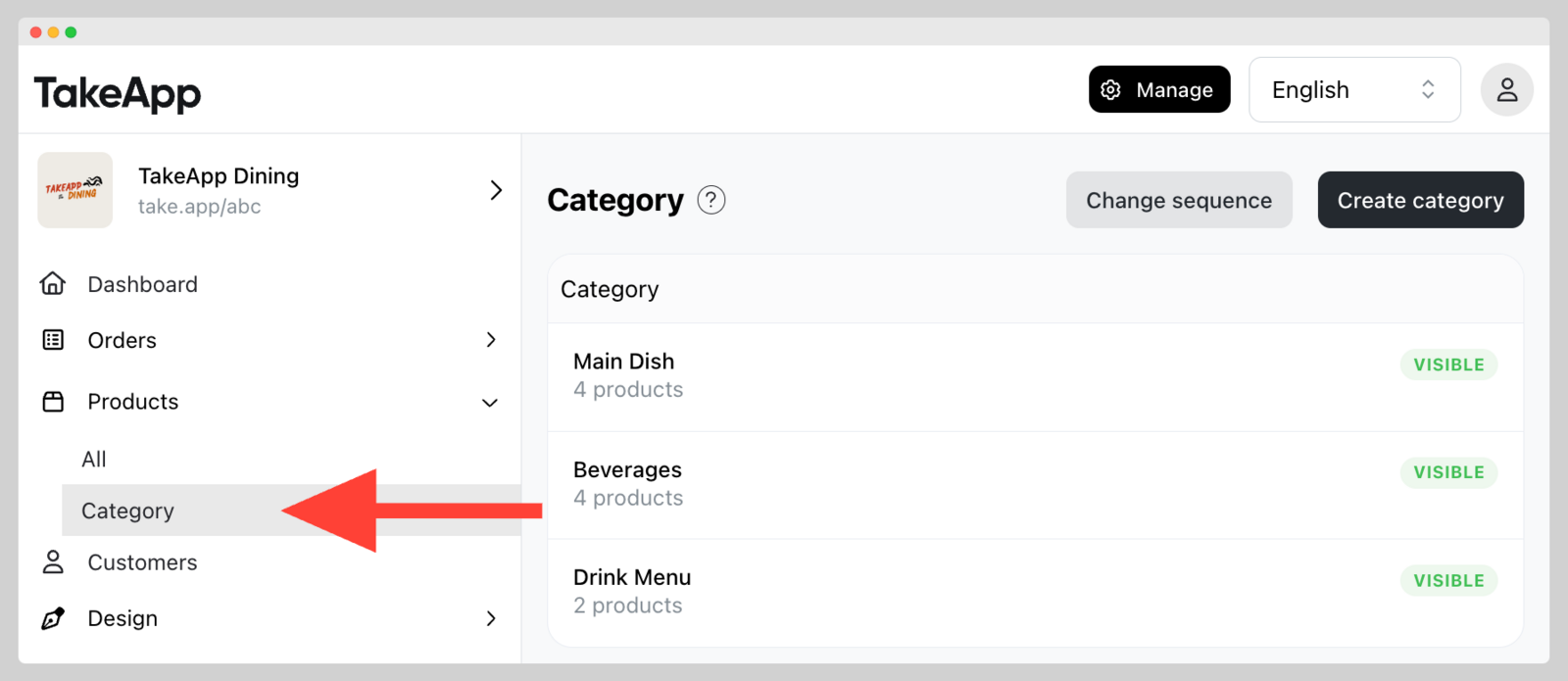
Customers then browse your storefront by category.
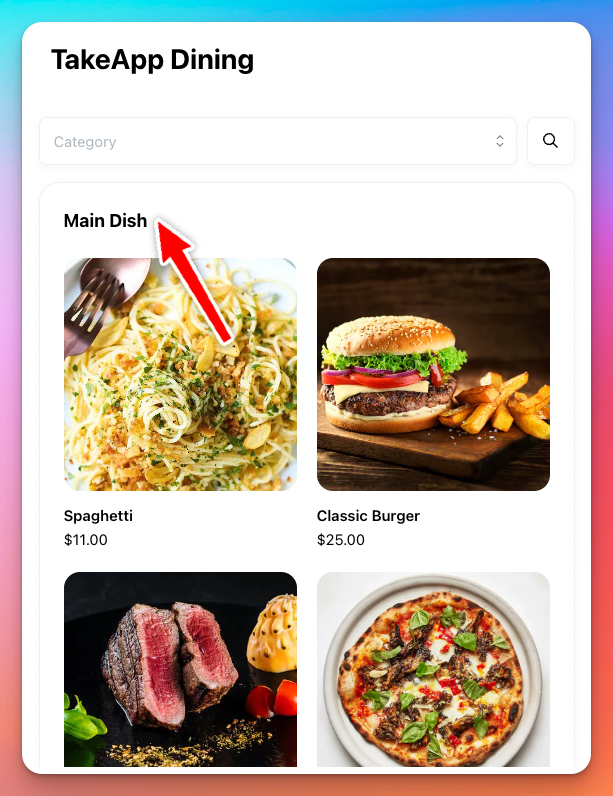
Add or edit a category
-
Go to Admin > Products > Category and click
Create category. To edit an existing one, click on it instead.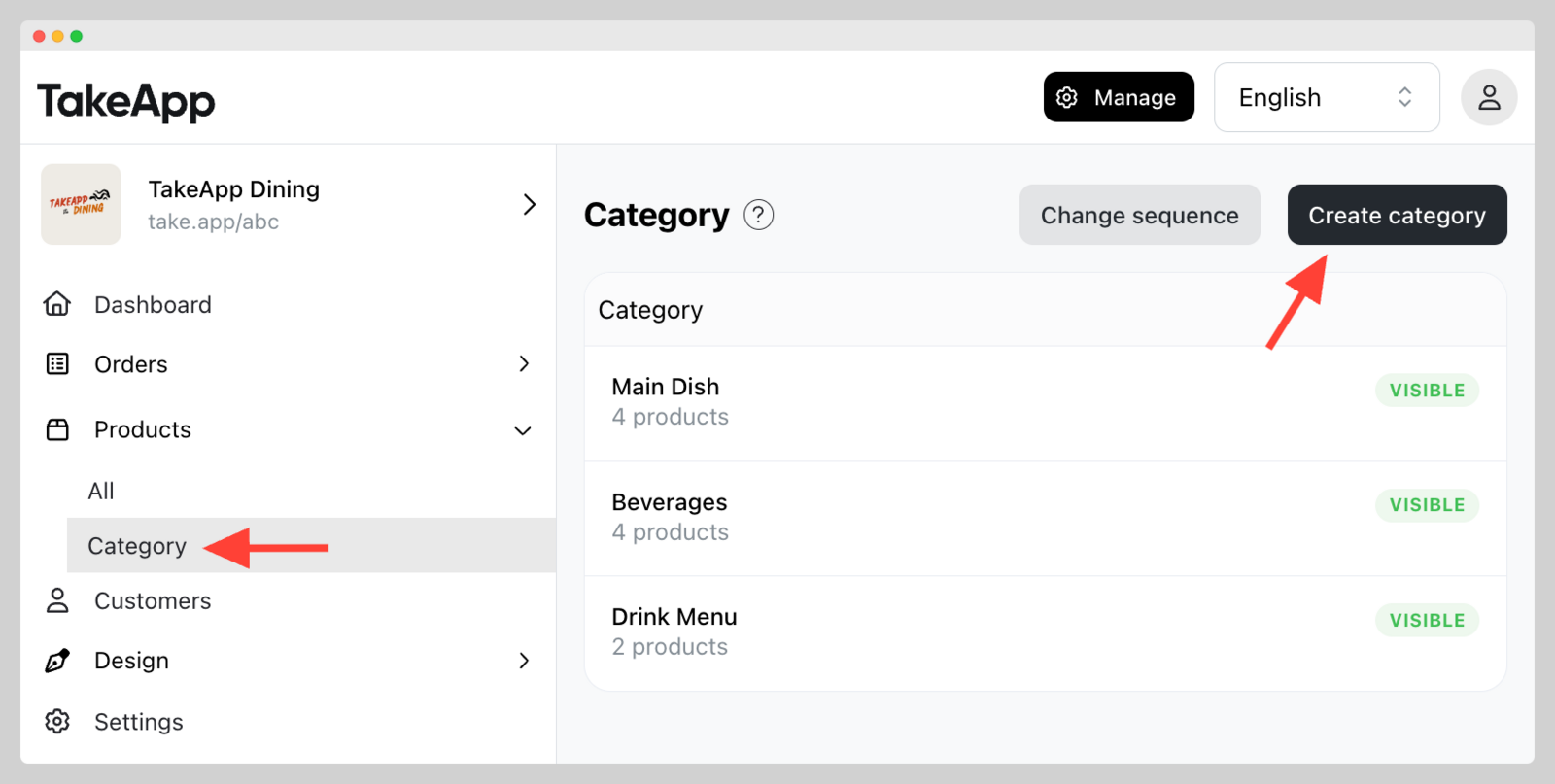
-
Set the category name, its visibility, a description if you want one, and the products it contains. Click
Save.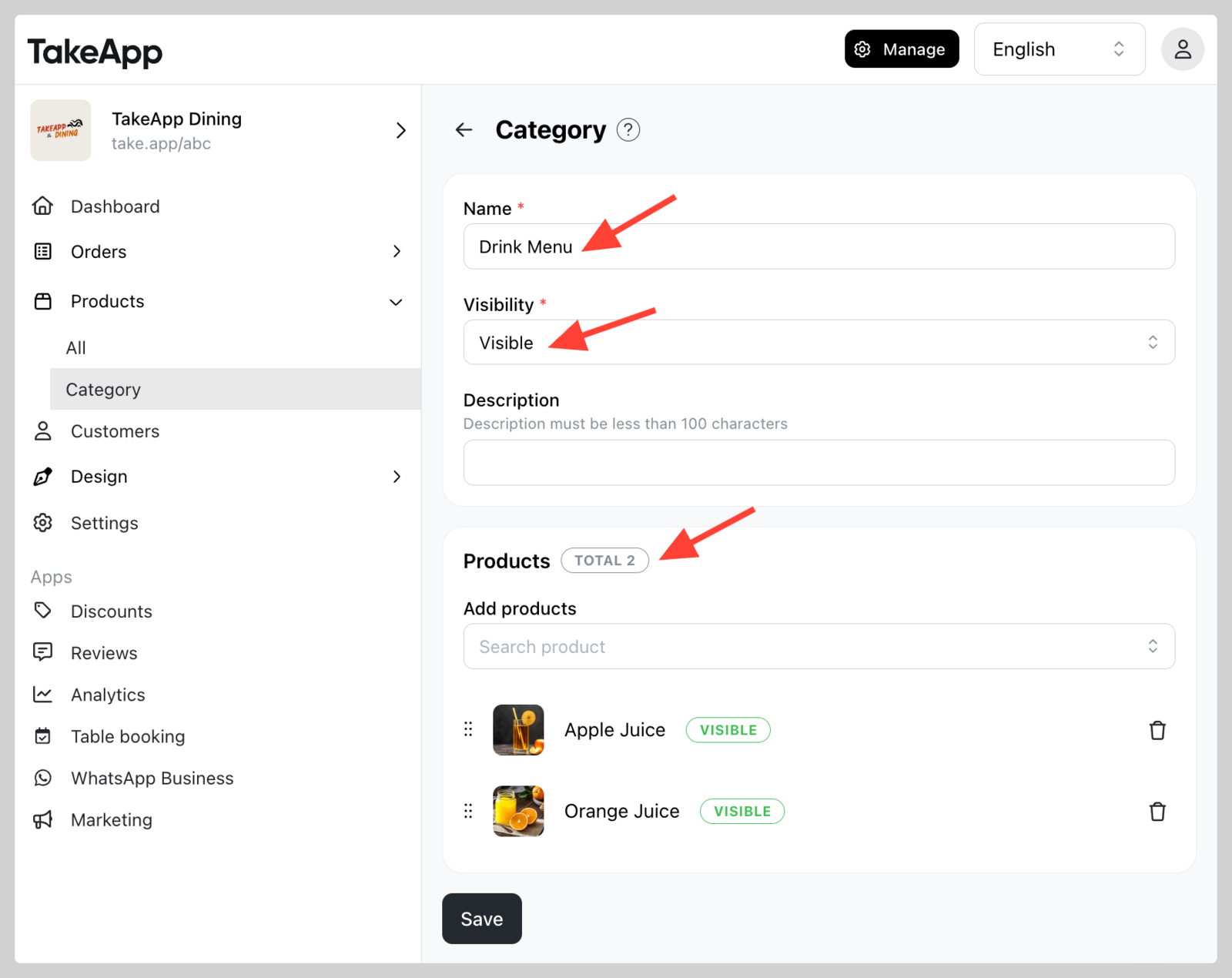
To change the order of the products inside a category, or the order of the categories themselves, see Reorder products and categories.
Delete a category
Deleting a category does not delete the products in it.
-
Go to Admin > Products > Category.
-
Click the category, then click
Delete.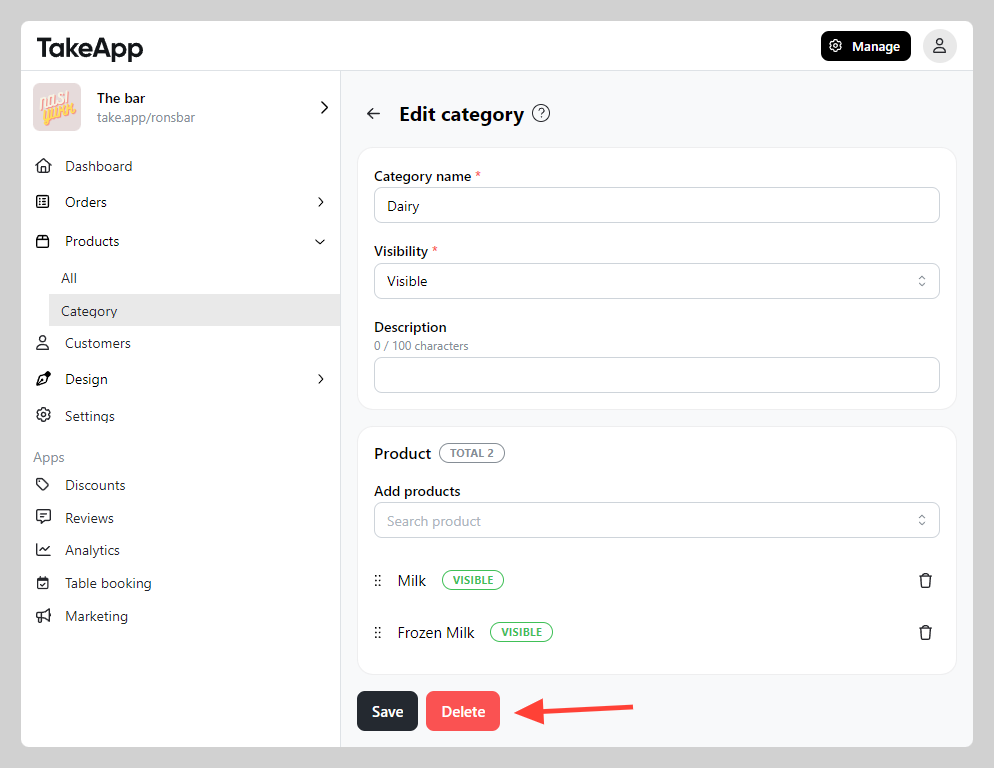
Removing a product from a category still leaves it findable through the storefront's search bar. To take it off the storefront completely, hide the product.