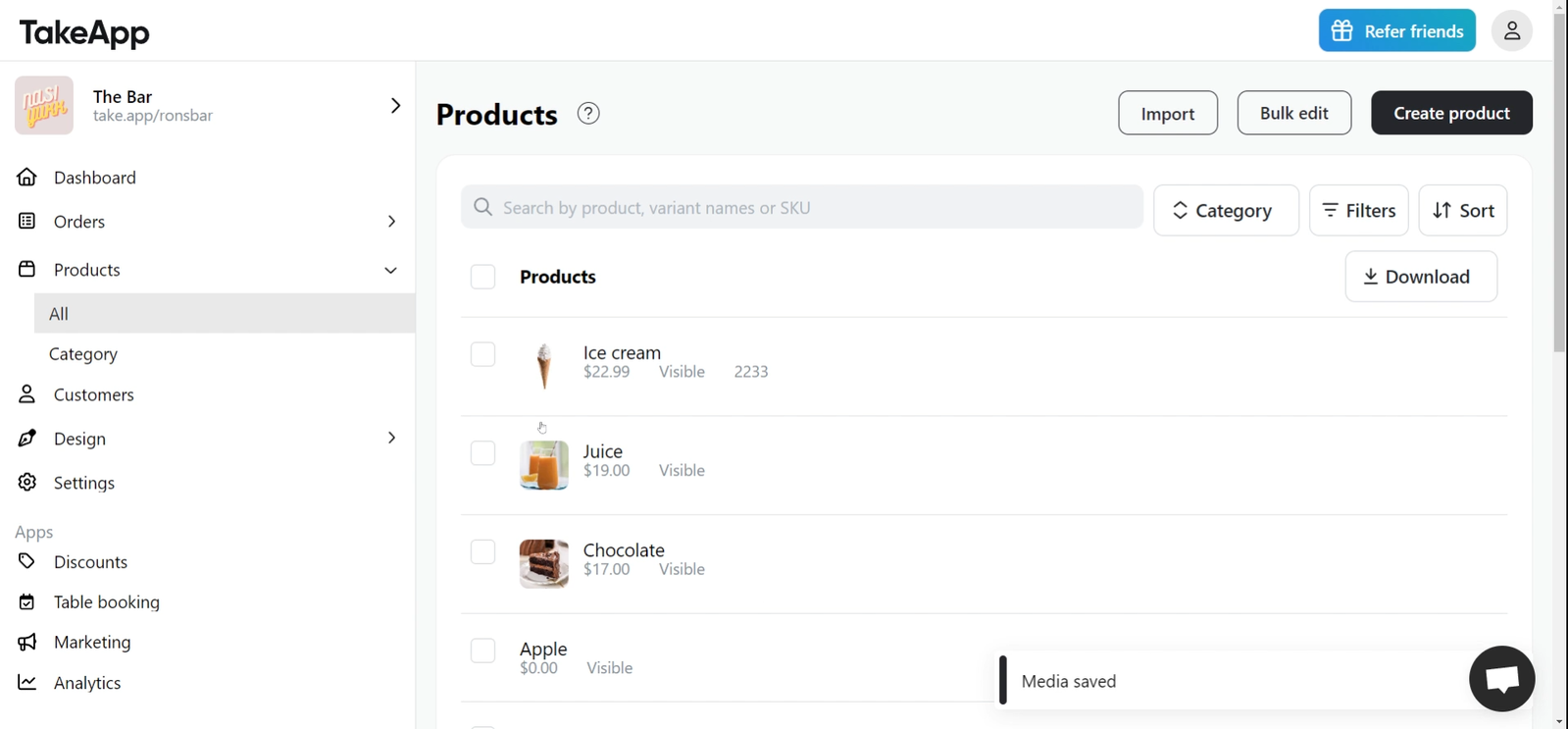
How to efficiently assign images
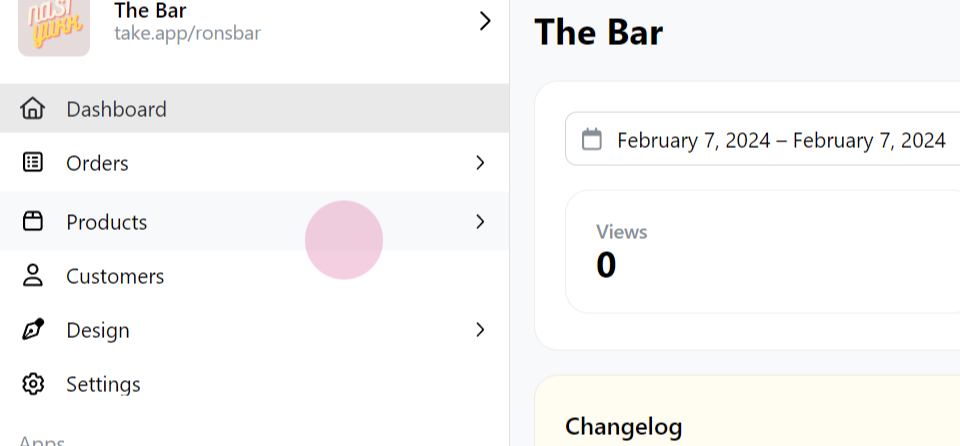
Step 1:Navigate to the "Products" section.
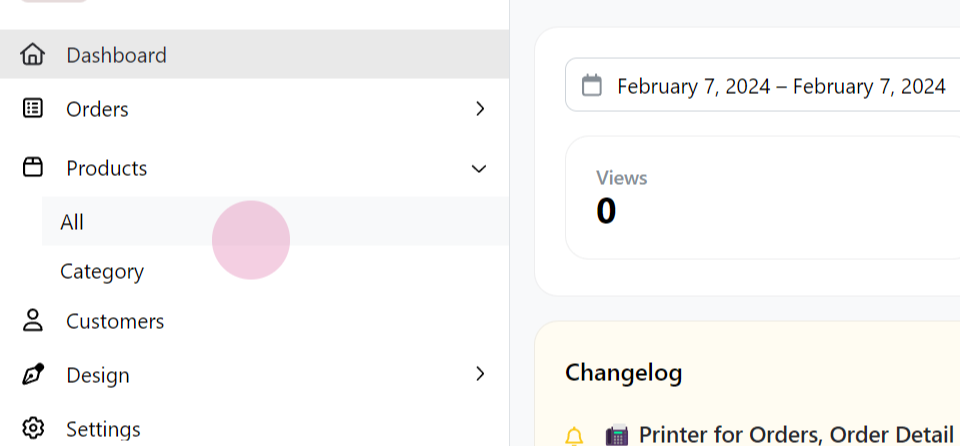
Step 2: Click on "All".
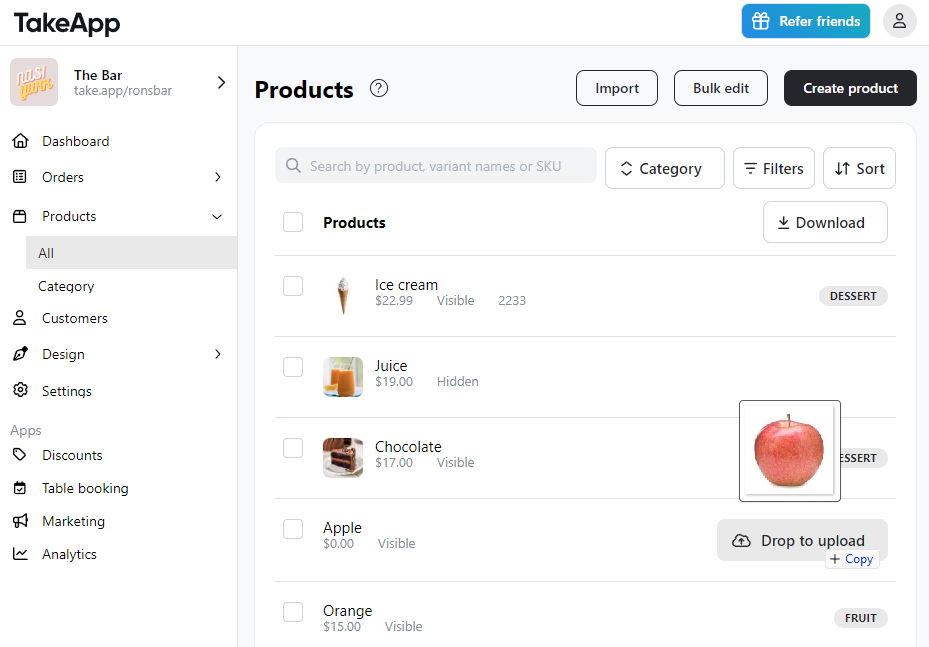
Step 3: Drag your first image file and drop it into the designated area. Repeat the process by dragging and dropping the second image file.
Step 4: As you can see, all the images have been uploaded successfully and quickly. This method allows for efficient and fast uploading of multiple product image