
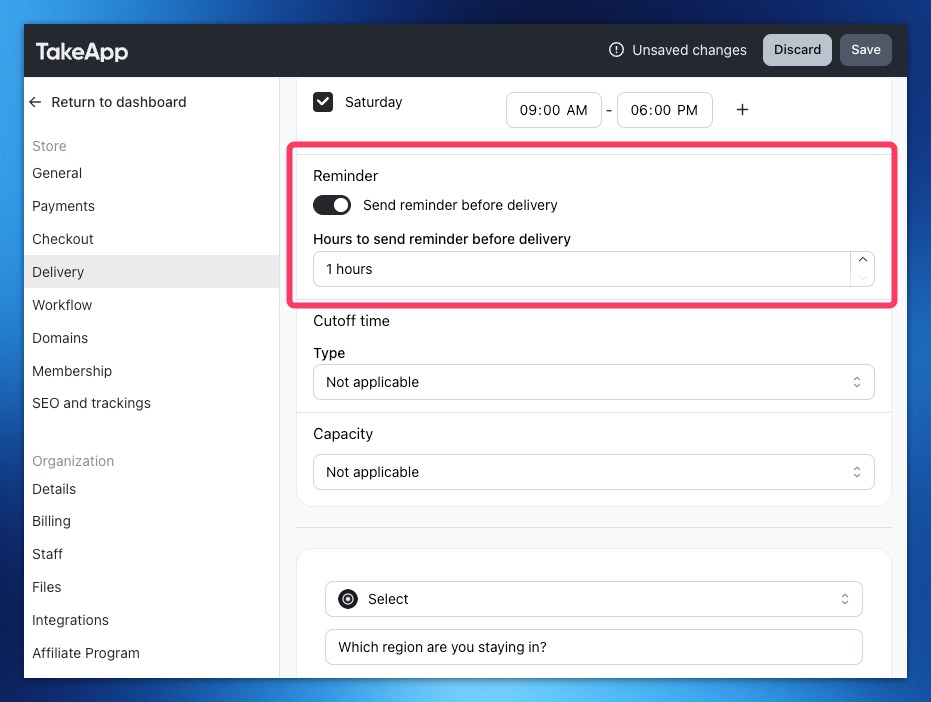
In Delivery settings under the "Schedule" section, you can set Reminder hours for Customers to receive Automated WhatsApp from Take App official account.
This can be used for both Delivery and Pickups.
How to add a delivery reminder
-
Go to Settings > Delivery and click on
add deliveryfor new delivery setup or click on existing delivery -
Toggle on Schedule > scroll down to find "Reminder" section
-
Toggle on Reminder and set the reminder time before delivery
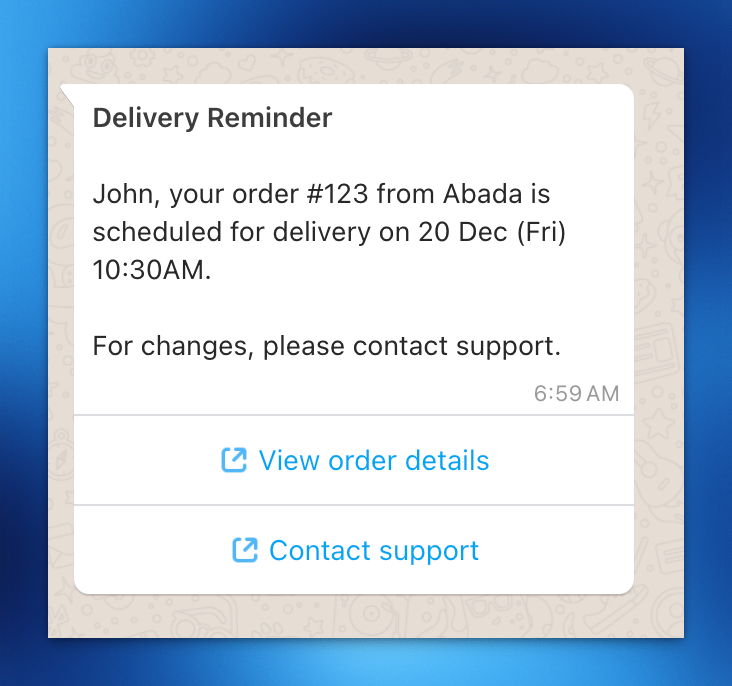
Note: Order status must be "Confirmed" at the time of message delivery