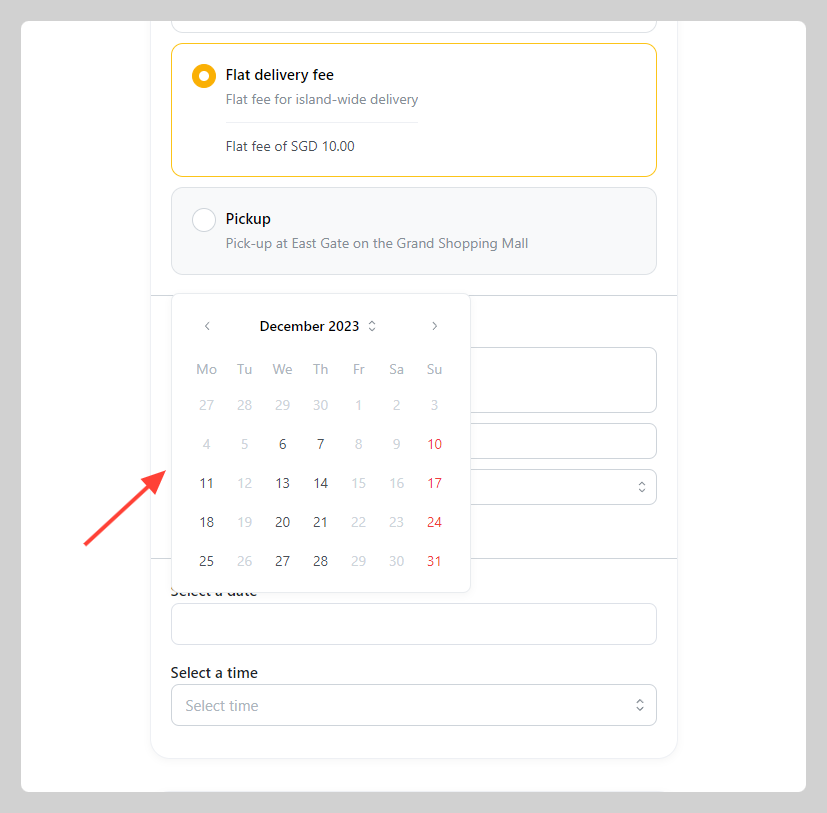
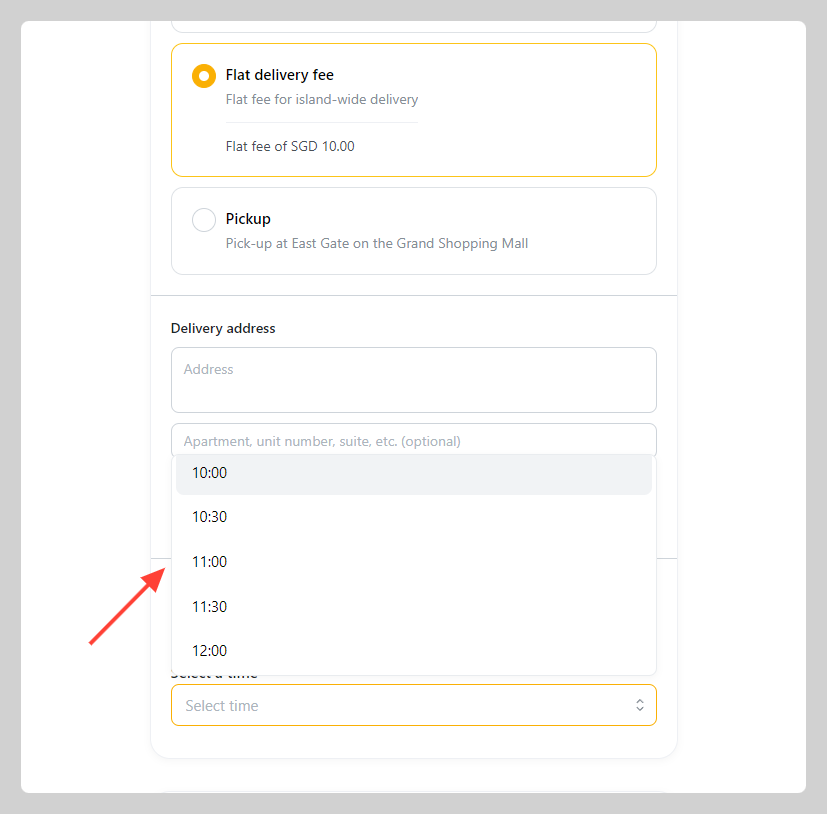
You can let customers choose their delivery schedule by showing the delivery date and time picker on the checkout page.
How to add delivery/pick-up schedule
-
Go to Admin > Settings > Delivery > Select the delivery or pick-up option for which you wish to establish a schedule. If you haven't have one, click
Add delivery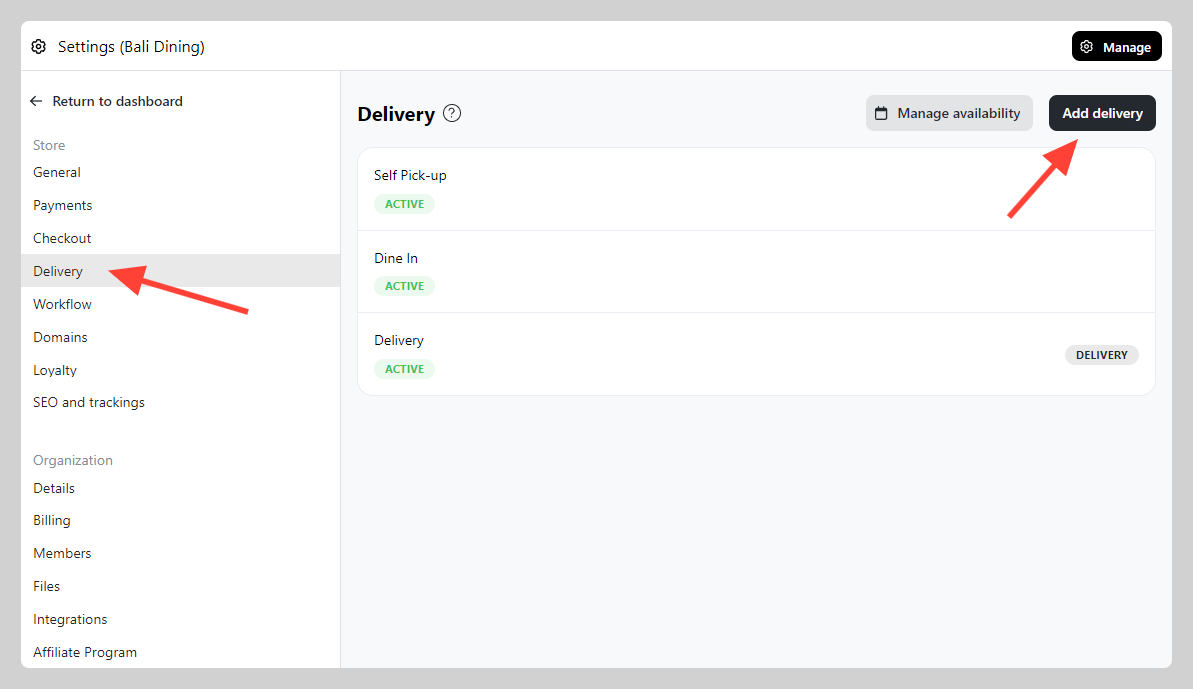
-
At the bottom part, you can set
Schedulethen choose the schedule picker that you want to show
- Date: Only show date picker (calendar) on checkout page (based on service hour)
- Date and time: Show both date and 30 minute time picker (based on service hour)
- Date and timeslots: Show both date and preset time-slot picker (based on service hour)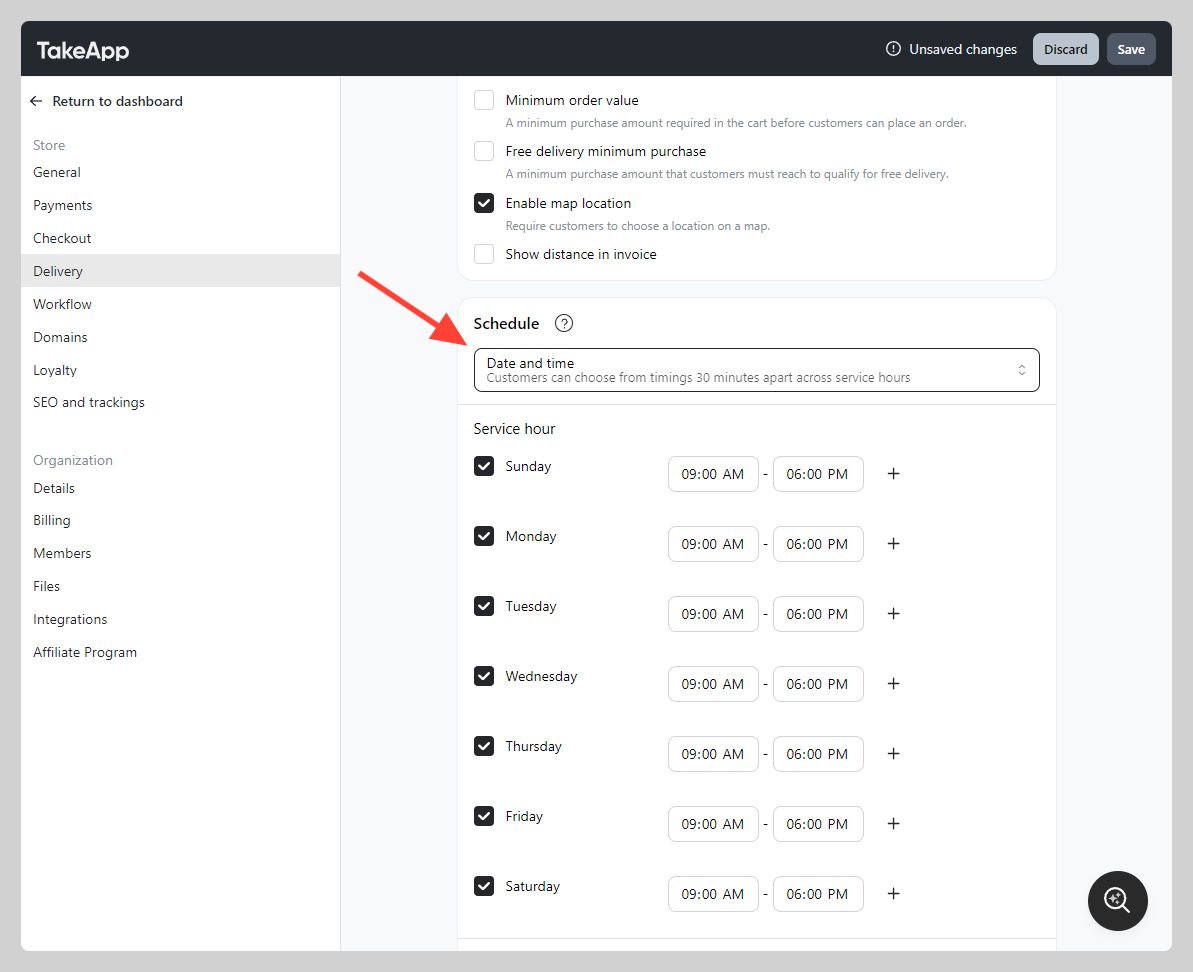
-
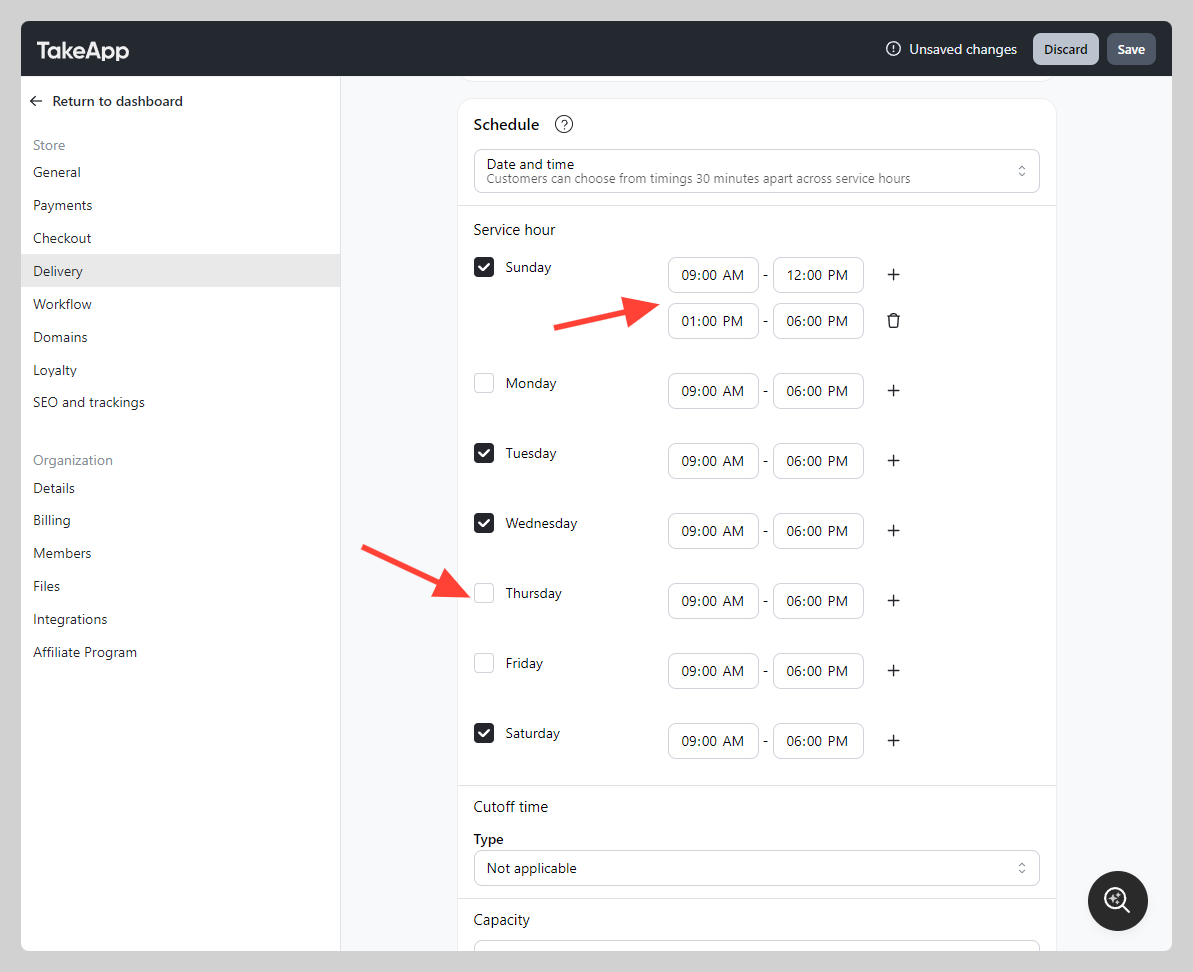
You can also set the service hours to limit your delivery date/time availability. Untick the day(s) that are not included in the weekly schedule.
-
Now you can see the date and time picker on the checkout page