
You can create a banner to show important announcements on the top of your storefront.
How to create a banner
-
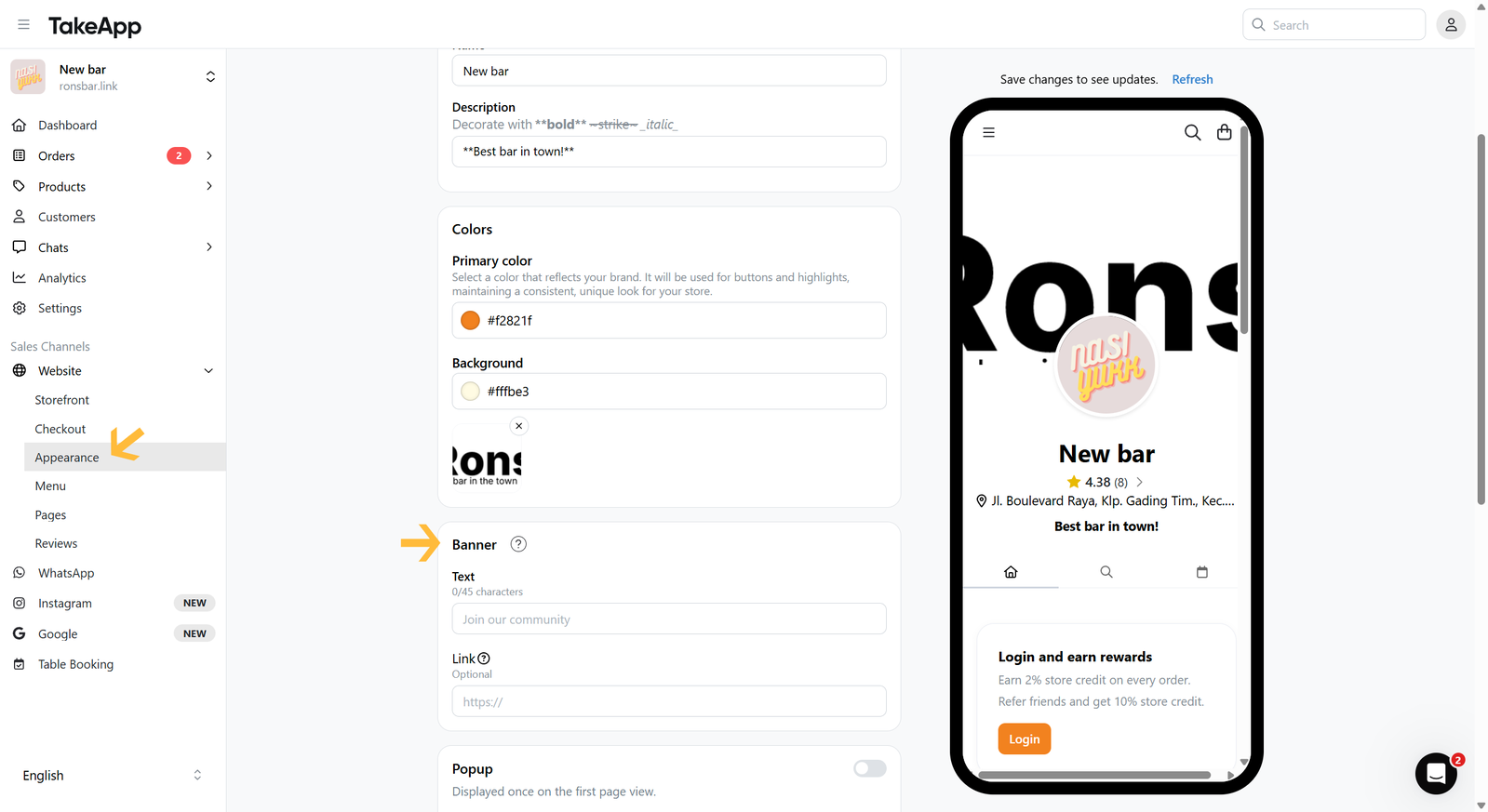
Go to Admin > Website > Appearance, then navigate to the "Banner" section
-
Fill in the Banner text and link (optional). Click
Save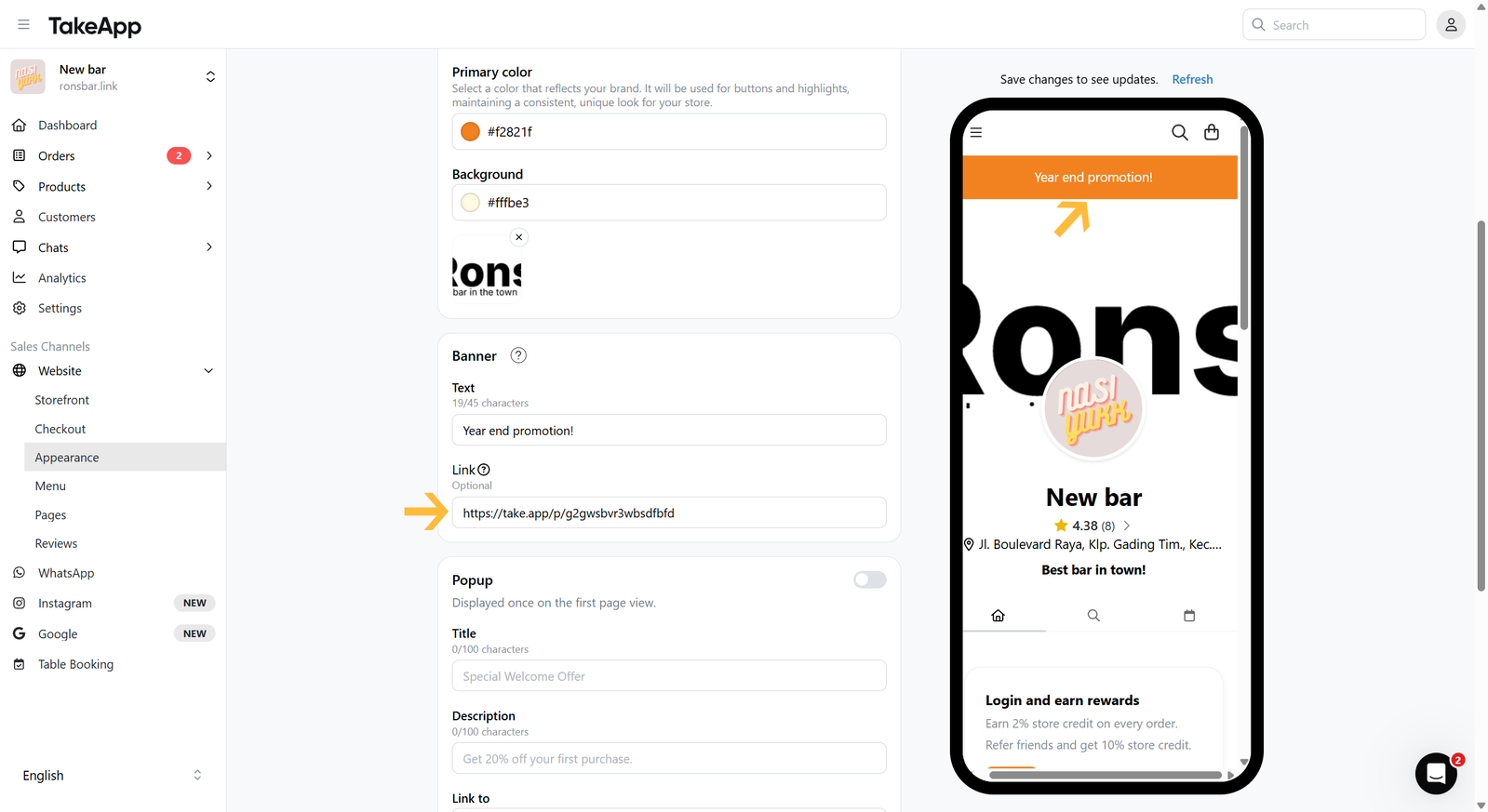
You can create a banner to show important announcements on the top of your storefront.
Go to Admin > Website > Appearance, then navigate to the "Banner" section
Fill in the Banner text and link (optional). Click Save
Posez une question et obtenez une réponse tout de suite, ou discutez avec notre équipe.