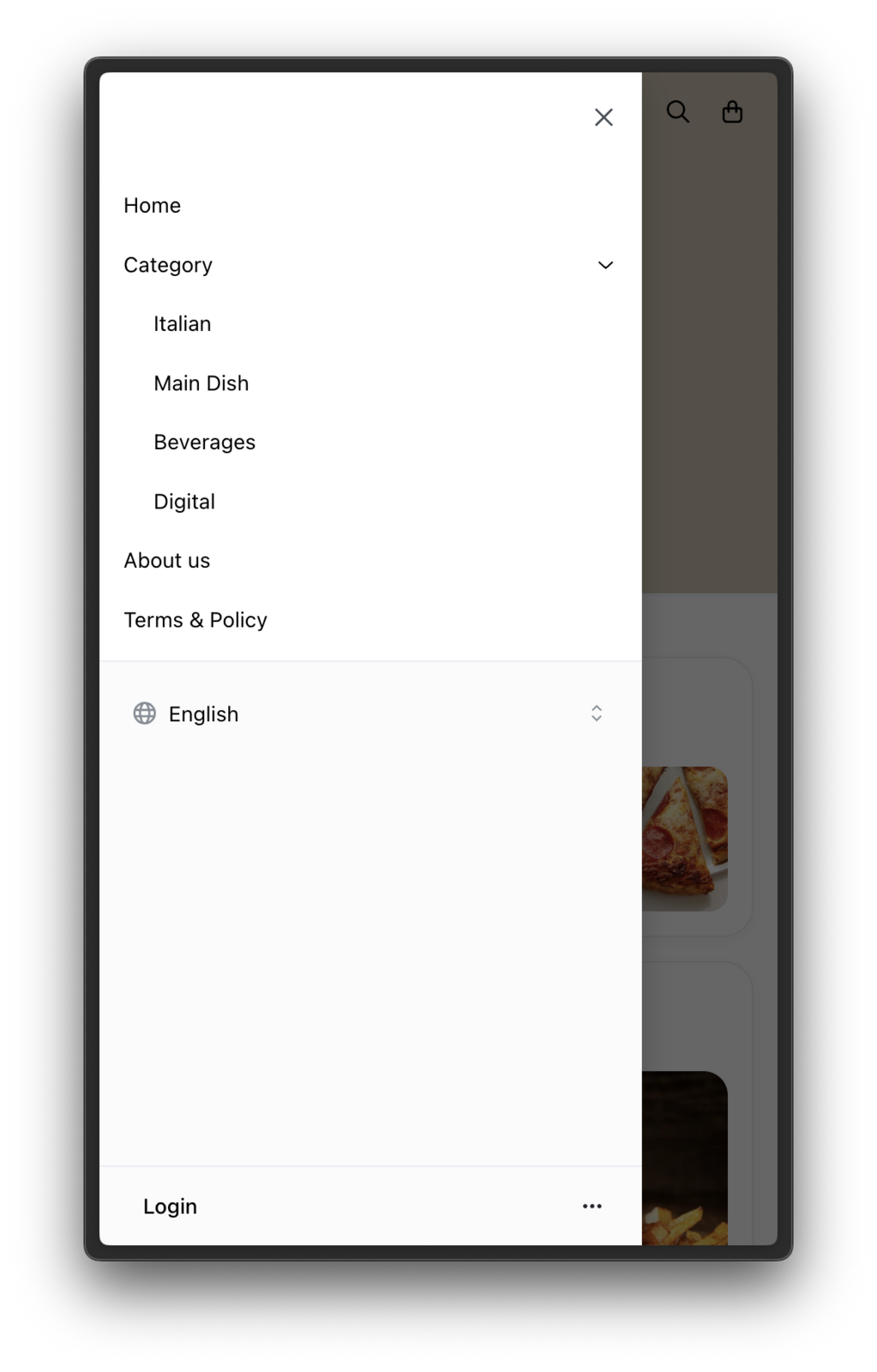
What is a Custom Menu? A custom menu allows you to add extra items to your store's menu bar, such as "Terms & Policies" or "About Us." These items help share important information with your customers in an organized way.
How to Add a Custom Menu
-
To add your custom menu, please go to Website > Menu
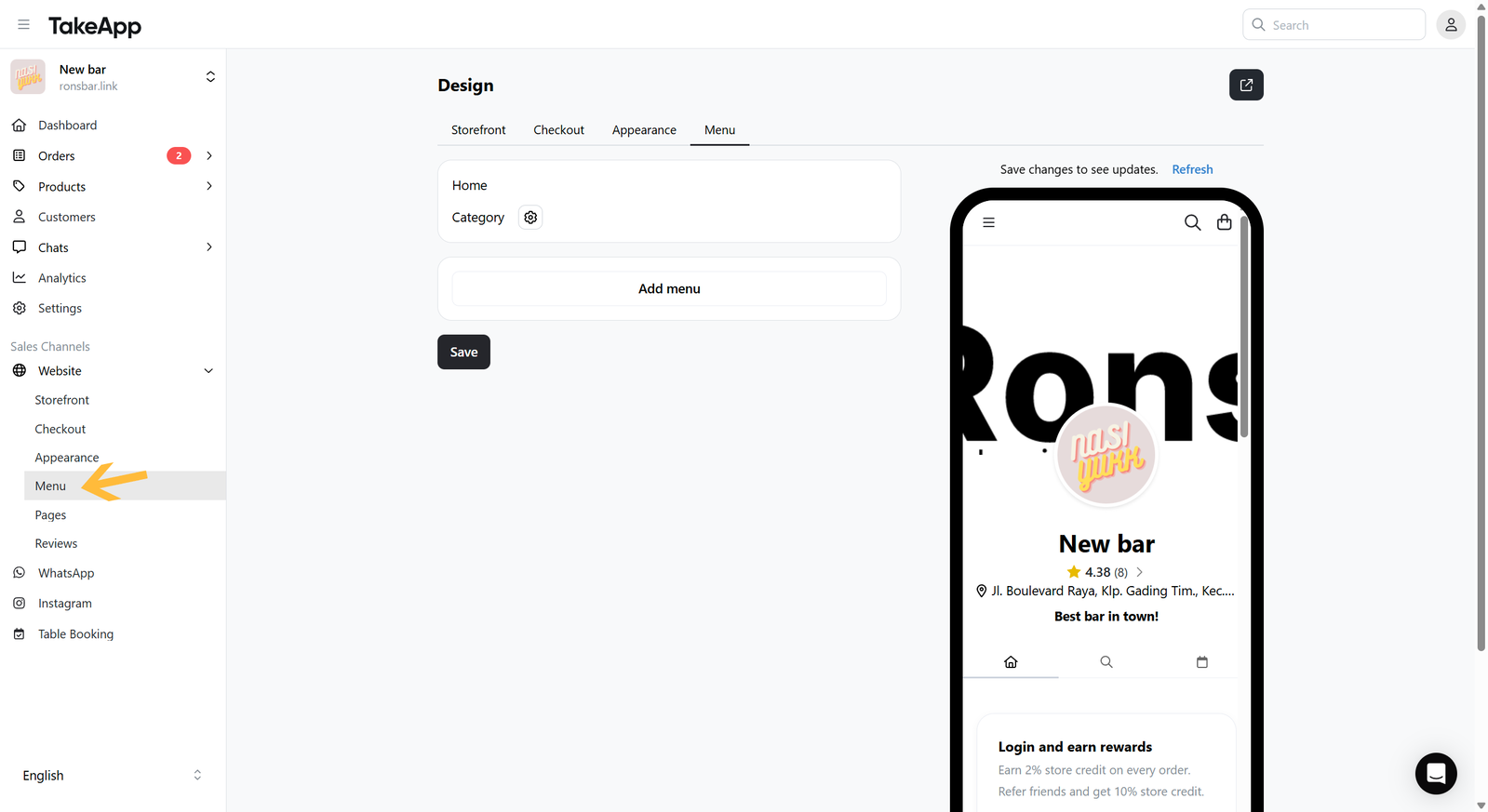
-
Click on
Add menuand choose what the item points at:- One of your pages — pages you've already added. A page that's already in the menu isn't offered twice.
- Table reservation — your public booking page.
- Link — any other address. Links should start with
http://orhttps://
Take App fills in the name and the address for you. Edit the name to whatever your customers should see.
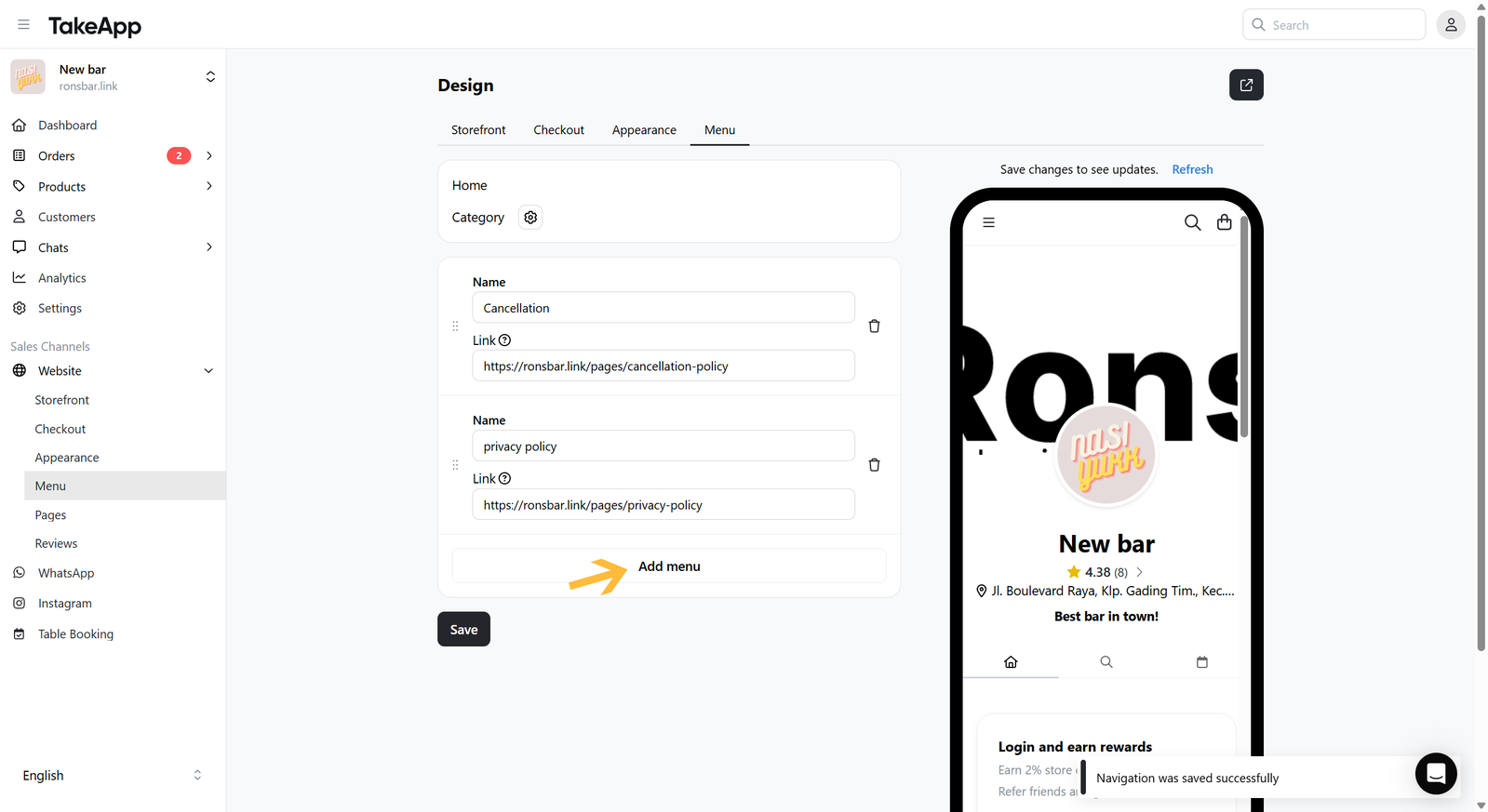
-
Drag the items to set the order customers see them in. Your product categories always sit at the top of the menu — manage those from the Categories row.
-
After saving, the custom menu will show on the storefront's sidebar.