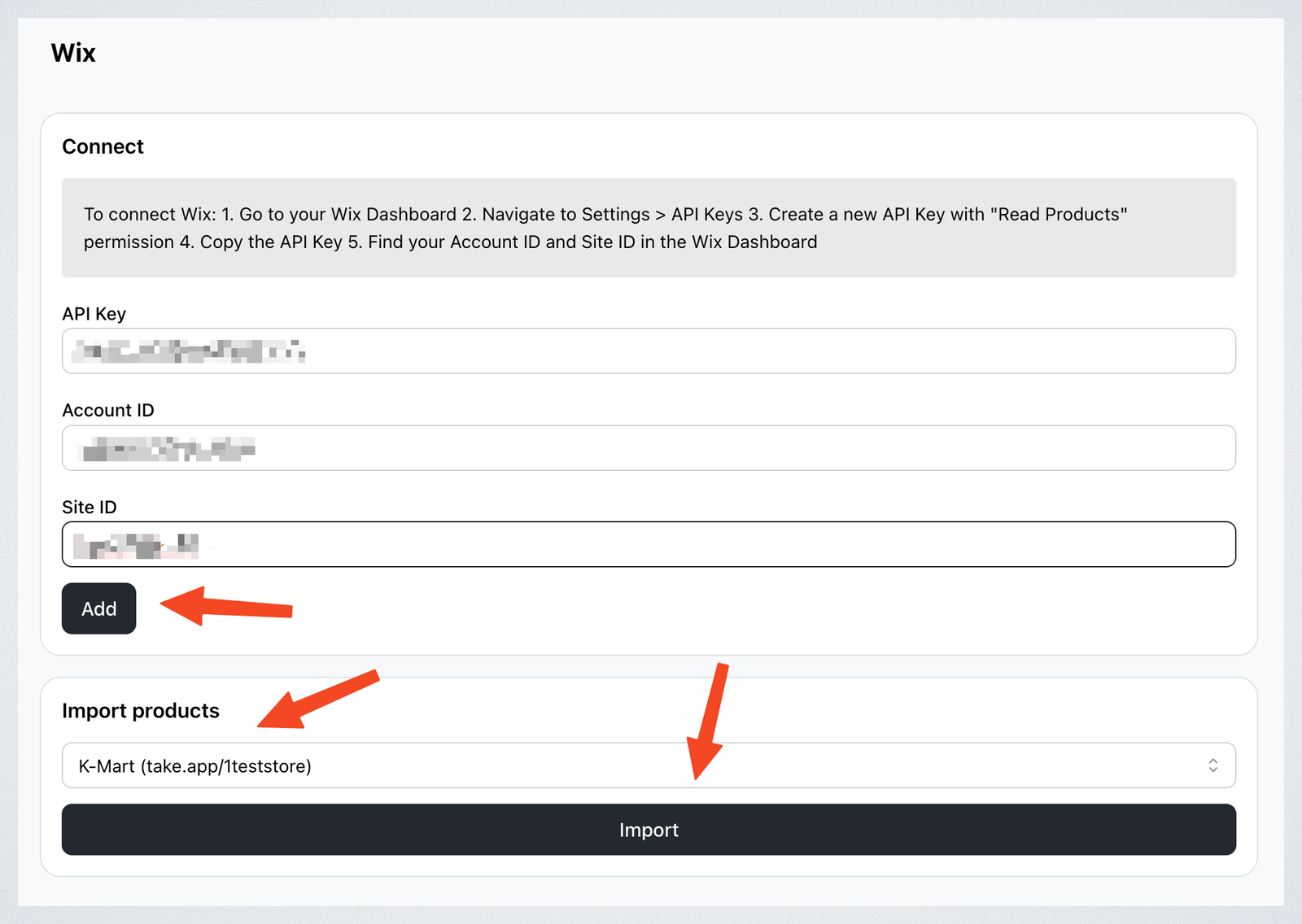
Import products from your Wix store to your Take App store.
In Wix
-
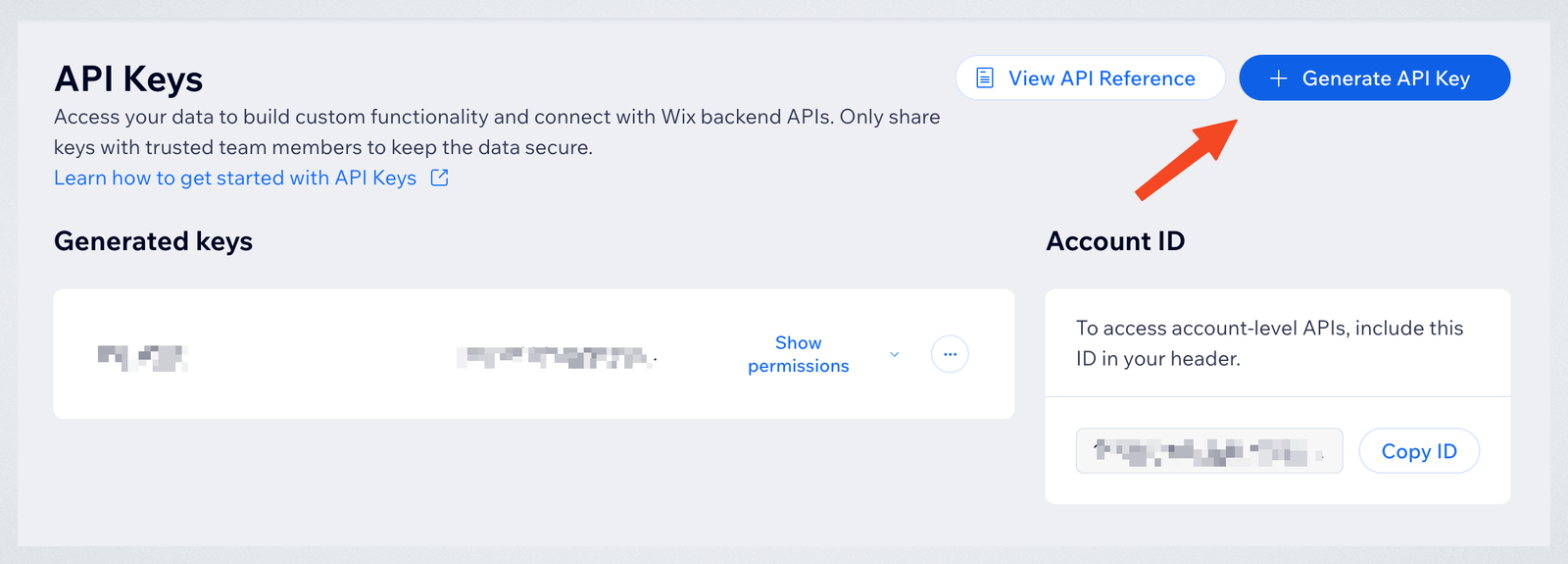
Go to your Wix Dashboard and navigate to Settings > Headless Settings > Admin API Key. Click on "Generate API Key"
-
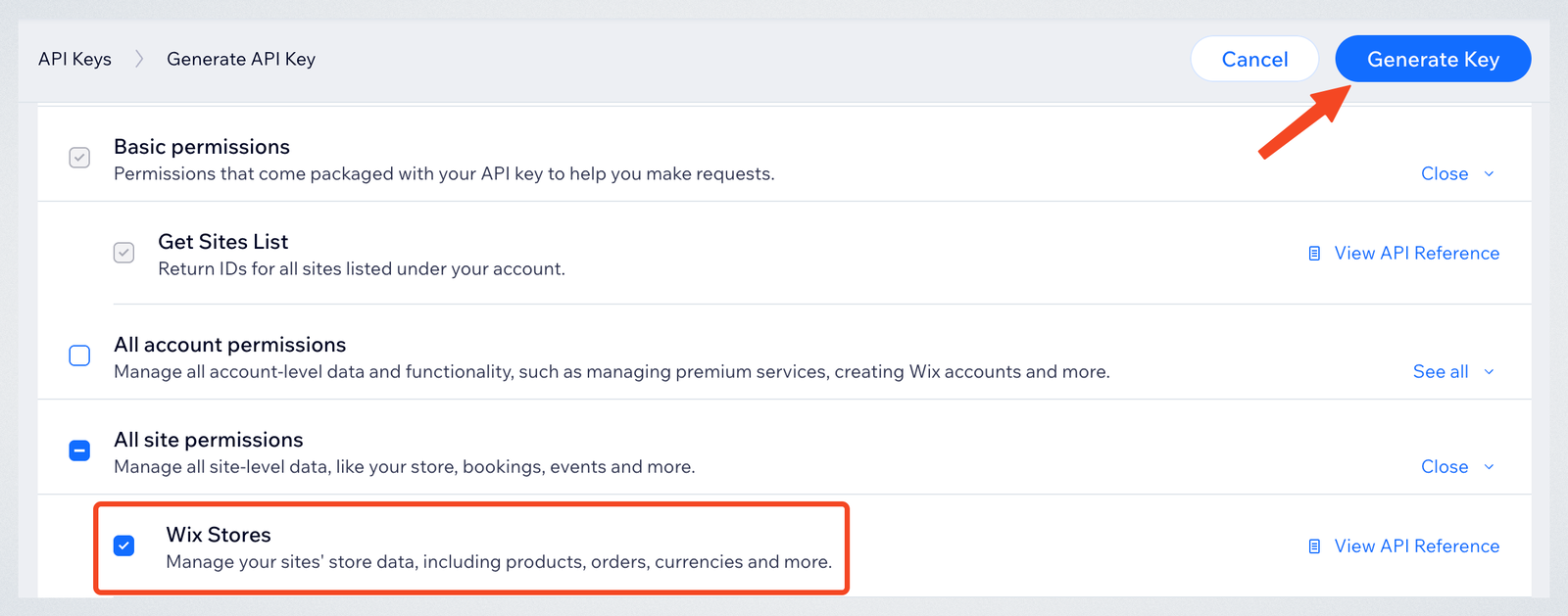
Create a new key with Wix Stores (Read products) permission. Copy the API Key.
-
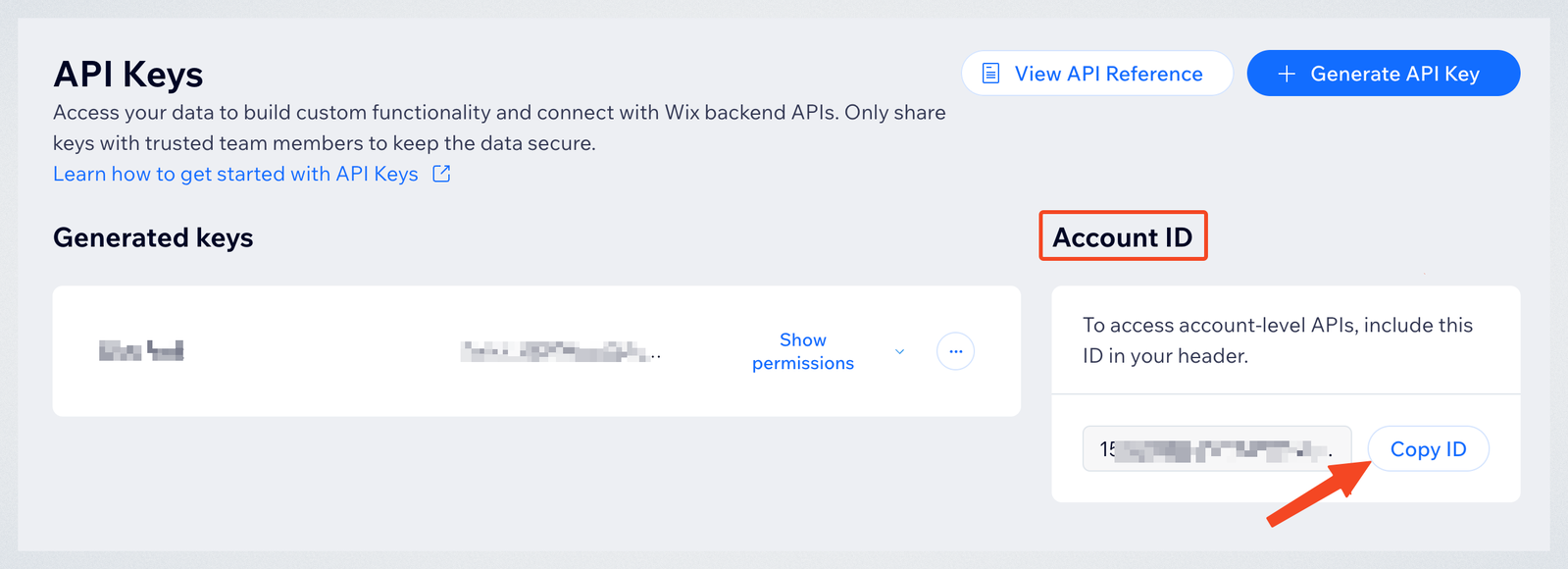
In Settings > API Key, copy your Account ID.
-
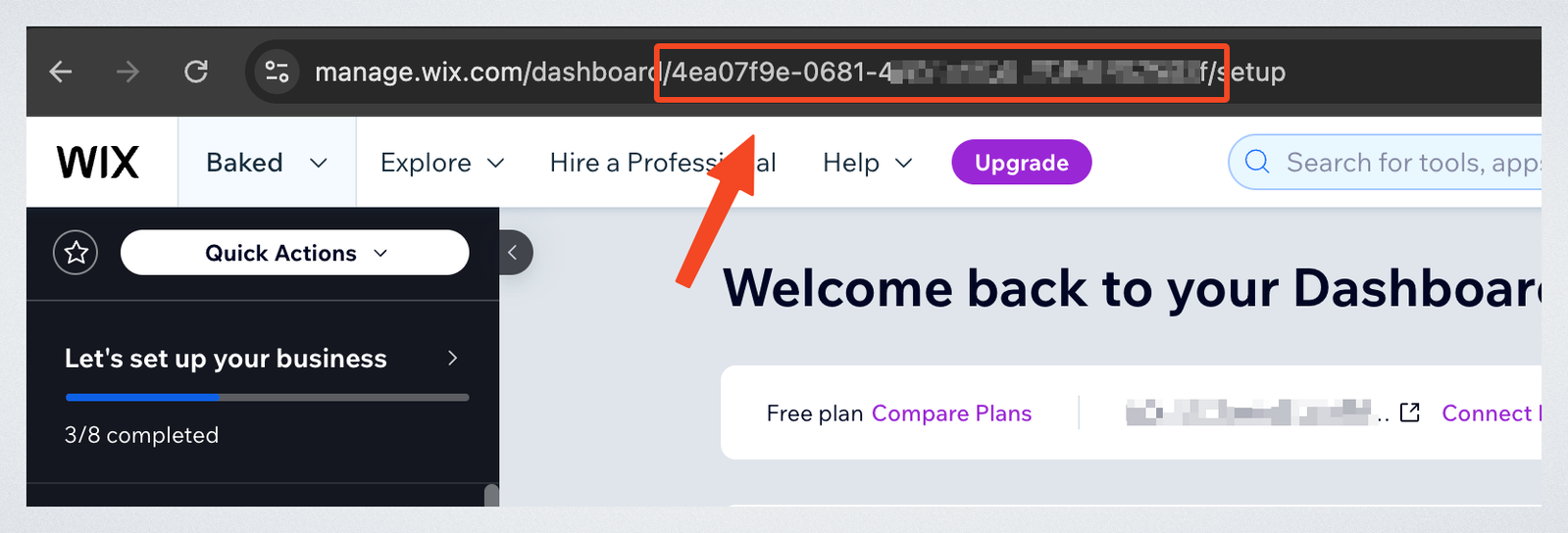
Find your Site ID in the URL of your Wix Dashboard. The Site ID is the part that appears after /dashboard/ in the URL. Copy it.
Connect Wix to Take App
-
In your Take App admin dashboard, go to Settings > Integrations > Wix
-
Paste your API Key, Account ID and Site ID and click "Add"
-
Choose the store you want to import products to.
-
Click Import to bring your products into Take App.