
You can set unit pricing for the product based on its specific product type.
We currently support these Price per unit metrics:
- G
- KG
- L
- ML
- PCS
- PAX
- PACK
- QTY
- LBS
- HOUR
- BOX
How to add price per unit
-
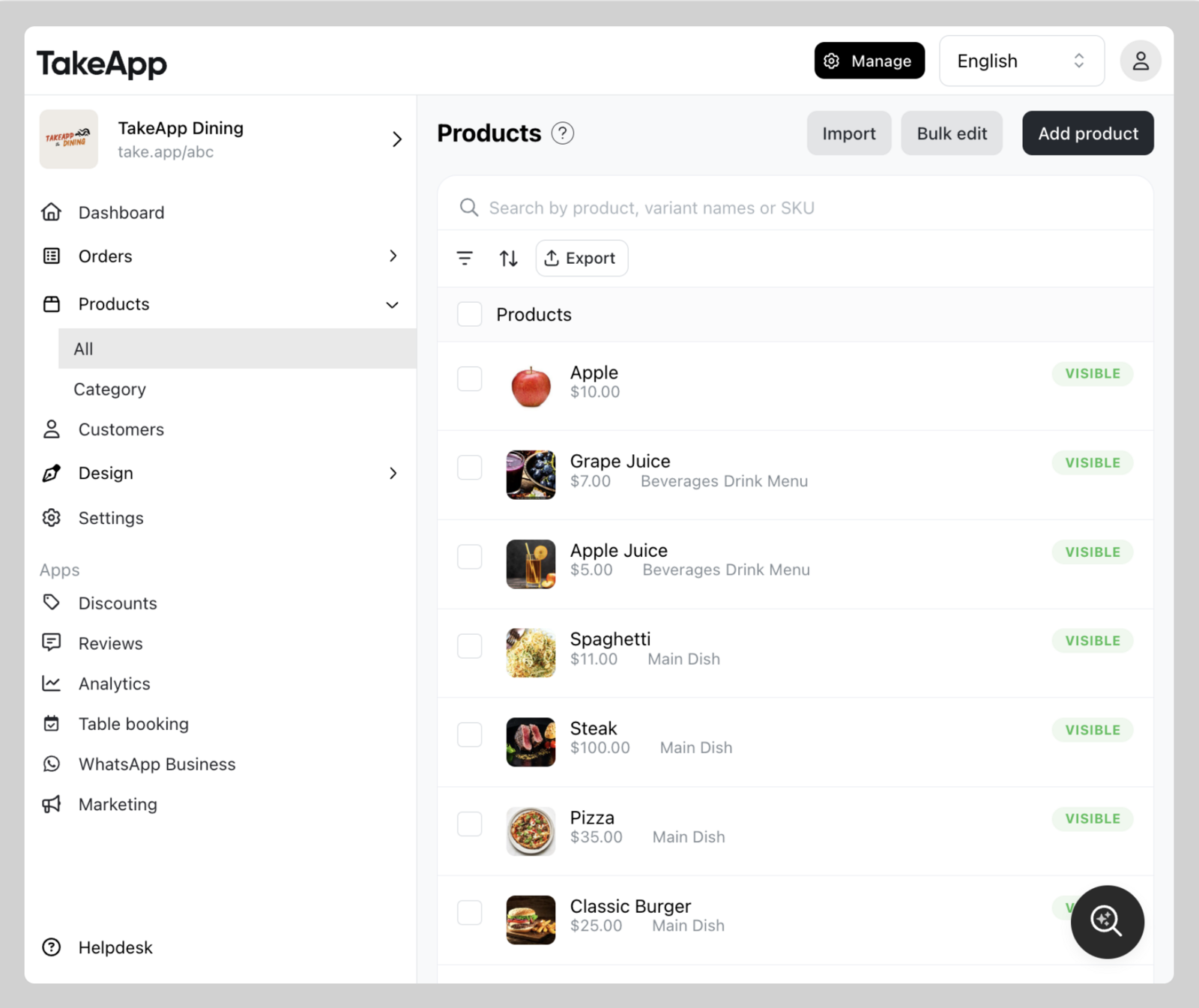
Find your product from Admin > Products and click on the specific product you wish to modify.
-
Tick
Price per unitcheckbox. Type in product's weight, volume or count. Choose the Unit type. ClickSave.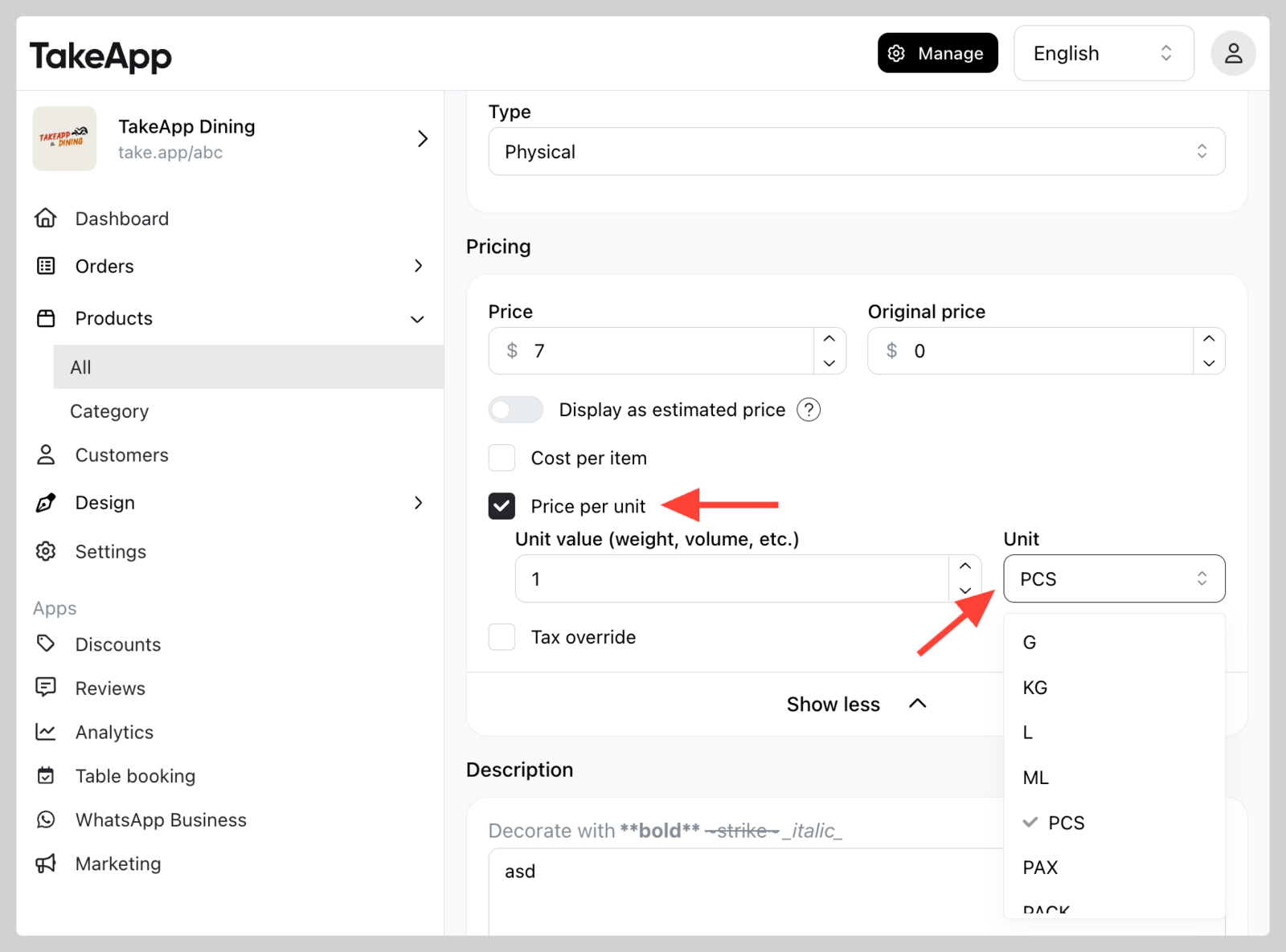
-
Check
Price per uniton your storefront.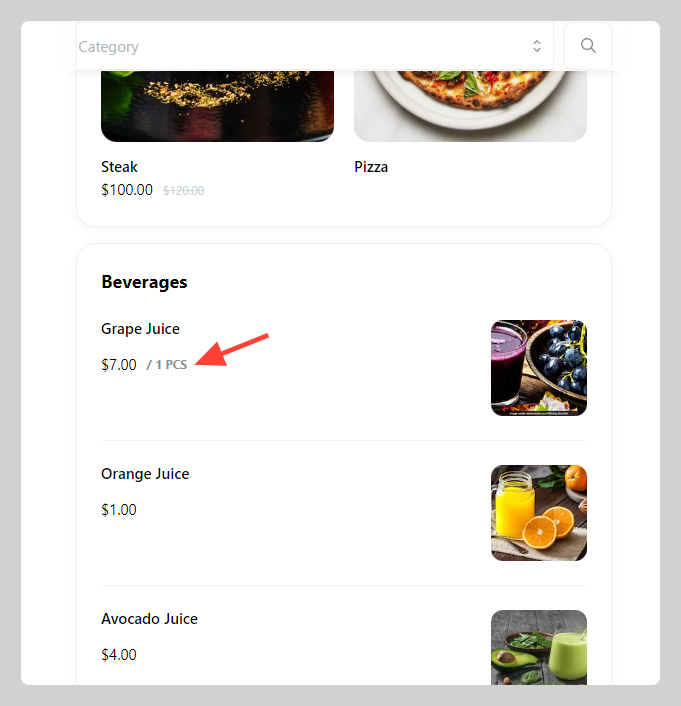
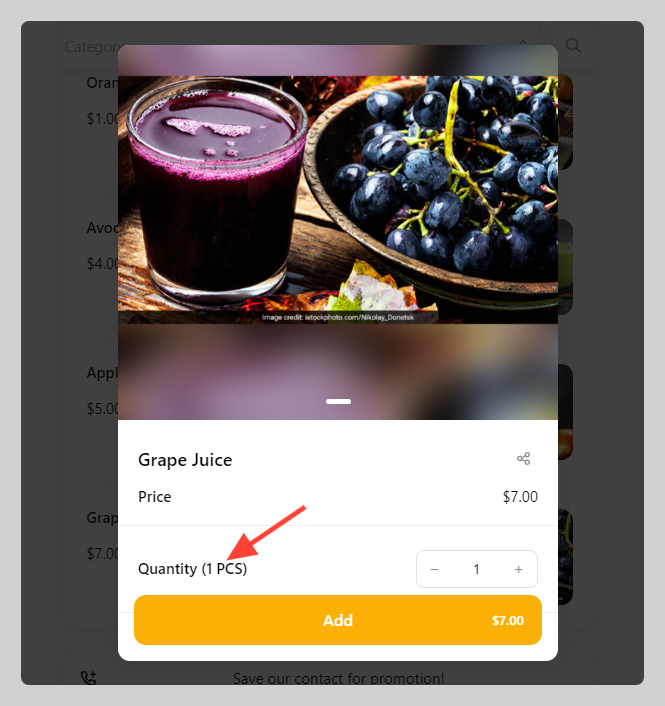
You can also edit Price per unit (Product Unit and Unit Value) when uploading in bulk with CSV file. We recommend to use our CSV template to make the process quicker.