
You can create a unique alphanumeric SKU for each product to efficiently track inventory and manage sales.
How to add product's SKU
-
Go to Admin > Products > All and click on
Add productor choose any existing product that you wish to edit.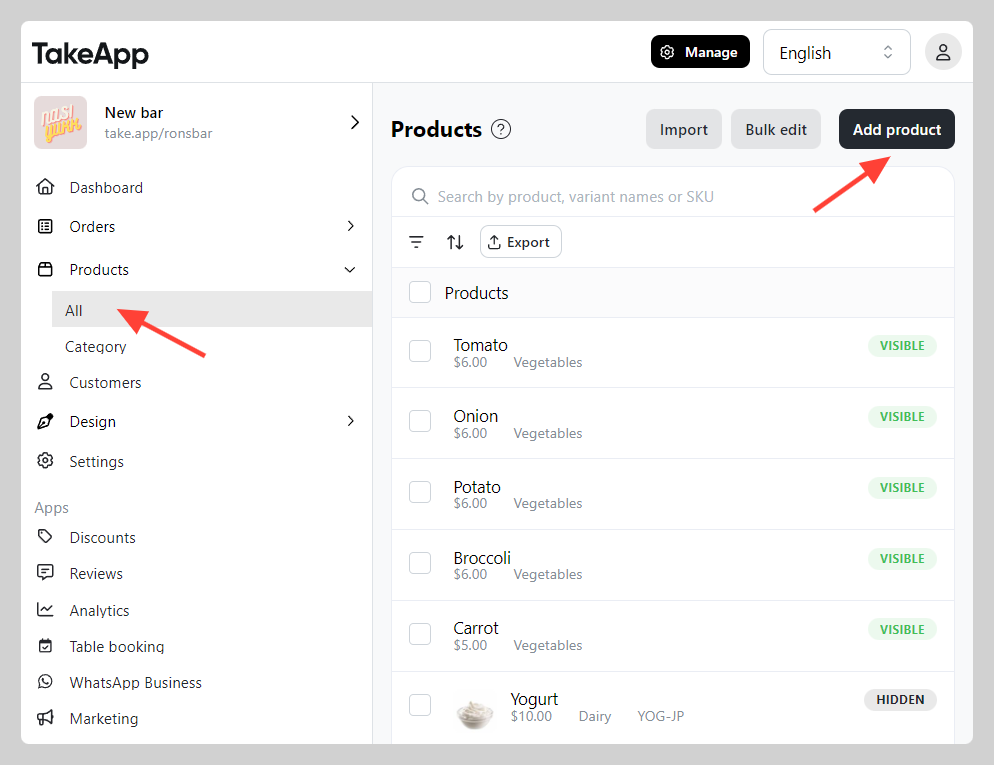
-
Go to the "Inventory" section and fill in the SKU. Click
Save.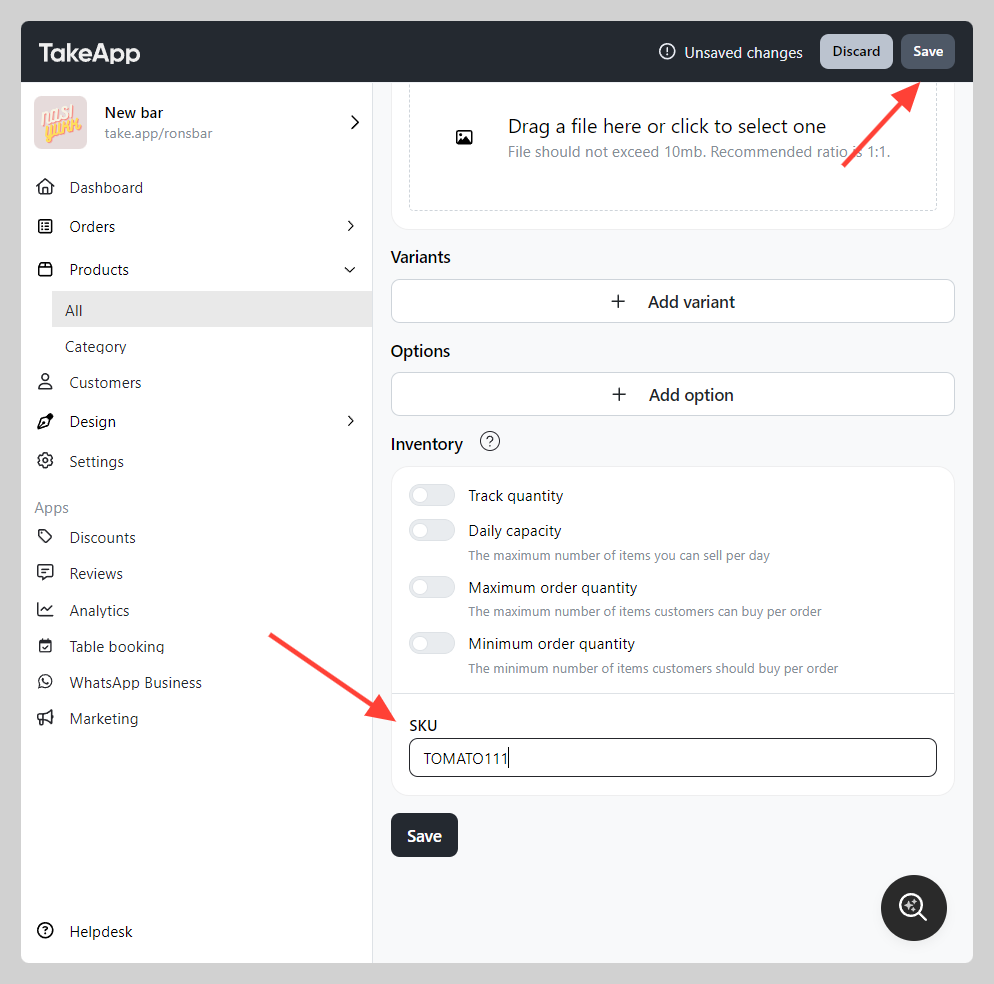
-
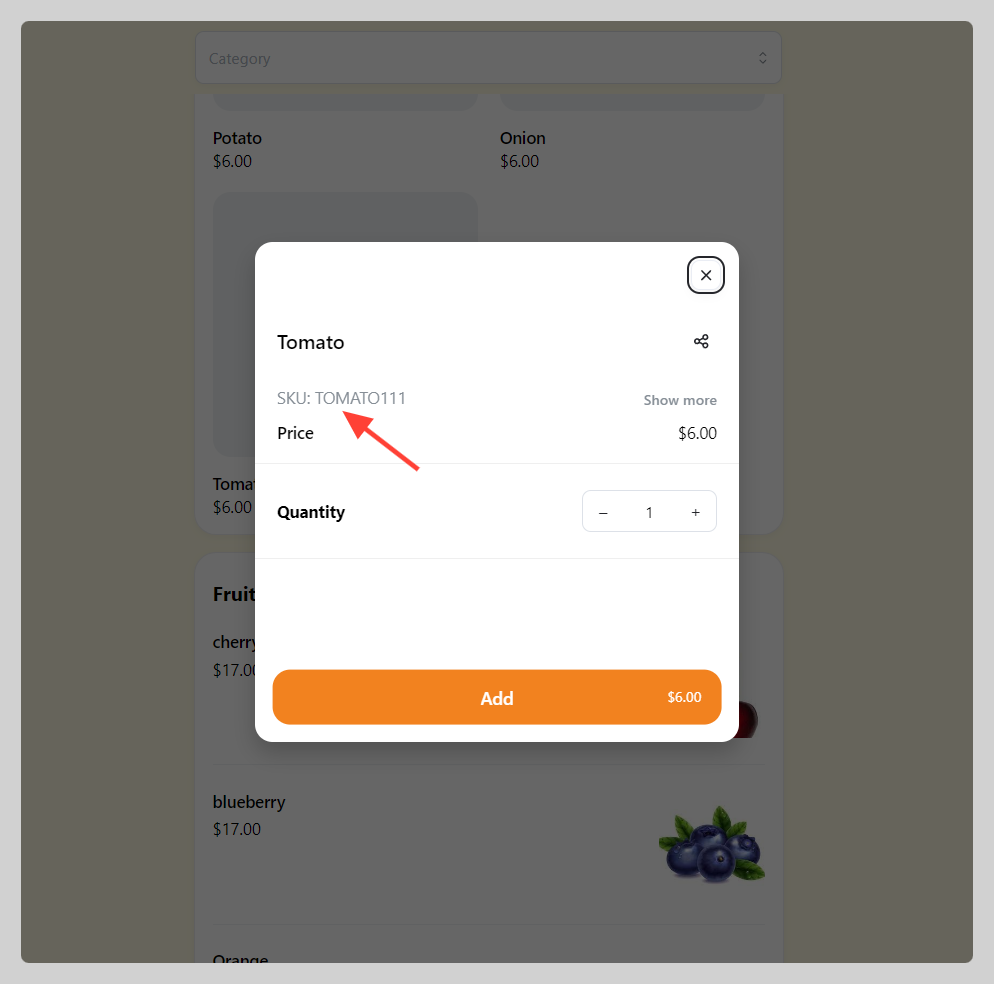
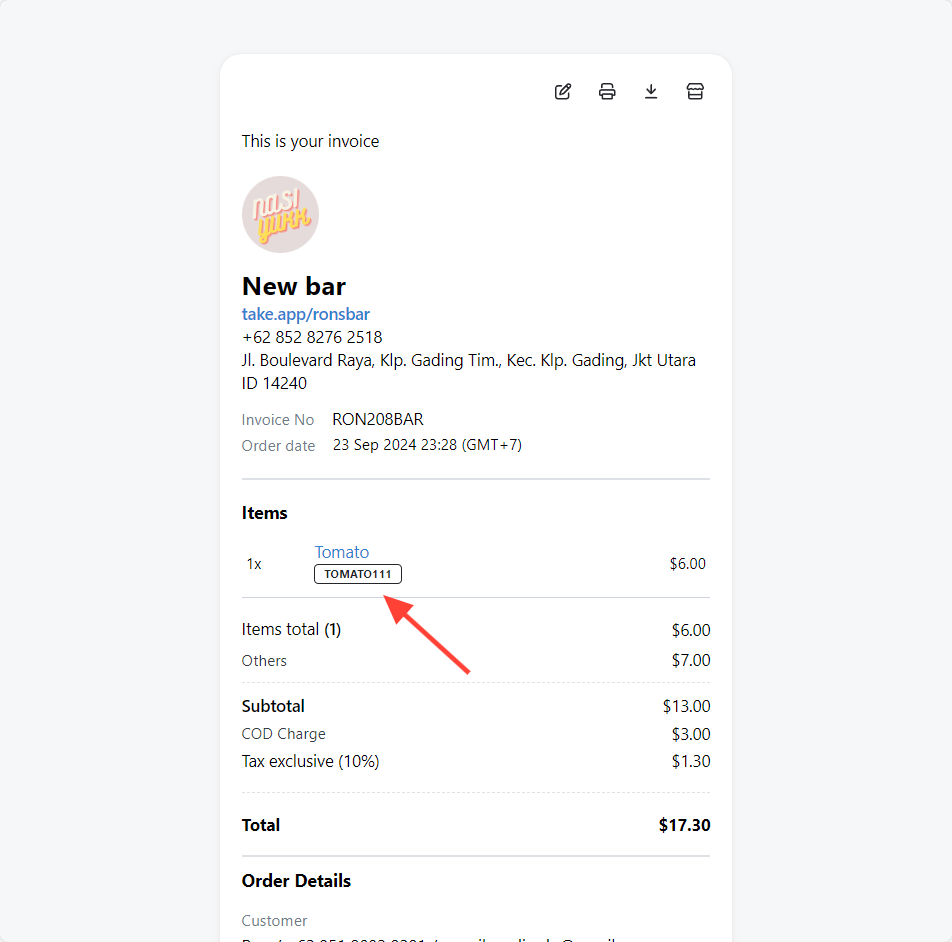
SKU will be shown on the Storefront and Invoice.
You can also edit your SKUs in bulk using bulk edit function.