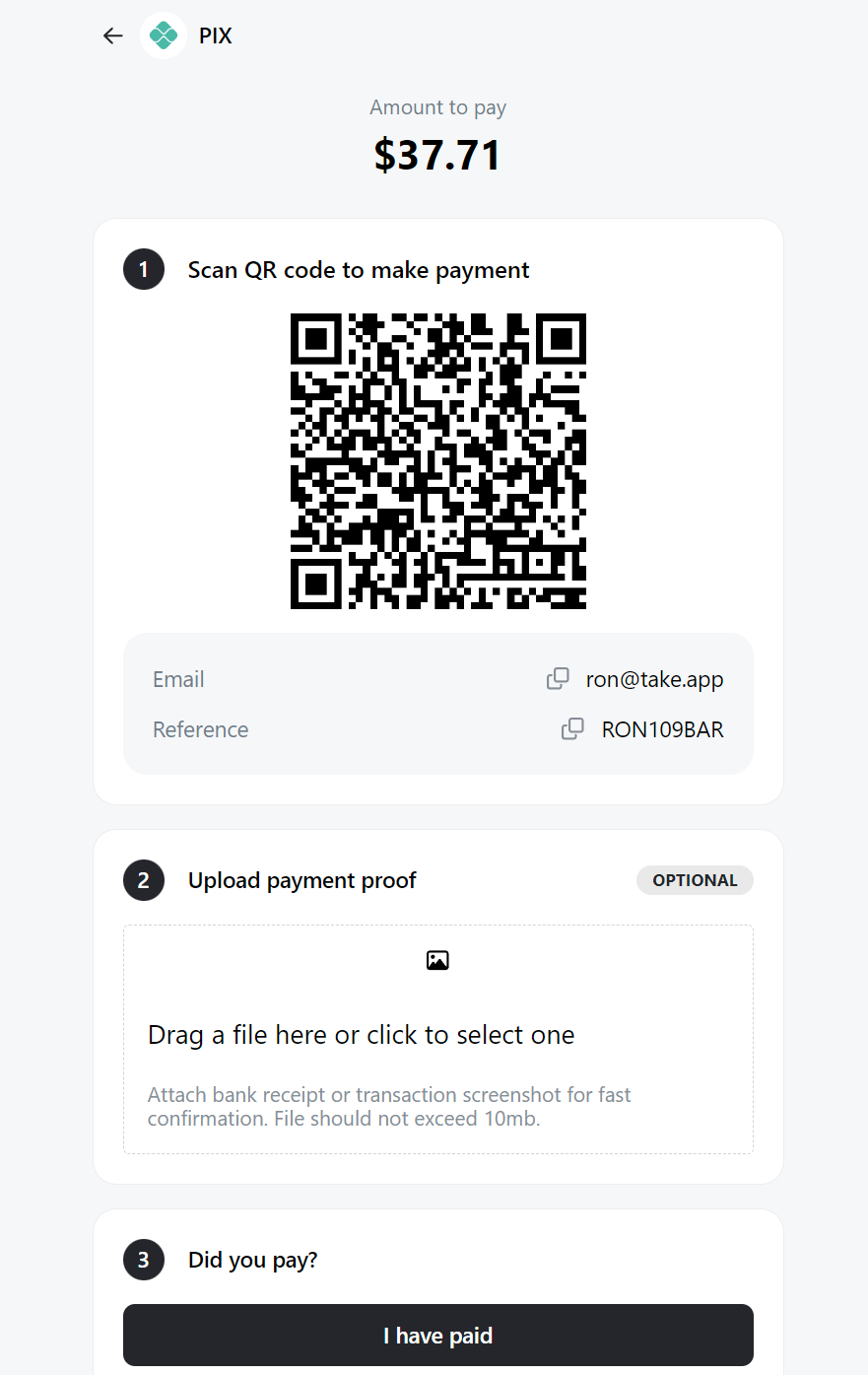
Pix is an instant payment platform created and managed by the monetary authority of Brazil, the Central Bank of Brazil (BCB).
How to add PIX as a payment method
-
Go to Admin > Settings > Payments and click
Add payment method -
Choose payment with "PIX", Register the ID type (Email, Phone, CPF, or CNPJ) then click
Save.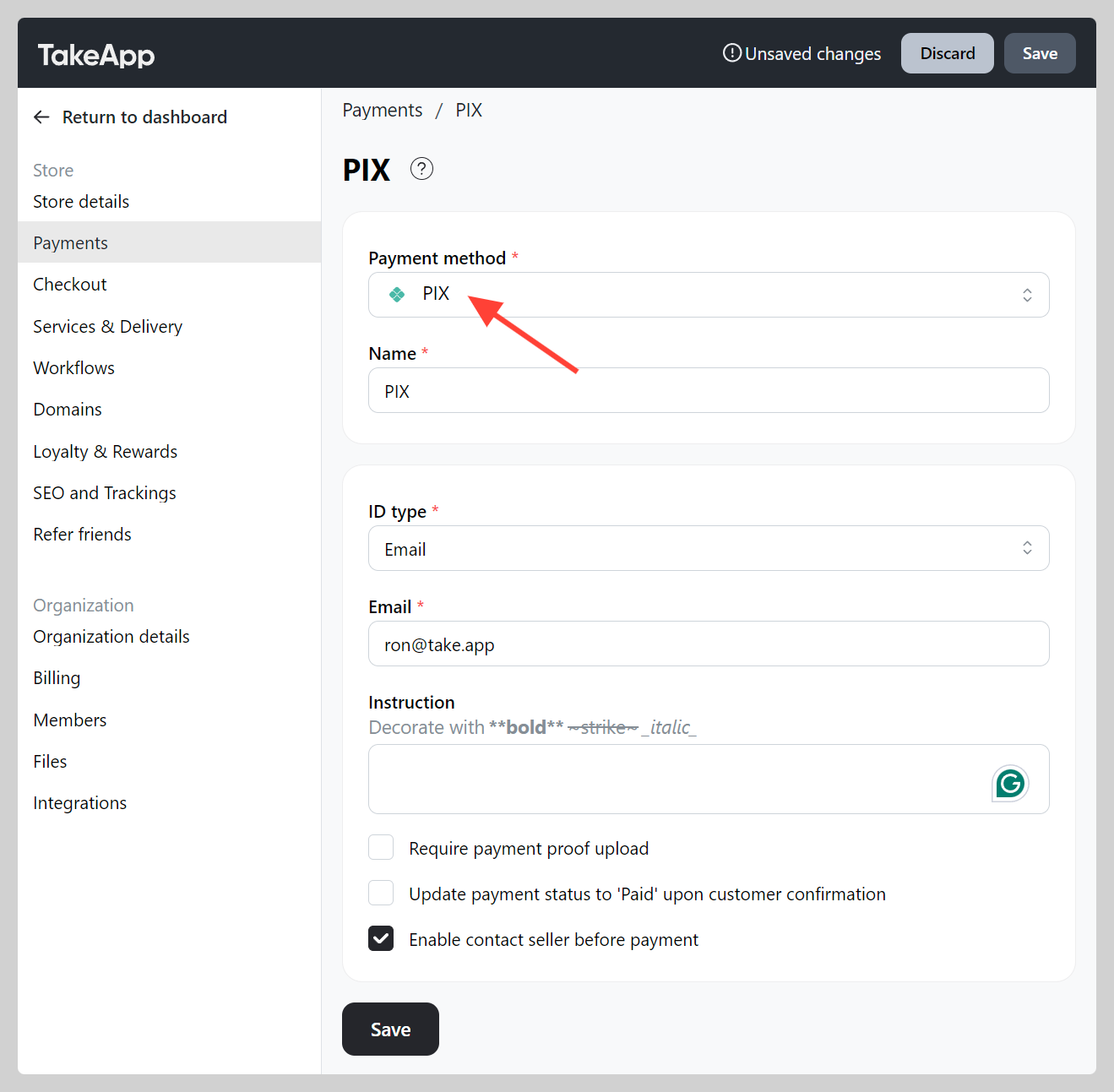
-
Make a test order and check if your PIX QR working well.