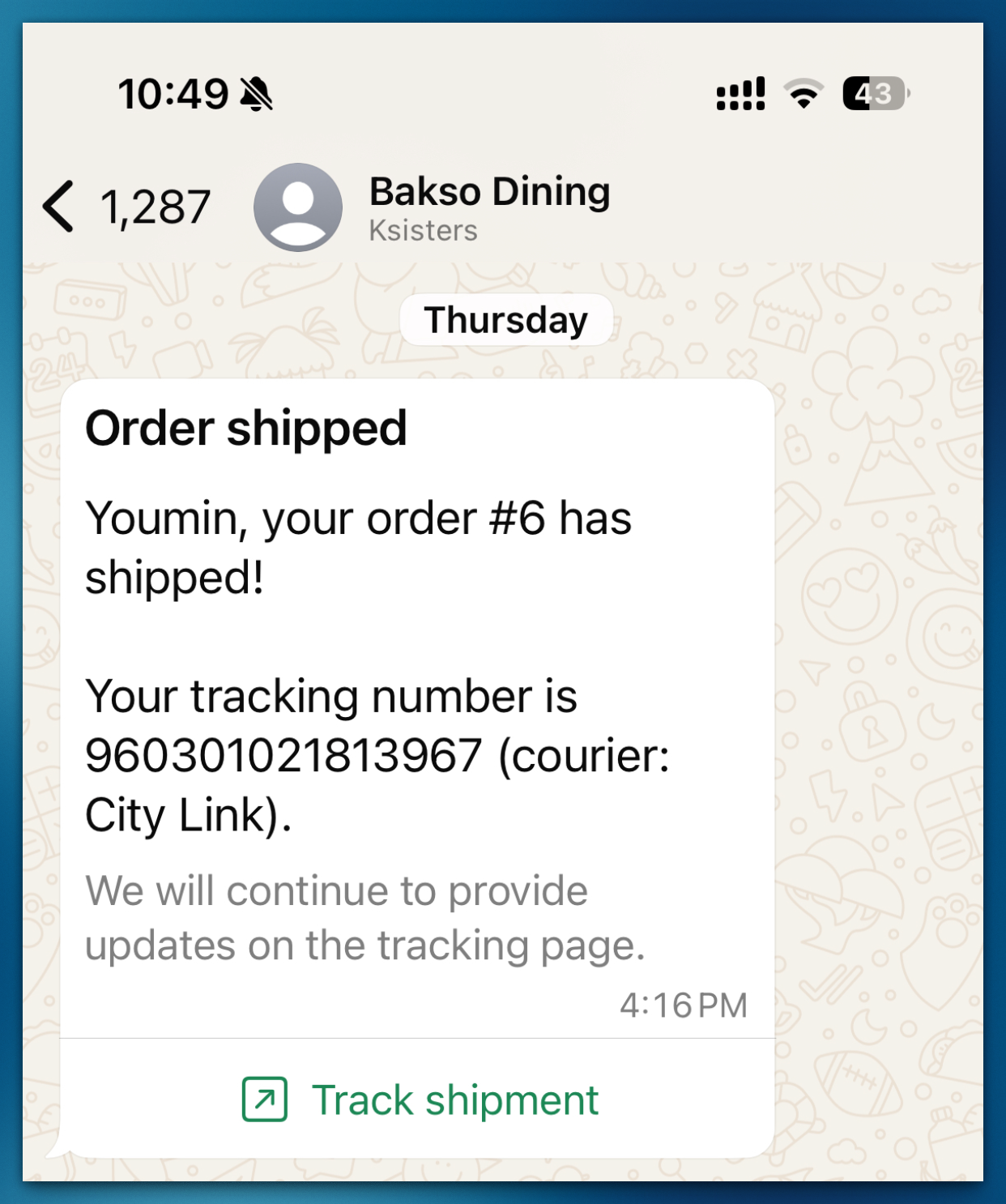
Add a tracking number to your order and keep your customers informed.
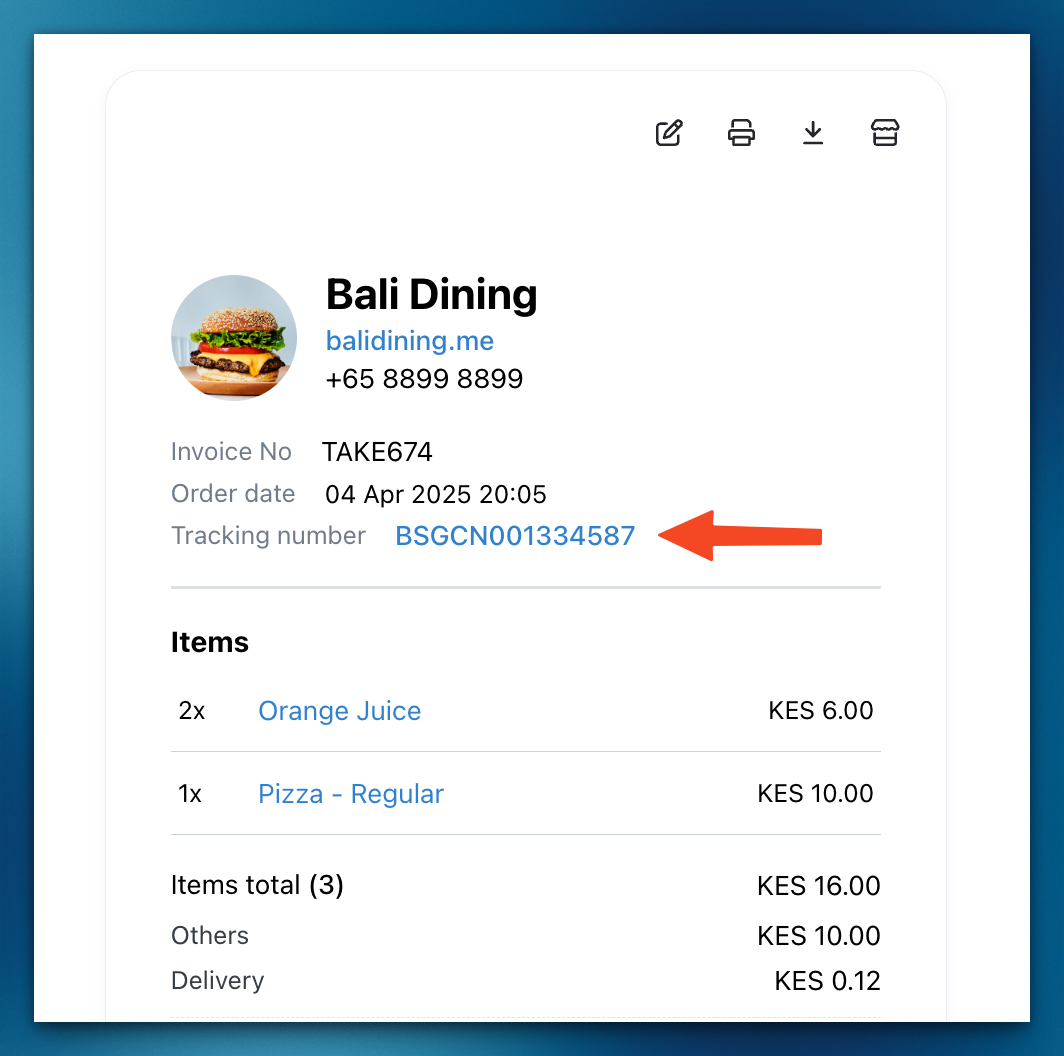
Simply enter the tracking number, and Take App will automatically update the shipment status. The tracking details will appear on the customer’s invoice, making it easy for them to check their delivery status at any time.
If you have the Workflow feature enabled, your customers will also receive a personalized tracking page for an even smoother experience.
How to add delivery tracking
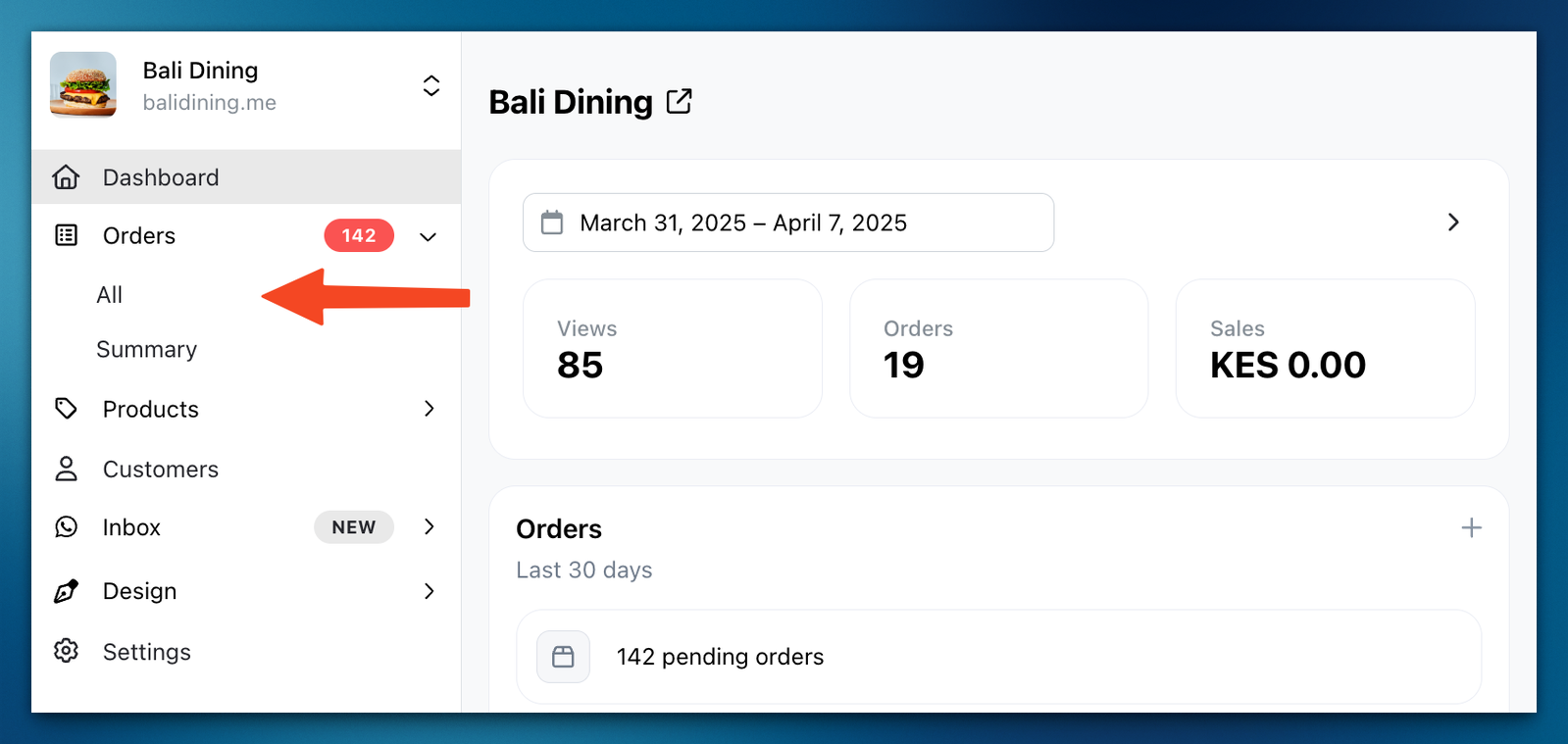
Step 1: Navigate to the orders menu and select All.
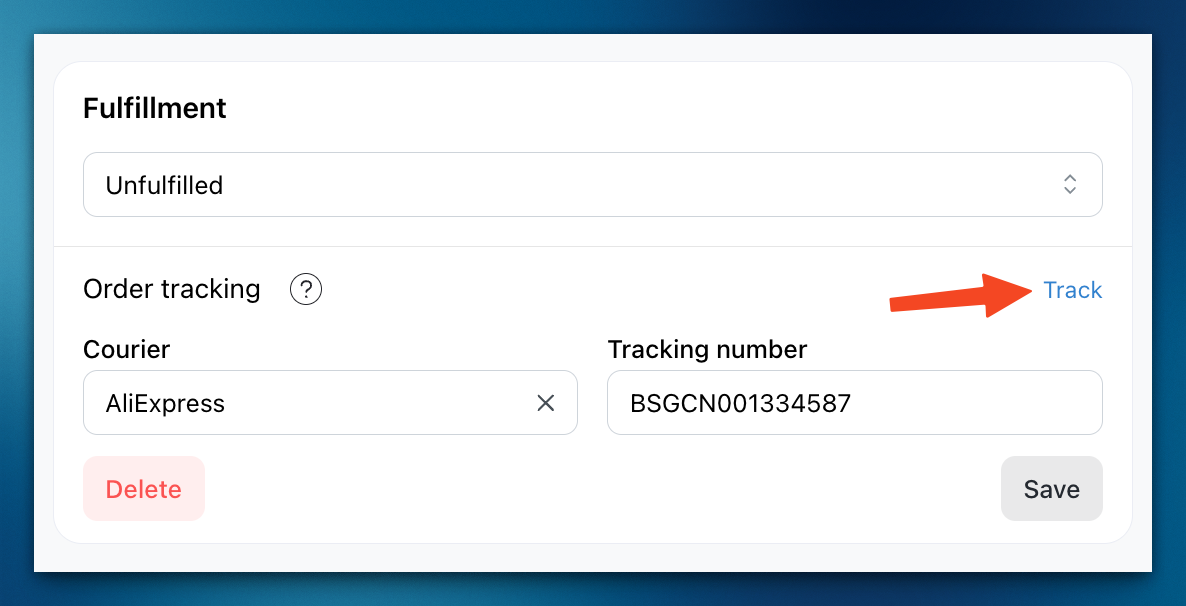
Step 2: Click on the order for which you wish to add tracking. Then, select the courier.
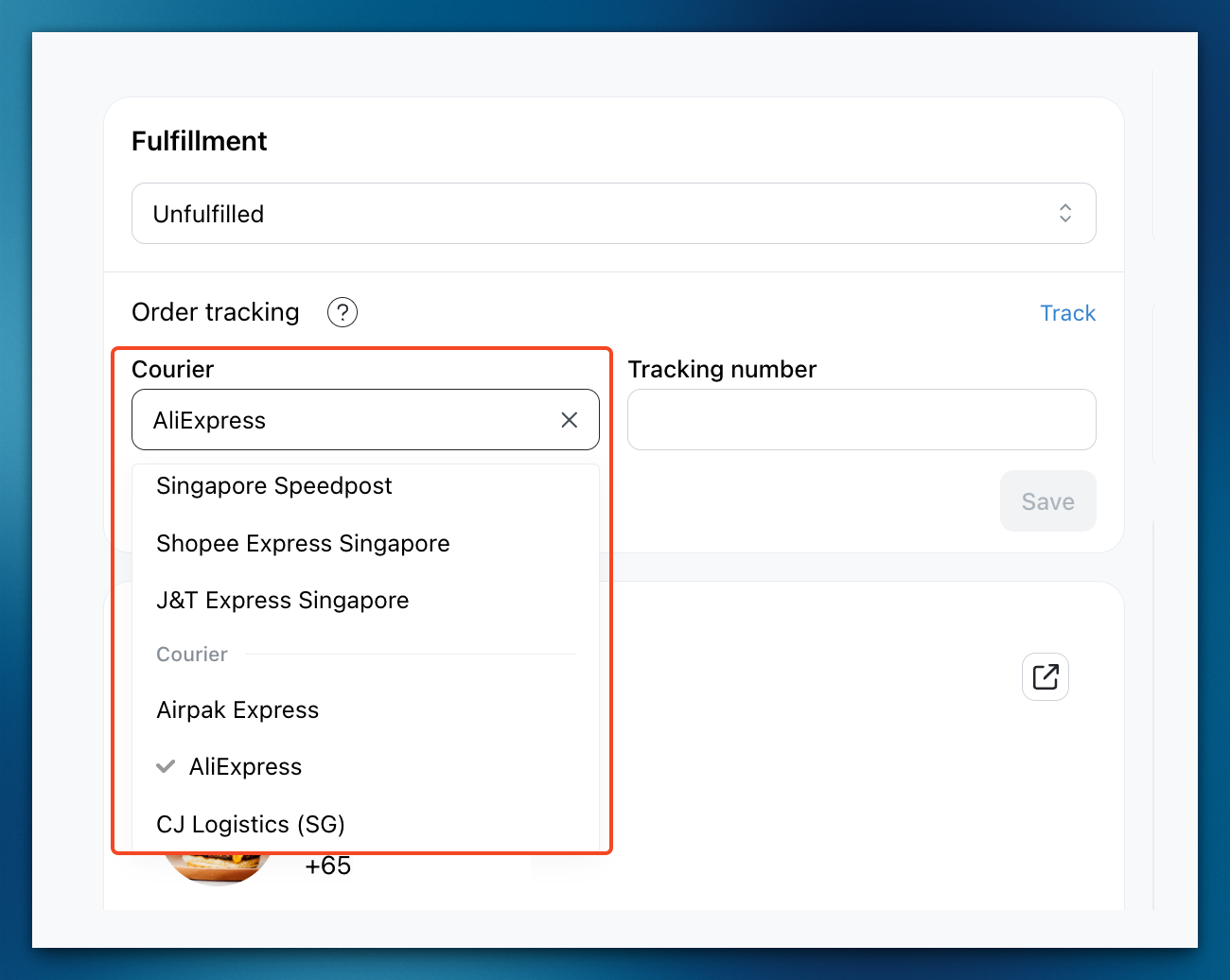
If your courier is missing from the list, click the ? next to Courier and use Chat with us to request it.
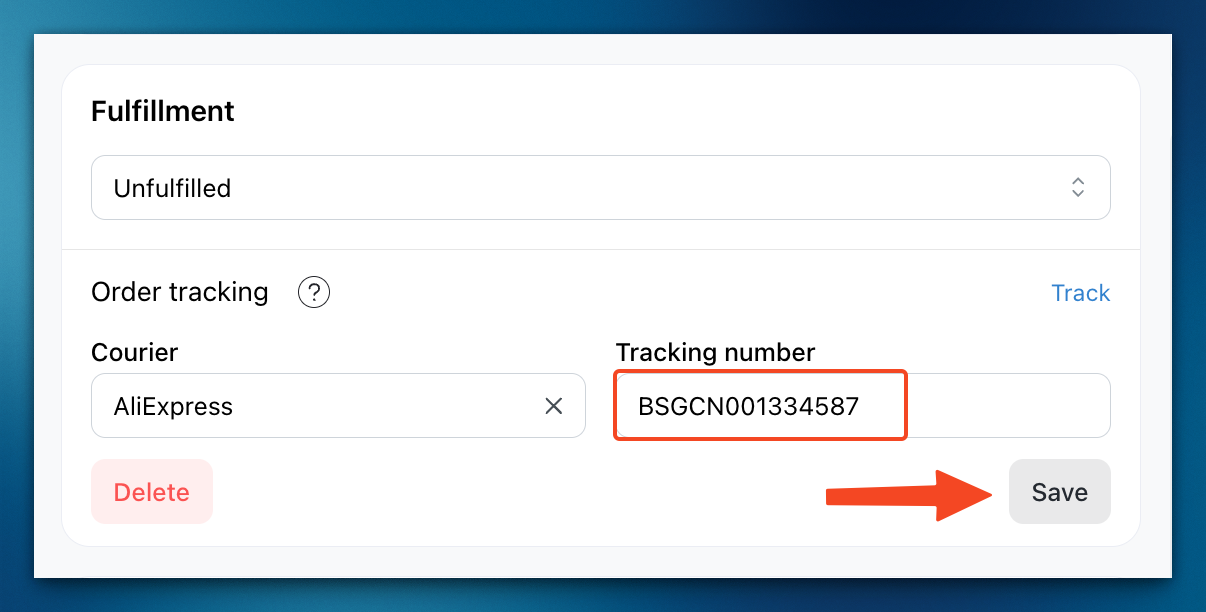
Step 3: Enter the tracking number and save the changes.
Step 4: The tracking number will now appear in the invoice.
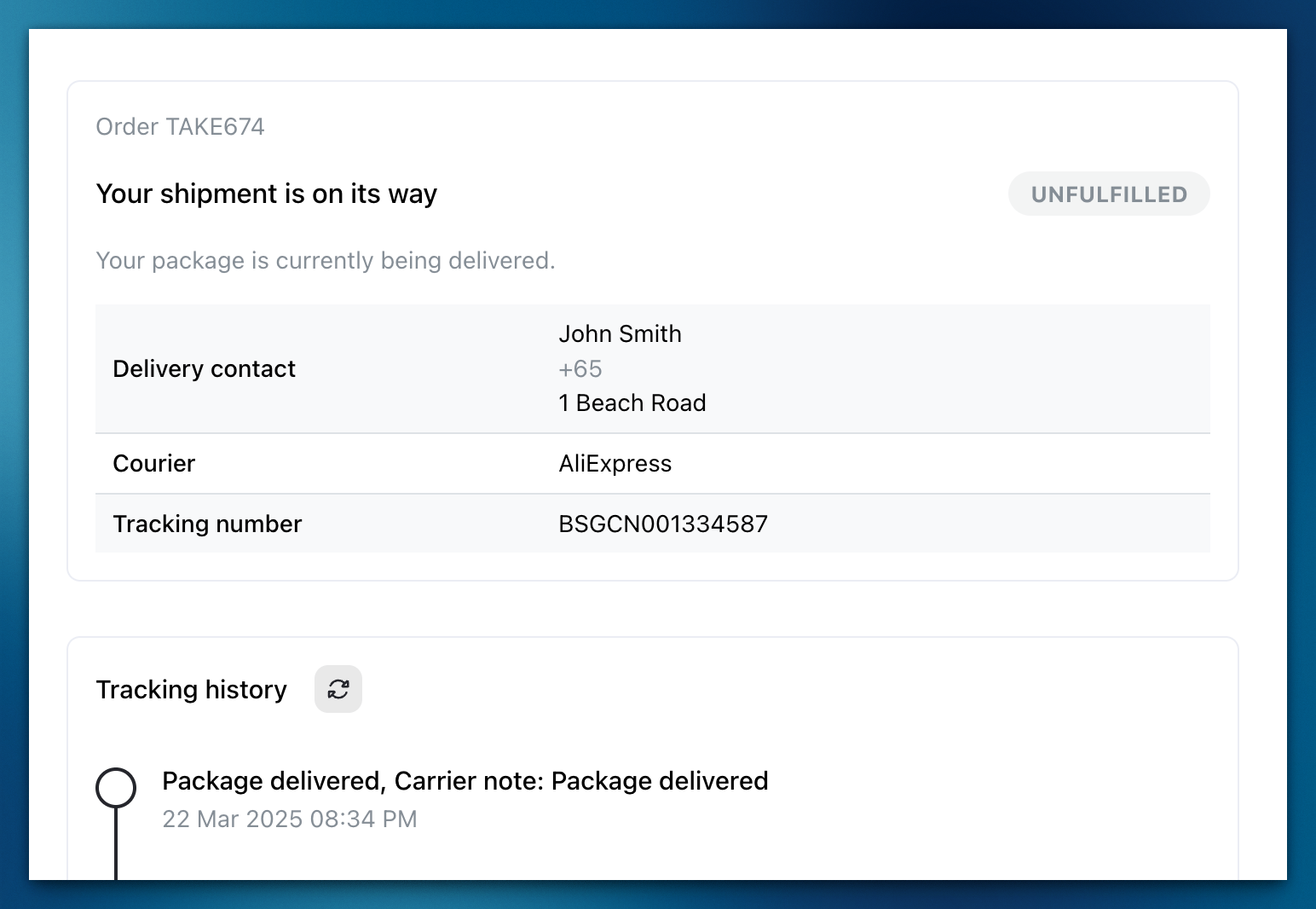
Step 6: When the tracking number is clicked, you will be able to see the tracking history of the order, as well as the order status and number.
You can also see this information when clicking Track on the order detail page.
Automatic WhatsApp Tracking Messages
When you enter a tracking number in Admin, Take App will automatically send the tracking link to your customer via WhatsApp.