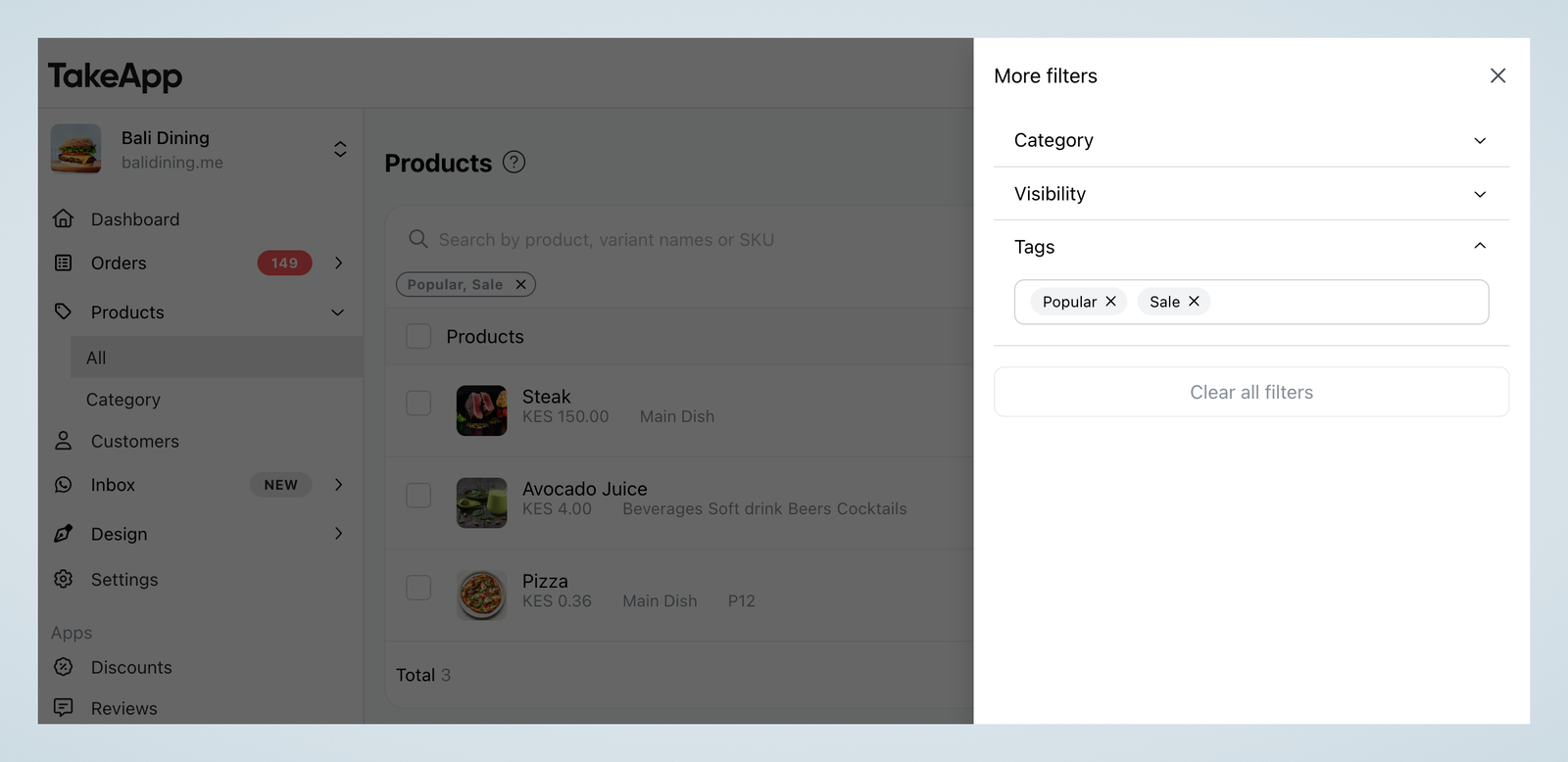
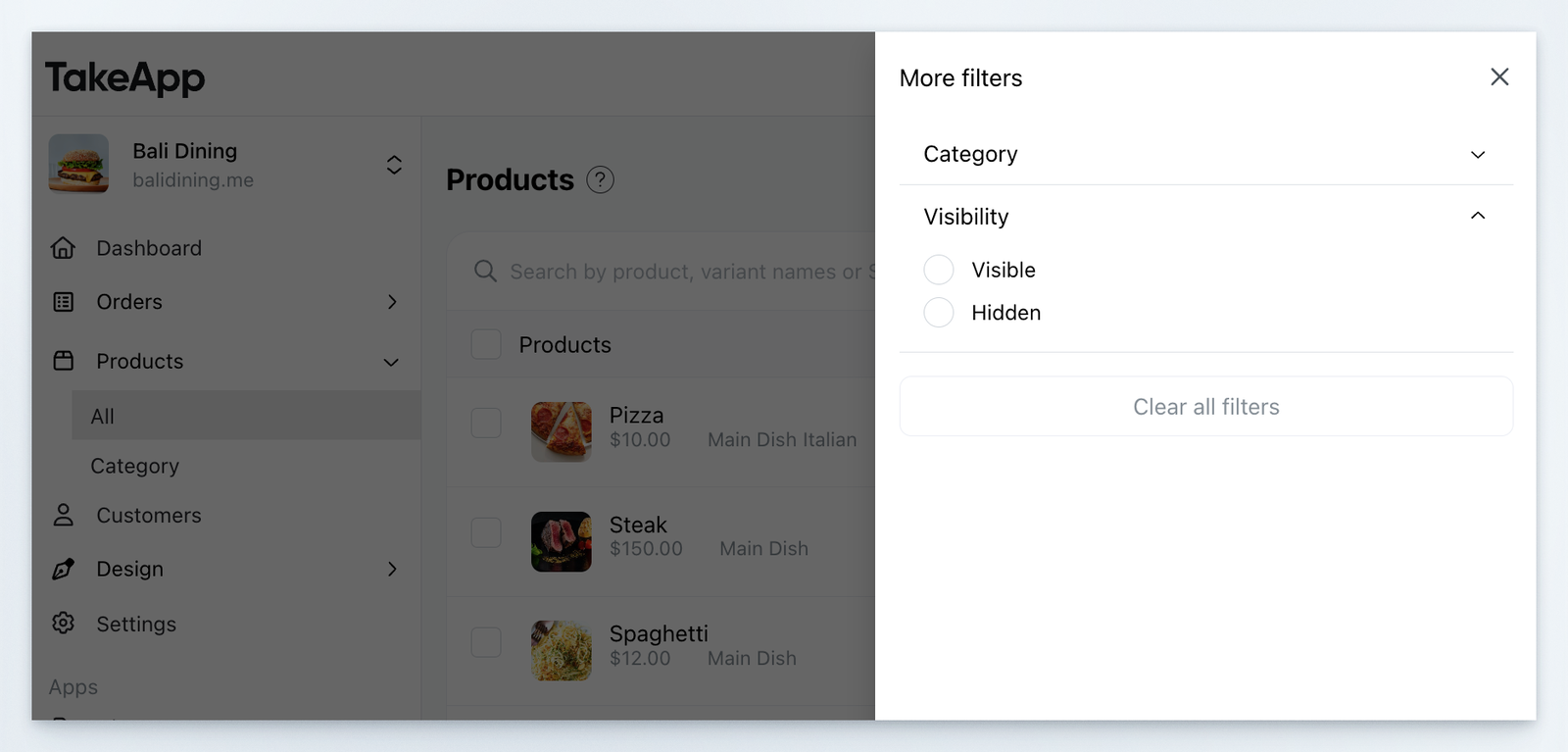
You can filter products based on category or visibility.
How to filter products
-
Go to Admin > Products and click the
Filter button.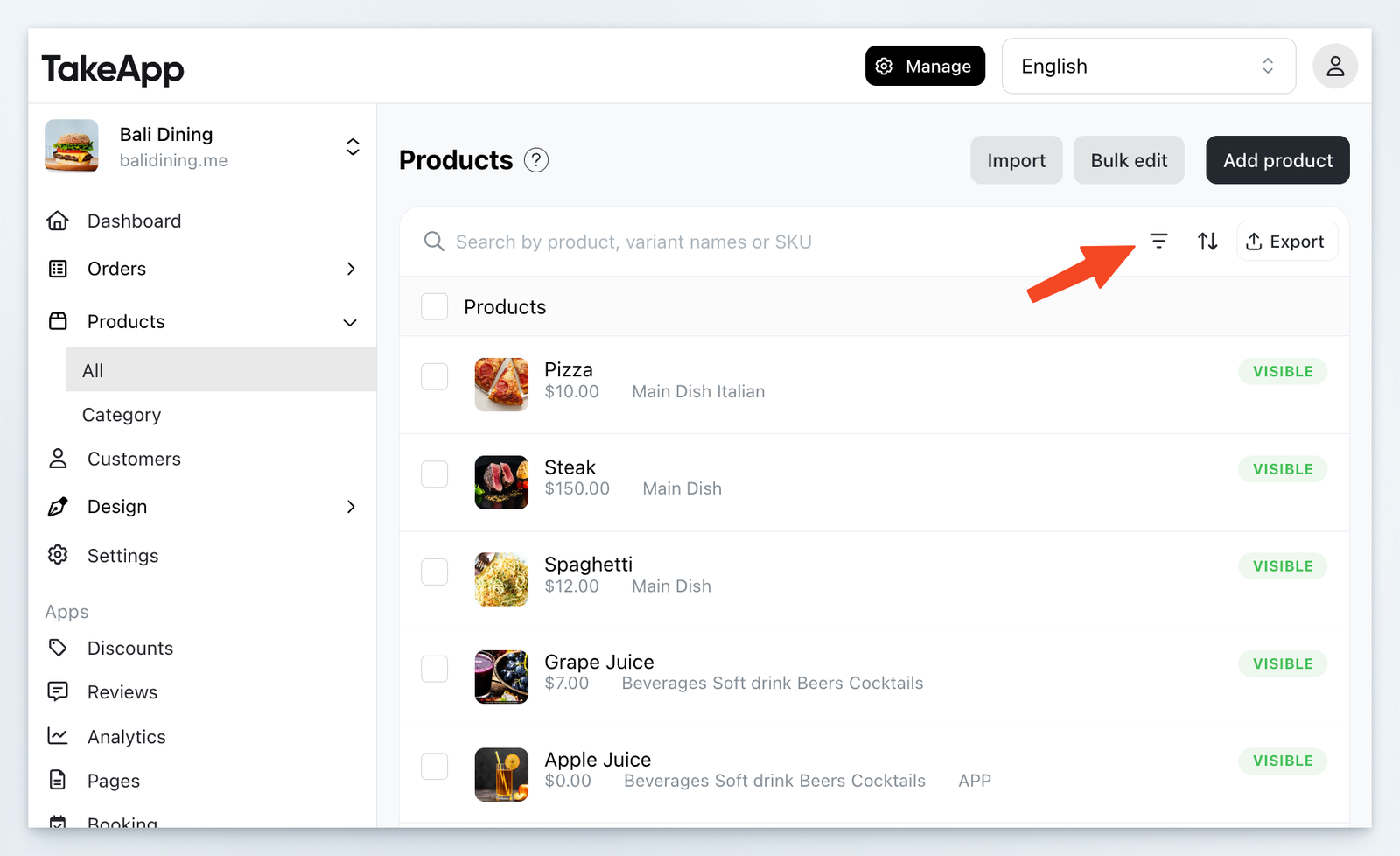
-
Choose the filter type and apply.
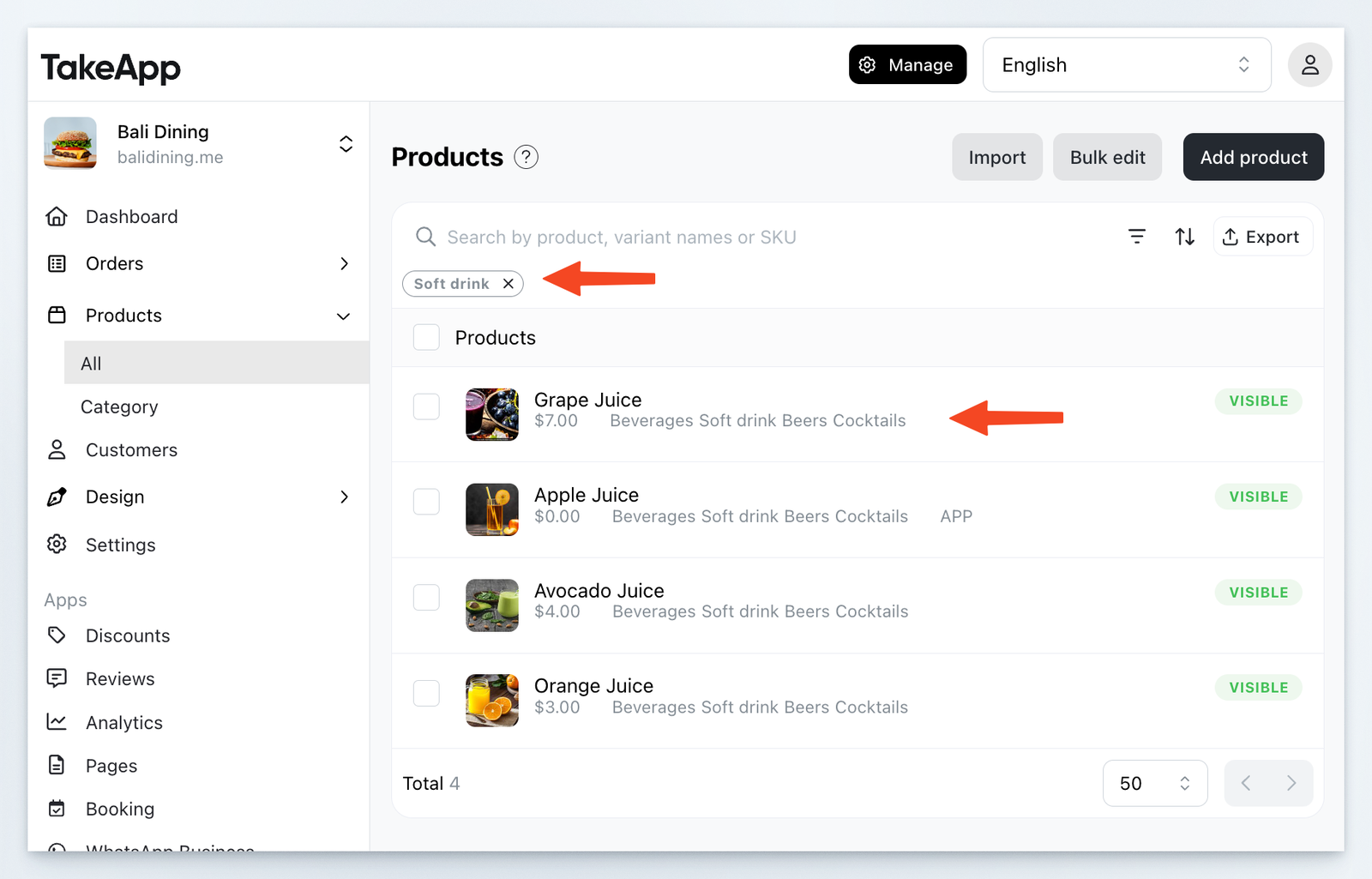
Available filters
-
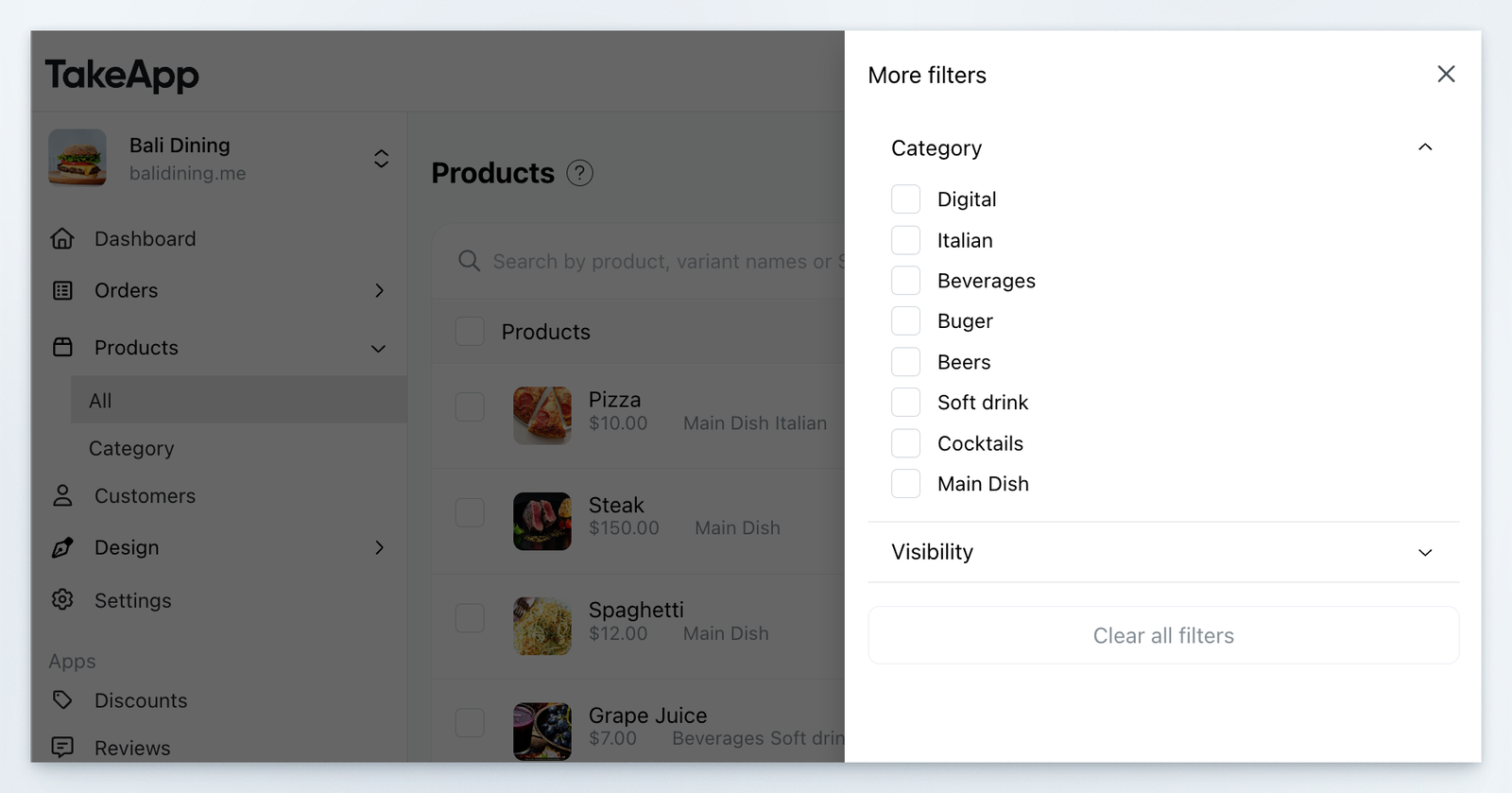
Category: filter by product's category (category name)
-
Visibility: filter by product's visibility (hidden or visible)
-
Tags: filter by product tags (public/ private)