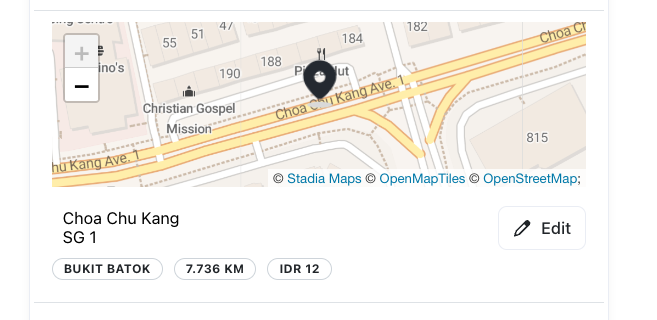
Merchants can now draw polygons to separate delivery areas into zones. The delivery areas and their respective fees will be assigned by the program when the end customer inputs their address.
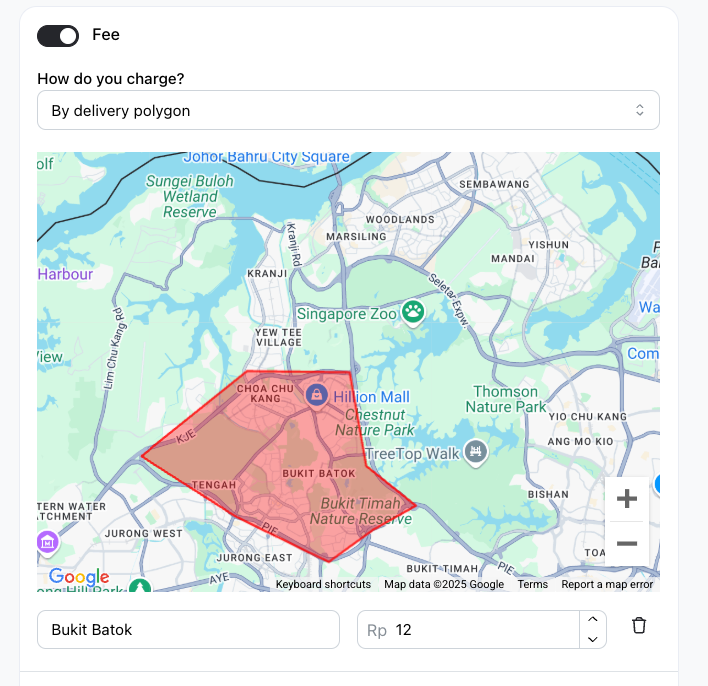
Note: If multiple delivery areas cover that point, it will pick the zone on top in the Service creation page. If the point is not in any of the zones, it will default to zone “Extended area” with a fallback fee. If the fallback fee is zero, then customers cannot check out with this address.
How to set delivery fee based on area
-
Go to Services > Delivery and click on
Add Delivery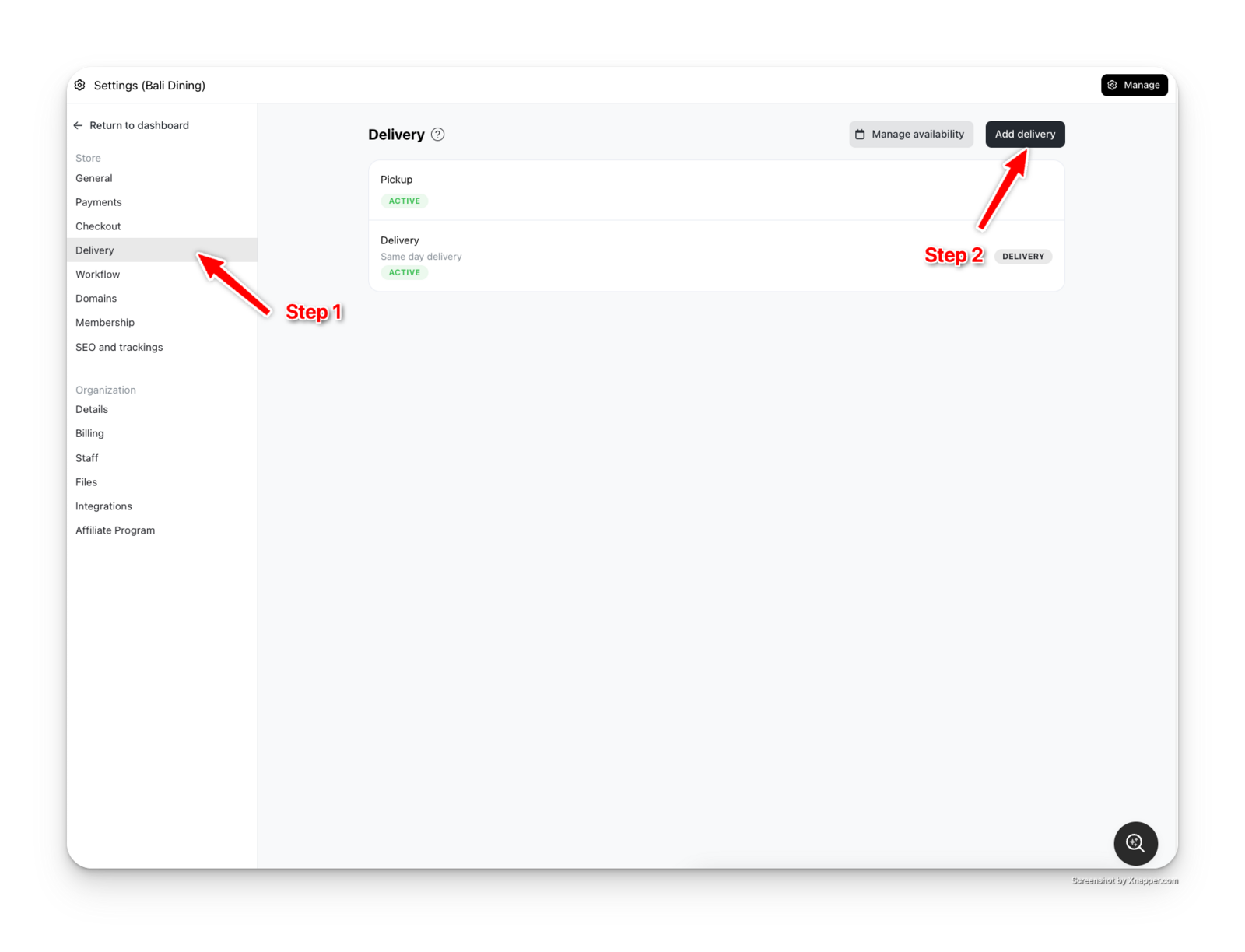
-
Name your Delivery Method. Choose Delivery Type. Turn on Fee, and choose Delivery By Area
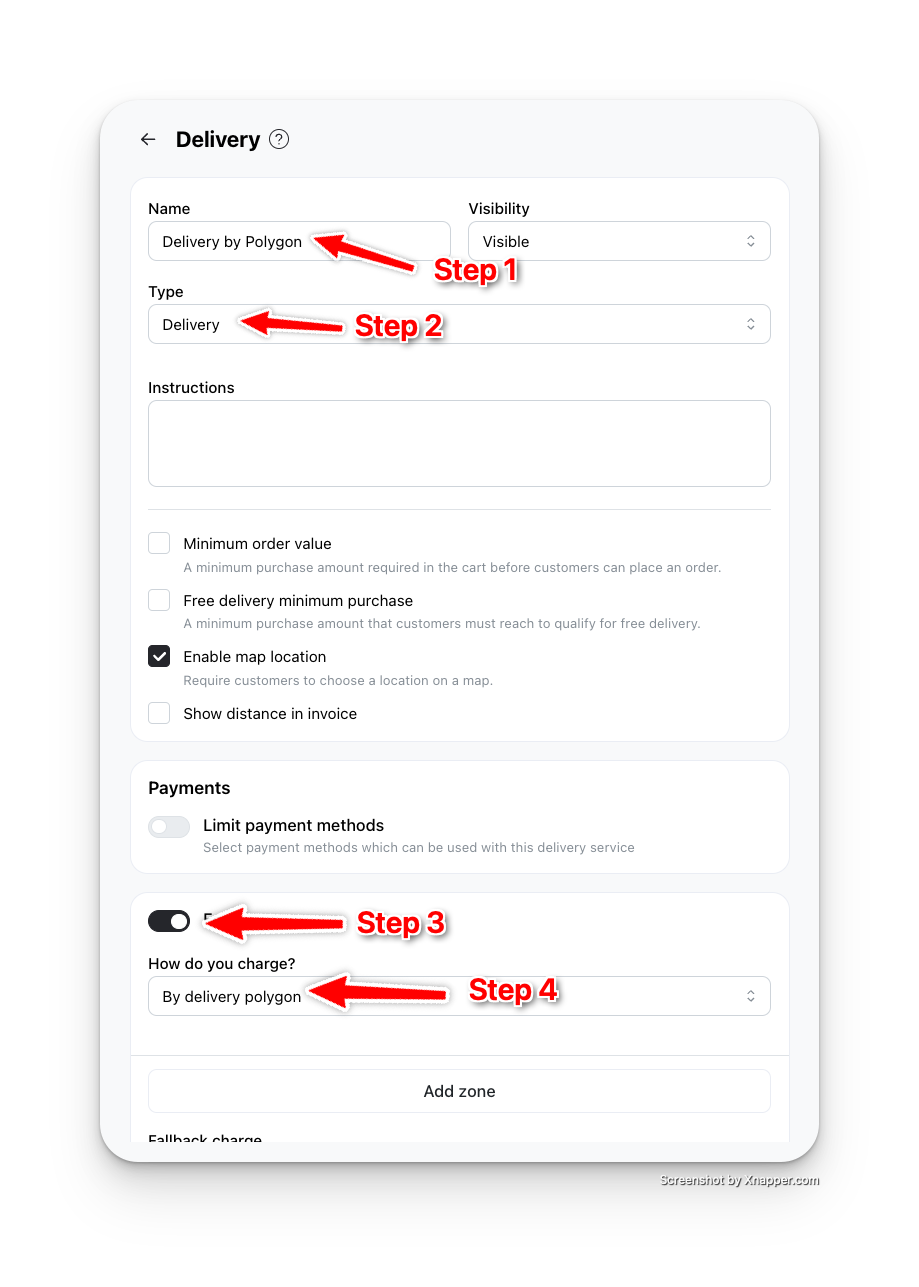
-
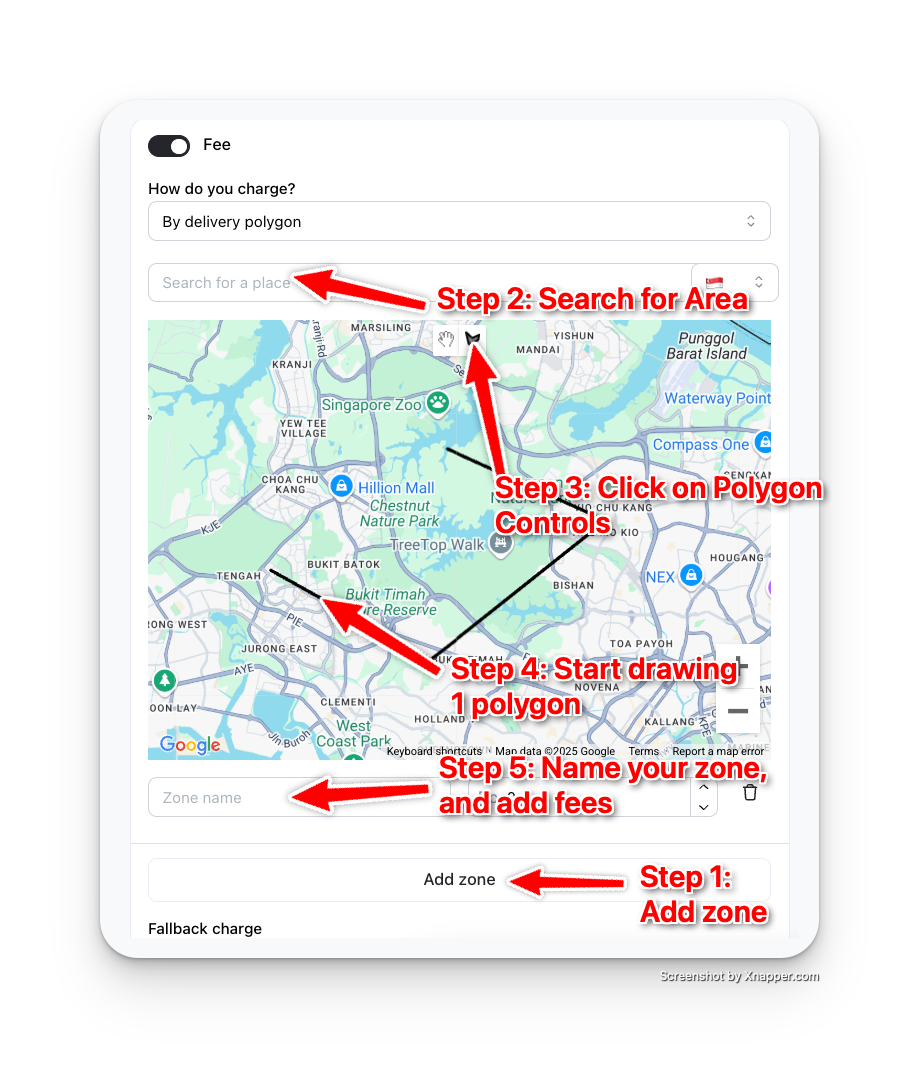
To add a zone, click on "Add zone". Search for the chosen Area, Click on the Polygon Control and draw a Polygon. Finally, name your zone and add its corresponding fee. Then save.
-
If you choose your address as a customer, you should now see either the zone name and fee (or "Extended Area" and fallback fee if not found within any of the zones) under the map diagram