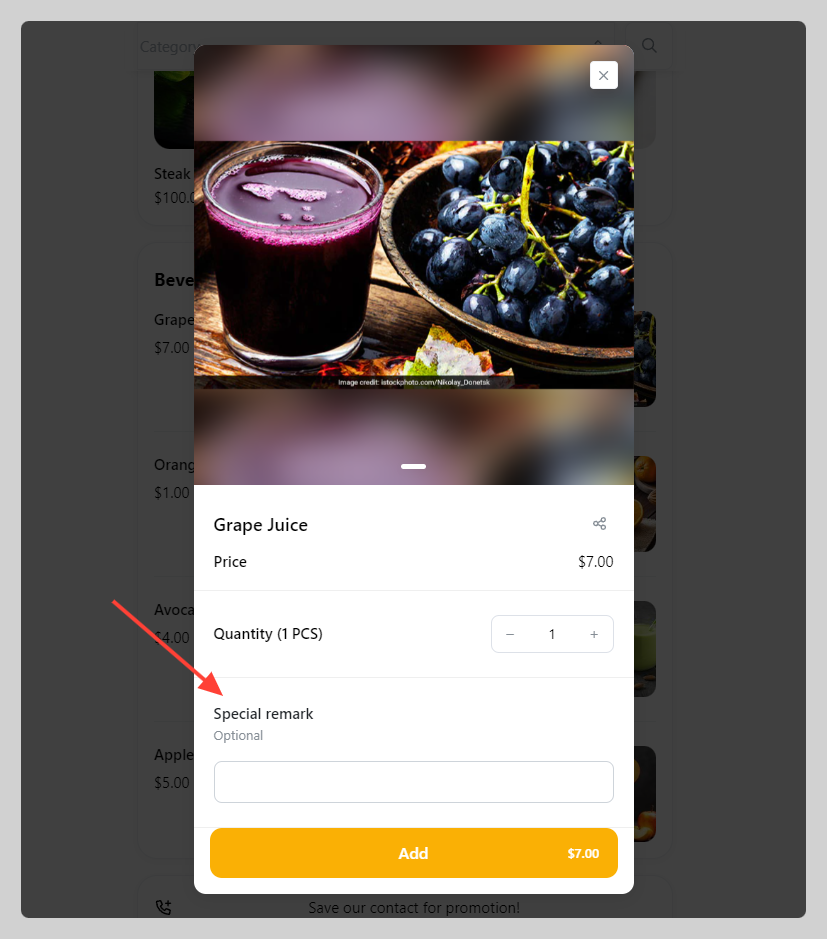
You can instantly add product option in bulk for multiple products. If you have identical product option for multiple products, we recommend you use this function to save your time.
Important:
- You can't bulk edit product options, you can only bulk add
- If you need to edit or delete product options, you need to do it individually
How to bulk-add product options
-
Go to Admin > Products > Tick all the products that you wish to add product option with.
-
Click
Actionsand chooseAdd option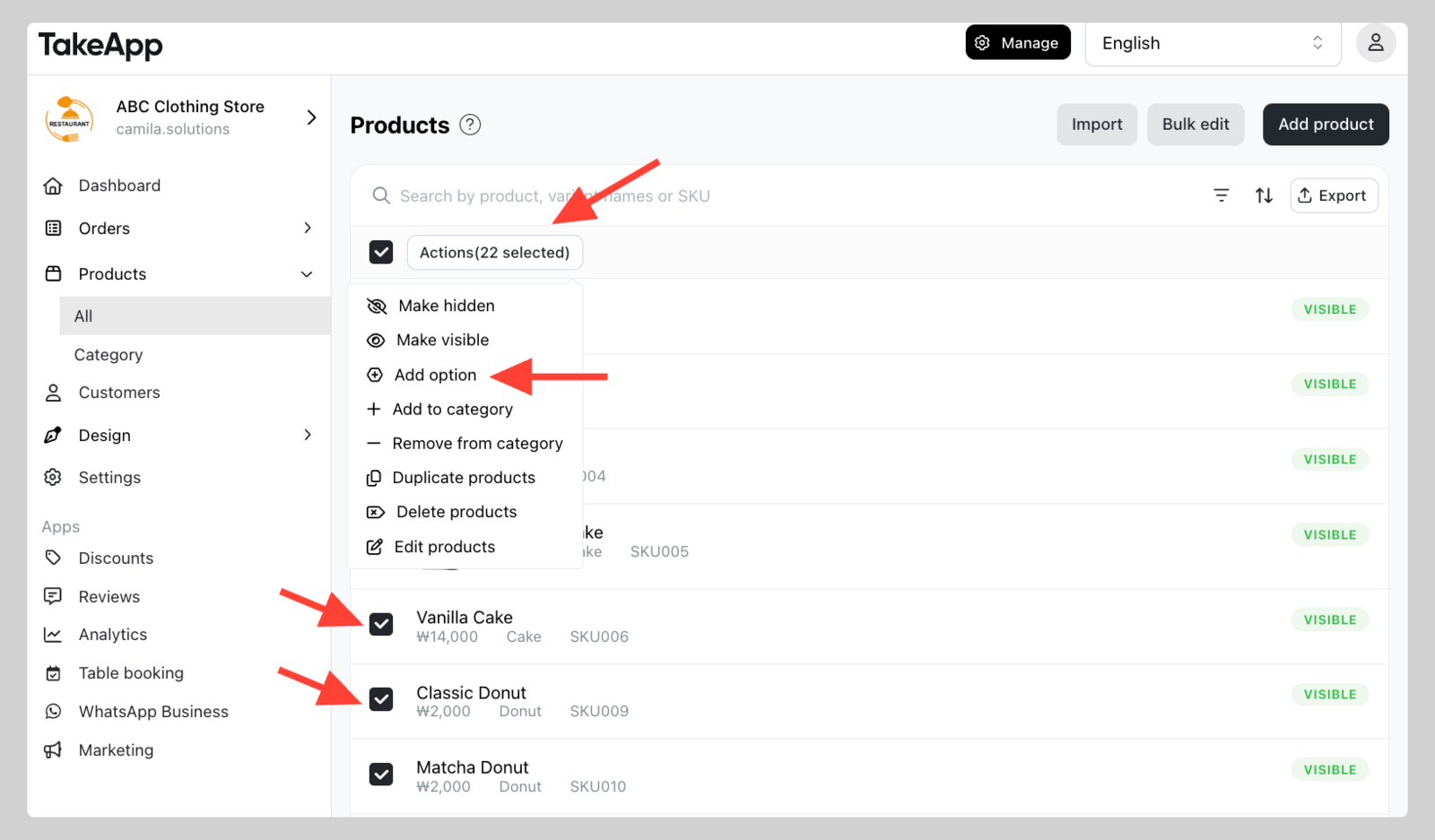
-
Set the product option "Type" and its "Question", then click
Add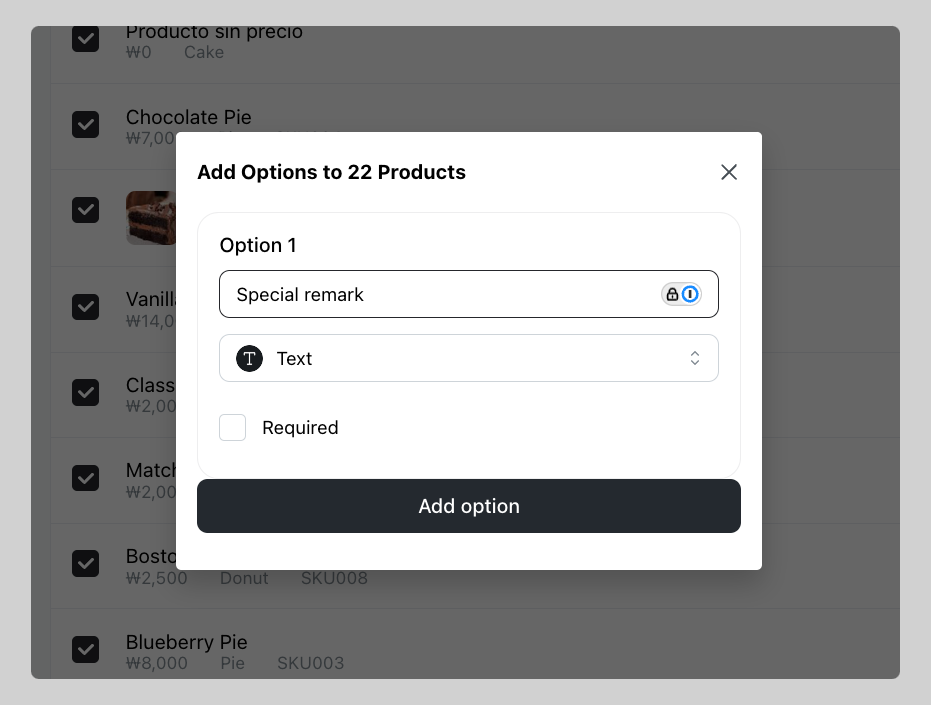
-
The product option will now be displayed on those selected products.