
The store email is your store's public address. Workflow emails to customers are sent from it, so it's the address they see and reply to.
Change the store email
-
Go to Admin > Settings
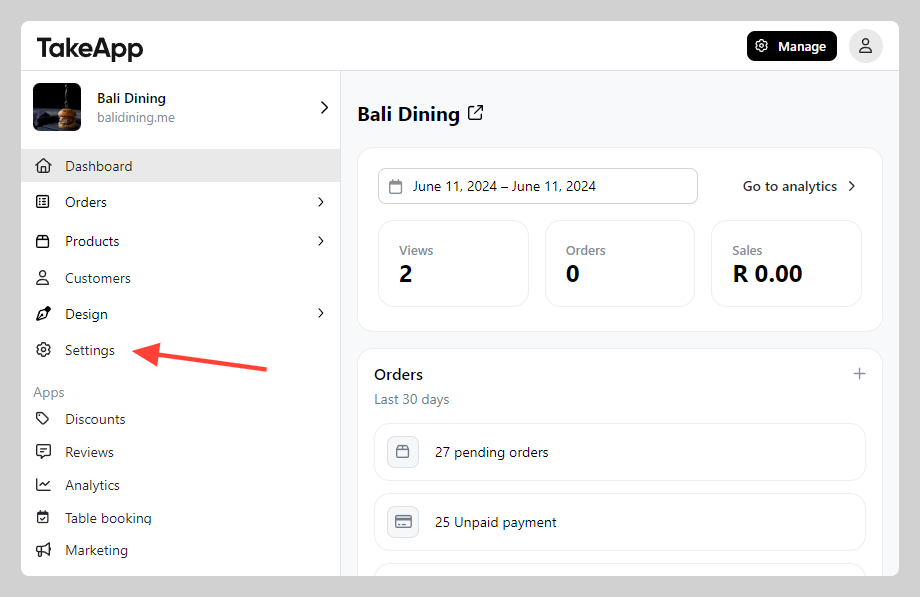
-
In Store Detail, navigate to the "Profile" section and find the store email field. Add or modify the email address, then click
Save.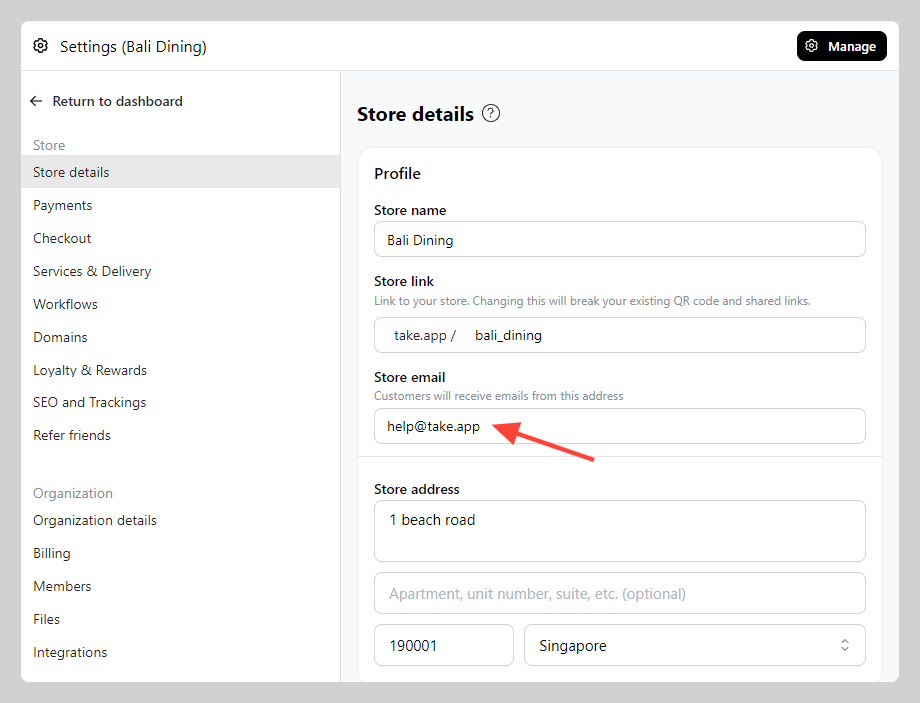
Change the store owner email
The email the owner signs in with is a different address, changed under Settings > Staff — along with how staff and admin emails are updated. See Store owner email (login email).