
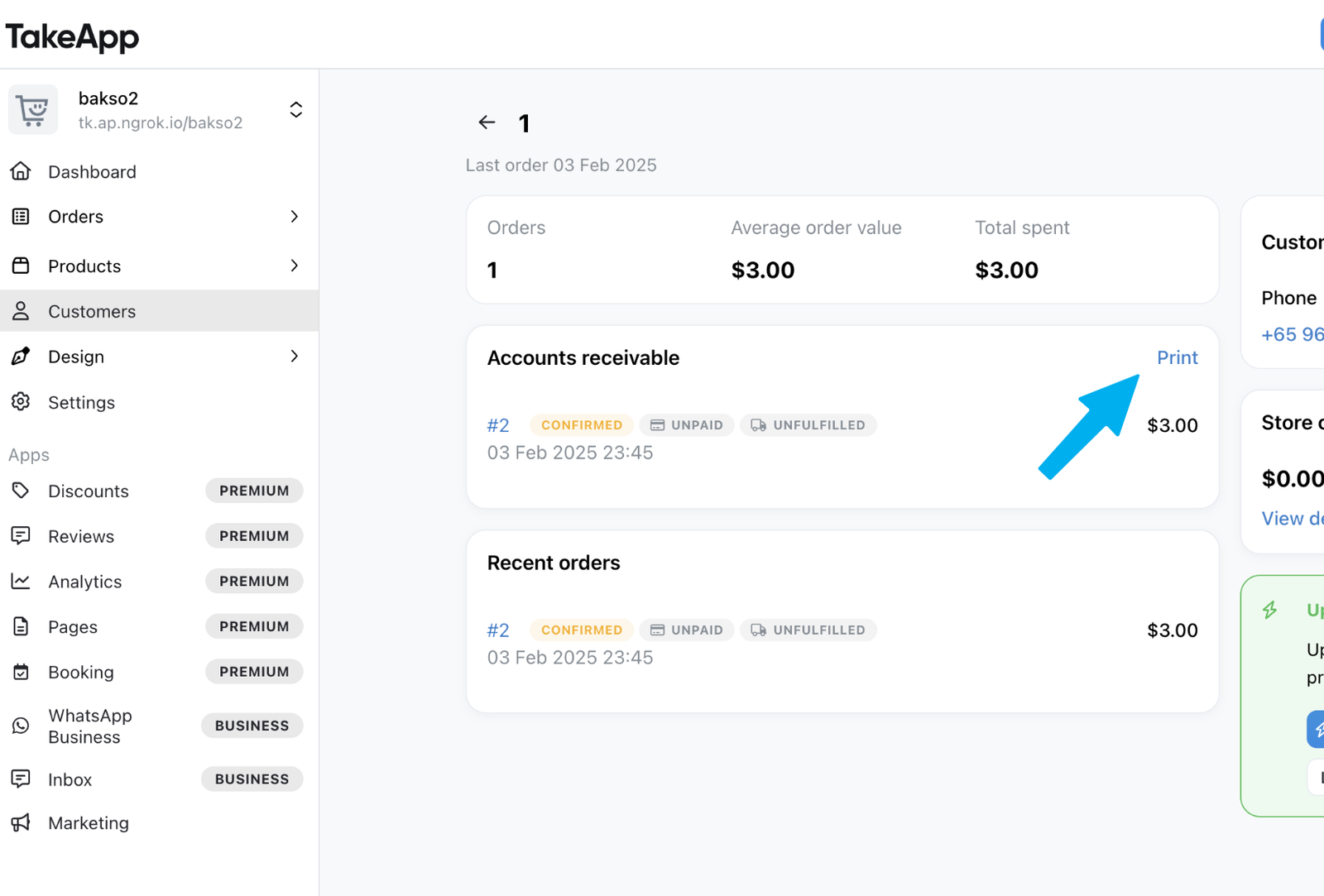
You can easily track and print all outstanding invoices from Admin > Customers. This view helps you manage confirmed but unpaid invoices efficiently, making it easier to follow up on due payments.
How to View and Print Outstanding Invoices
- Go to Admin > Customers
- Select the customer you want
- In customer page, navigate to "Accounts Receivable" Section
- Print the Account Receivable Page by clicking
Print.
Only invoices that meet these conditions will be shown
- Order Status: Confirmed or Completed
- Payment Status: Not fully paid (Confirming Payment, Partially Paid, or Unpaid)
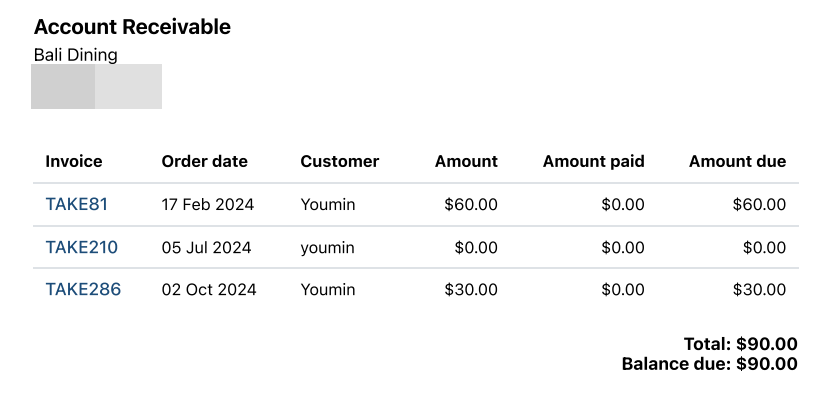
You can use this feature to print monthly invoices and keep track of pending payments more efficiently