
You can designate specific questions on the Checkout page as either Optional or Required.
When marked as Optional, customers are not required to answer the question to proceed with checkout. When set as Required, customers must provide an answer to proceed.
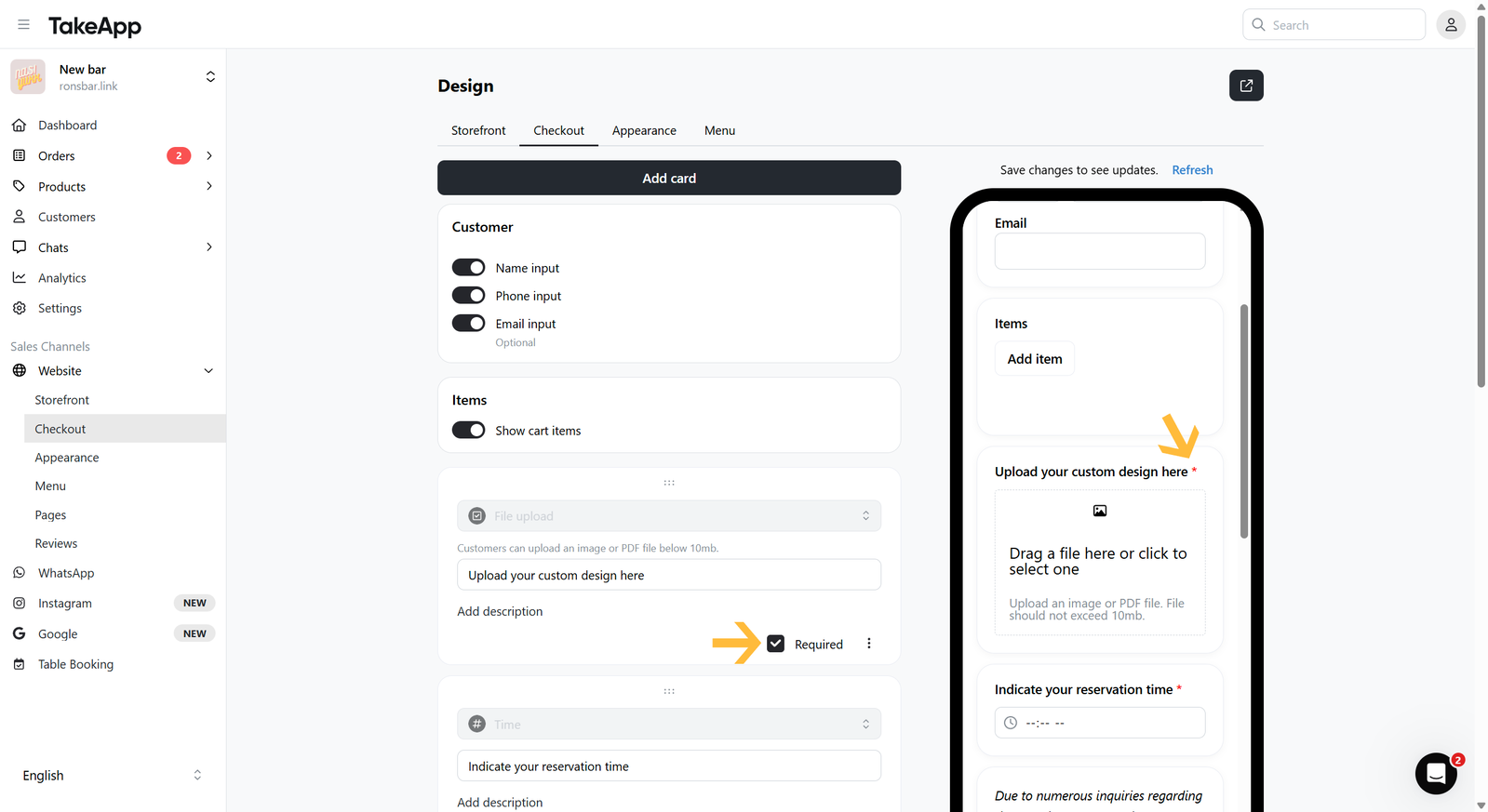
You can tick the Required checkbox to mark the question as Required. Or, you can untick the Required checkbox to mark the question as Optional
The red asterisk (*) symbol next to the question, indicates that the question is marked as Required.