
The storefront language is what your customers see. Your own dashboard language is set separately.
What customers see
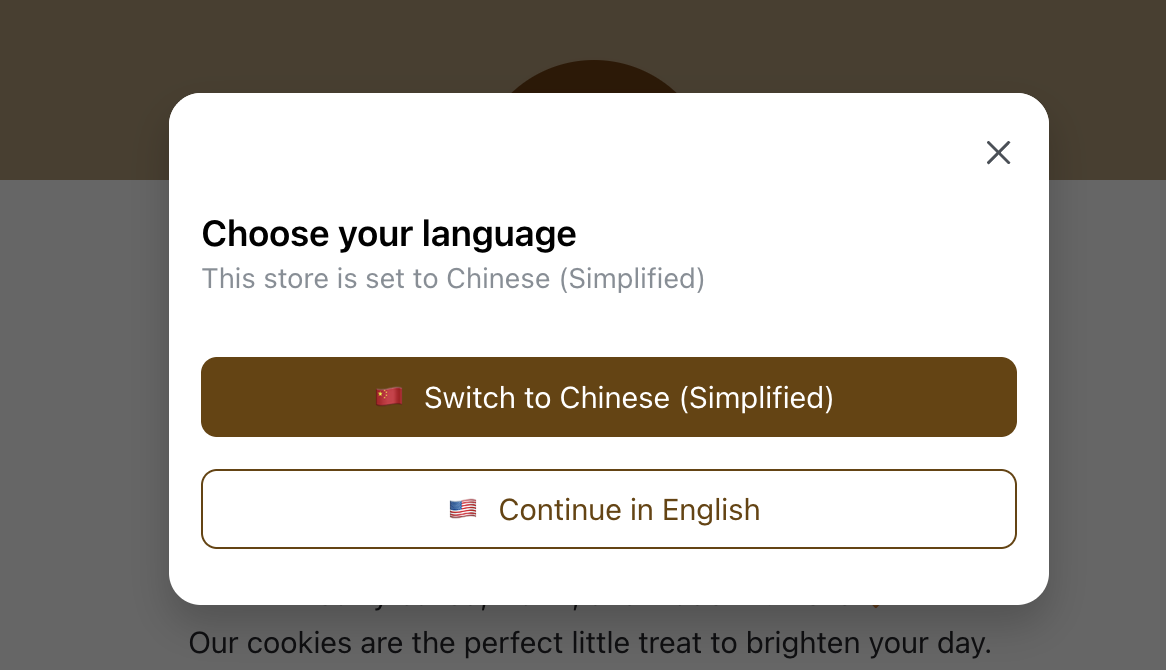
When the store language is different from the language in the storefront URL, customers will see a language selection pop-up.
They can choose to switch to the store's language or continue in their current language.
Set the store language
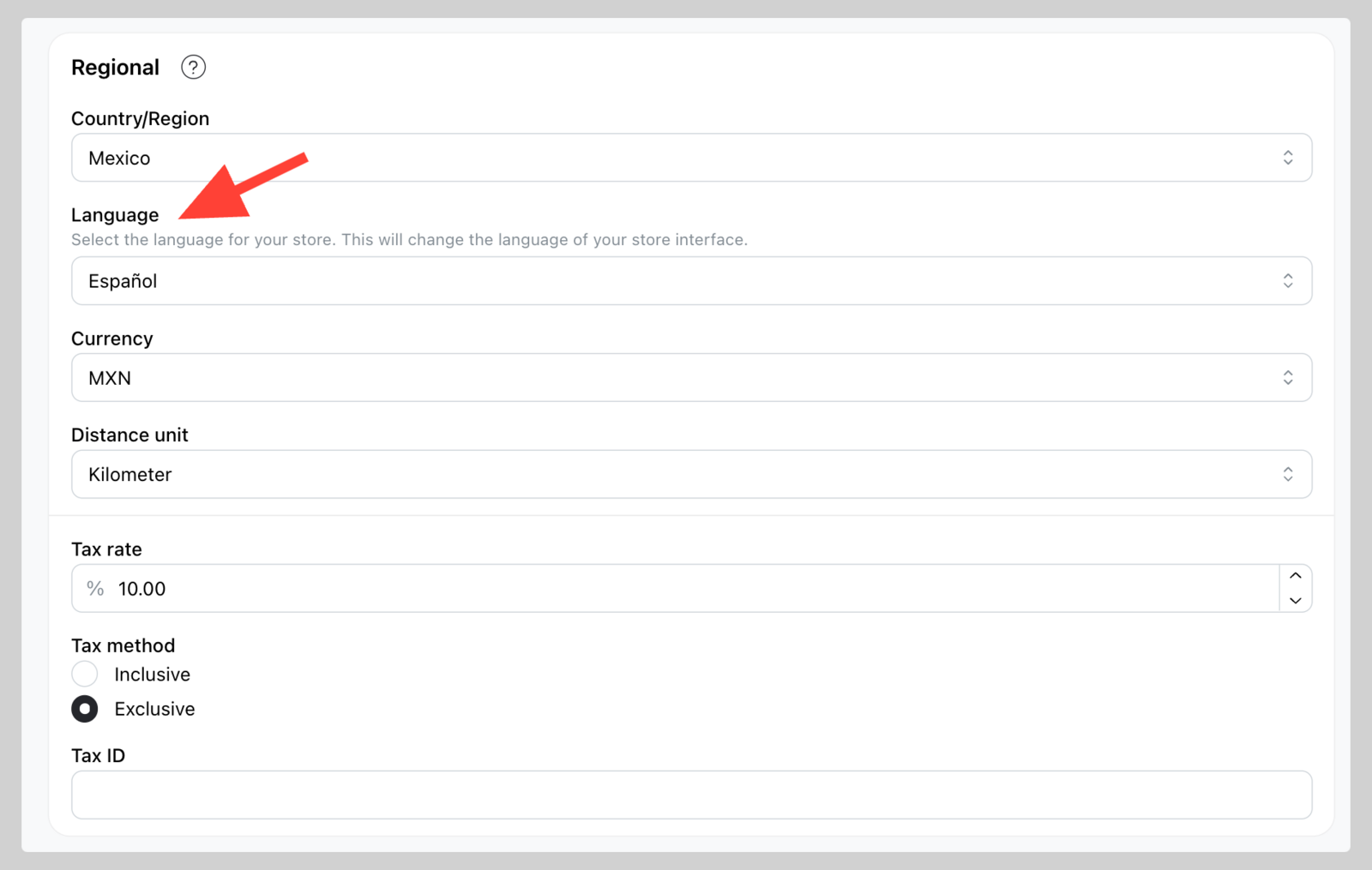
If you'd like to define a fixed language for your store, you can do so via the admin panel.
-
Go to Settings > General
-
Scroll down to the Regional section and select your preferred language from the dropdown menu.
Note: If the store's language is set to "Default", the store will show in the client's browser language if available. If not available, it will show in English.
Change your admin dashboard language
Your own dashboard language is a personal preference and does not affect what customers see — see Admin dashboard language.