
A Pickup service lets customers collect their order instead of having it delivered. Each Pickup service can have its own address, which is shown to customers so they can see exactly where pickup happens.
The pickup address and map appear:
- at the checkout page, when customers select that pickup option
- on the order invoice
Add a pickup service
-
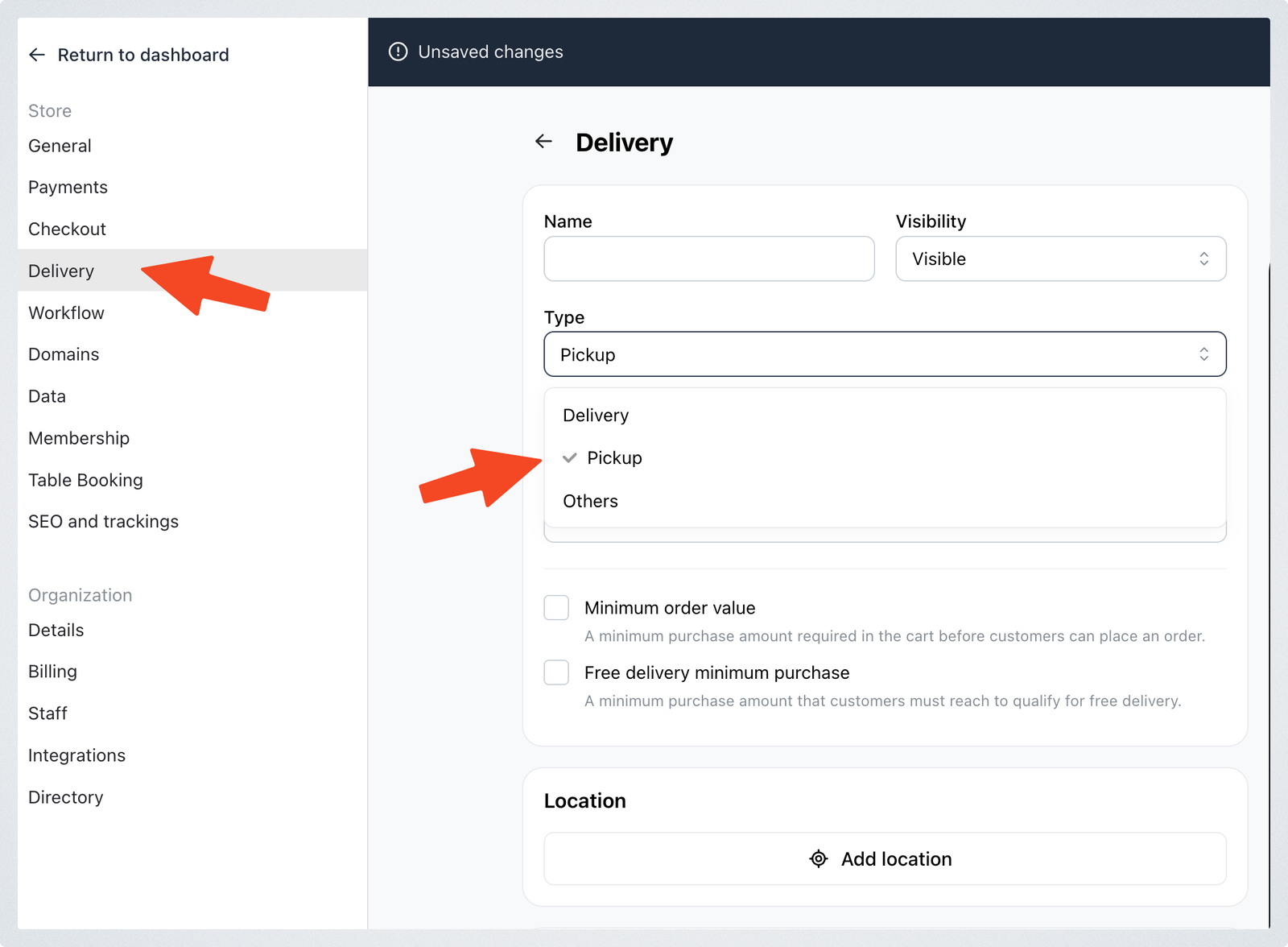
Go to Settings > Delivery.
-
Click Add delivery.
-
Enter a name for the option — "Self Pickup", for example.
-
Under Type, choose Pick up.
-
In the Location section, click Add location.
-
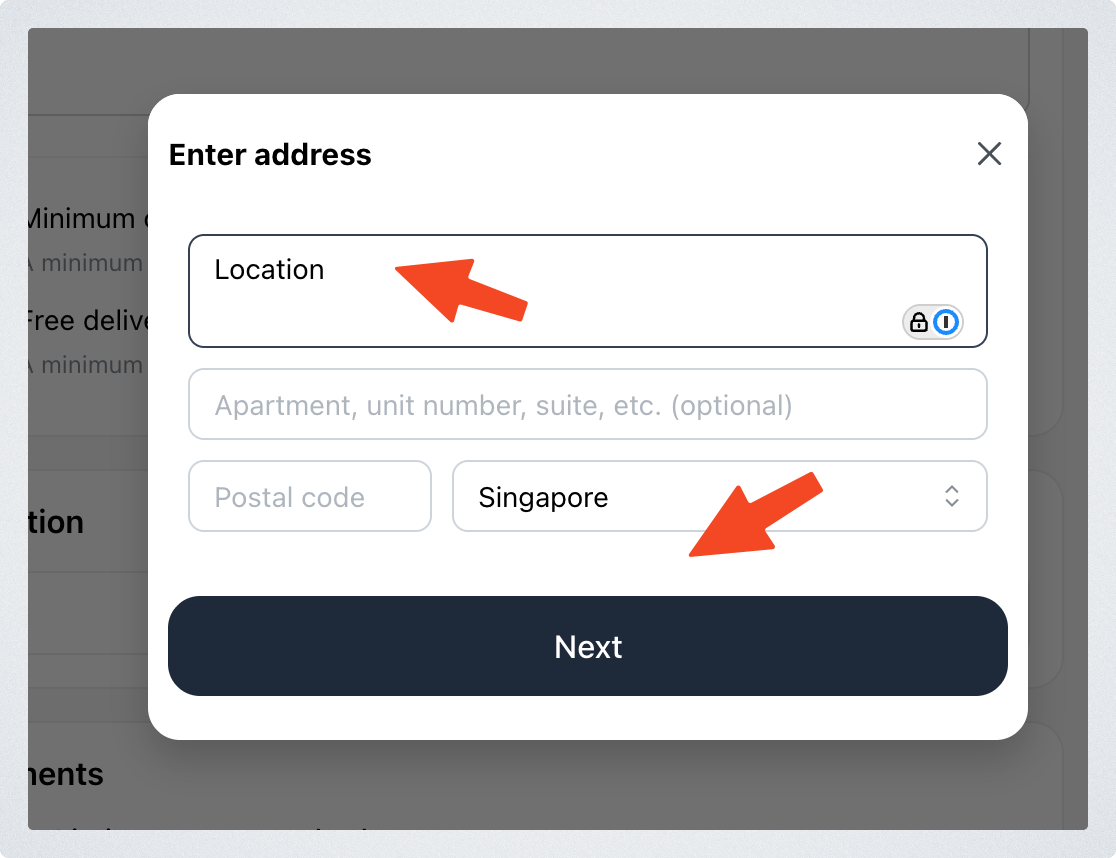
Enter the pickup address, then click Next.
-
Check that the map pin is in the correct location.
-
Save the address.
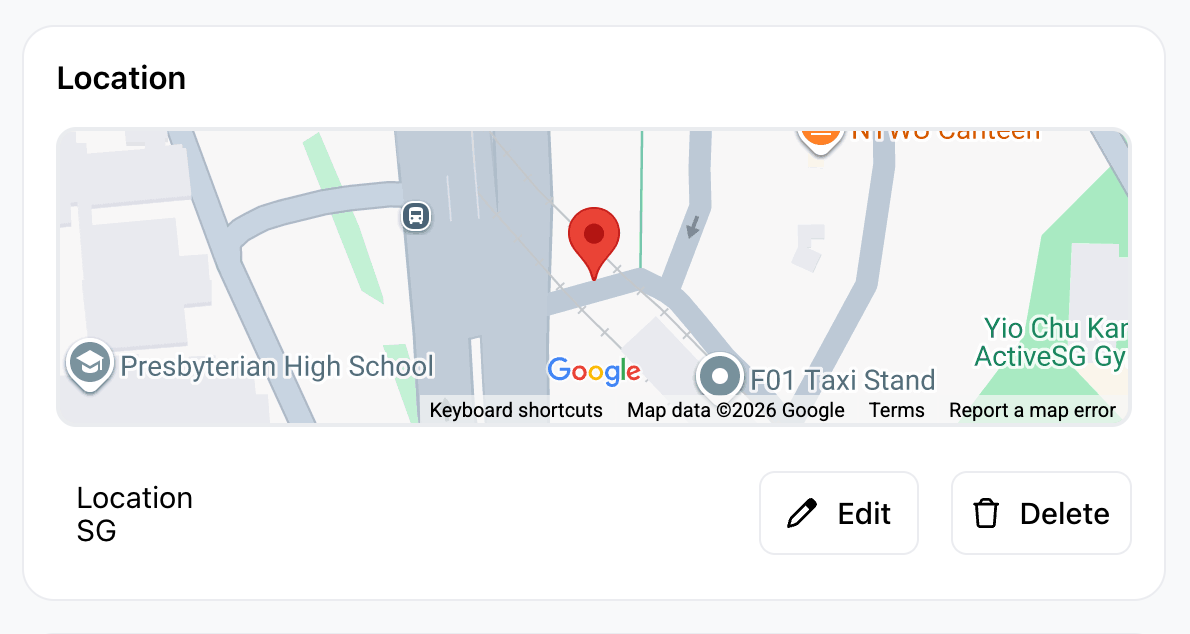
Your pickup address is now added. You can update it anytime.
What customers will see
When customers choose this pickup option at checkout, they will see the pickup address and map.
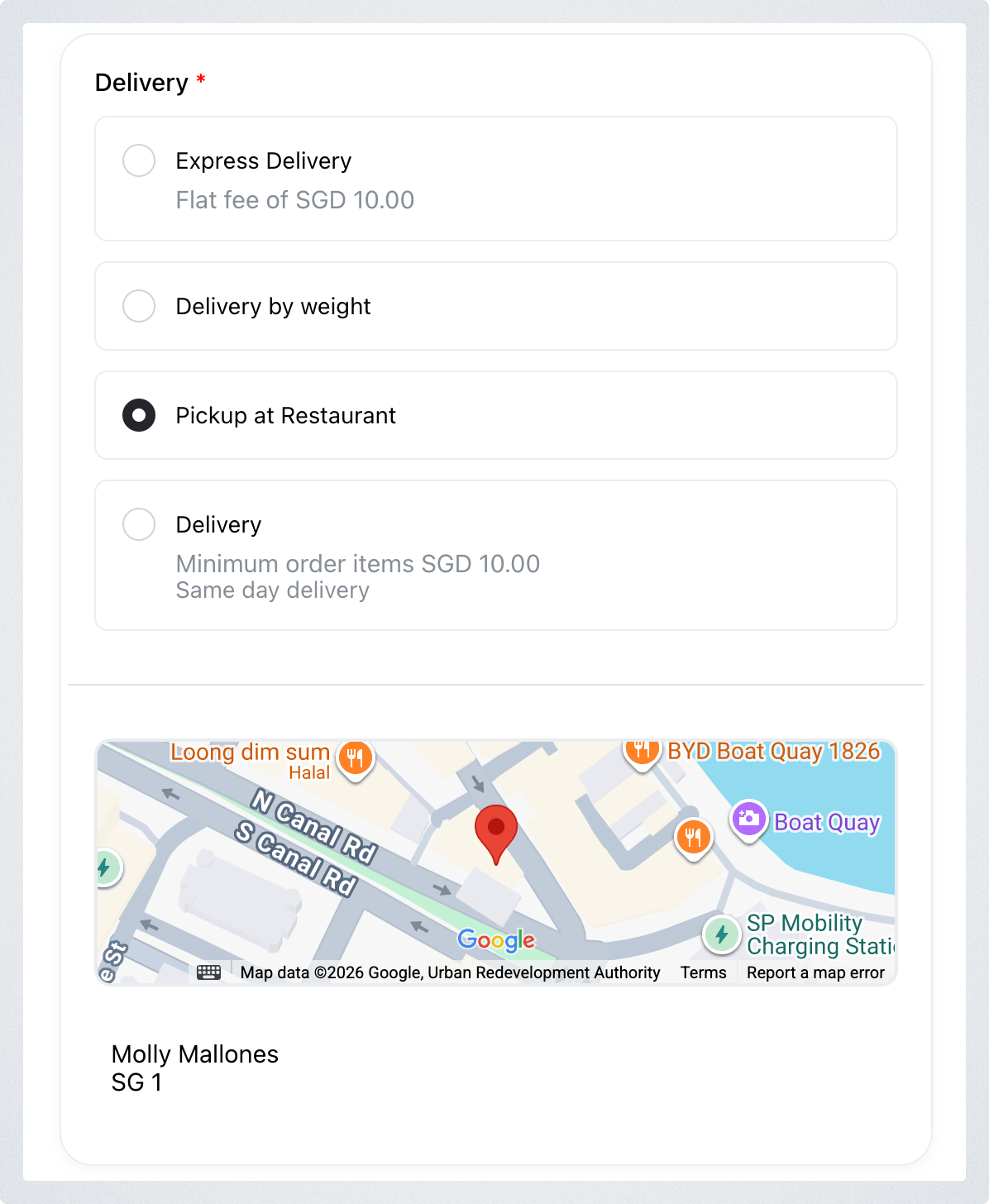
The same pickup address will also be shown on the invoice or receipt, so customers can easily refer to it later.
Why this is useful
Adding a dedicated pickup location helps customers:
- know exactly where to go
- avoid confusion during collection
- find the location again from their invoice or receipt