
There are two kinds of payment link in Take App: link-based payment methods, which customers use at checkout, and a one-off payment link you create yourself for a custom amount.
Link-based payment methods
Several popular payment methods work by sending the customer to a payment page, where they click to pay. Note that you reconcile the order's payment status manually afterwards.
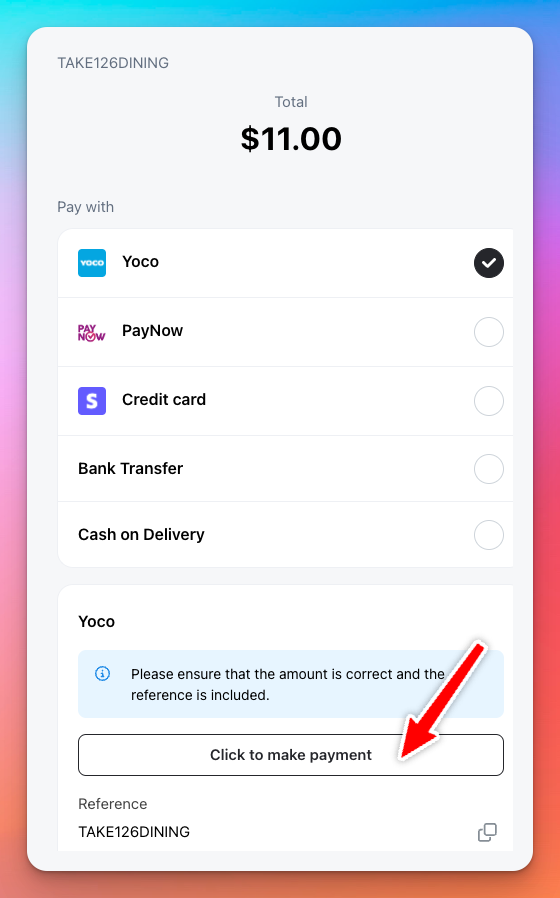
We support the following link based payment methods:
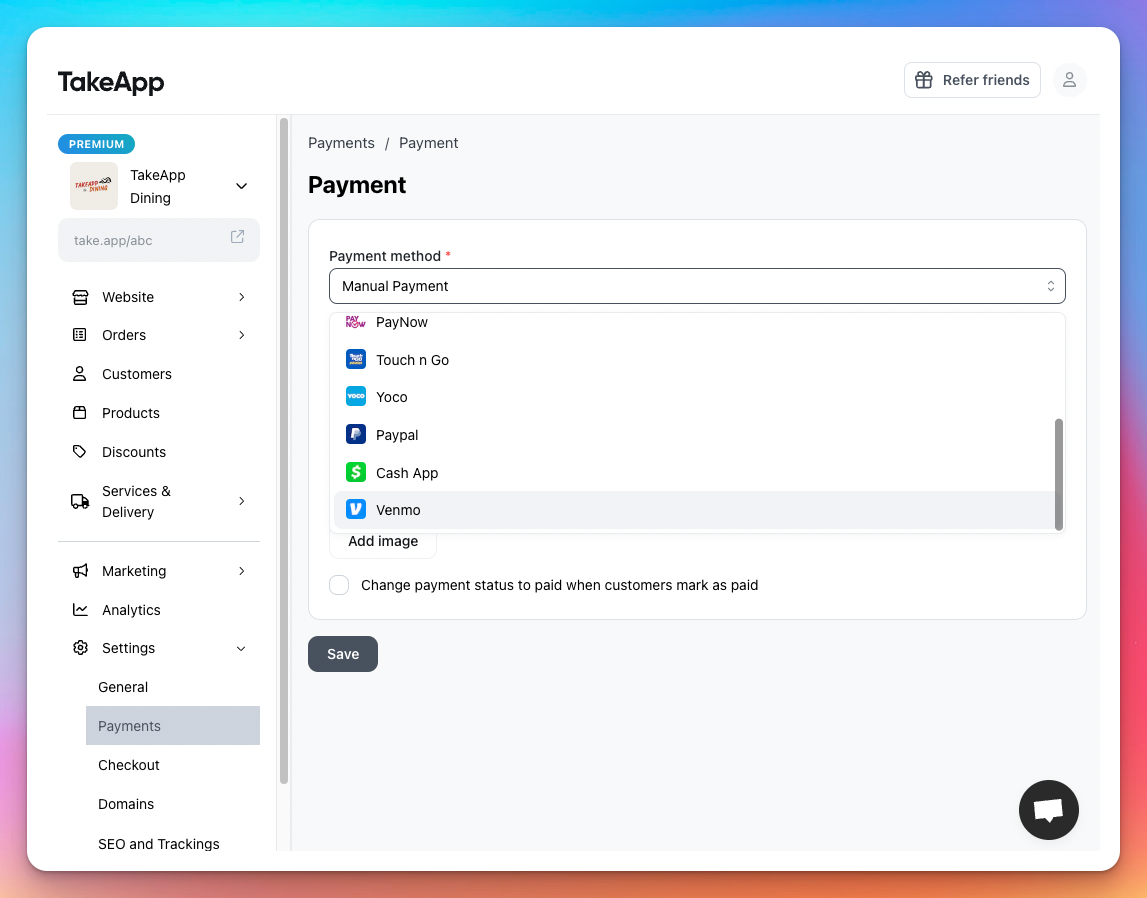
- Touch n Go
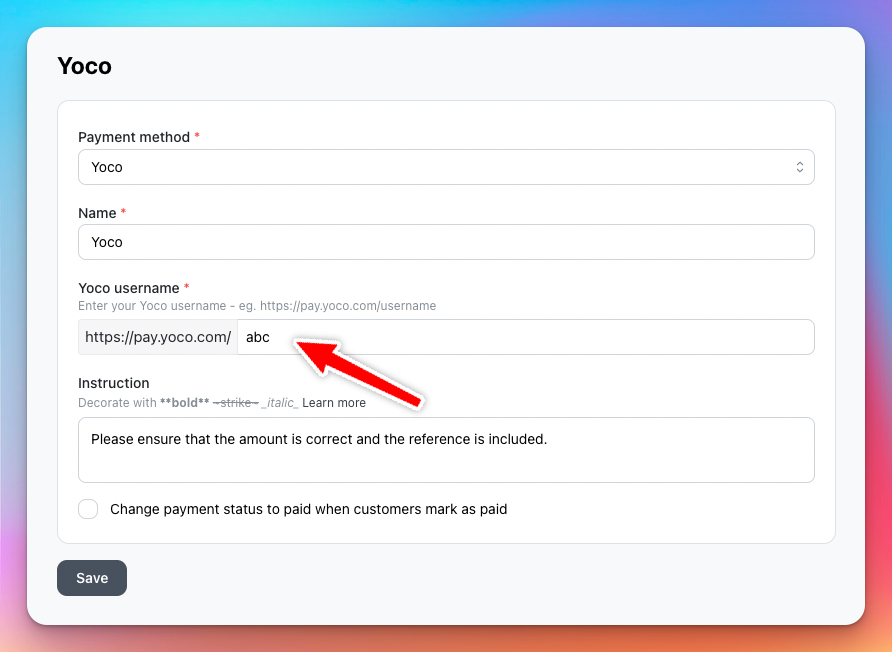
- Yoco
- Paypal
- Venmo
- Cash App
To add one, go to Admin > Settings > Payments.
Create a one-off payment link
Useful when you want to collect payment for a custom amount or need to request payment quickly without creating an order — for example, for deposits, custom quotes, or offline sales.
-
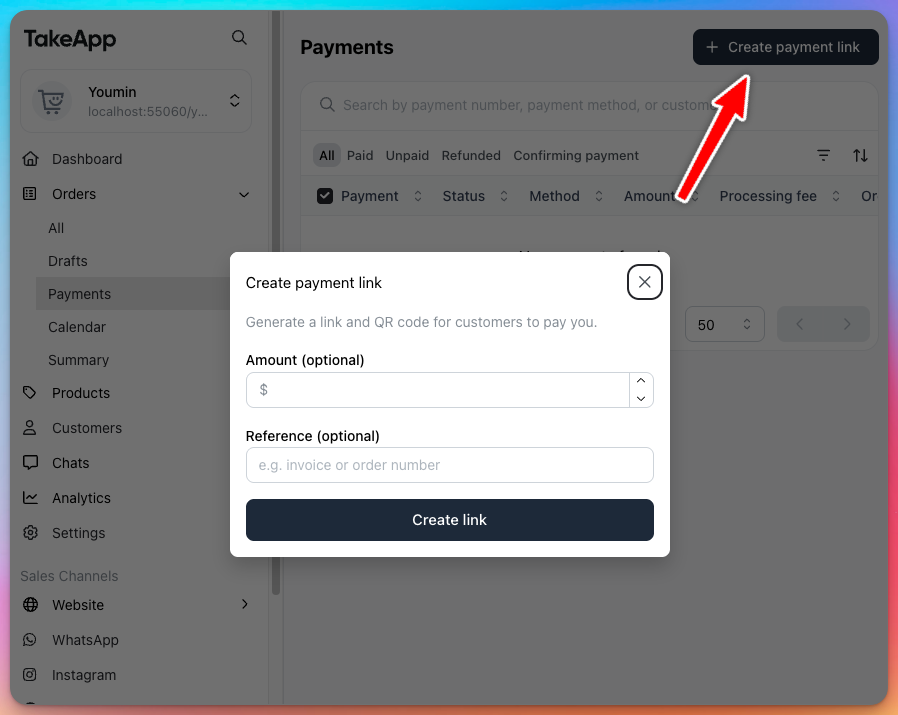
Go to Admin → Orders → Payments.
-
Select Create payment link.
-
Enter an amount (optional) and reference (optional), then click Create link.
-
Share the link with your customer.
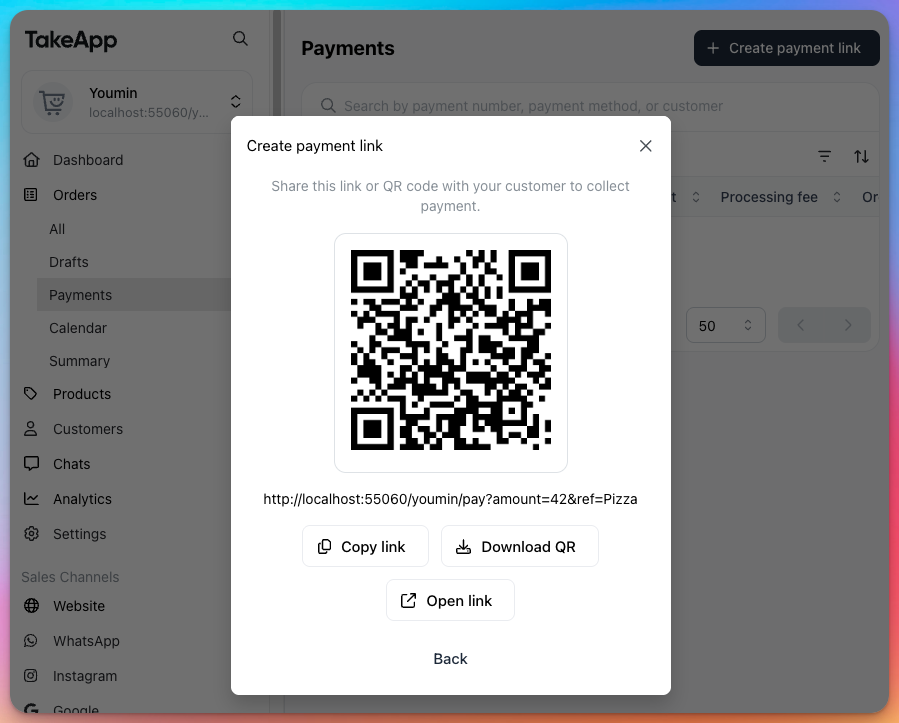
This creates a payment link only — it does not generate an order.