
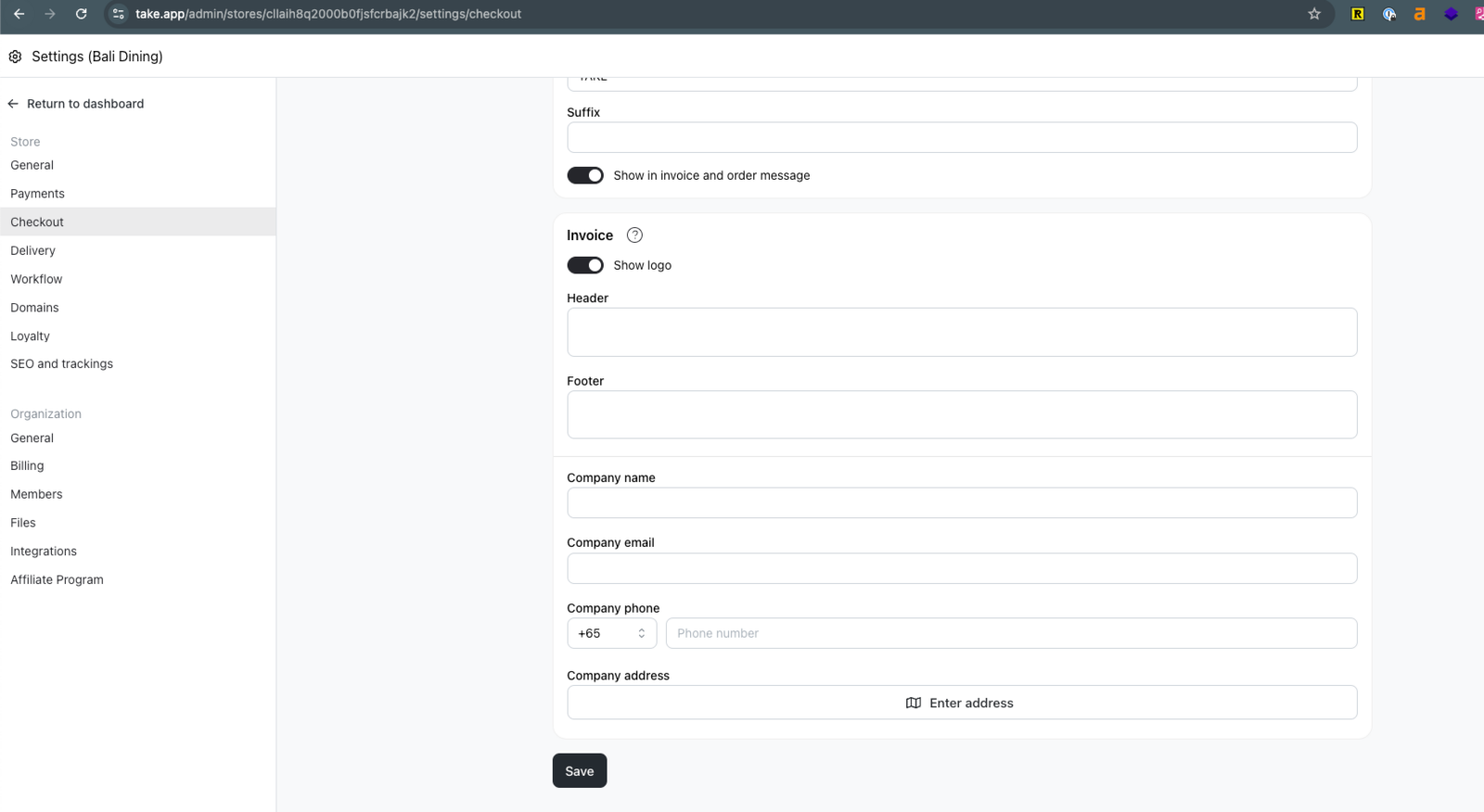
You can add company name, phone number, email, and address to an order invoice.
How to set company information in Invoice
-
Go to Settings > Checkout and go to "Invoice" section.
-
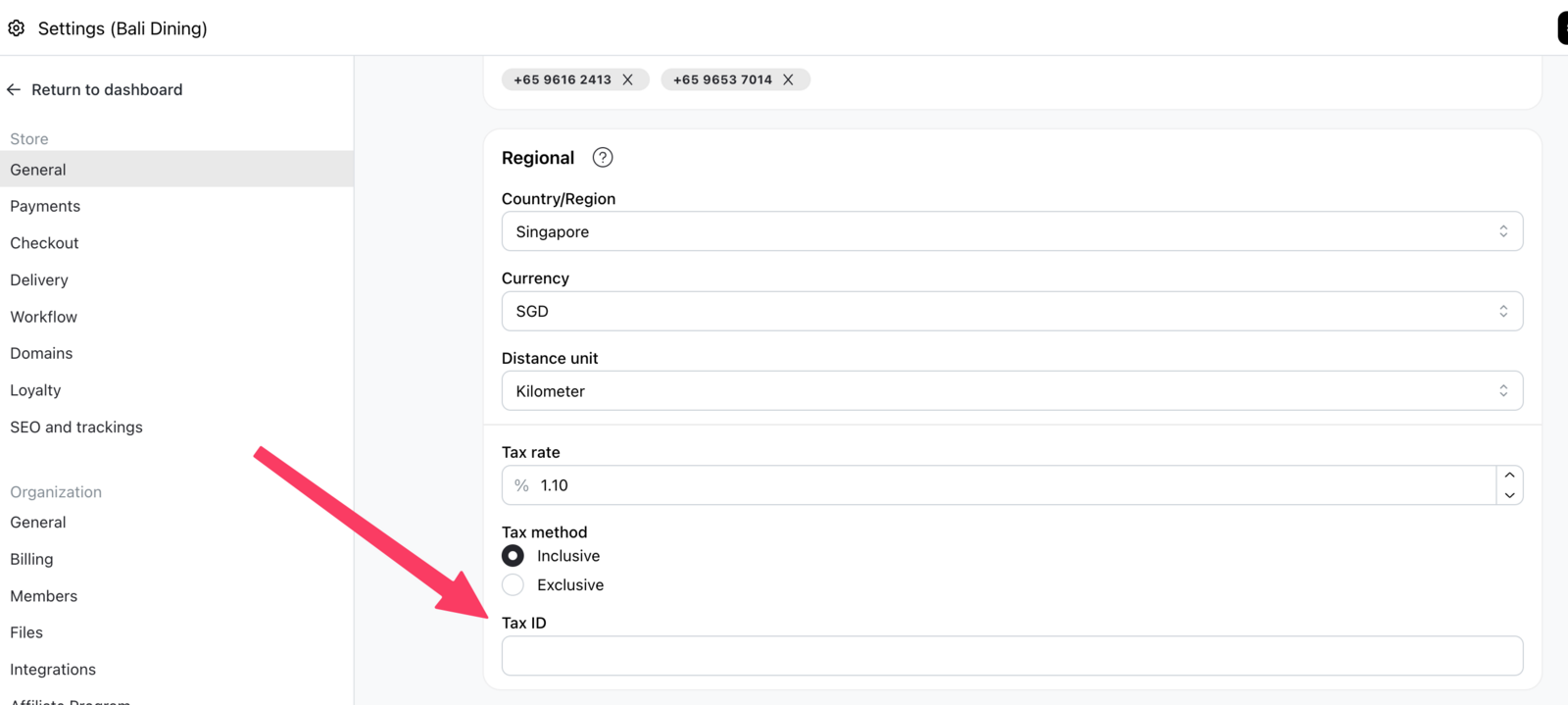
You can also add Tax ID to invoice. Tax ID can be found in Settings > General and "Regional" section
-
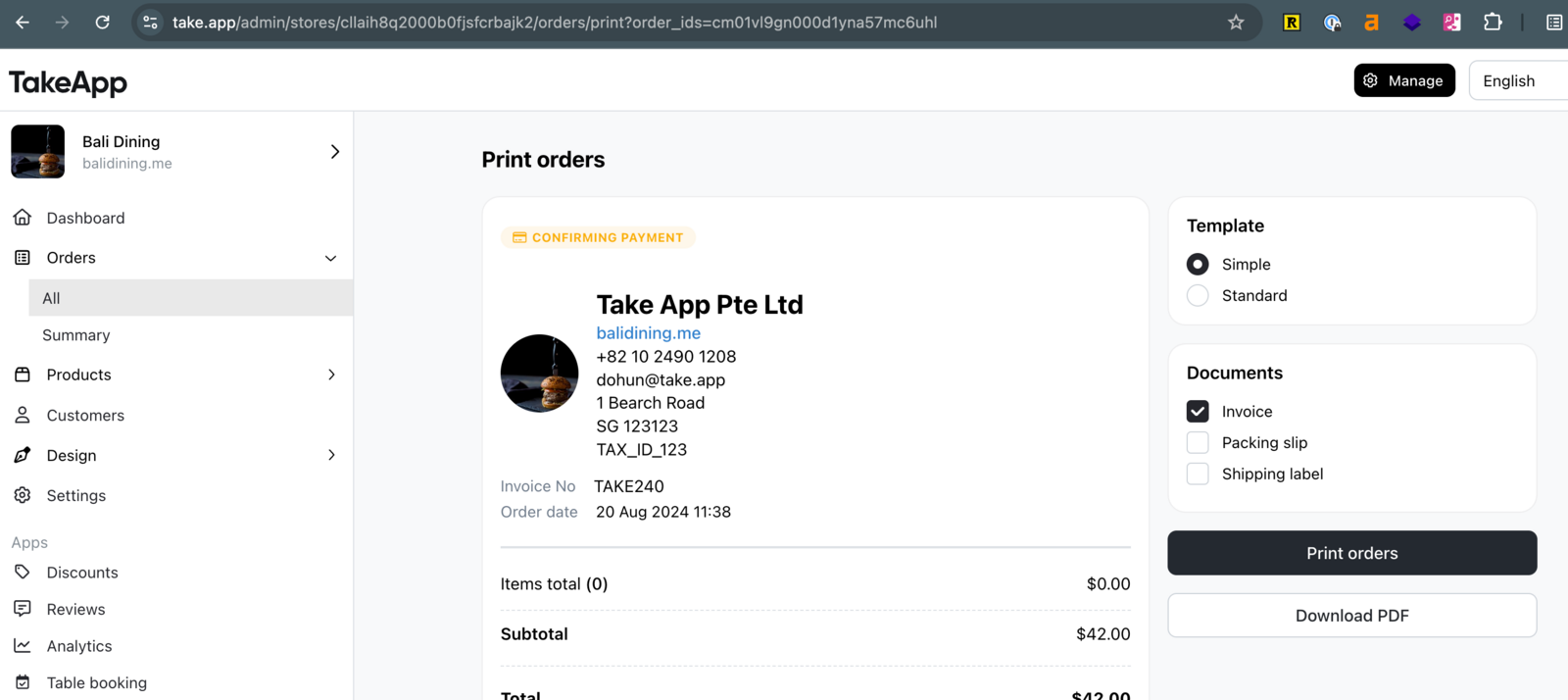
In order receipt and "Simple" invoice template it will show as below.
-
In "Standard" invoice template, it will show as below.
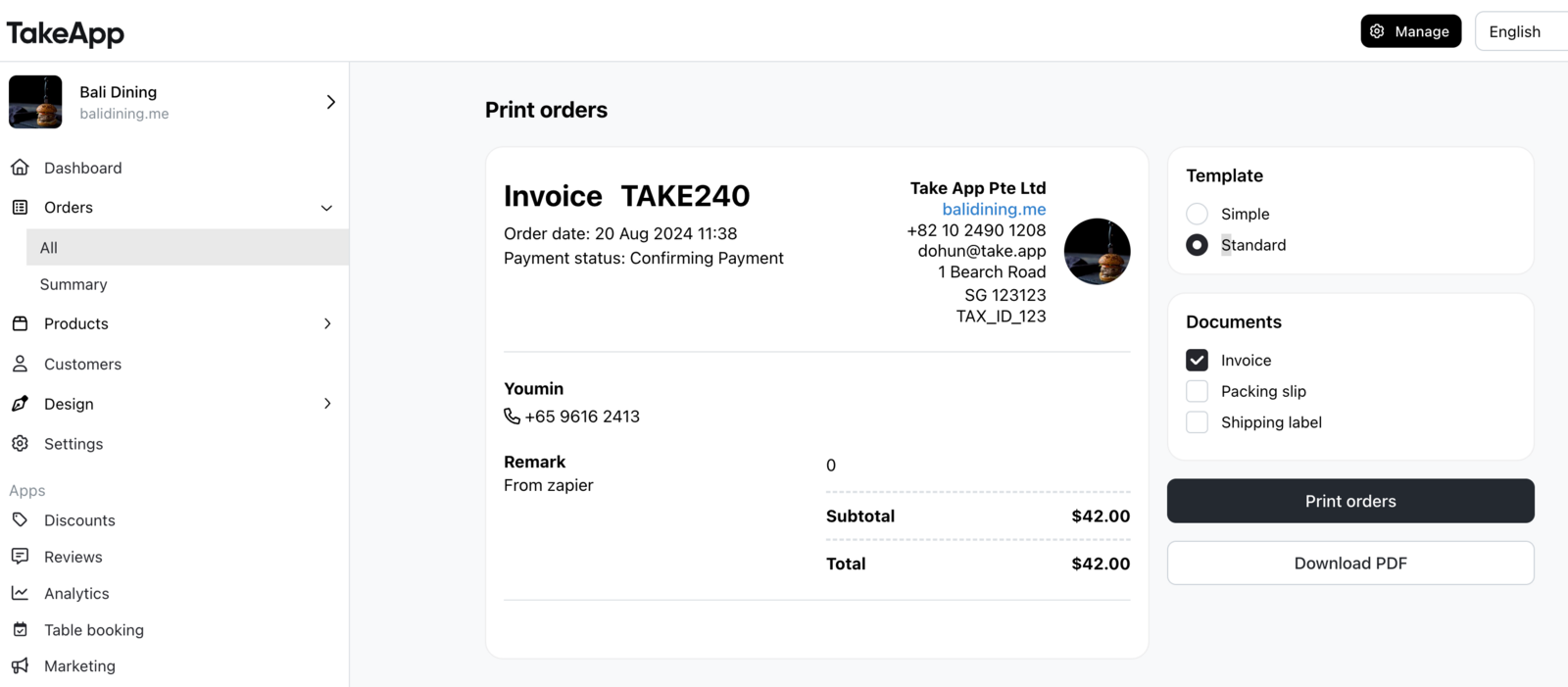
Please note that "Company information" will override "Store information" such as store name, store email, phone number, and address.