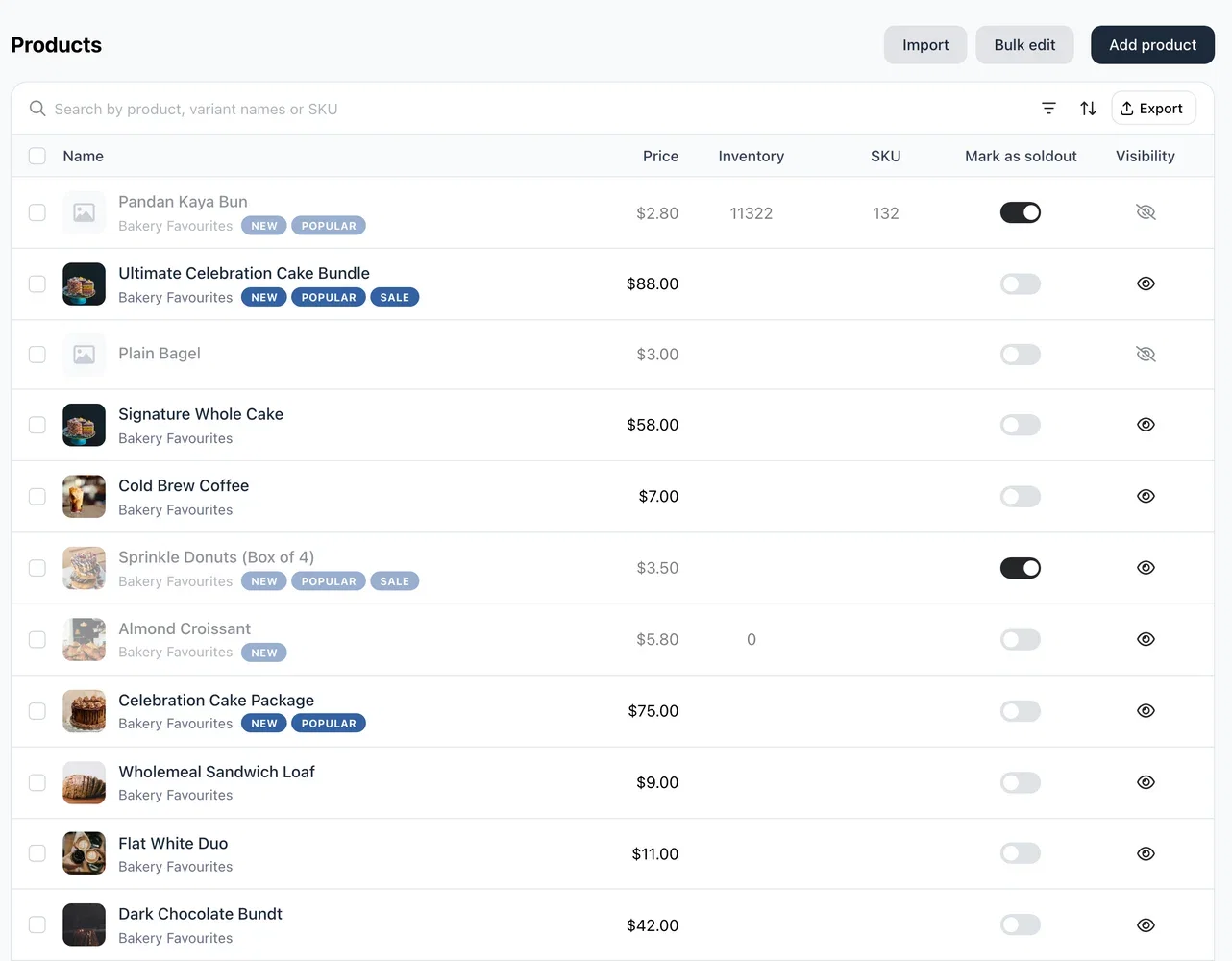
A product list that shows everything
The product list now uses the full width of your screen, and long product names, categories and tags wrap instead of being cut off. If your products have SKUs, there's a SKU column; hover over it, or tap on a phone, to see each variant's code. The stock column shows only when you track stock.
Click the eye icon on a product to hide it from your store or show it again, with no need to open the product. The sold-out toggle tells you what it will do: Mark as soldout or Mark as available. On a phone, hidden and sold-out products are labelled on their photo, and products with variants show their total stock.
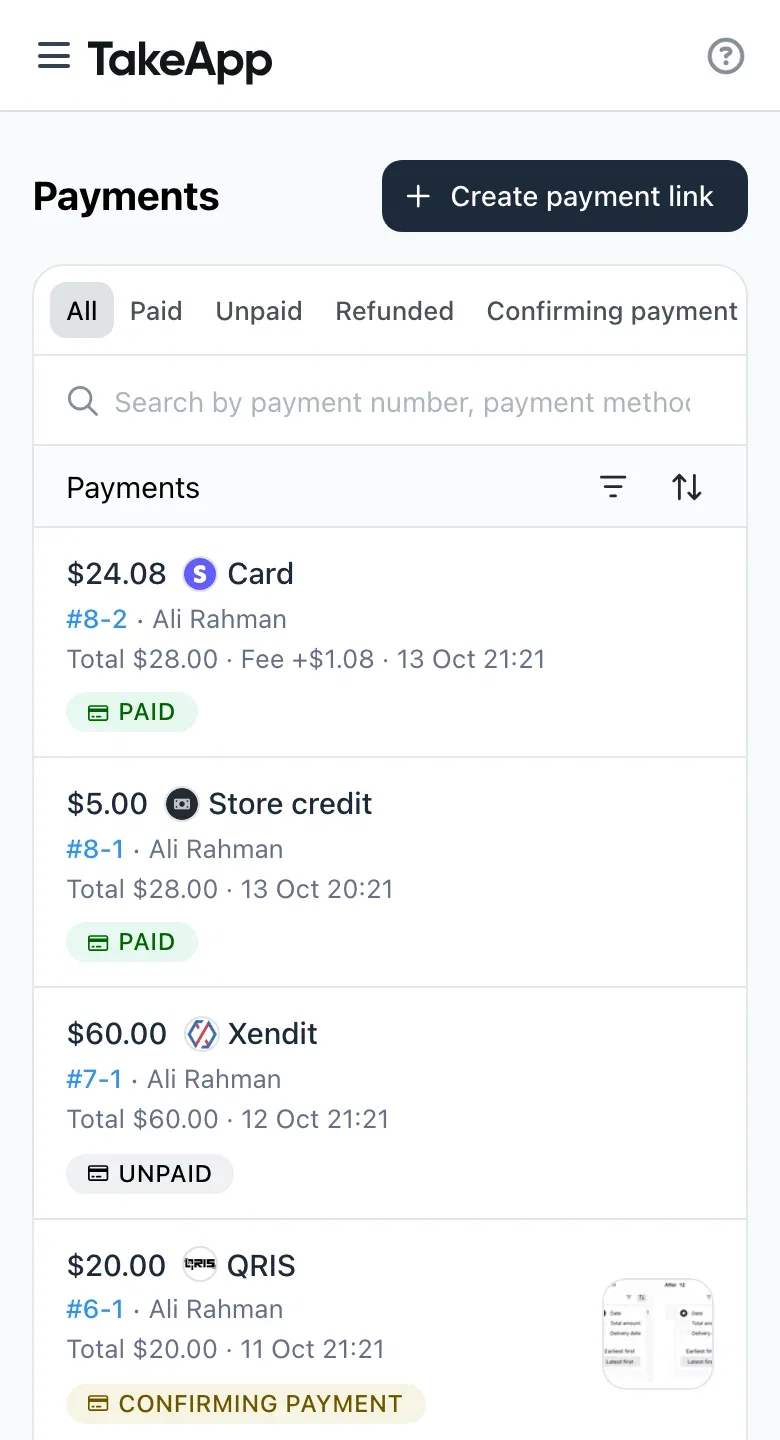
Payments on your phone
The Payments list on a phone now leads with the amount you received and how it was paid, followed by the customer and the payment number. Payment proof shows as a thumbnail you can tap to open full screen, and swipe through when there's more than one. Tap a payment number, on a phone or a computer, to open its order.
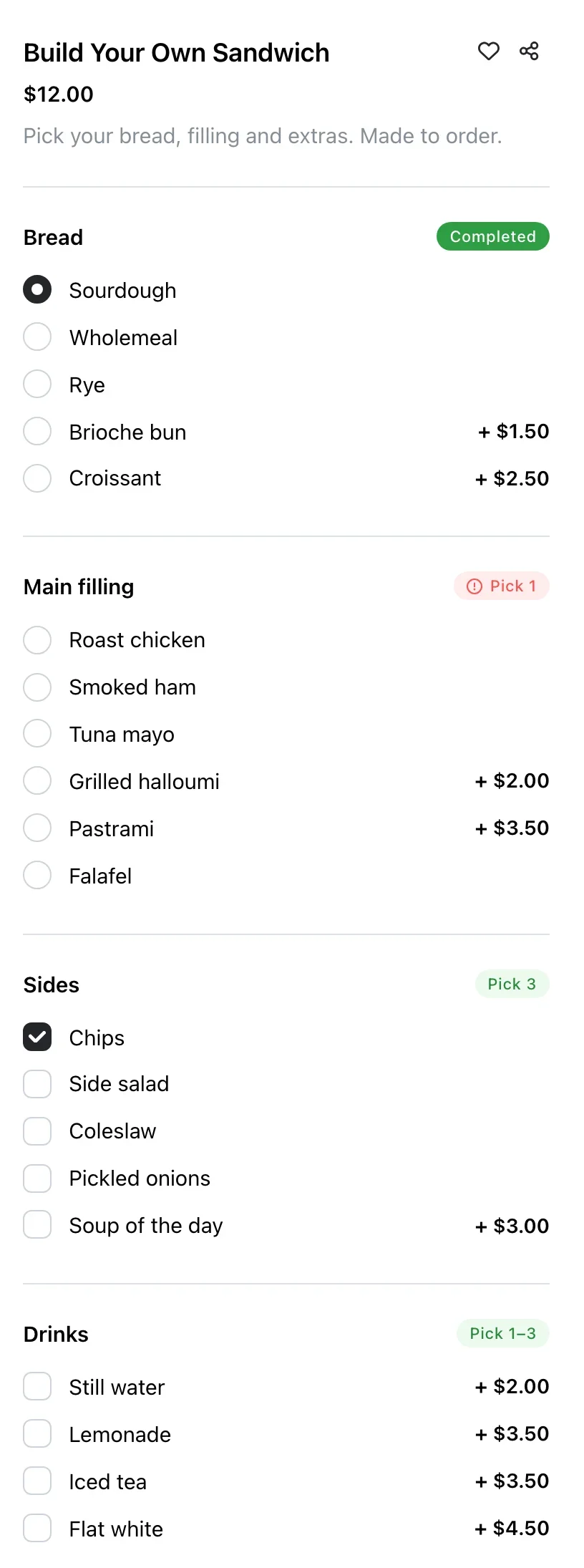
Clearer product options for your customers
On your store, each option group now shows a label telling customers what to do: Pick 1, Pick 1–3, Optional, max 2 or Required. It turns to Completed once they've chosen, and red if they try to add the item without choosing.
Something to buy when a search finds nothing
When a customer's search or a category on your store comes up empty, they now see You may also like with four products, your best sellers first, instead of a dead end.
Customers can pay by card through PayPal
Your PayPal checkout now shows the Debit or Credit Card button next to the PayPal button, so customers without a PayPal account can still pay you. Until now only the PayPal login button showed, even when your PayPal account accepted guest card payments. Where PayPal offers them, Pay Later and Venmo show too. There's nothing to set up.
Others
- Packlink PRO (Spain, France, Italy, Germany): send orders in bulk and get tracking back on each order. Business plan.
- Today's views are back on your dashboard.
- Cash on delivery orders no longer get "pending payment" reminders.
- Daily closing lists payments recorded as Others by their name.
- Binance Pay is out of beta. Learn more
- The new order sound now plays on iPad.
- Improved the accuracy of your store's language for each customer.