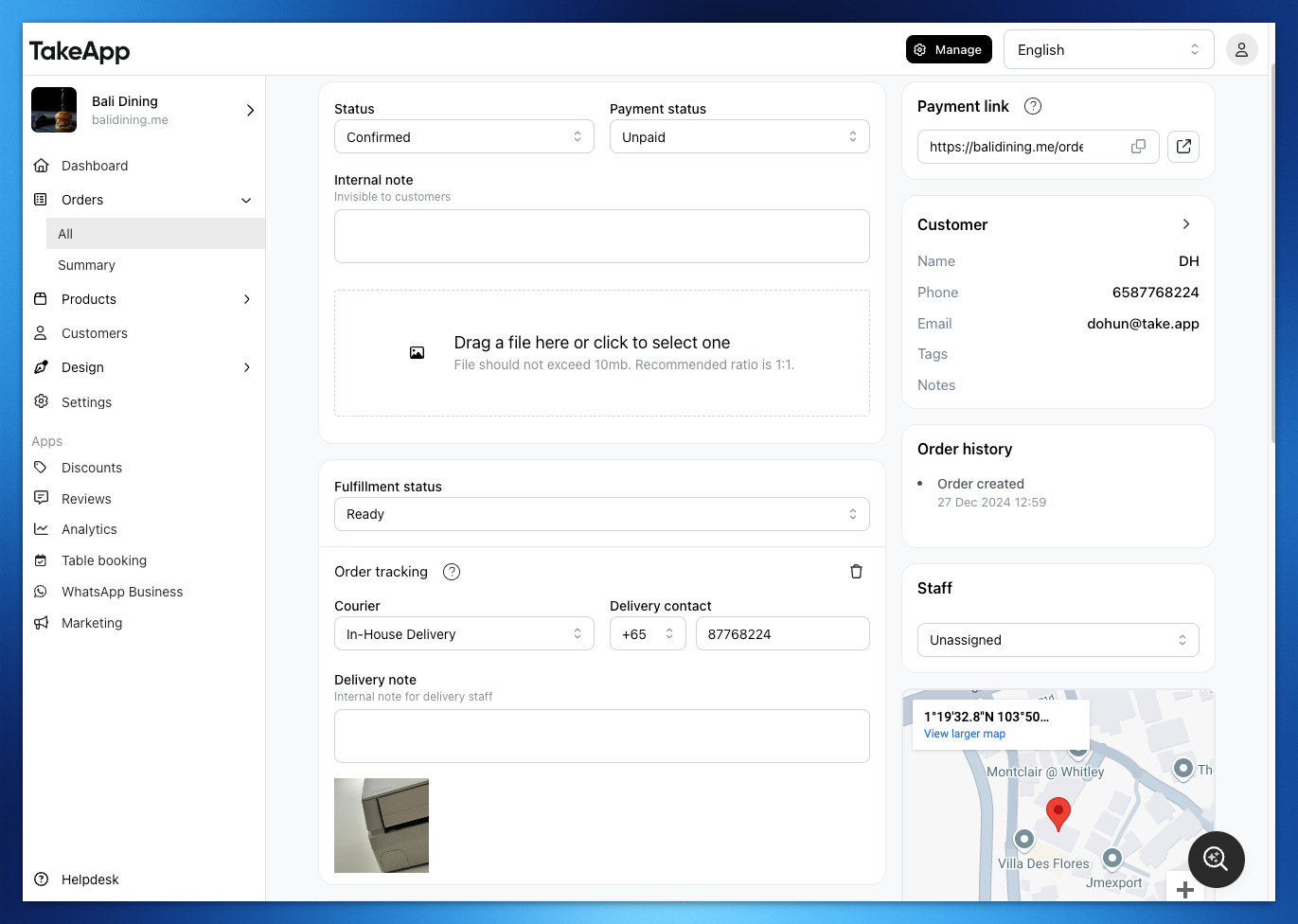
How to upload proof of delivery
- Change the fulfillment status of your order to "Ready"
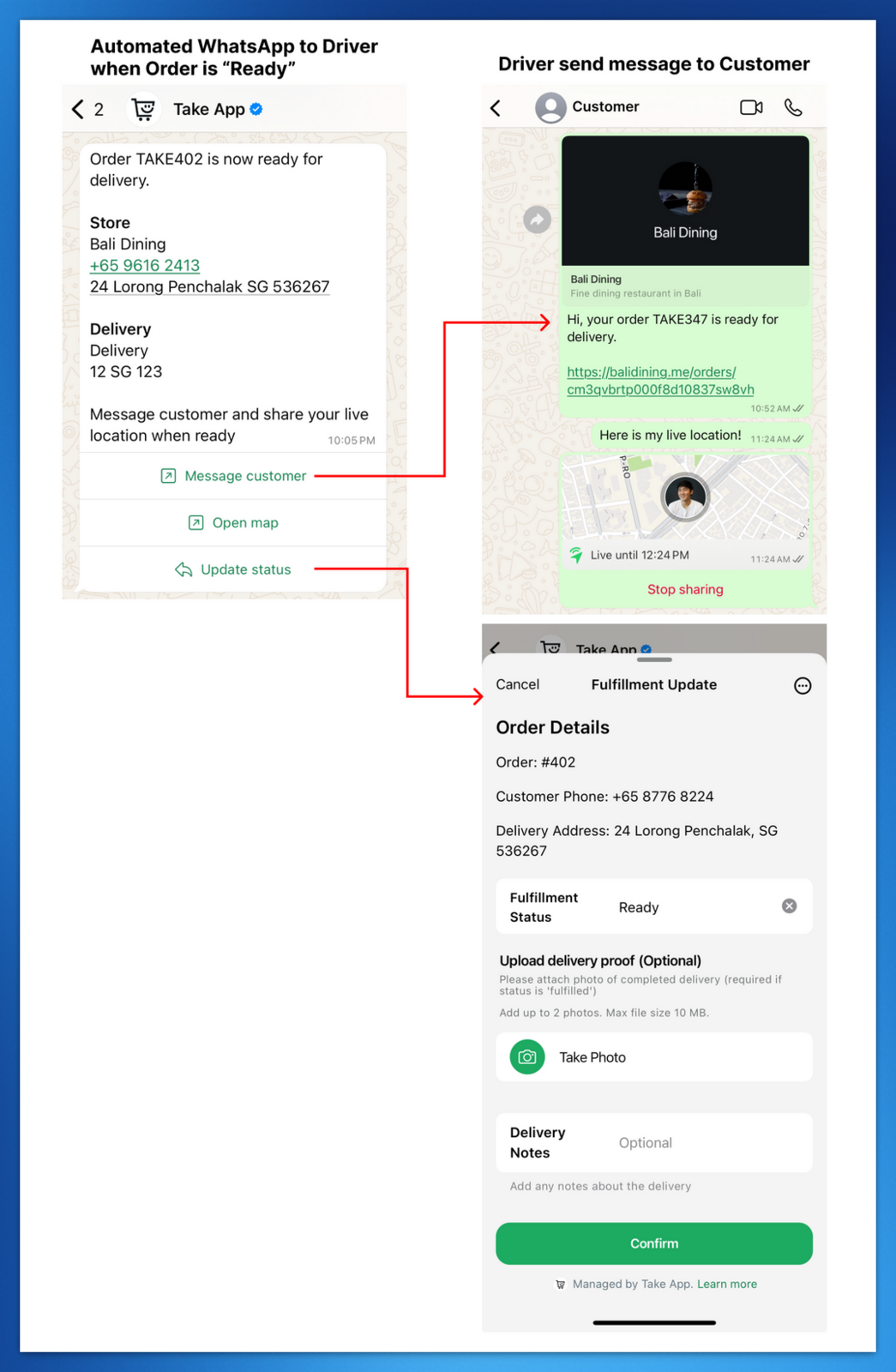
- Automated WhatsApp will be sent to the Driver's WhatsApp number.
- They can then click "Update status" and upload the delivery proof directly on WhatsApp
It will be visible from Order dashboard