
QRIS is the most popular payment method in Indonesia. You can accept QRIS QR payment from your customers.
How to add QRIS as a payment method
-
Go to Admin > Settings > Payments, go to "Local payment methods" section click
Addand choose QRIS.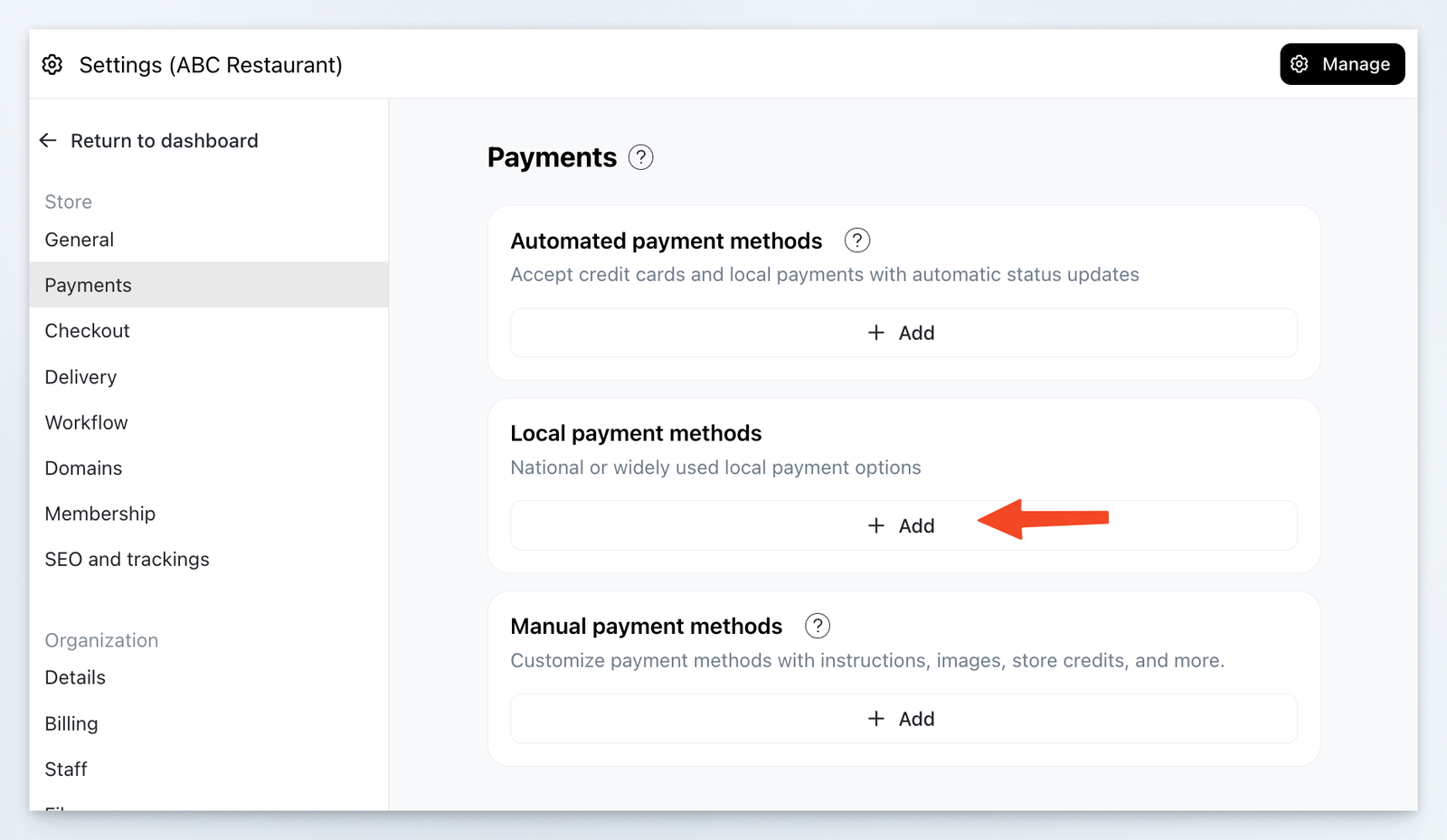
-
Upload your QR code and fill in instructions if needed. Click
Save.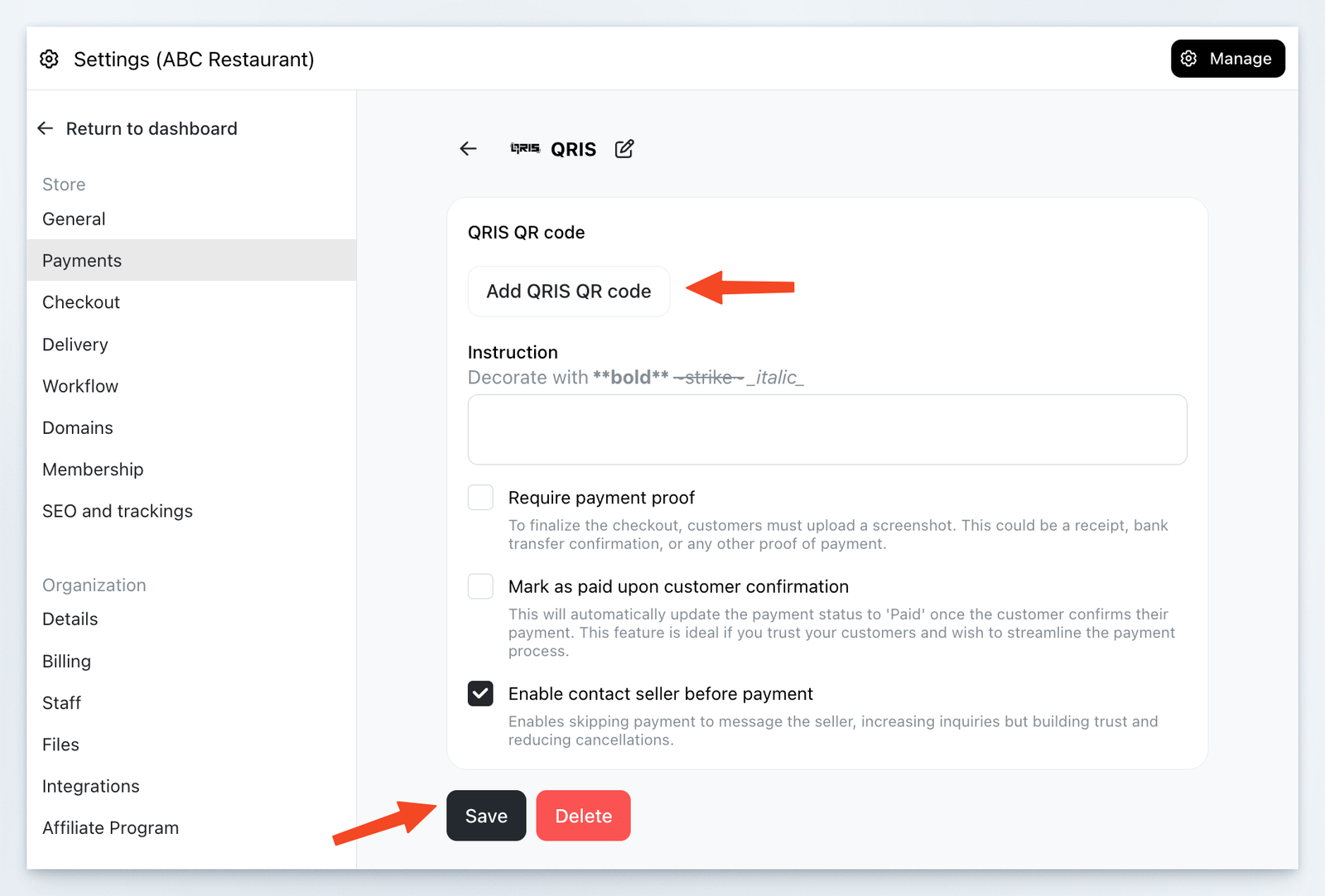
-
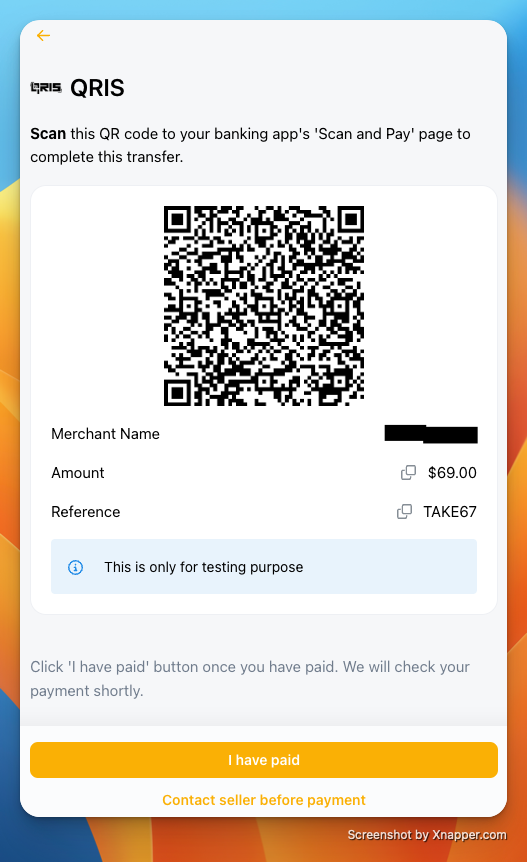
Your pay page will show QRIS QR. Once scan, the recipient and amount will be auto-filled.
Set up from the mobile app
You can add QRIS from the Take App mobile app as well as from the web admin.
- In the mobile app, go to Settings > Payments and, under "Local payment methods", tap
Addand choose QRIS. - Tap
Add QR code, then pick a saved QR image from your photos or photograph your printed QR code. - The app reads the QR automatically and saves it. Tap
Save.
At checkout, your storefront generates a QR with the order amount already filled in, so customers can scan and pay the exact total.