Payhere is one of Sri Lanka's online payment gateway service with the largest customer base. With it, you can accept credit cards and mobile wallet payments from clients and automatically be notified when they have paid.
How to add Payhere as payment method
- Ensure your store currency is
LKR. You can change store currency by visiting Store > Details. - Go to Admin > Settings > Payments and click
Add payment method. - Choose Payhere and make sure to hit
Save. - Click Payhere
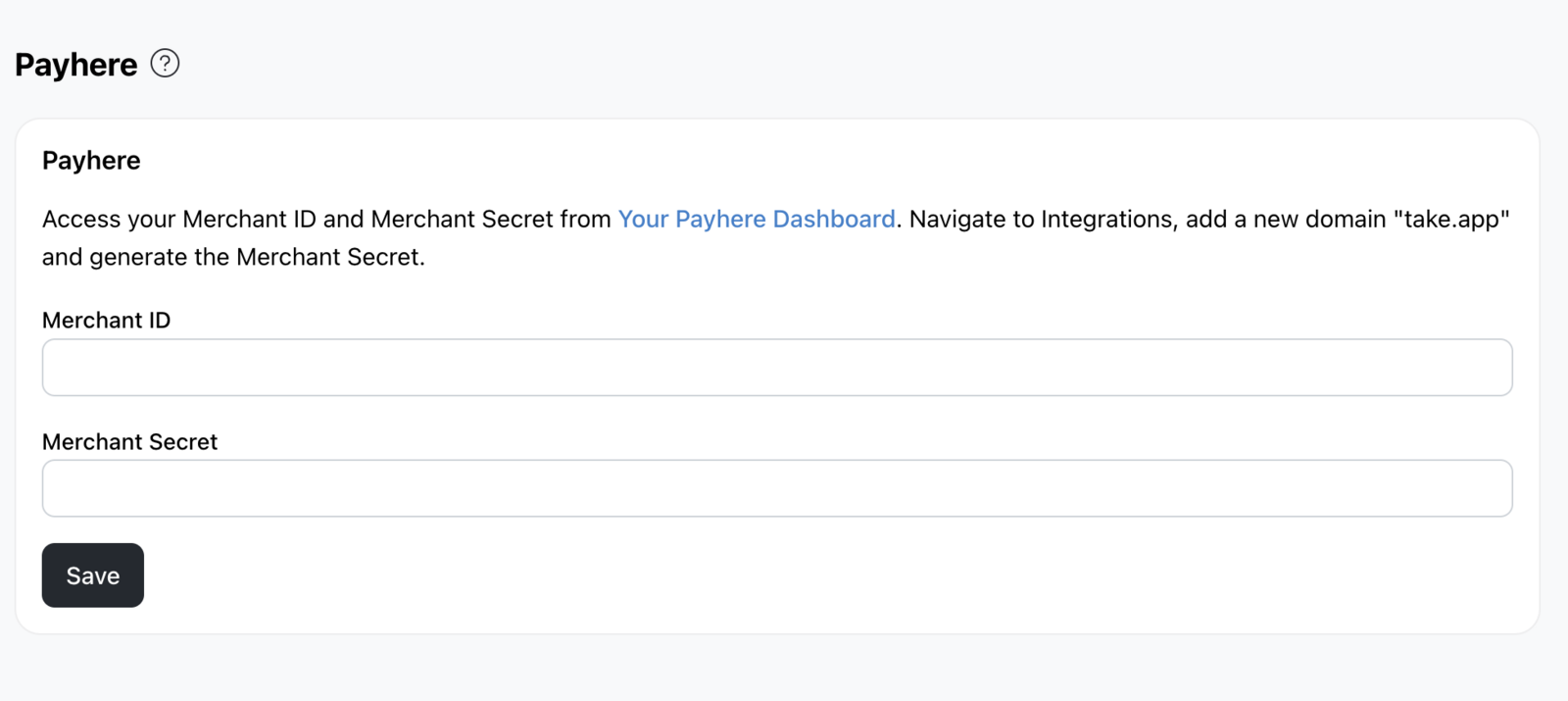
Settingsto complete the setup by keying in your Merchant ID and Merchant secret.
How to find your Payhere Merchant ID and Merchant Secret?
- Log in to your Payhere account dashboard
- Sign up there and once signed up, you can activate your account by going through the KYC process.
- Go to
Integrationson the left-hand side menu. You will immediately see yourMerchant ID. Copy that to Payhere Settings on Take App. - Click on
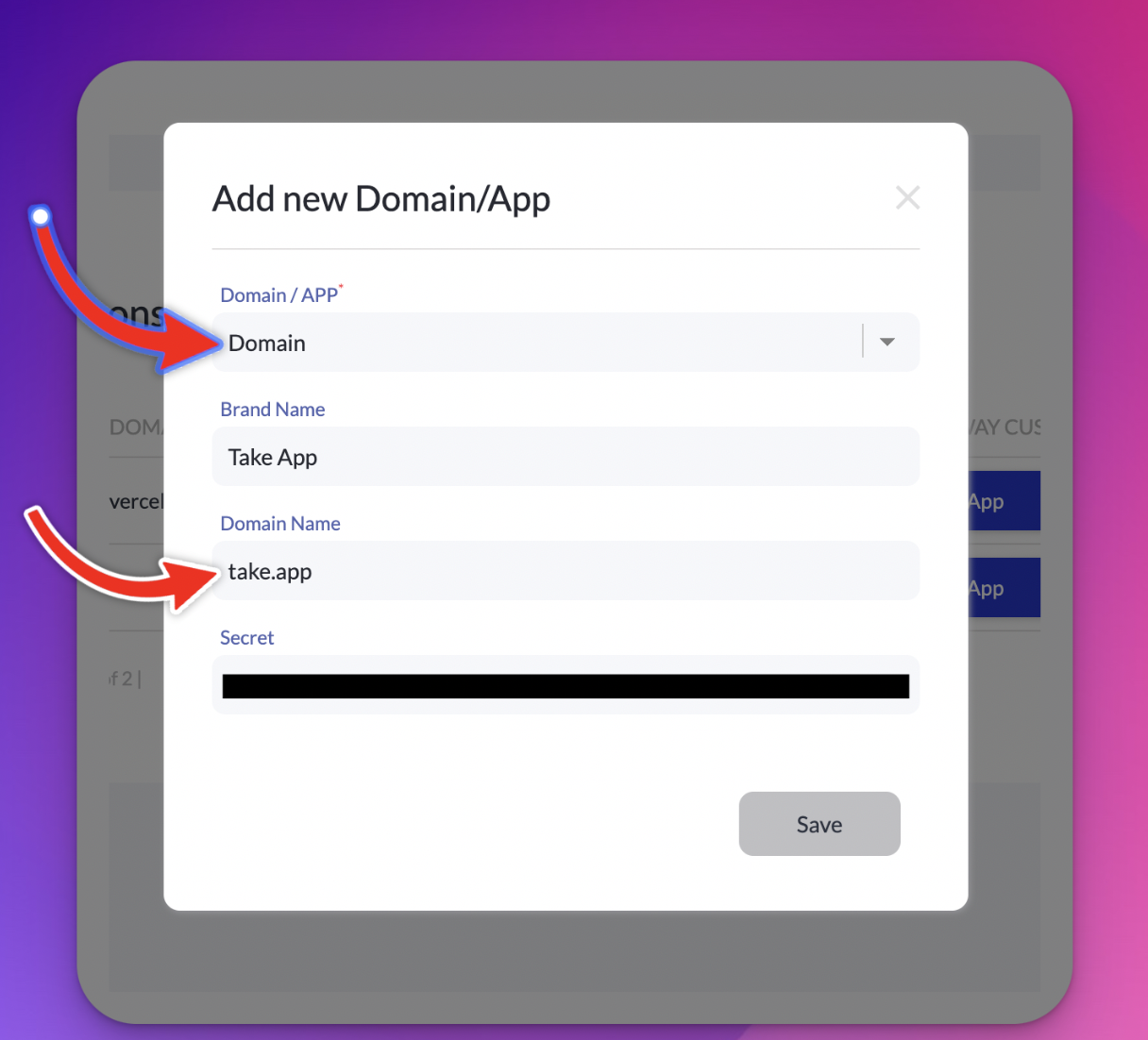
+Add Domain/App. ChooseDomainand entertake.app. Then copy yourMerchant Secretassociated with thetake.appdomain to the Payhere Settings on Take App.